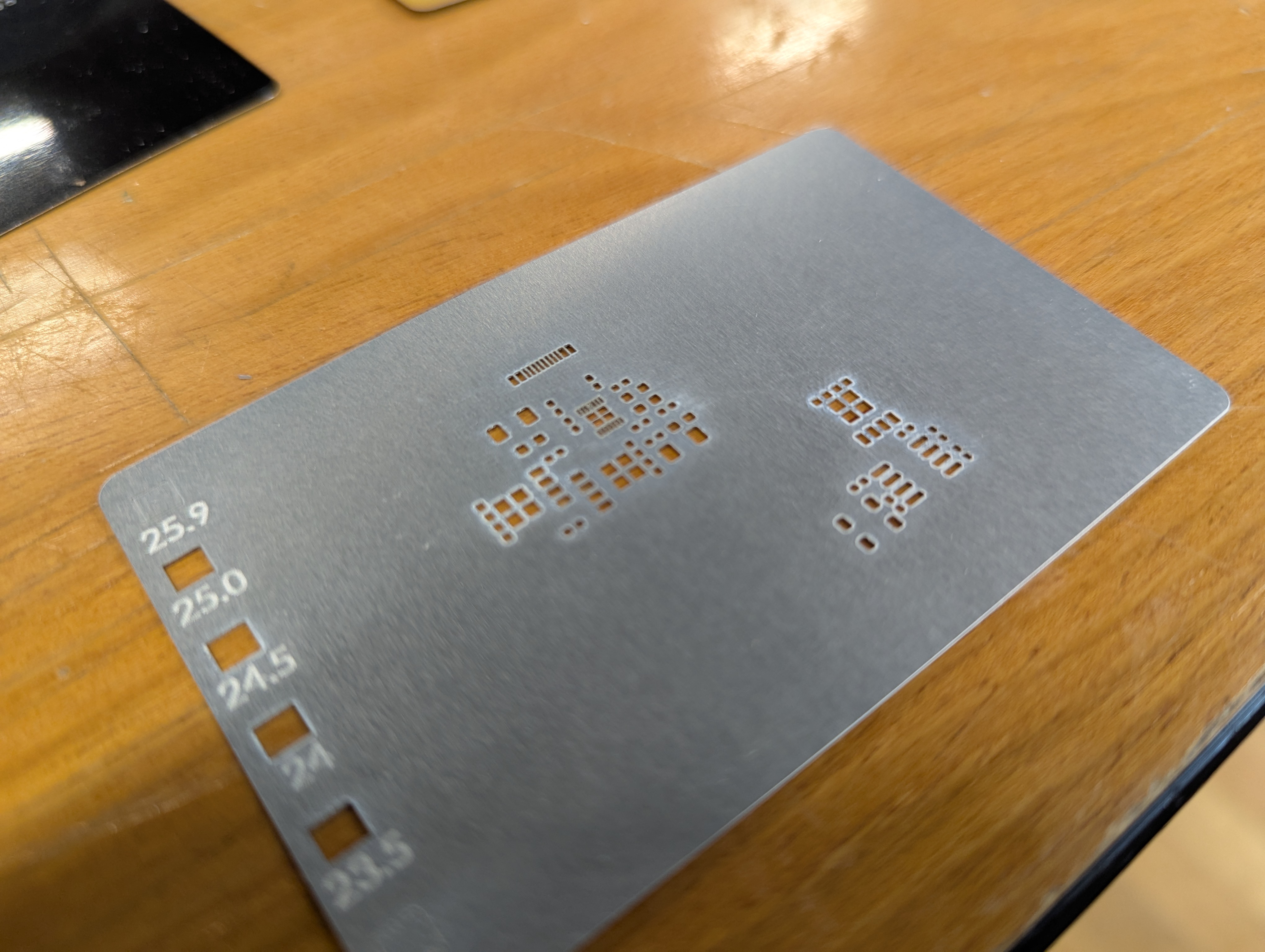
PCB Stencils (or tiny metal parts) on the Xtool

Lately I have gotten access to an xtool F1 Ultra. One of the advantages of this laser is its ability to ablate (I wont say cut) metal. I’ve seen videos of people making pcb solder paster stencils, or cutting really thin metal on similar fiber lasers, and I wanted to try too. All of this is applicable to making small “positive” parts with the xtool as well. Here are my notes.

Settings and Cut Ordering
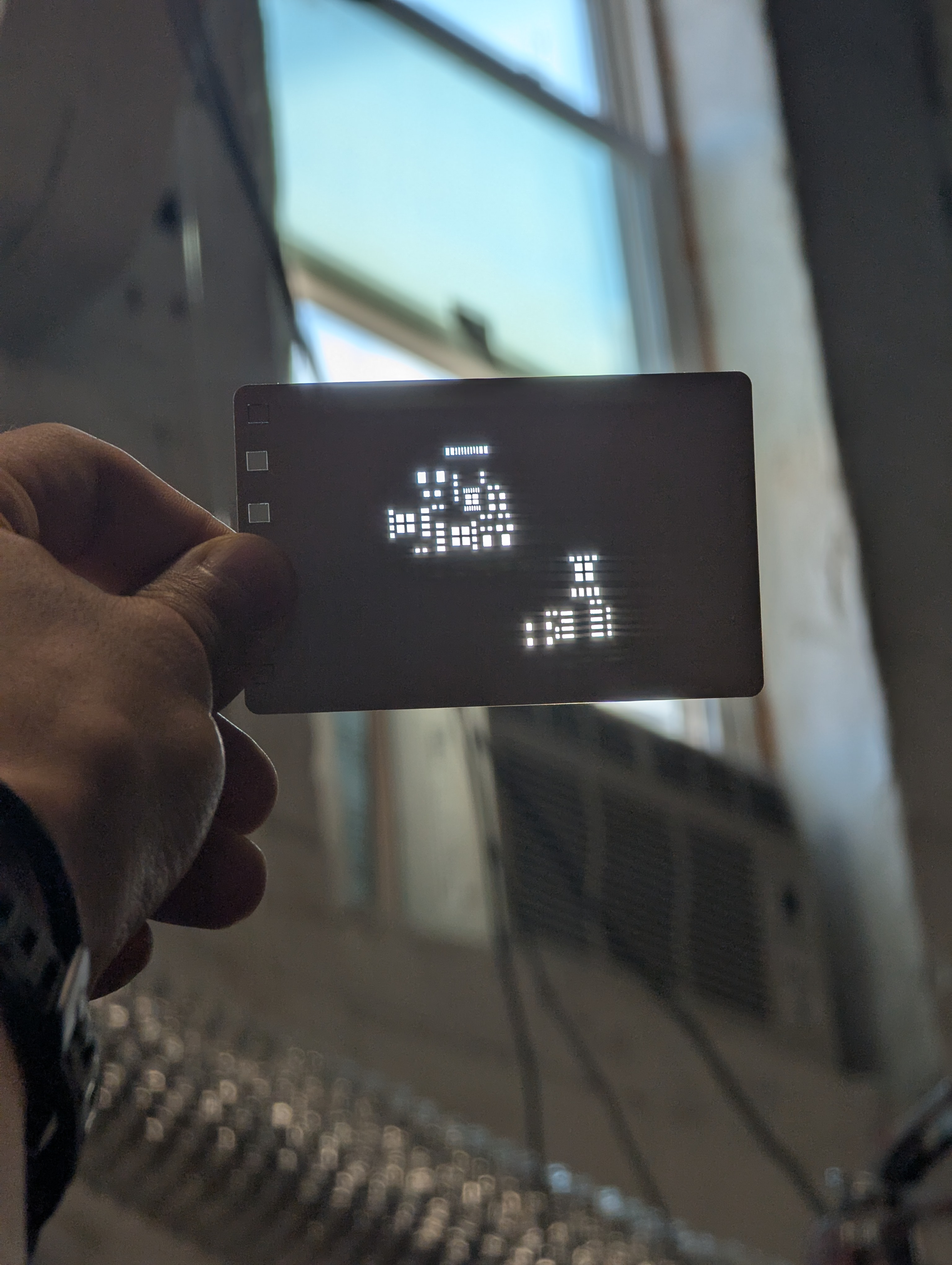
Note extremely thin webs between holes!

When working with thin material, its important not to heat the metal up too much in one spot. This means making many light passes is better than a single, really aggressive pass. This is especially true for cutting out tiny windows, or cutting out a thin “web” between two windows. Too much heat too fast will distort the final geometry.

The settings I used were 100% power, 8000 mm/s speed, and a variable number of passes. For a single large cut/window (like a ~3mm square or above) you can just go ahead and set it to 500 passes and let it rip. The cut is long enough that by the time the laser comes around again, the heat has had time to conduct away.

Below about that size of window, I had better results from repeated cuts – e.g. cut 50x times, wait 10 seconds, then repeat 10x for a total of 500 cuts.
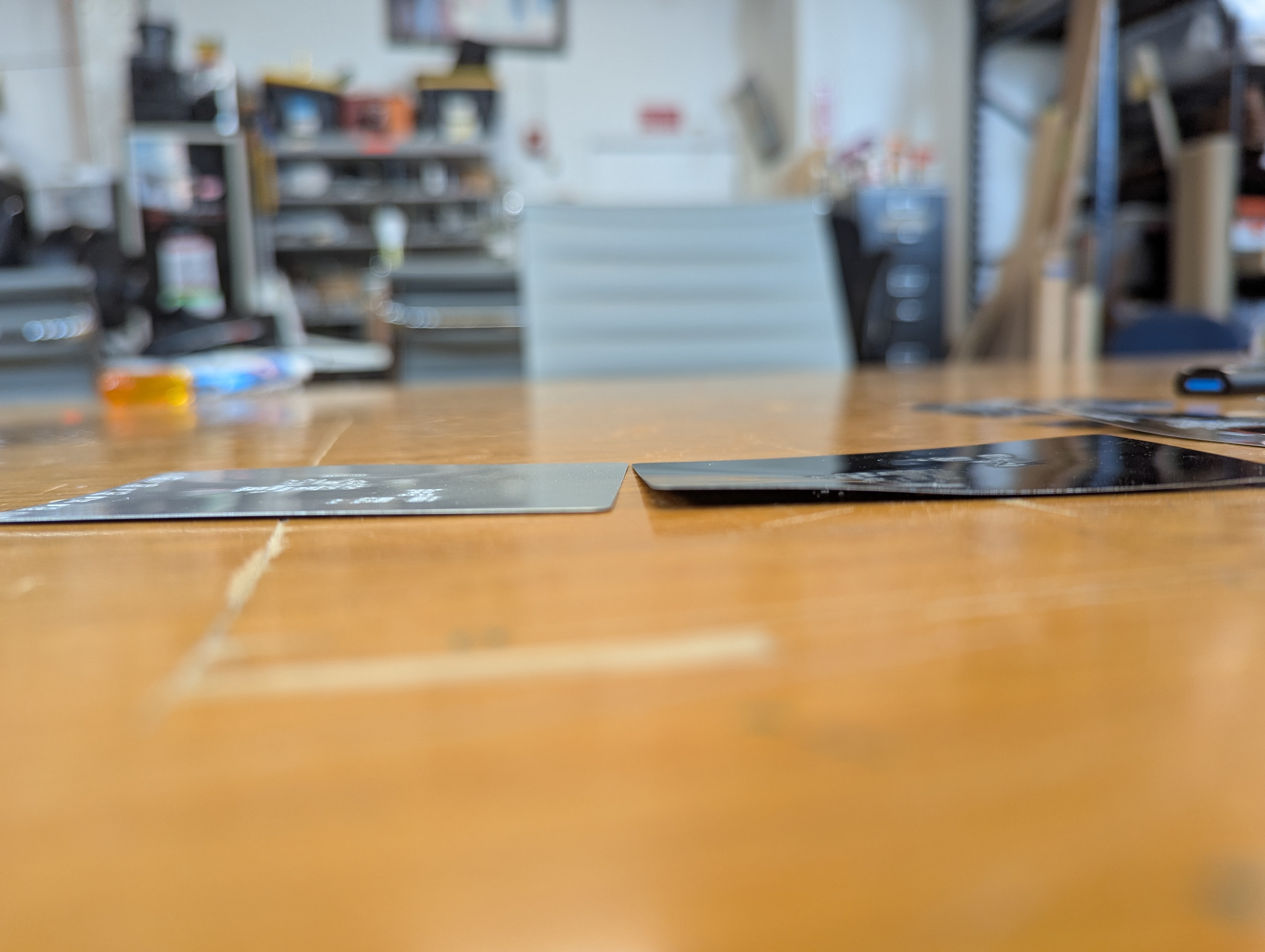
In addition to taking many passes, I needed to semi-randomize the ordering of the cuts. The Xtool sofware optimizes for time, by cutting from the top left to bottom right. This means that cut profiles that are next to each other together are done at the same time. This leads to overheating local overheating, and warping. The left stencil was randomized, the right one was not.

Sadly, there is not feature to do this in the xtool studio. The best you can do is select->ungroup your stencil, then go through and assign each cut in your stencil to a different layer. Then, using the “…” menu near the process button, choose processing path-> user defining and choose “by layer”. There are about 10 default layers, so the laser will go “somwhere else” for about 9 cuts before returning to where it was cutting before. This greatly reduces local heating.

Workholding to Prevent Warping
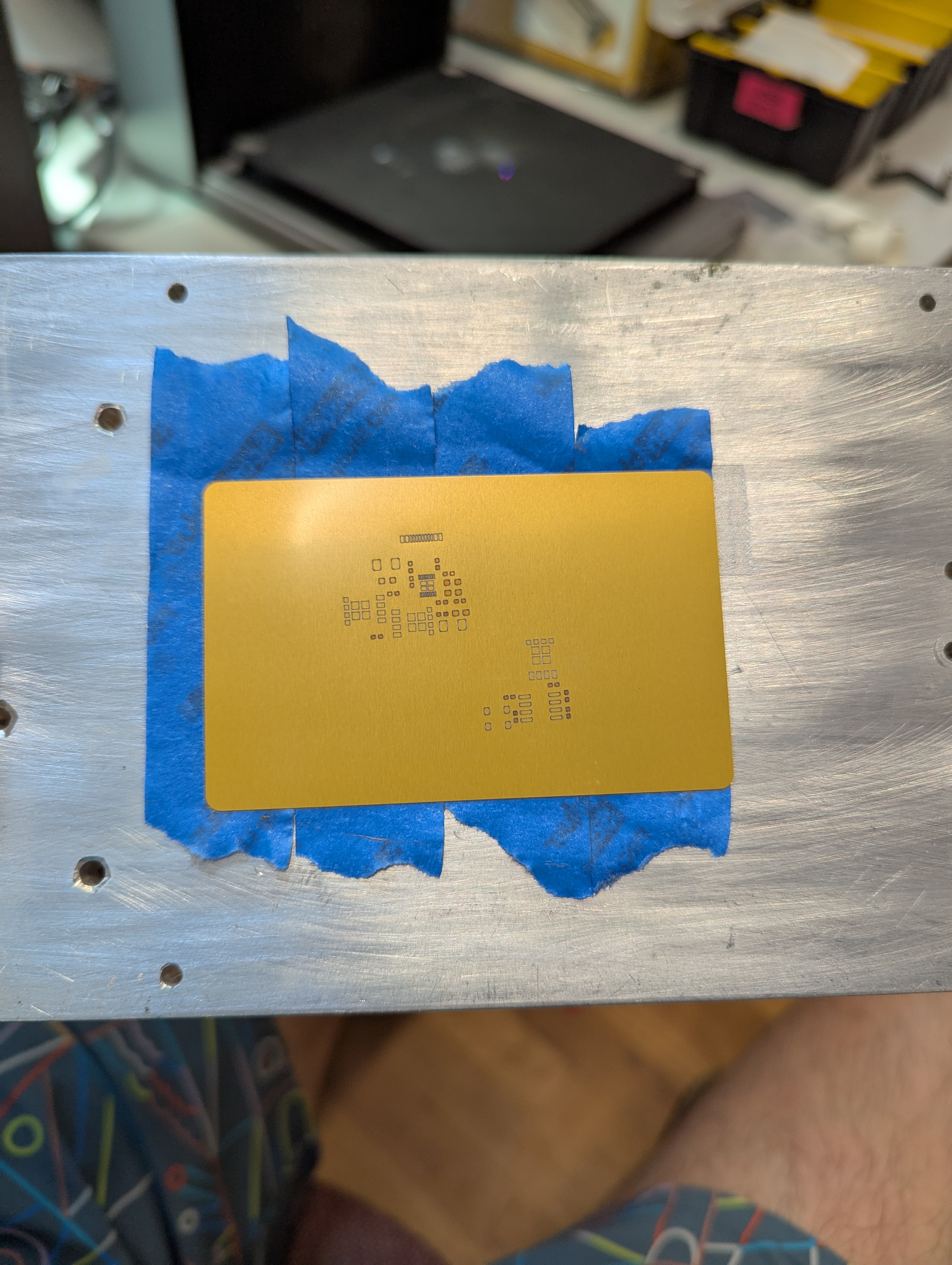
Warping happens when some part of the aluminum gets so hot that it expands, and causes plastic (permeant) deformation in the rest of the sheet of aluminum. To avoid this, I constrained the sheet with tape. This prevents deformation in exchange for stress in the aluminum. By minimizing heating, we minimize this stress.

This fixturing also holds the aluminum material so it doesn’t move due to the exhaust fan.

The best way to achieve this fixturing seems to be an aluminum block (safe to laser), then a layer of removable double sided tape, then another layer of painters tape, then the aluminum stock. Without the layer of painters tape, the aluminum card is hard to remove without bending. The painters tape releases from the doublestick pretty cleanly, so a single doublestick tape bed can last many laserings.

Focus Focus Focus
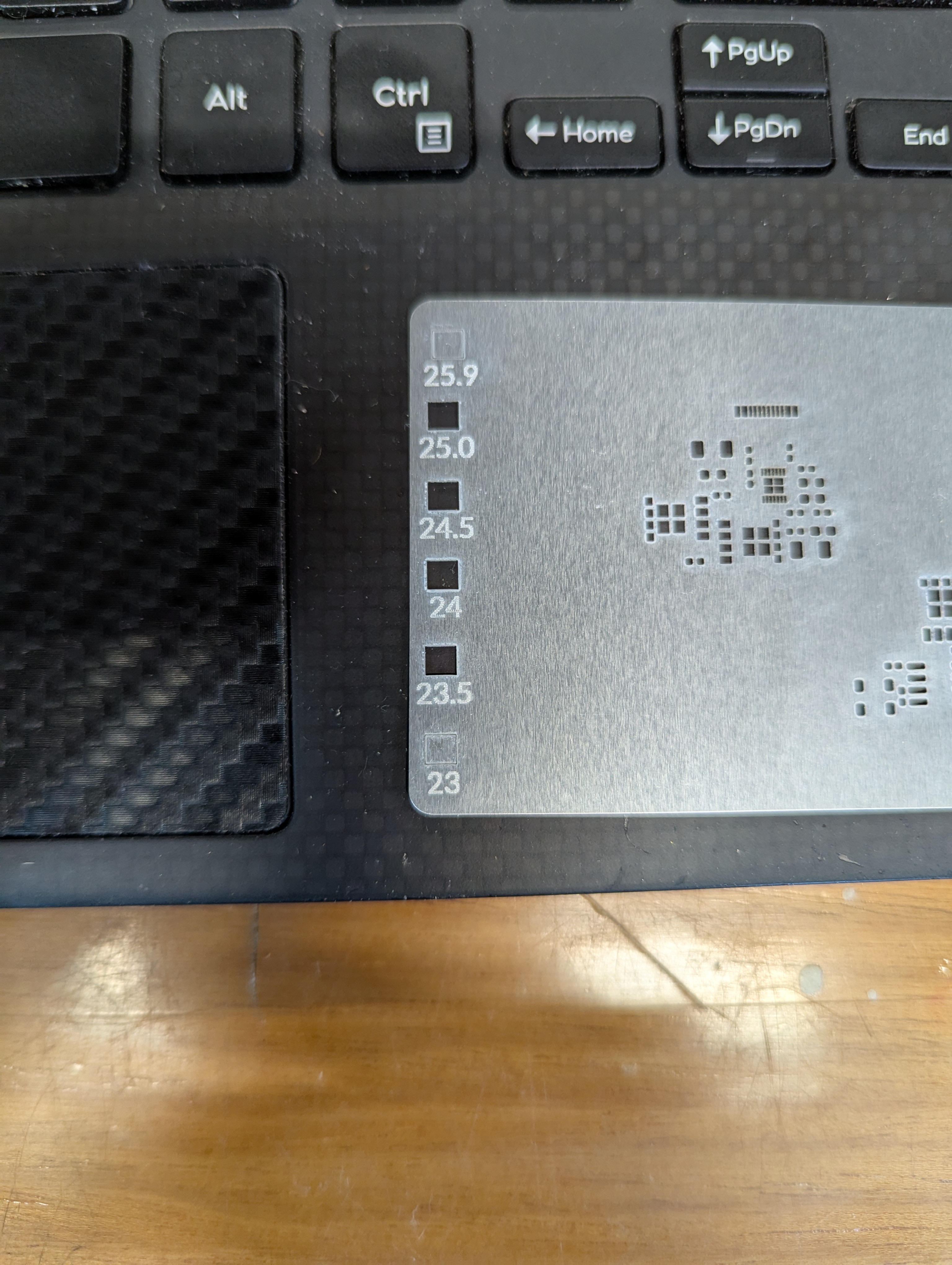
One issue I have run into repeatedly with this laser is that the autofocus does not work, at all. I guess its better than nothing, but I find that its off by about -3mm-4mm. So every time I create a new fixture, turn the machine on, or jog anything, it needs refocusing. I just start by taking the autofocus distance, subtracting 3, then I focus by .5mm increments until I go through a “sweet spot”. It seems like for metal ablation, the beam is tight enough to be focused over about 1.5mm

Surprisingly, the laser cutting makes a distinct snapping/humming sound when its cutting well. I assume this has to do with the metal rapidly expanding/contracting as the laser heats it up and deforms it.

Stencil Performance

My hope is that this can make stencils for everyday use, and for emergency use, like pcb rework. PCB stencils usually cost a couple bucks and cause a few cost related problems for ordering PCBS – specifically in the US, the stencils are relatively expensive (if coming from somewhere like sunstone), or you have to get them at a separate website with separate shipping (osh park/osh stencils), or if you are ordering small boards from overseas, stencils make shipping really expensive as dimensional weight goes up (the box is bigger).
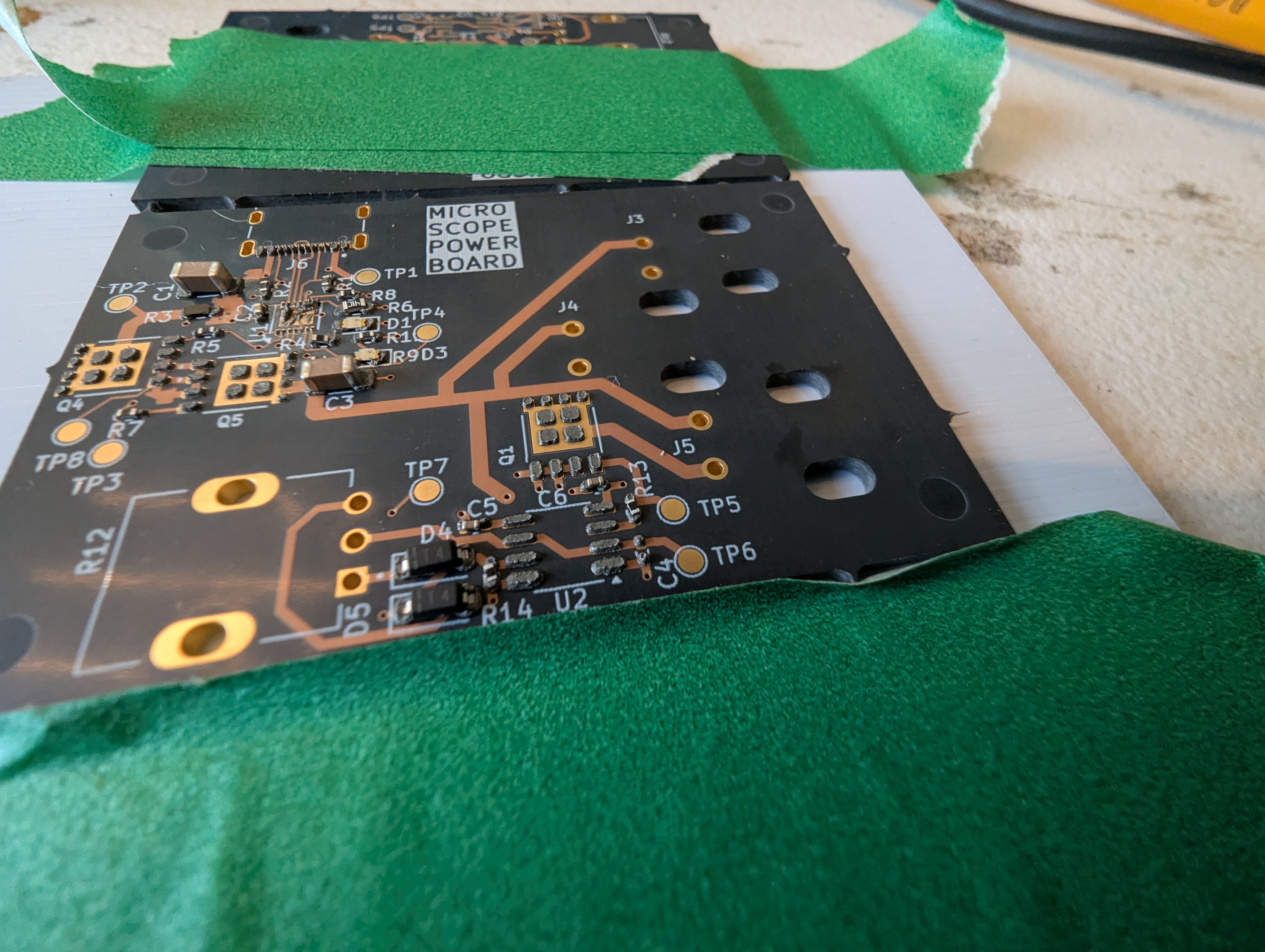
This stencil was quite usable, but it seemed thick (around .18). In the future, I’ll try a slightly thinner material to reduce paste application, especially for “middle”/large pads. The good thing is that its easy to delete or reshape the windows for components if they cause trouble!
Lingonberry Callus Cell Culture

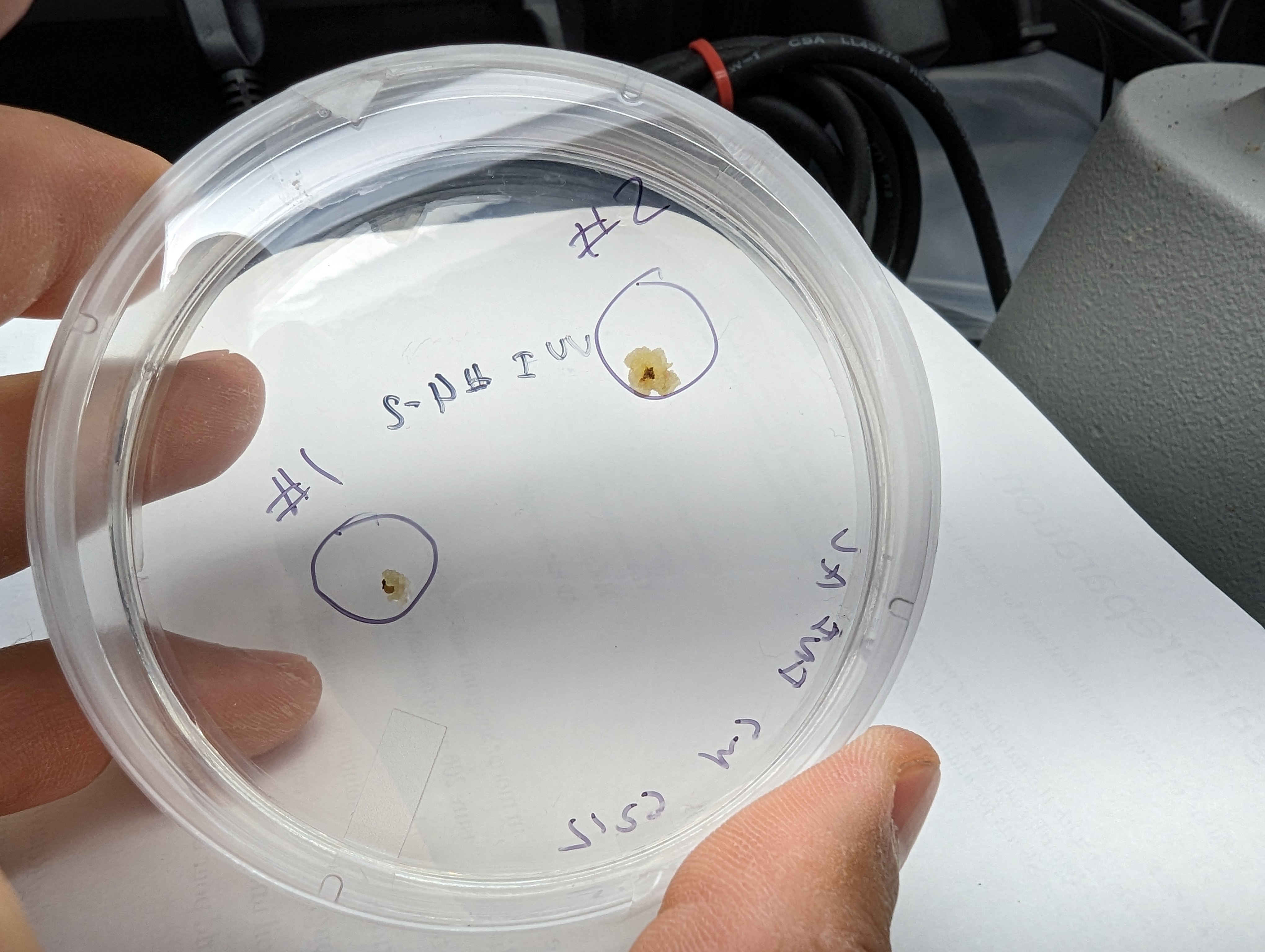
I’m back at trying to propagate a lingonberry plant from a cell culture gathered from the wild! This time, I seem to be having a lot more success in terms of growing something that at least resembles a callus culture. Encouragingly, I have had similar growths from various parts of plants that I plated. I tried to excise buds from the meristem, without magnification, so its hard to say exactly what tissue the cells came from, because they were very small (generally, they are from in the buds).

In the future it might be worth looking at callus induction from leaves, a technique I did not know about.

These cultures are growing relatively slowly (months between re-plating), possibly due to the totally uncontrolled and unoptimized conditions they are in, aka an funky basement. Surprisingly, contamination has not been a huge issue (transfers have been done in a pcr hood).

The next step will be to take some larger cell masses and try to get them to grow a bud, shoot, root or leaf- to start turning back into a plant. My plan is to grow them on a deeper media in a different container, undera lighting, without 2ip on something like WPM with zeatin (although zeatin is expensive, so maybe just WPM!).

Hot Plate Usability Upgrades

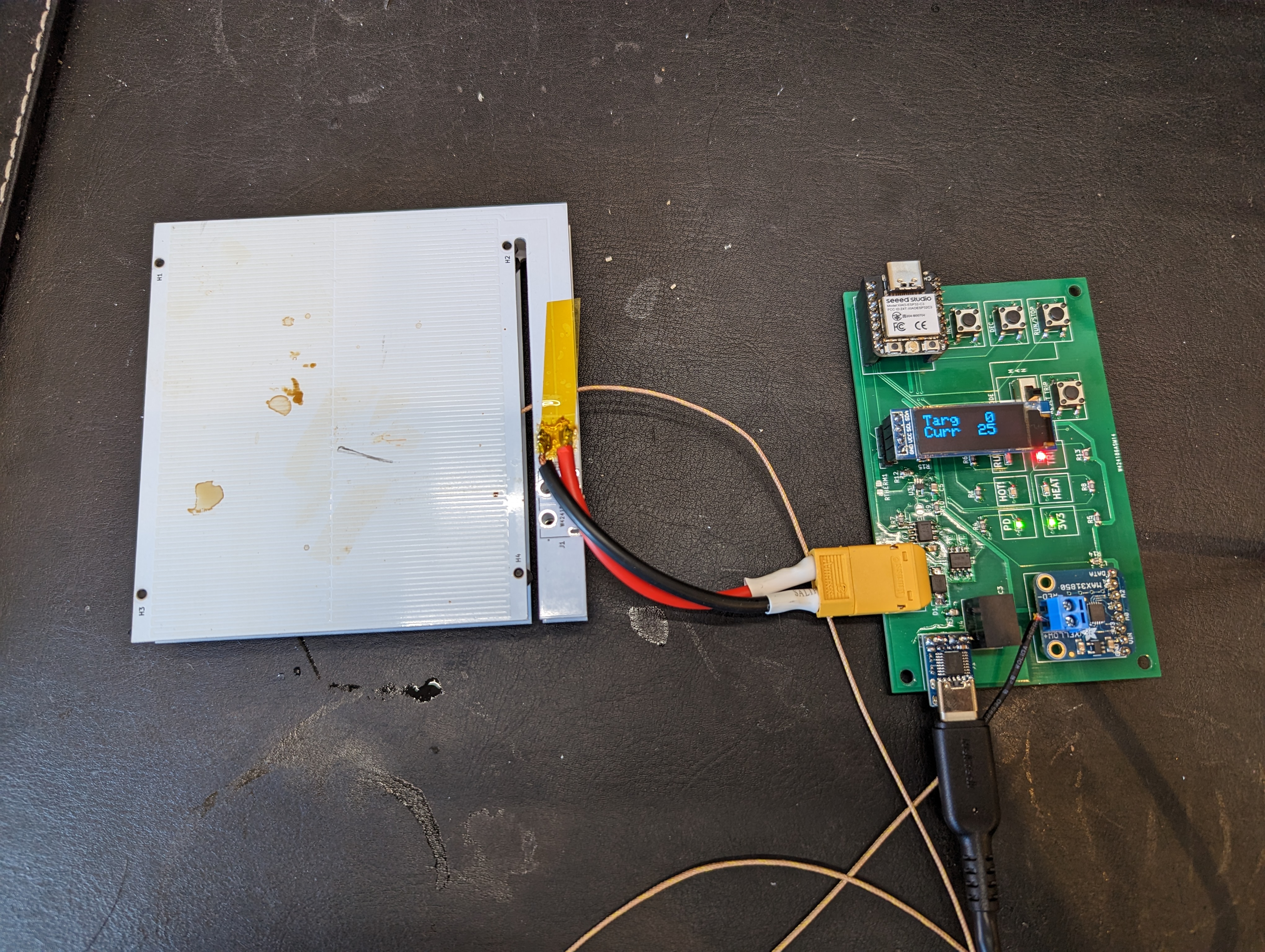
My hotplate, while very functional, was not user friendly. It was a small matter of software (SMOP) to solve these issues.

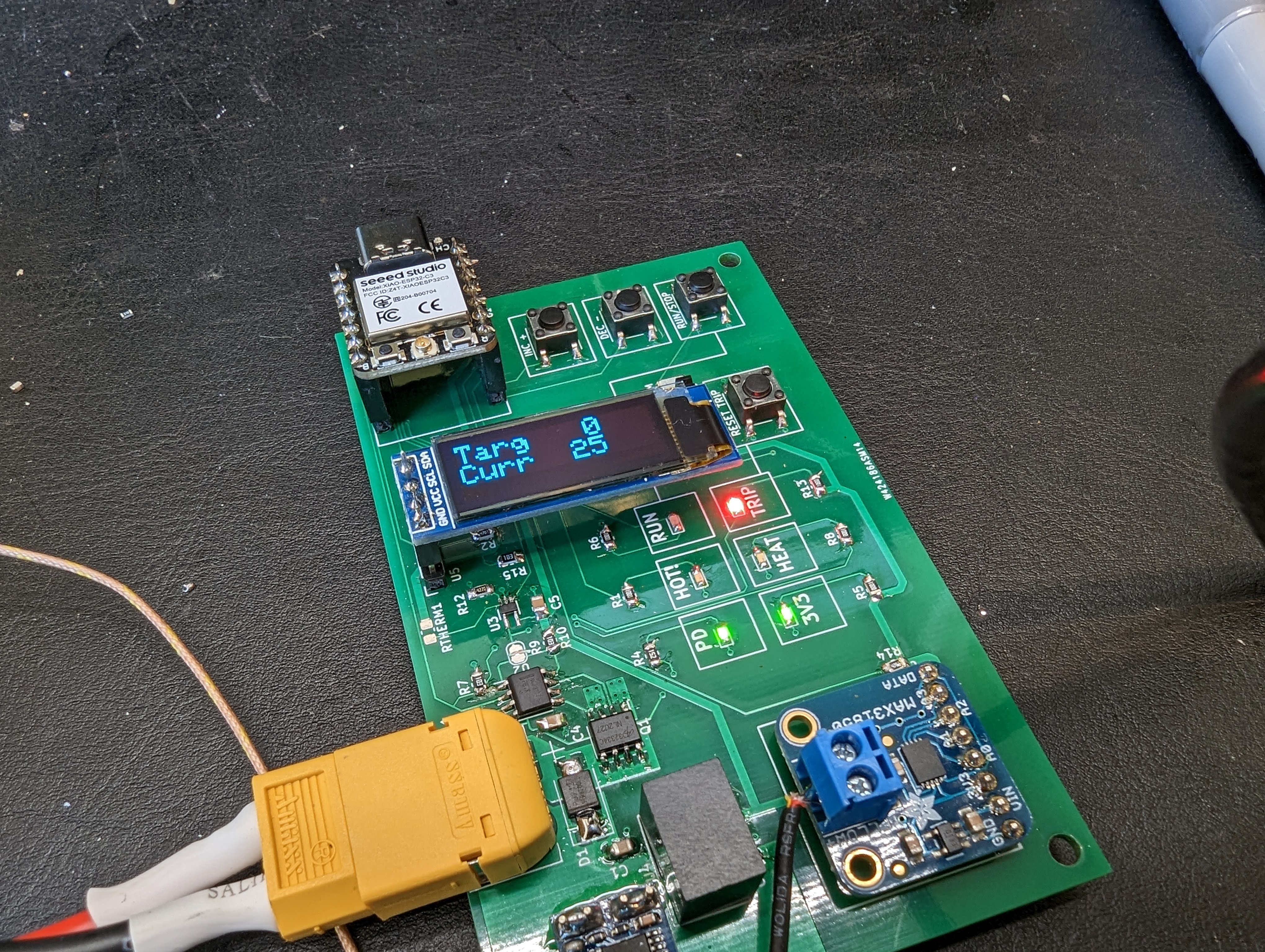
The buttons work!

The hotplate can be turned on and off and controlled in increments of 10c using just the buttons. This frees it from needing to be hooked up to the computer with another USB cable. I originally imagined that having computer control would be neat (and it would be), but its not really necessary for anything that I am doing right now, and it impedes my workflow to do so.

There is a screen!

This screen really would be better off rotated 90 degrees. the final hotplate controller will have that, but for now I will just have to use my imagination. This screen is at a funny angle because the original plan was to control this through the serial port and specifically not to have a screen.

To Do:

This thing needs some kind of case, both to protect the electronics and to make it easy to use and store. I will probably 3d print some kind of temporary mounting arrangement, and also spin up a finished version of the user interface. That UI will probably get assembled on the hotplate!
Dactyl Manuform For MechEs

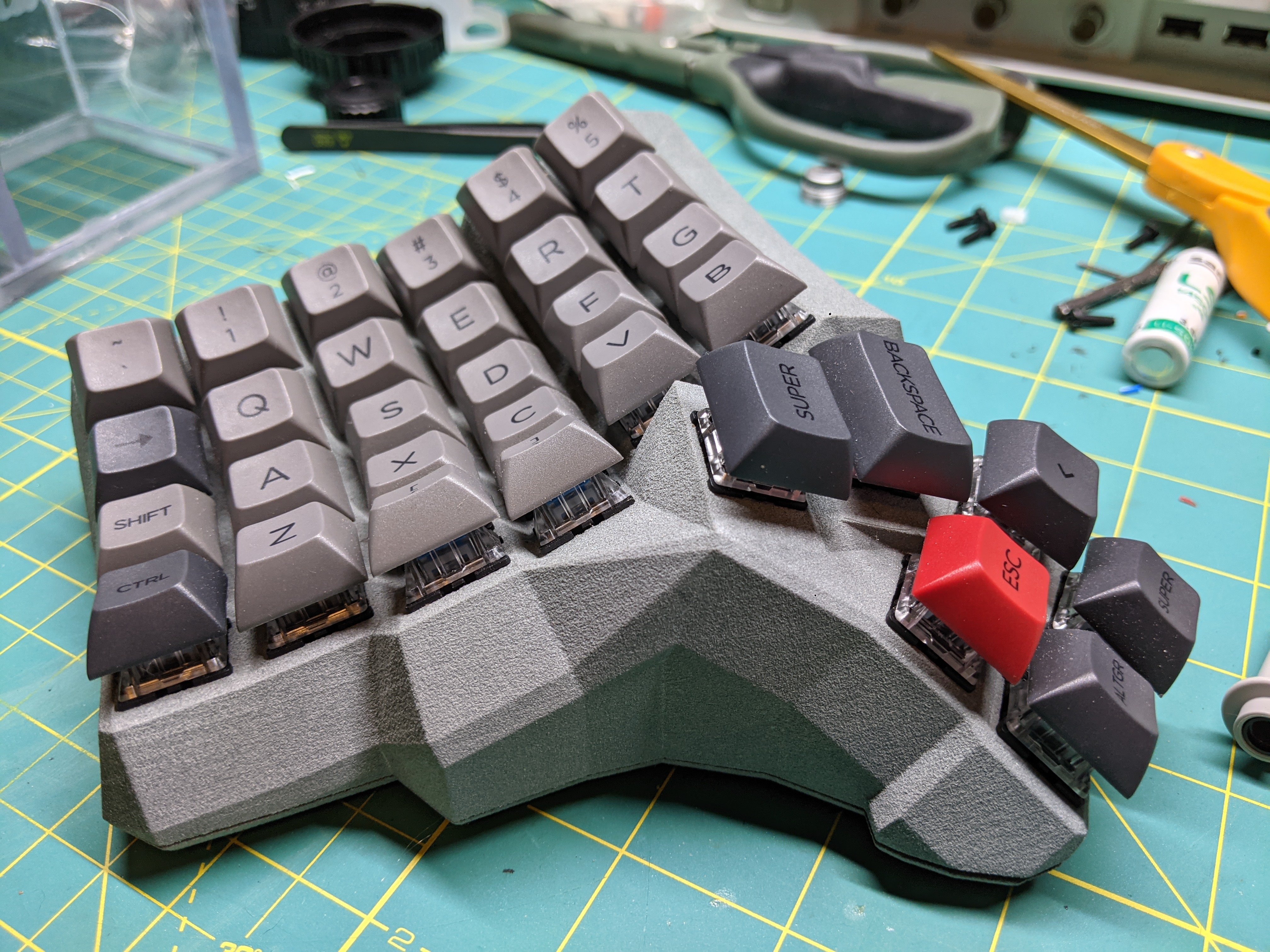
Dactyl builds seem to mostly be done by people who either know what clojure is (professional keyboard pokers), or at least people who are in the electron herding/plumbing industry. This means that there’s not a whole lot of build guides written by people who know to hate STLs with a burning passion, and who might actually want to use typical feature-based CAD (and not keyboard mashing) to edit their keeb to their liking. While there are many reports of being able to open openscad files in freecad, that did not work for me.

Fortunately joshreve used python to make a generator that can create a STEP, albeit one with a lot of self-intersecting and bad geometry that prevented solidworks from opening it on the first go. After a few hours of editing, I was able to knit up all the surfaces and make a solid body. But shoutout to joshreve-this work was critical!
In the spirit of making this available to other mechanical types, you can get the fixed up .sldprt and .steps from here.

Goal: see if I can get used to this keyboard

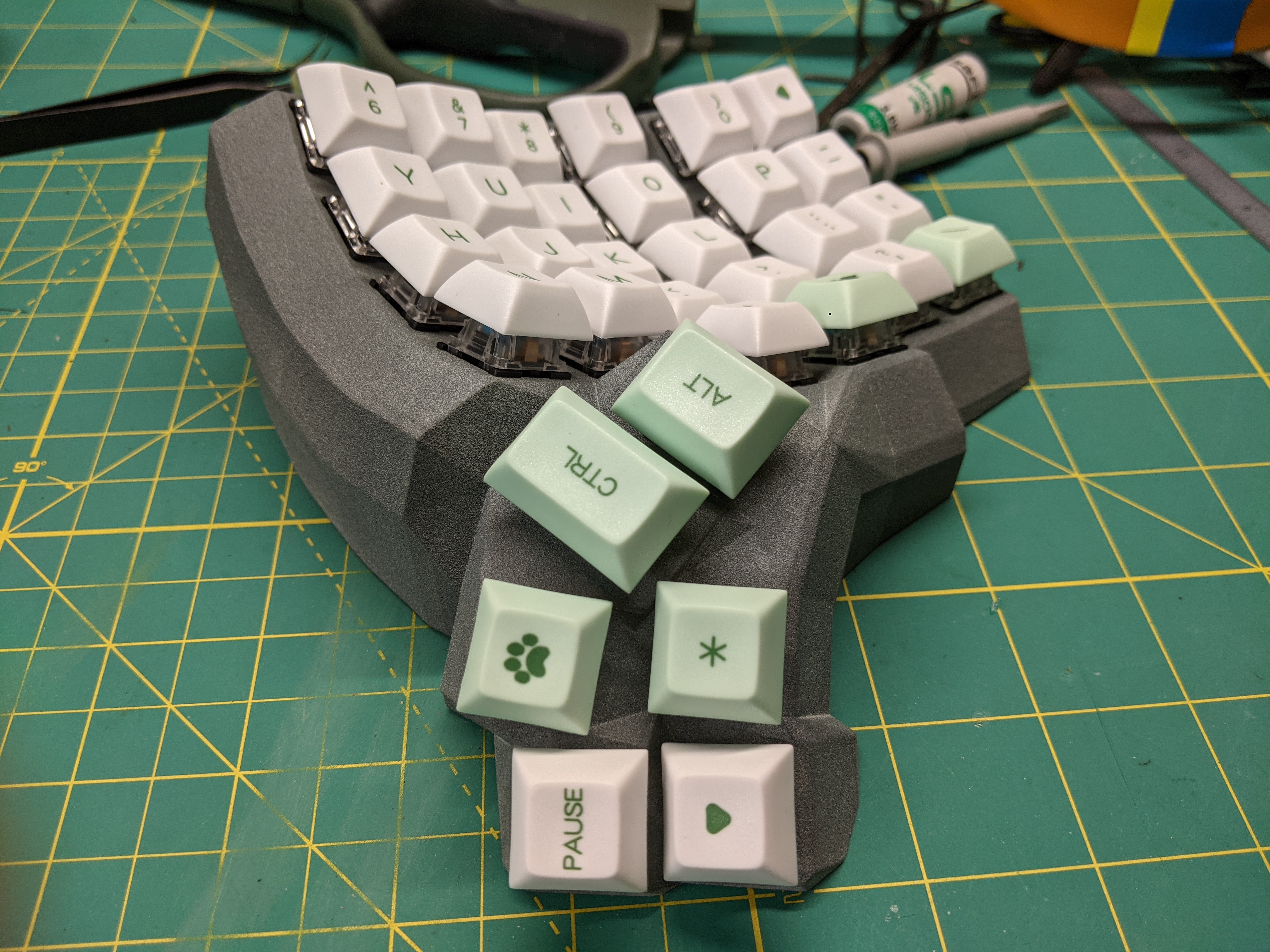
What does 🐾 do???

I picked an extremely whacky keyboard to build, because why not? Worst case I get hooked on it, spend a lot of time making a keybord nobody else will use, and I have to build my own keyboard for the rest of my life. Best case, I make it and decide its awful and retreat blissfully into querty land.

Unlike most people who seem to tout the wonders of the manuform, I do a lot of CAD. CAD means you use a mouse, and you have to type a lot of numbers. I’d like to see what the manuform can bring to that- specifically, can I right-hand-mouse and left-hand-numpad? Would I like a layer for common shortcuts just for specific programs? Would it be cool to have a trackball built into my keyboard? I have questions that have not been answered by a cursory google search and so I will have to find out for myself.

What did I change?

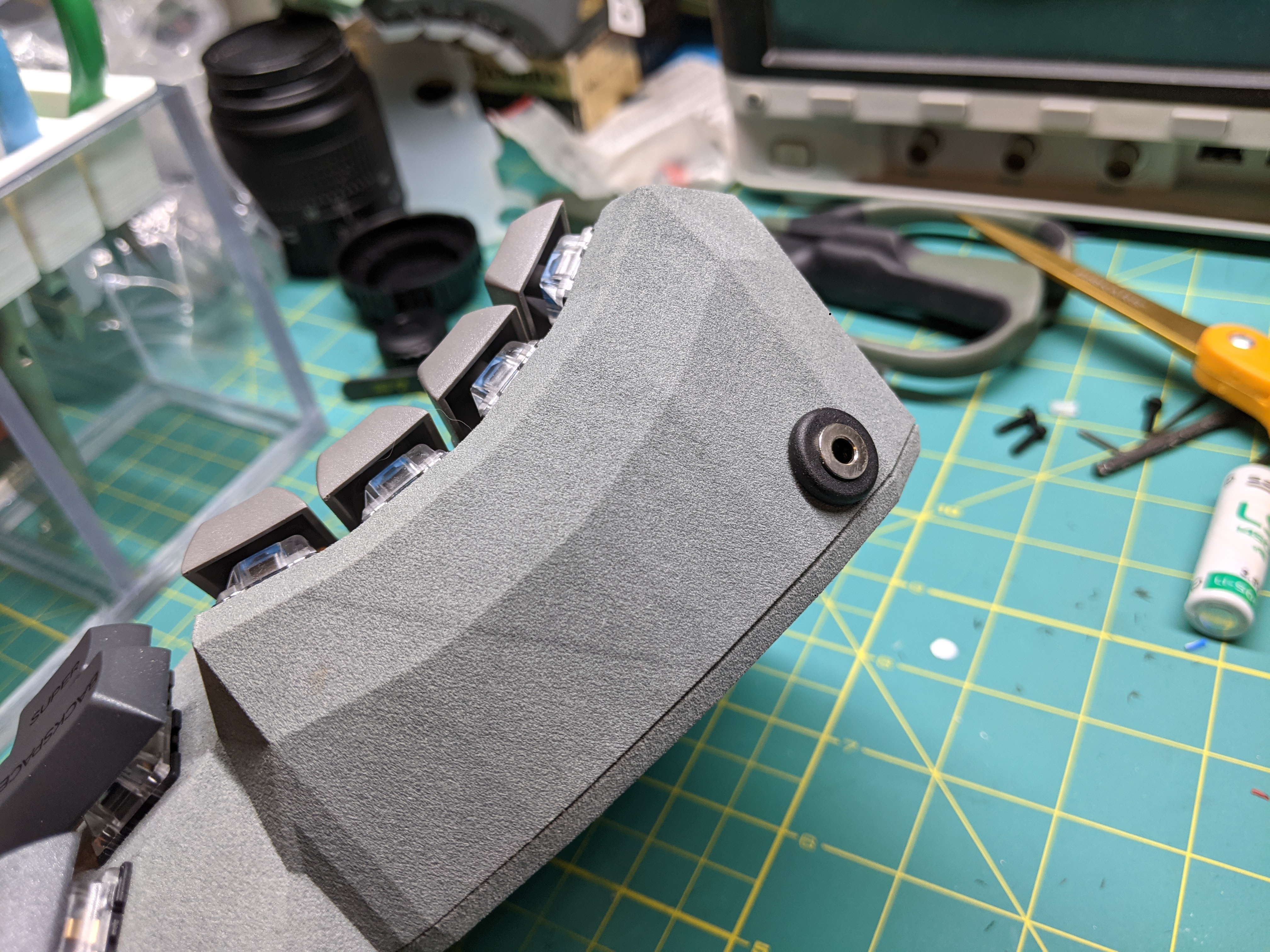
As a mechanical-type engineer, I like things to fit together without having to drill extra holes or to hot glue in connectors. So it was important to get the case holes right, to prevent that. The micro however, will be taped (double sided) to the interior, since there will be no force on it from removing connectors etc.

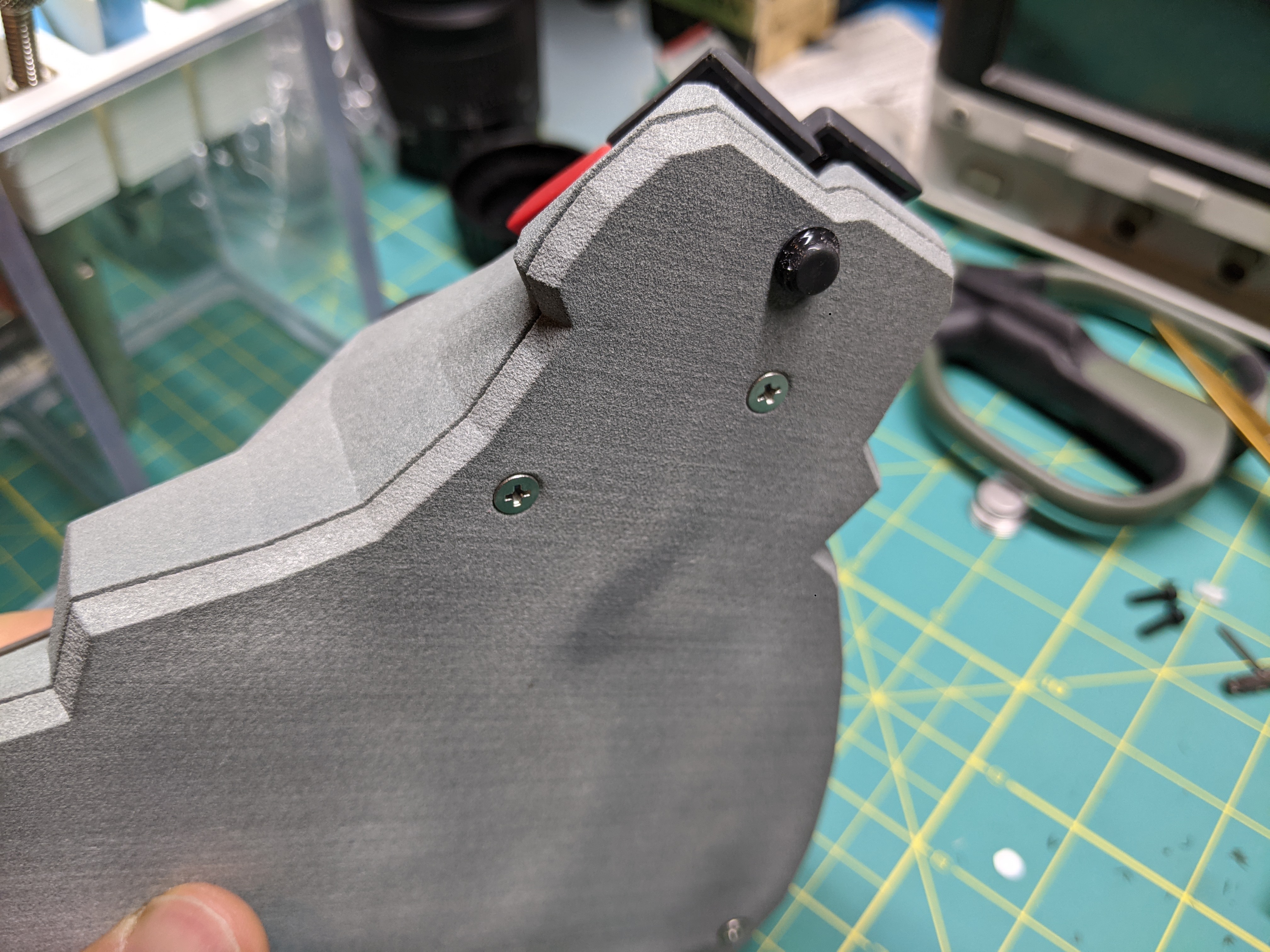
I also moved the screw bosses to the inside of the case, since they will look better there. they are sized for M3 heat set inserts from McMaster.

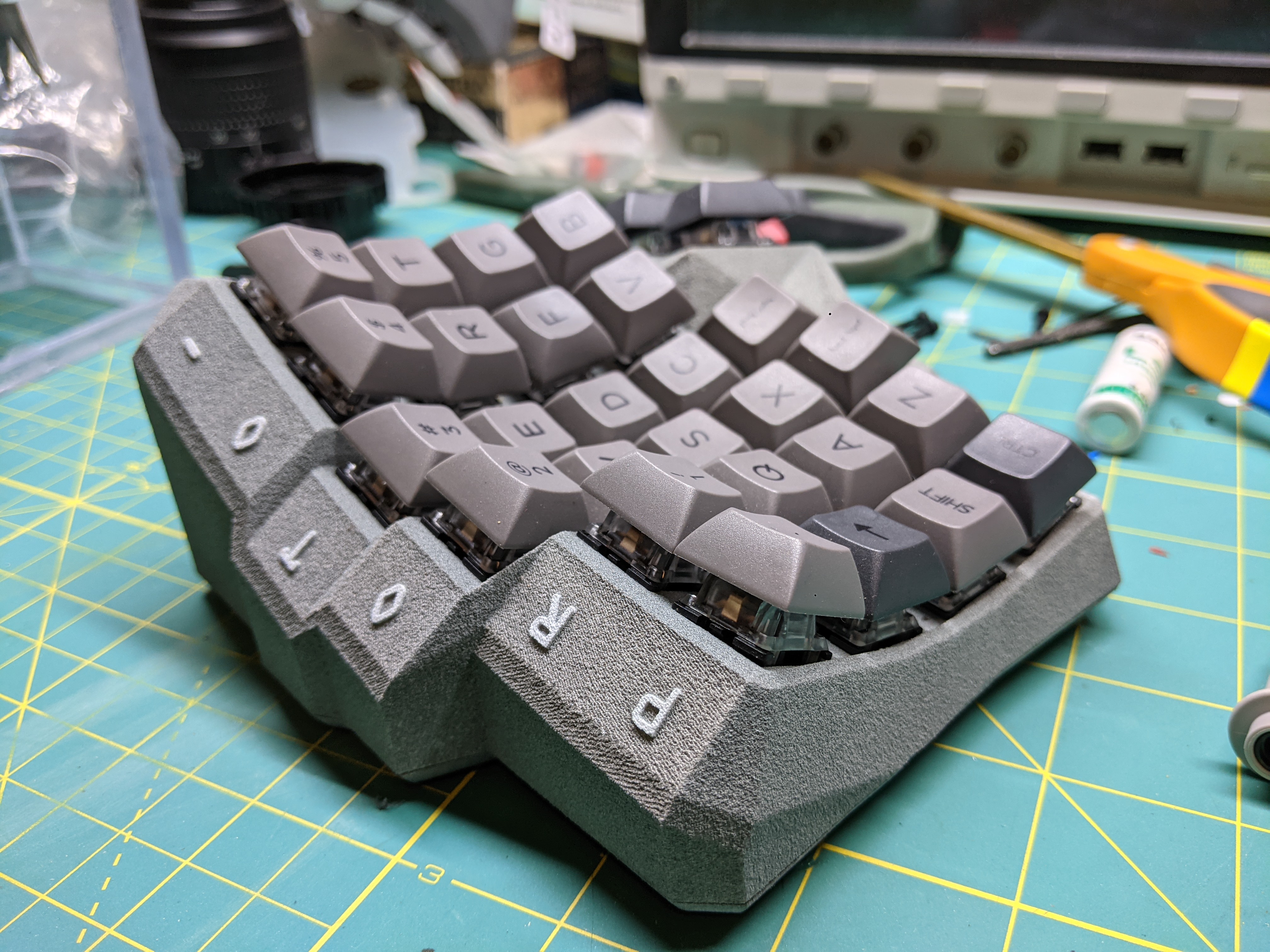
Of course, there has to be some frivolous embellishment on it because it is both 3d printed and a keyboard. Instead of spending hours on this, I just threw some text on the “knuckles” of the keyboard. “PROTO–TYPER” seemed to be appropriate, as it is a prototype to see if I like split weirdo keyboards enough to keep using them.

Wiring

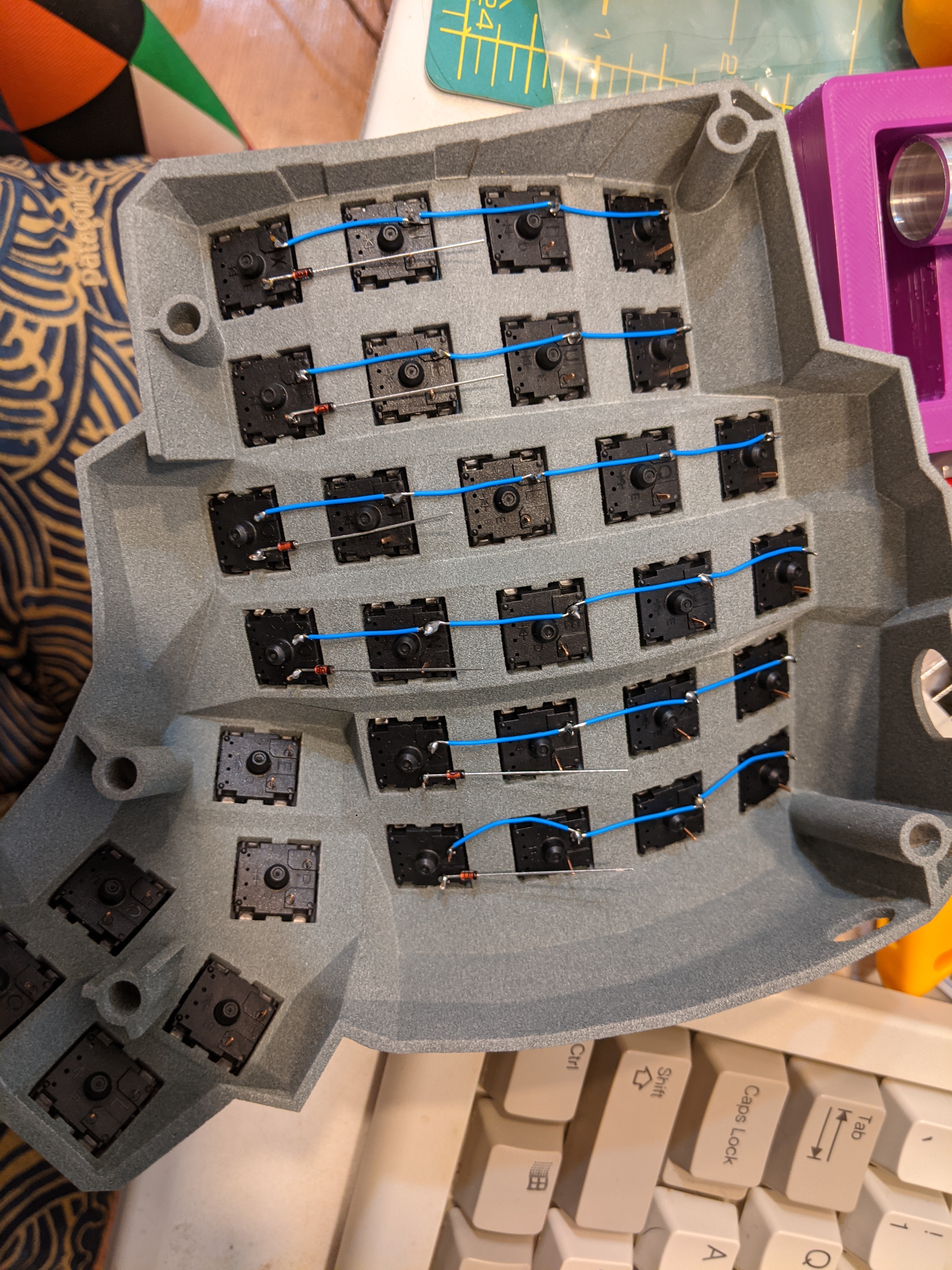
There are better guides out there on this but overall it is straightforward to wire these keyboards and if done carefully, there is little danger of anything shorting out, and even if something is shorted, its easy to fix. If I were to do it again I would use enameled copper wire or fully stripped 28 ga wire and a wire wrap tool, with cut to size ptfe tubing as the insulator. I think this would be easier than carefully cutting 20 or so small wires per row. I will say that it took a surprisingly long time to solder this, even for someone who is fairly good at fiddly soldering.

Update: A Few Months Later

It took me a few months to button this project up, and in the mean time I have been using the keyboard. It is now my daily driver- for everything. Surprisingly I have been spending most of my time in kicad and altium instead of solidworks, but the time I have spent in all three programs has been pretty pleasant.

I think the most challenging thing will bet to remap all the important shortcuts to the left hand, and for those that cant be remapped, to make an application specific layer. For example, the ‘M’ key is really important for moving things in kicad- but its on the right hand. That means that to move stuff, one of my hands has to come off the mouse or the keyboard.

One thing that has been surprisingly nice is my navigation layer, which makes the left home keys arrow keys, and the right home keys the mouse directions. the thumb keys on the right side become left and right mouse clicks. I would say if I am not in a cad program, my hands stay on the keyboard, which is nice! The only issue is that its easy to get stuck in a layer (or my numkey layer) and not know that I am in that mode when I first sit down and start typing my password. some kind of indicator will need to be built into the next version.

Integrated Dive Information and Oxygen Transmitter (I.D.I.O.T)

I.D.I.O.T wrist mounted display

Knowing your PO2 goes a long way towards making it safer to go deeper with an oxygen rebreather. If you want to go pure O2, it can be used to monitor how purged the loop is, and if you want to go a little deeper it can basically turn an O2 rig into a sort of mixed gas rebreather (or a full mixed gas rebreather with proper diluent addition).

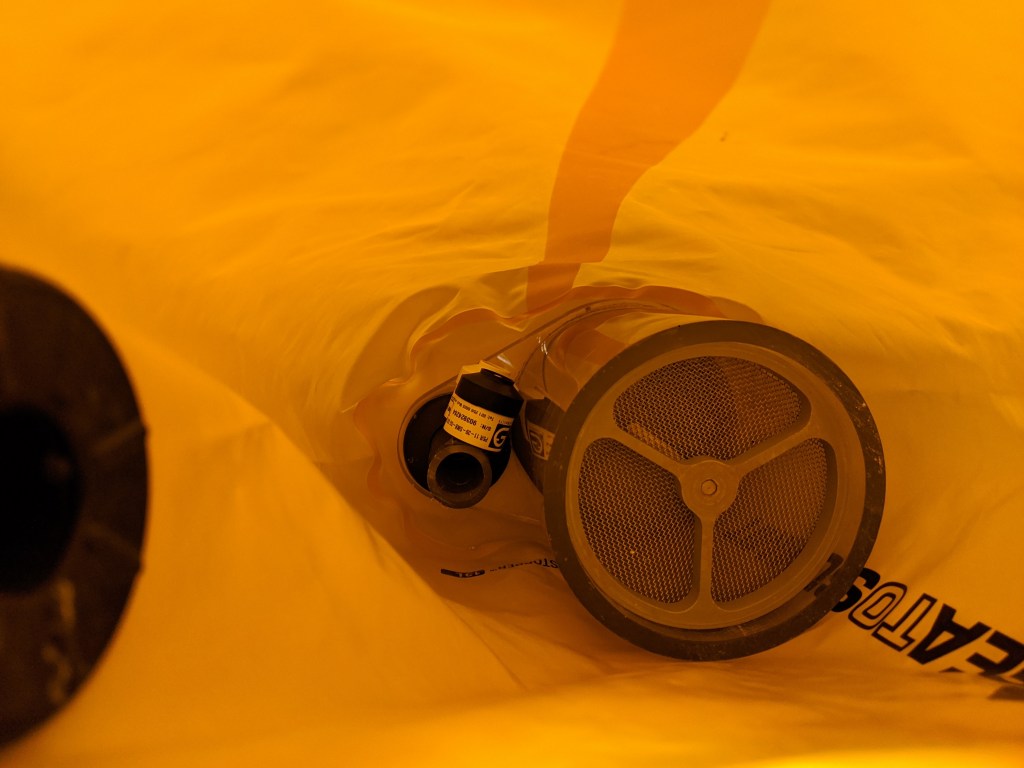
Sensors tucked away in the counterlung. This will be switched to the inhale side of the CL.

In order to conveniently know my PO2, I have purchased O2 sensors. Having built in temperature compensation and having reliable manufacturing seems like a big plus vs fabricating, assembling, testing, QCing and calibrating my own.

For my first iteration I have started with just two cells. A third would be easy to add if this works out.

Layout and Logic

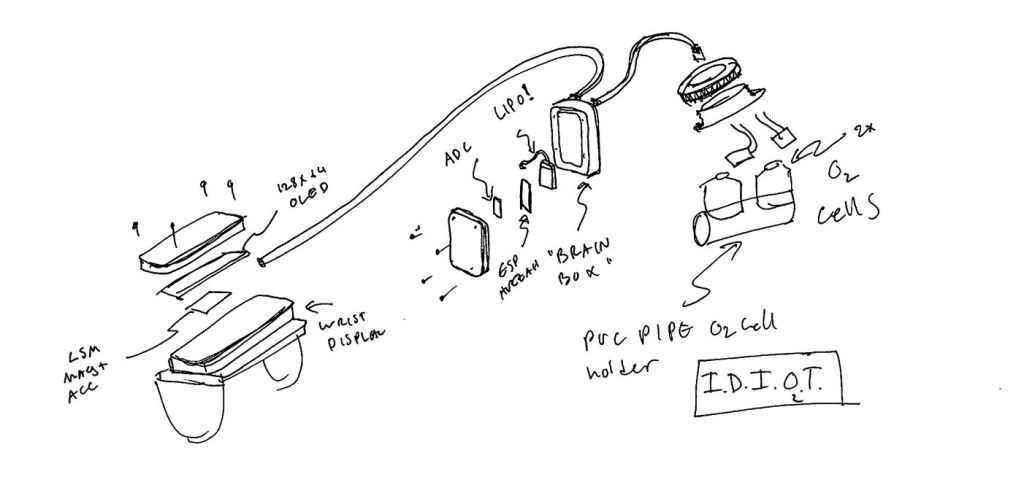
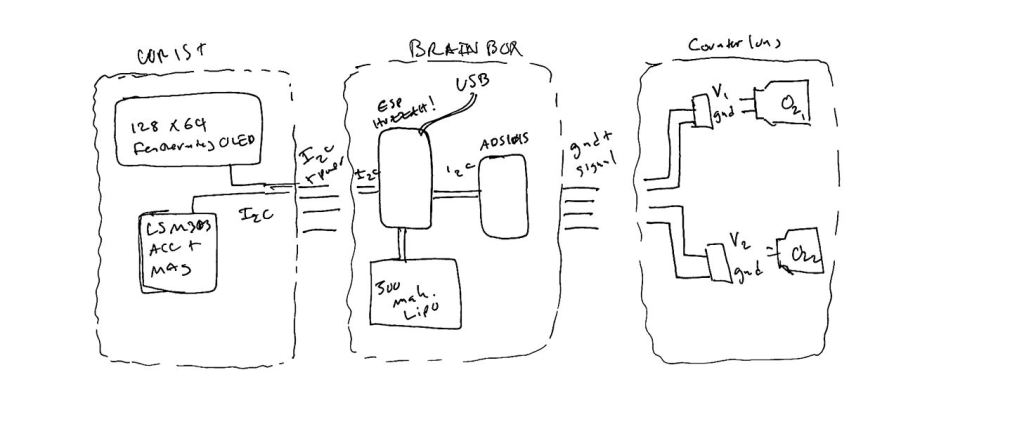
Not to scale

The electronics are going to be split into three parts- the cells/stuff in the counterlung, an electronics box, and a display. I decided that the only things in the counterlung should be the sensors themselves and a connector.

Wiring is absolutely a nightmare.

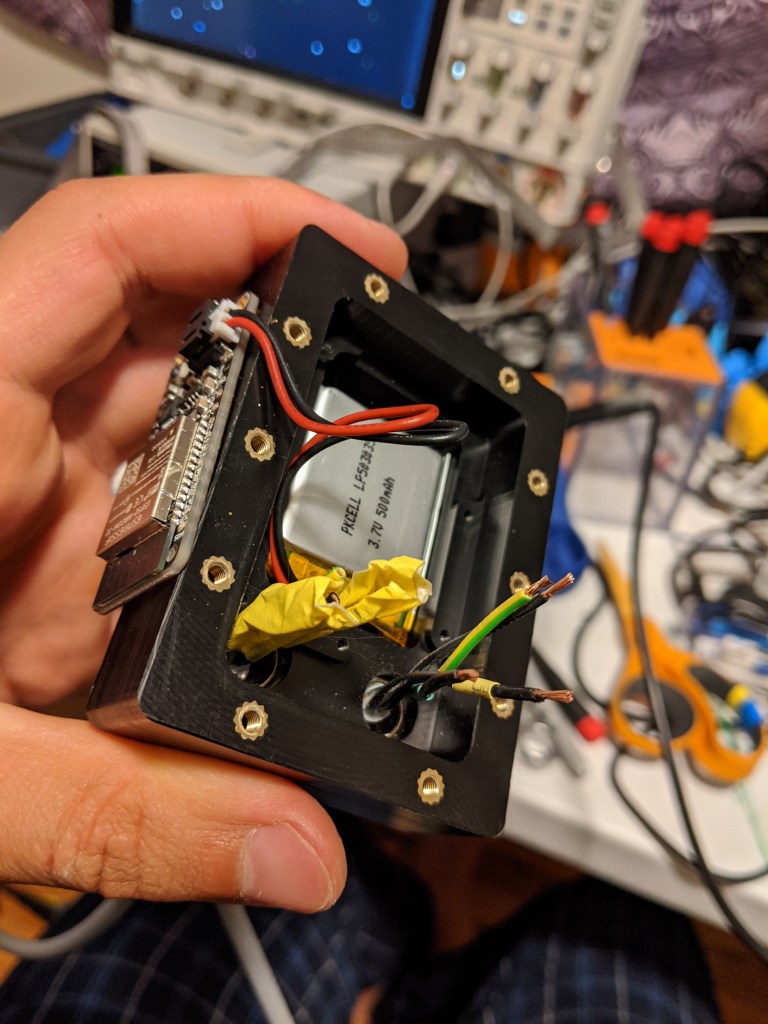
The “Electronics Box” will house the brains of the operation (an ESP32), and the battery. Batteries and other flammables will be kept outside of the oxygen rich environment of the rebreather, for obvious reasons. In the unlikely event of the battery shorting to the cells, hopefully the high impedance of the cells will limit resistive heating or fire. In the future, a USB port with a cap will be wired in for charging.

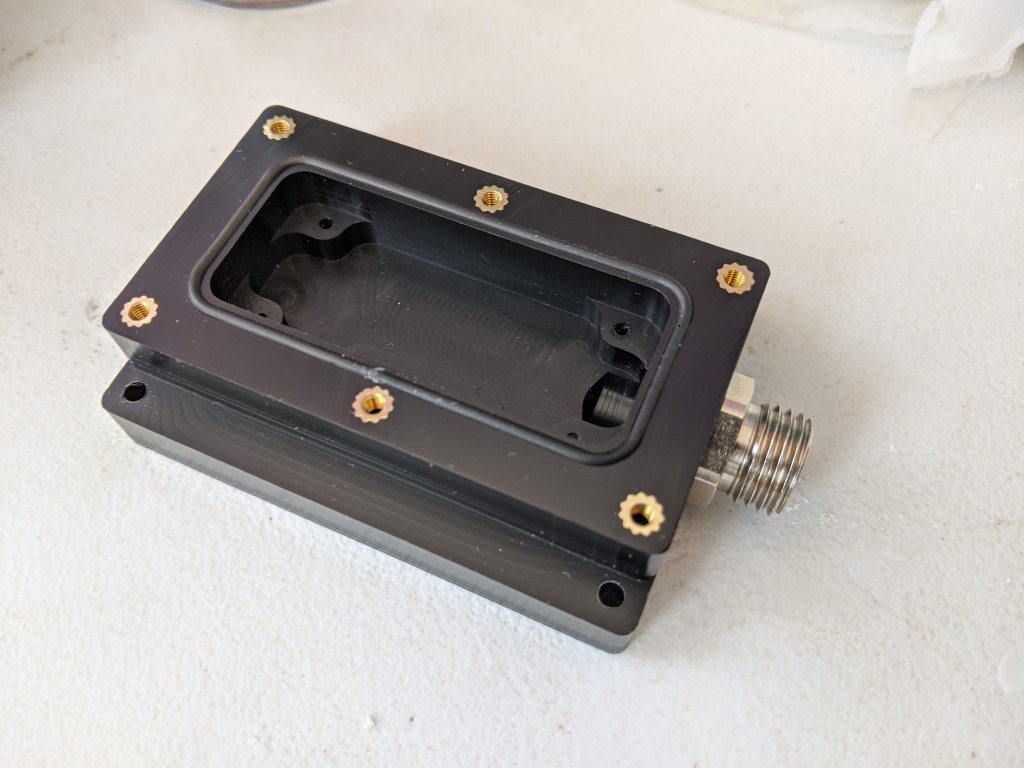
Box as tested

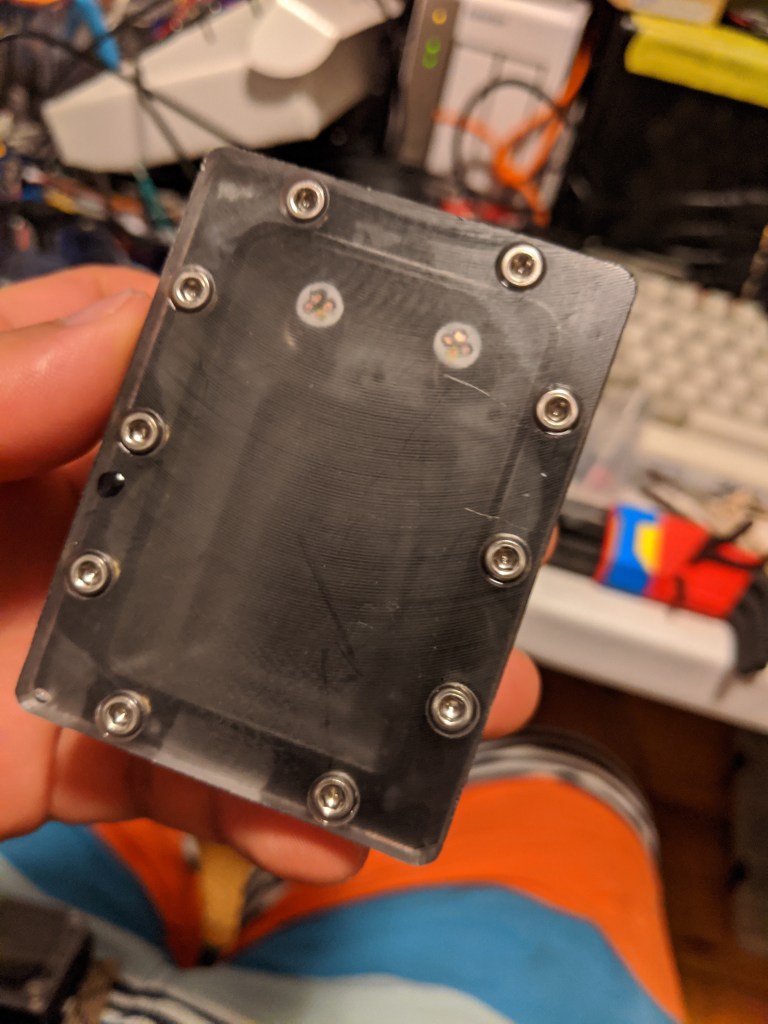
This box has been tested to ~80 FSW with just the cord grips+cord installed, and it passed without noticeable leaking. The cord grips are MSM-M SKINTOP connectors. They don’t seem like the should work, and yet they do. Mcmaster sells these as “submersible cord grips”. N.B. they make a face seal with the enclosure, and do not require a gland like an SAE o ring boss (ORB) fitting.

The main oring seal is a 1.5mm oring made from cord stock and superglued at the ends. You can see the join just above the middle heat set insert in this photo. Surprisingly this does not seem to create any significant leak paths, although there is always a slight possibility that I will have to eat my words on that someday.

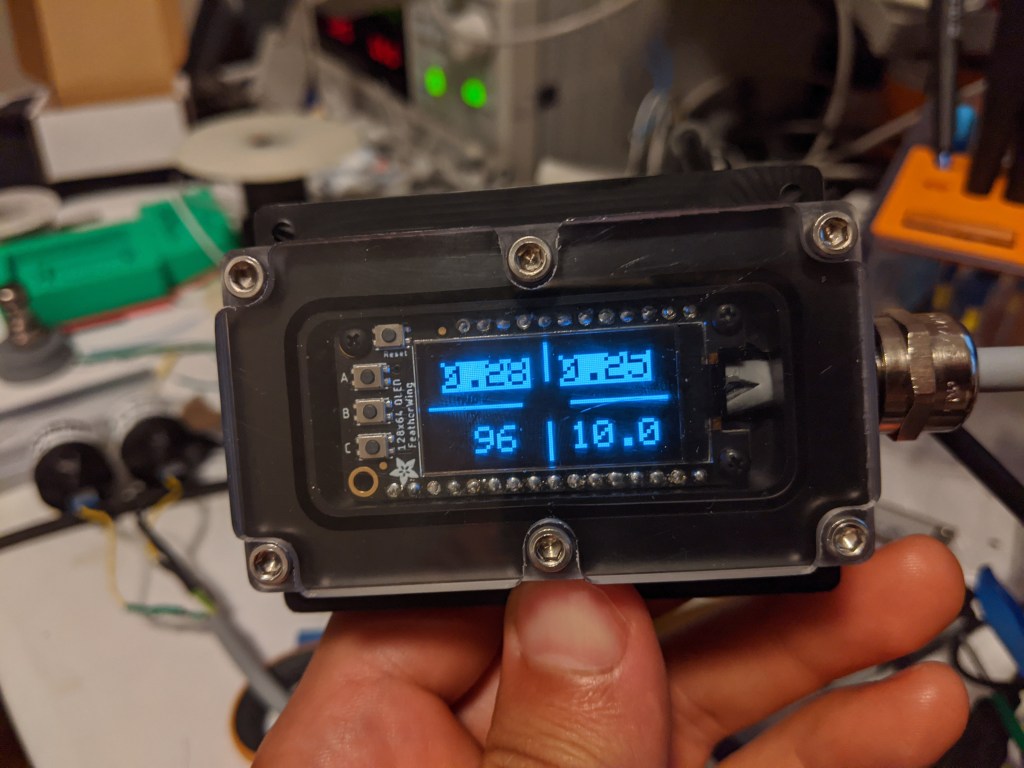
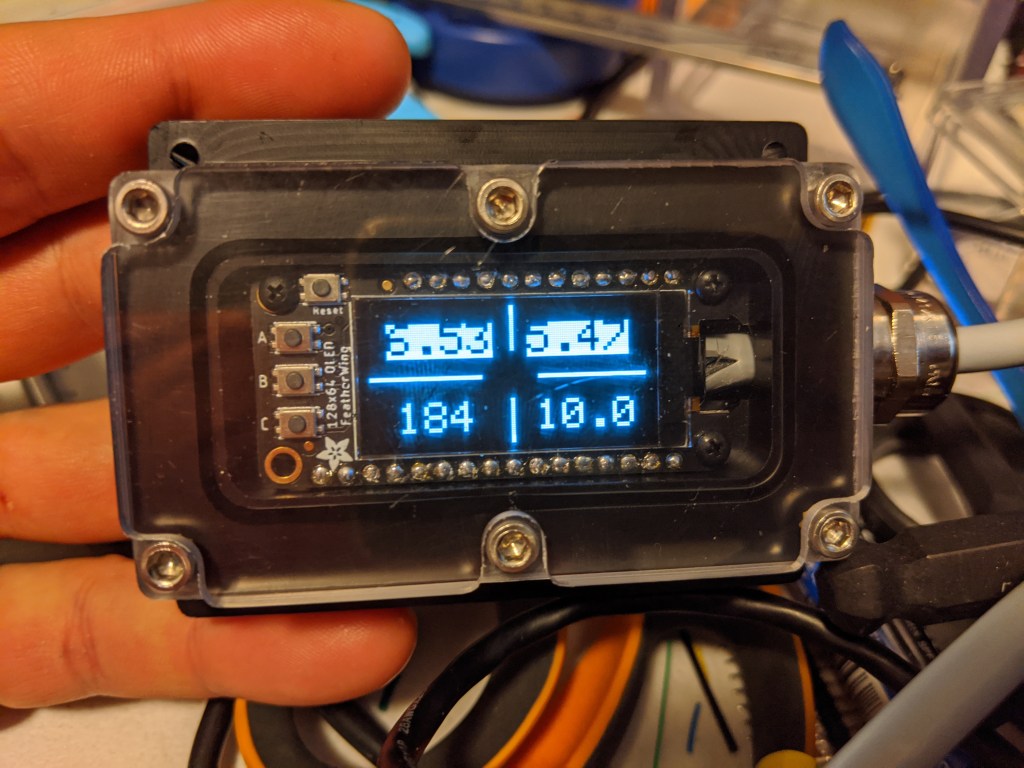
The display will be upgraded to a HUD at some point, but for now it will be wrist mounted. It displays two PO2 cell readings, a compass heading, and (in the future) the depth. As you can see in the photo, the top row is “highlighted” to show a problem- the cells are disconnected and are reading a very high PO2.

The Electronics

EE layout

Reading an off the shelf galvanic O2 cell is dead easy, since the temperature compensation and shunt resistor are built in. However, the output voltage is fairly low, and so it should not be fed directly into the ADC of a typical micro. It is possible to read such a voltage (~20mV), but it wastes a good portion of the resolution of the ADC.

For example, the maximum output expected is 2V (representing a PO2 of 2). With a 5v ADC, we are only ever using 2/3 of the range of the ADC, which effectively limits our resolution of PO2s to 2/3 the resolution of the ADC.

Since these signals are also not amplified or buffered in any way, it seems good to keep them away from the mcu. I have resolved to put them on an I2C DAC with an internal gain stage, which will let me both maximize resolution and keep the signal wires for the cells short. To this end, I used an ADS1015 breakout from adafruit.

Since it was on hand, I also threw in an LSM303 to use as an electronic compass. Since the compass has no “inertia” it has kind of jumpy readings, but doing some smoothing should help to get it to be a little less jittery. I could also try some compensation for nearby electronics, but they seem to have little effect. The LSM accelerometer/magnetometer lives in the wrist piece, although I did consider mounting it in the “head”, which would show you body heading, but not necessarily what you are looking at.

The display is the 128×64 OLED featherwing. Its easy to integrate, and it is fairly compact in terms of “extra space” for unused headers/buttons.

Testing

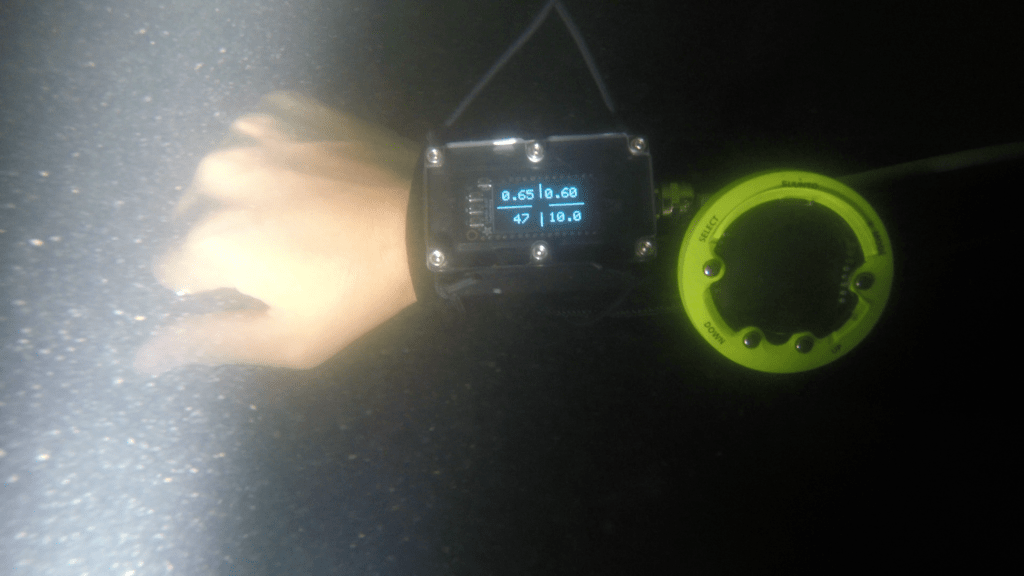
Believe it or not, this was taken in 10 feet of water while the sun was still up. Zoop for backup depth gauge/dive timer

I headed to the mystical mystic lake to do some testing. The combination of near zero visibility to start with and a haze of sediment/algae/stuff I don’t want to think about made for a more-or-less night dive like conditions, even with a light, during the day. However, the little O2 cell reader and compass seemed to behave relatively well. Most importantly the firmware did not crash, and no water seemed to get in. Cant wait to test it somewhere actually fun!

Pivot to a Galvanic O2 Sensor

After a maddening time with polarigraphic sensor, I decided I would try to build the galvanic flavor of oxygen sensor. After reading this tech tip from Oakton Instruments, it seemed pretty obvious that galvanic cells have big advantages. The main draw for me was that the output was easy to measure, eliminating the need for the fancy DMM. This would also simplify the electronics needed for reading polargraphic cell.

Electronics Comparison- Galvanic vs Polarographic

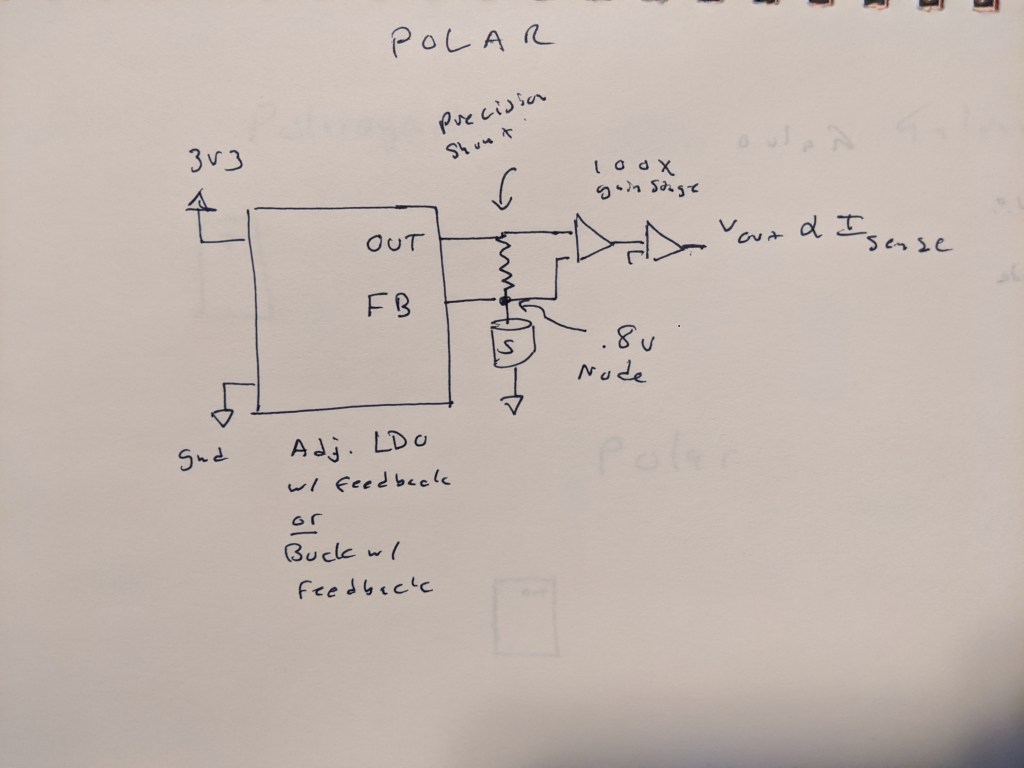
Here is what I think would be needed to read a polargraphic cell- a precision buck or LDO to bias the cell, with a feedback pin at the top of the cell. This eliminates the burden voltage of the shunt resistor that is fed into some kind of stack of op amps that then produce a voltage on the other side. This might not be so bad, and given that we have a 0 drop shunt resistor, we no longer need to worry about having a tiny burden voltage.

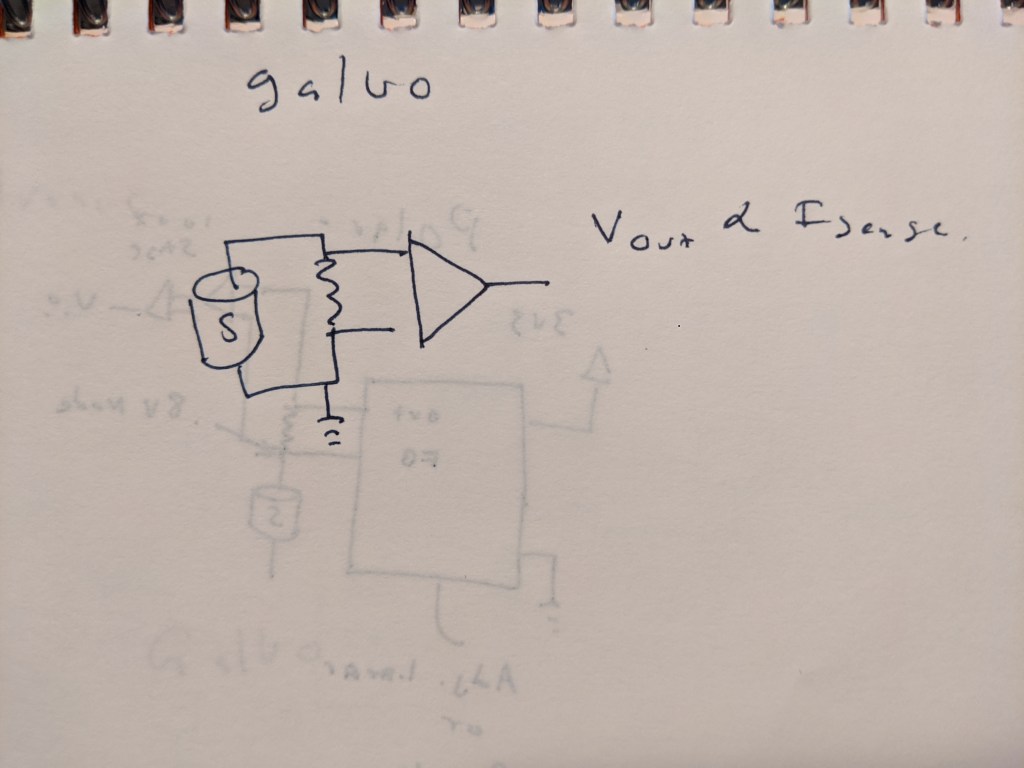
For a galvanic sensor, its pretty much as simple as it can be- a single resistor and a high impedance amplifier to match the voltage output range to the desired ADC.

Construction

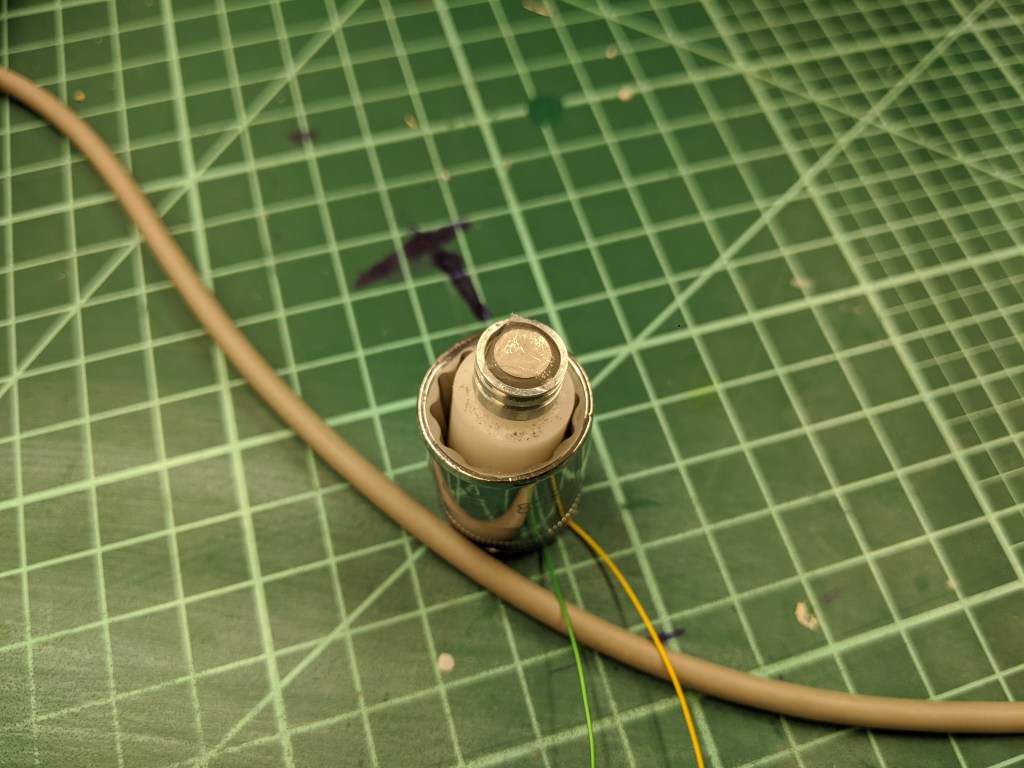
The first galvanic sensor I made just replaced the silver electrode with a zinc electrode. Platinum or gold (or likely any noble metal) makes a good anode for this system. Zinc, in contrast to silver or platinum, is a very, very agreeable metal to machine. I can easily take a millimeter or more off at a 25mm diameter. The rod I got from rotometals appeared to be cast, although without any apparent porosity after ~2mm into the diameter. The one offputting thing is that zinc fumes are toxic, and the melting point is alarmingly low~ 400C. So all the operations were done with a lot of coolant, and the soldering to the electrodes was done very gently to prevent or minimize any zinc vapors.

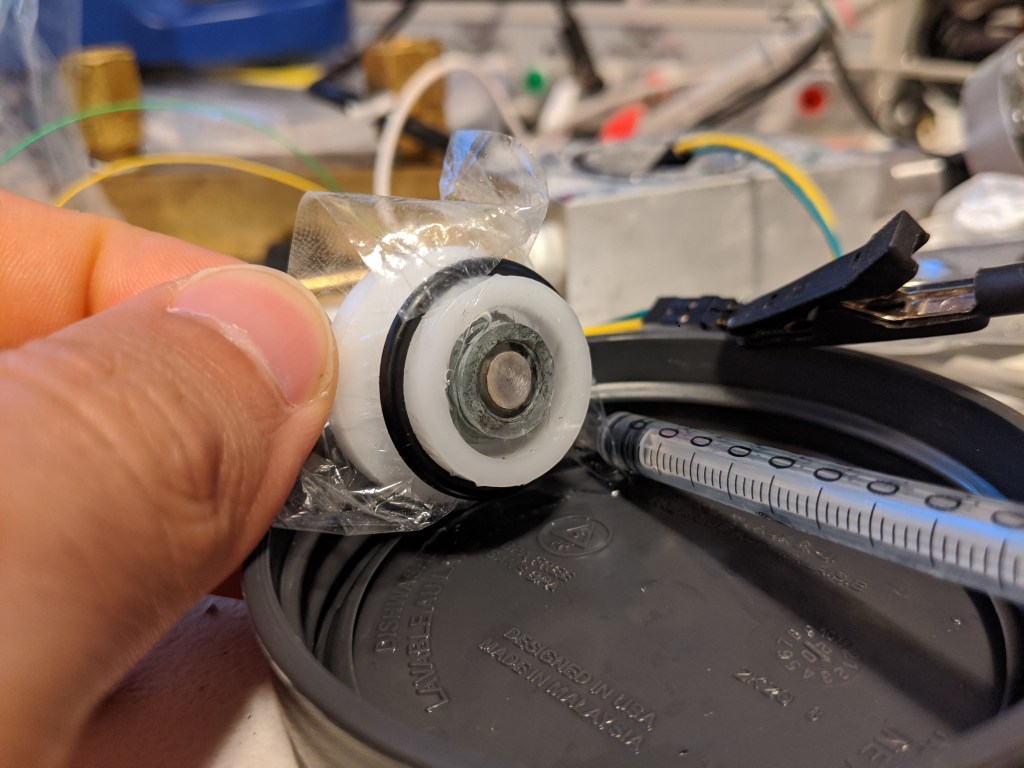
As you can tell from me stating that there was a first sensor, there is also a second sensor. The first sensor seemed to have the same drift problem as the polarigraphic sensor, which makes me suspect that the root cause of both sensors drifting is electrolyte loss through the membrane or leaking at the press fit of the metal to the delrin. I also wanted to increase the area of the zinc so that the electrode and the volume of the electrolyte. More zinc will alleviate any concerns about using up the electrode, and more electrolyte will reduce the impact of loosing small amounts of fluid, or bubbles. This is because each bubble or amount of lost fluid will be small compared to the sensor, since it is bigger.

Results

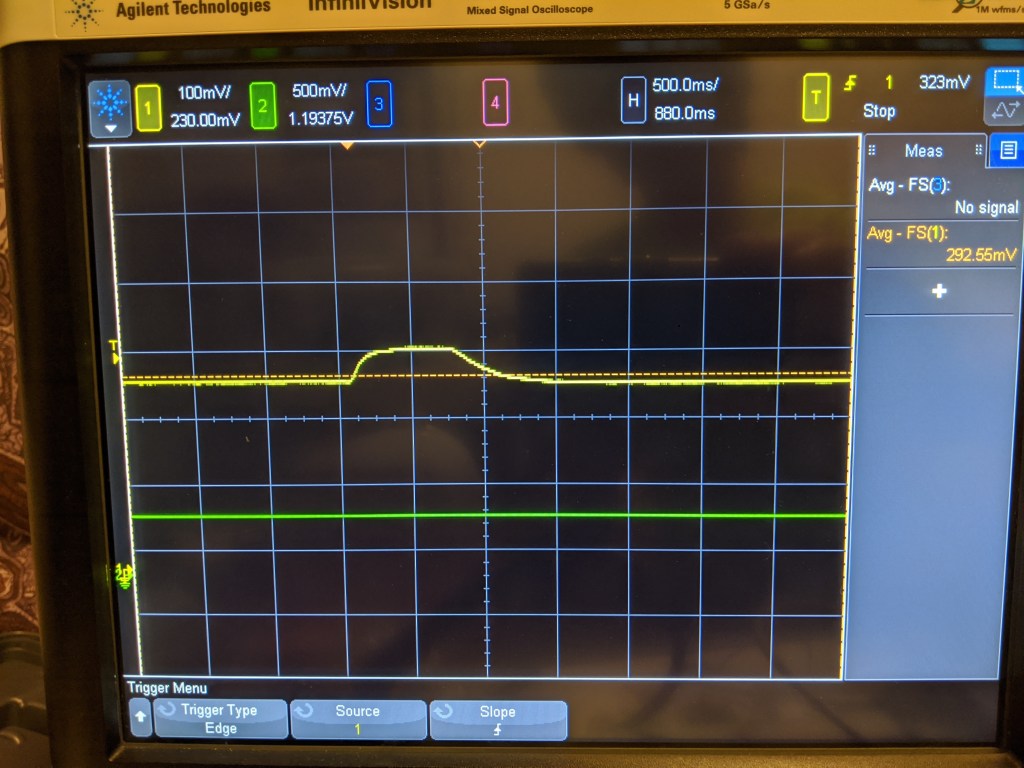
Step response to a blast of O2

Much like the polargraphic sensor, it kind of works. It certainly can detect a change in the level of oxygen, but it does it in kind of a non linear way. For example, I would expect that if 20% air is ~300mV, pure O2 should be 5x that, or 1500mV. It is possible that the cell just cant generate that much current, and that I should try a smaller resistor, but I certainly have not verified that yet.

With the improved sensor body, the sensor was also a lot more stable. It dropped a few mv over a fw hours, and its hard to know if that was related to temperature, drift, or the actual O2 concentration in the room. However, this stability was achieved over ~30 minutes as the sensor reached equilibrium. Likely the O2 in the bubbles in the electrolyte needed to be used up first, as they are in direct contact with the electrolyte. I suspect that after that happened, the sensor reached equilibrium with gas diffusing across the membrane and stopped sensing O2 trapped in the sensor.

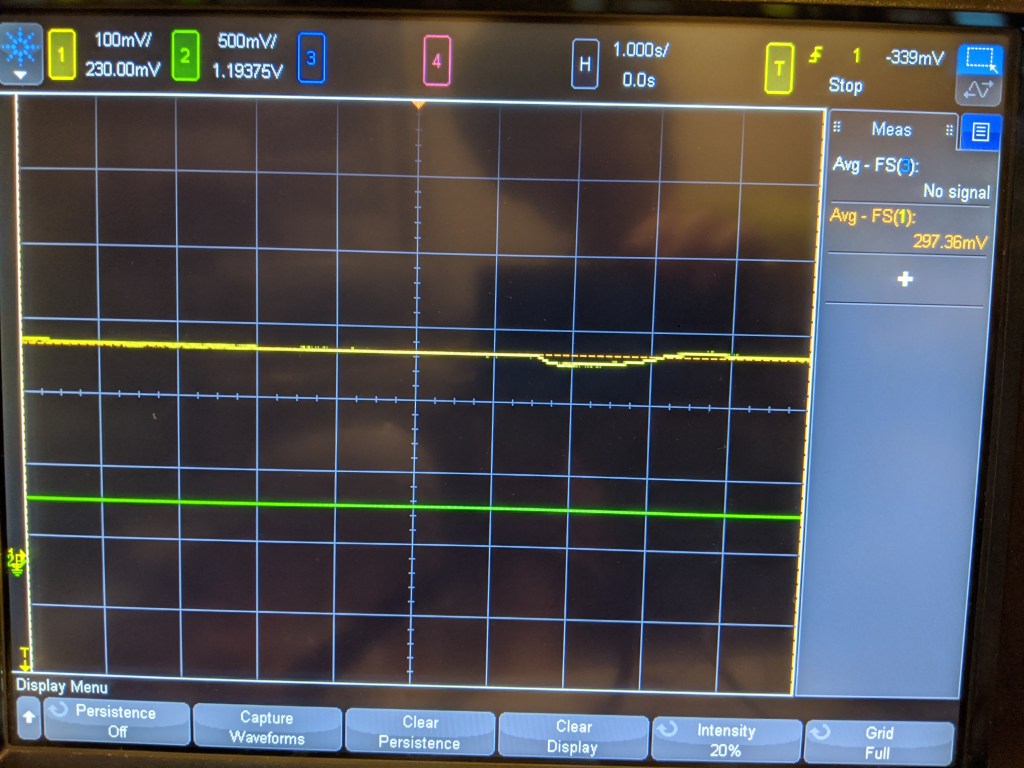
A small dip from breathing on the sensor

On the other hand, it does seem very sensitive. Breathing on the sensor produces a small dip, and there is a noticeable difference in value (~30mV) from when I sit right in front of it and breathe on it vs when I leave the room- this is mostly anecdotal but interesting.

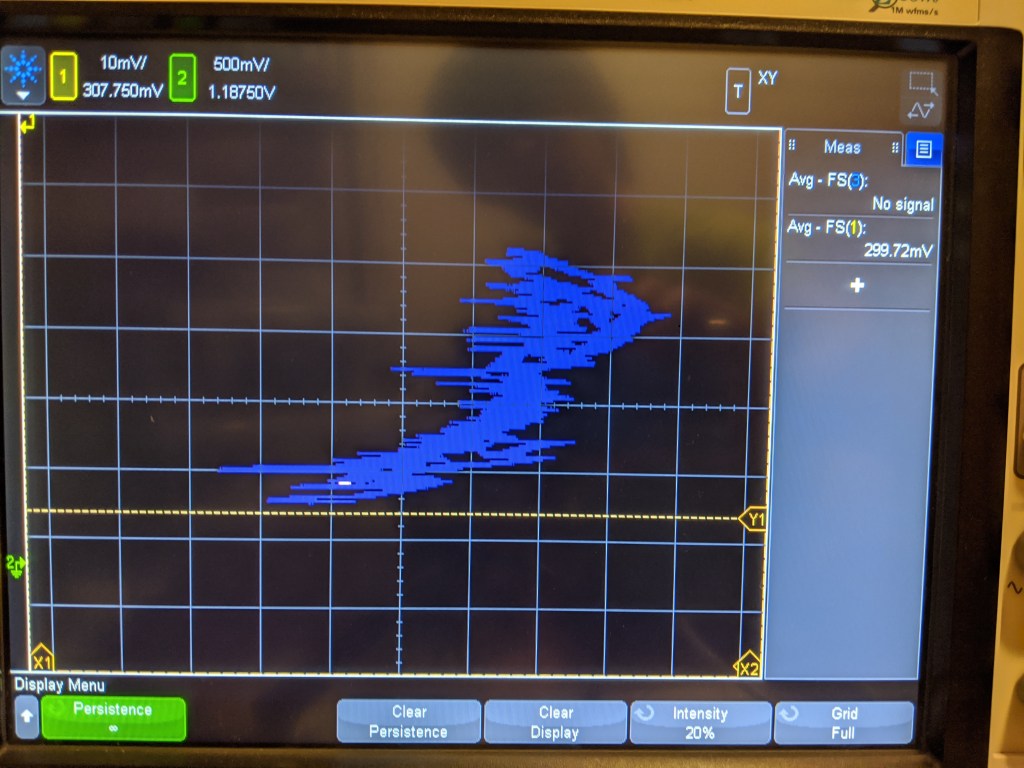
XY plot of pressure vs voltage of sensor. Thanks scope!

The linearity is not very good, as you can see. This is a plot of the pressure transducer vs the sensed voltage. Its all over the place, but is vaguely the right shape. Ideally the sensor should trace a straight line here, but there may be some hysteresis that causes non-linearity.

Unfortunately, just like with the step response, the change here should be much bigger. This test pressurized the sensor from 1 bar to roughly 6 bar- the reading should be about 6x as big, but it only went up a few mv! So this is not that impressive, as it shows either a non-linear sensor or some kind of enormous DC offset.

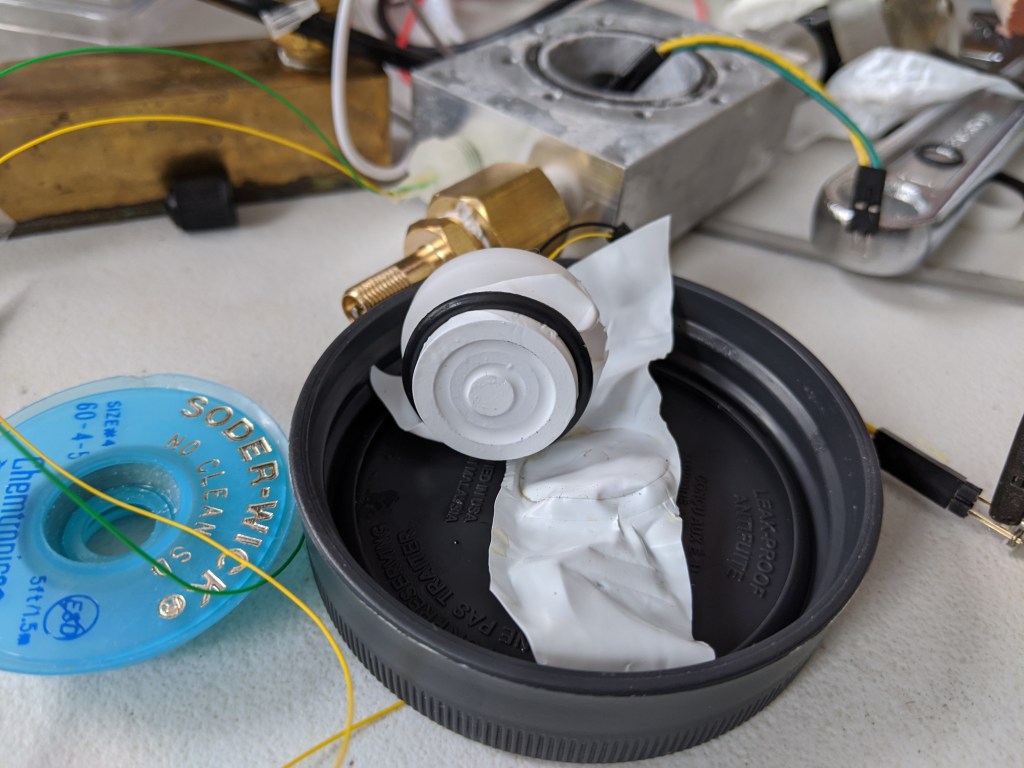
The last issue seems to be that the sensor leaks somehow. It may be that water vapor is permeating the membrane, because when left overnight the sensor dried out. In a humid environment like a rebreather this may not be a issue, but for storage it certainly is. This answers a question I have had for a while- why are rebreather sensors so slow? They are rated to a rise time of 6s to get to 90% of the final value. This is much slower than any of the sensors that I have seen, and does not seem to be an inherent characteristic of the sensor. My suspicion is that a much thicker membrane is used on rebreather sensors to reduce electrolyte water loss.

Semi-Conclusion

This sensor seems a lot easier to use, but it seems like a lot of the issues I have noticed may be due to my membrane selection and leaking. I have parts on order for a larger pressure pot (the under $50 cell checker) to see if I can get the larger sensor to behave in a linear way with a polyethylene or FEP (or even teflon tape) membrane. I think this cell checker will be very useful for a number of other things like depth gauges/computers/ingress testing so I am excited to have it on hand. I will have to make an effort to keep my pressure pot electrolyte free this time!

Oxygen Sensor and the Science Jr.

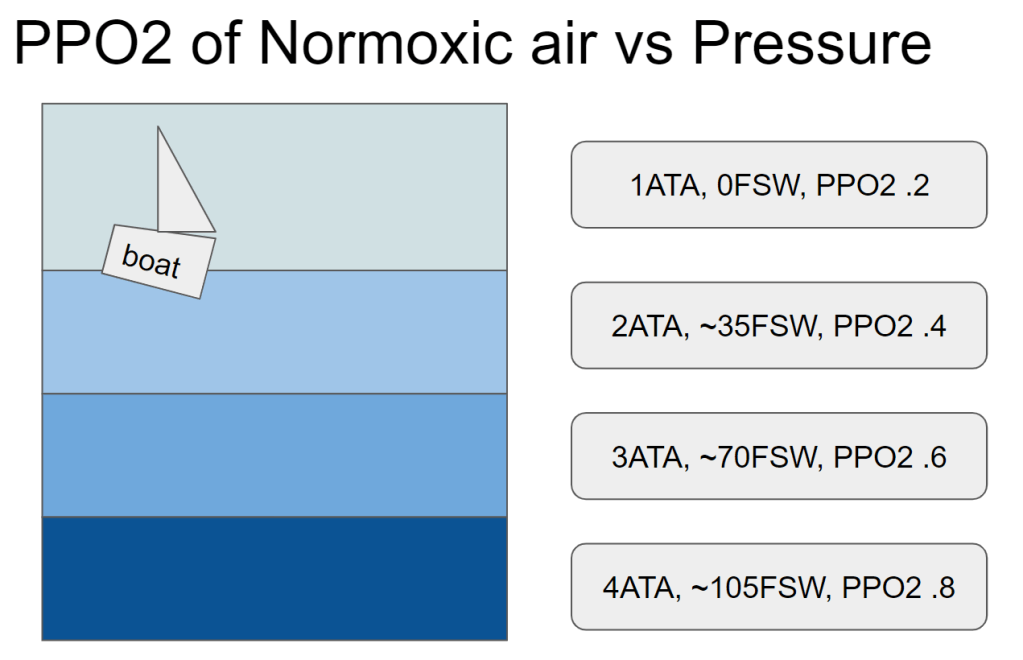
Testing the oxygen sensor will need to be done over a wide range of temperatures and PPO2s, and the cheapest, easiest, safest way of doing this seems to be to not use pure O2 gas. Not only is O2 a somewhat “spicy” gas, but I don’t have a huge tank of it sitting around in my house.

Instead, I intend to increase the PPO2 by increasing the pressure of the air- this will also prove out that the sensor works “at depth”. While that might seem magical, its pretty easy to imagine- as gas density increases at higher pressures, there are just more oxygens per volume bouncing around. The odds that one of these O2s bounces off the sensor go up as the pressure increases, and it is linear with depth.

The Science Junior

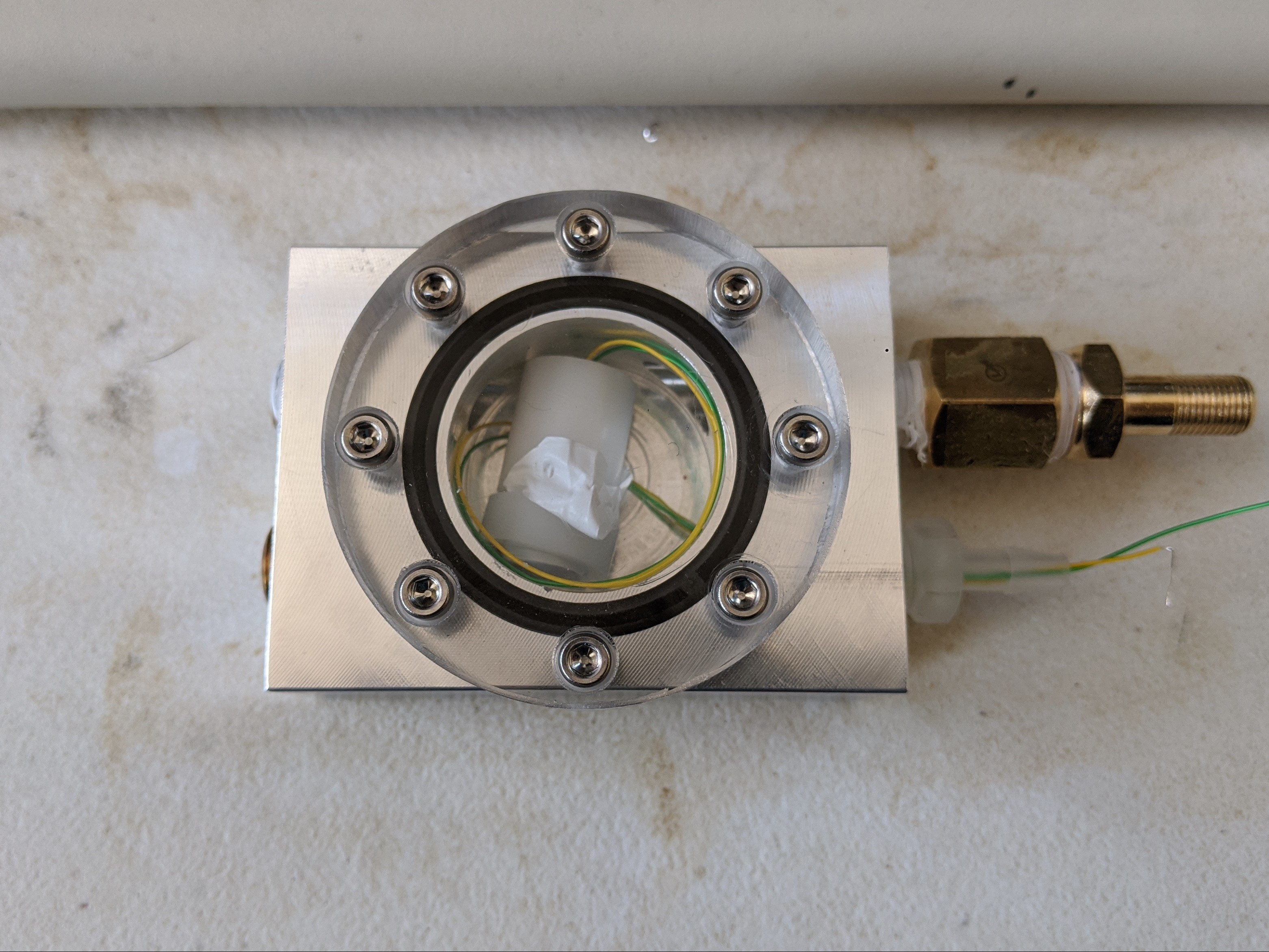
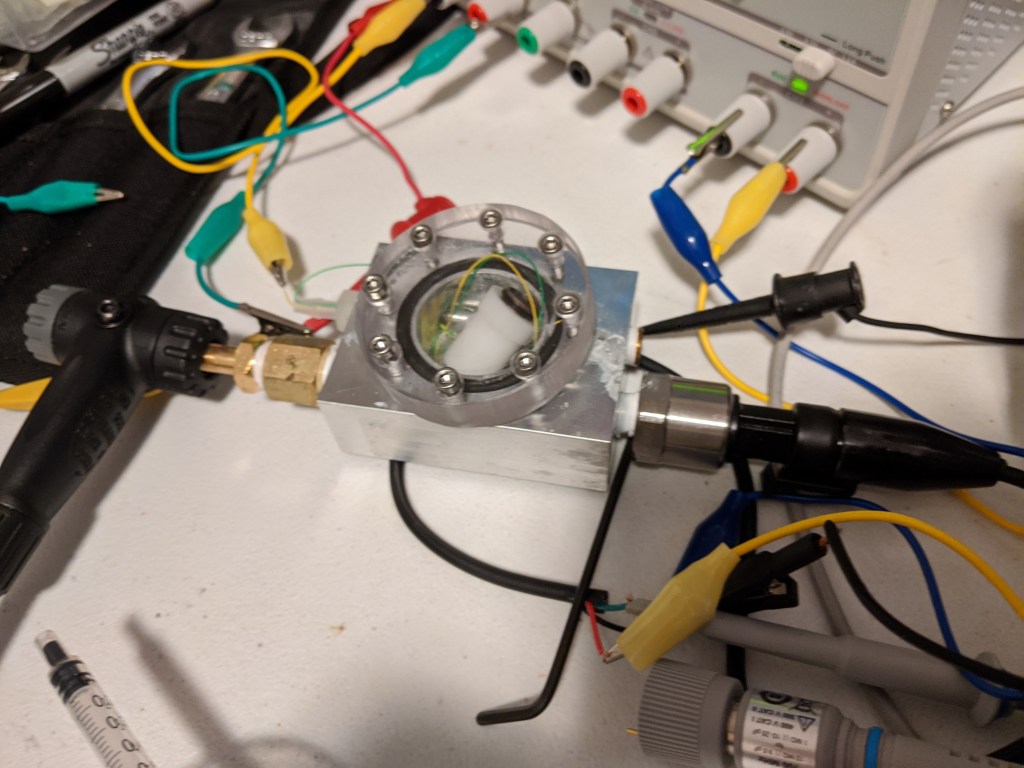
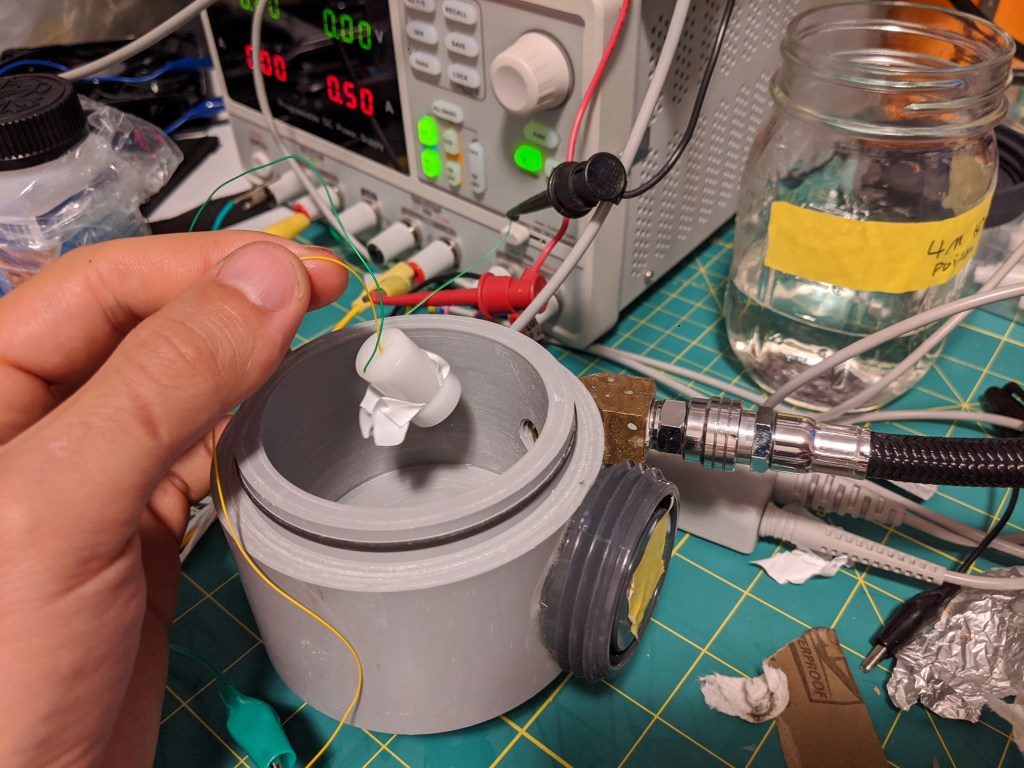
With this in mind, I set about what I am calling the Science Junior, since it looks like a generic science widget from KSP. Basically its just a small pressure chamber with a window and some NPT ports, which can be used for various purposes:

  • Pressure port via schrader valve from bike pump
  • Sensor wire pass thru
  • Pressure sensor
  • Gas infeed (?)

Construction

For those interested in the construction, the O ring is a just superglued out of cord stock and the sensor wires are run through a 1/8-27 NPT hose barb and epoxied in place.

Designed for a maximum pressure of 150 PSI, the 1/2″ thick polycarb cover and 8x M3 bolts should be more than enough to keep things together. There is about 1lbf per PSI so at 150 lbf I didn’t bother with the math.

One thing I would do differently is to use something removable for the sensor wire infeed, probably something that would get dropped in through the front and get captured by a lip on the inside, as shown in the sketch.

Testing and Learning

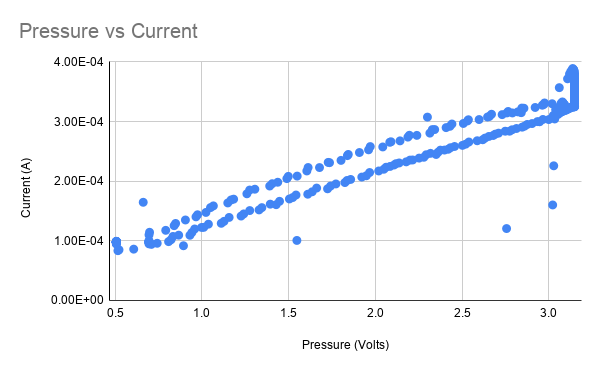
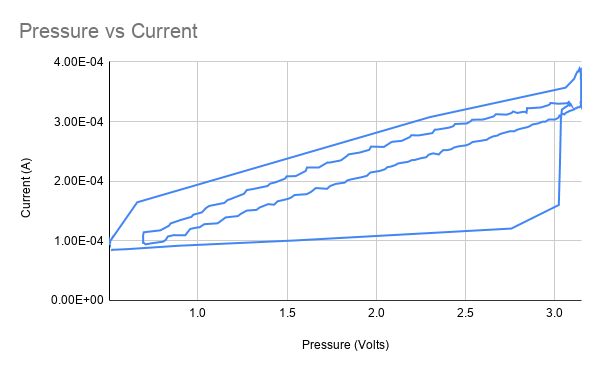
For testing, I set the bias voltage and logged the pressure (using a pressure to voltage transducer) and current of the sensor simultaneously while varying the pressure, which controls the PPO2. When the pressure is plotted against the current, it should be roughly linear. The chart above shows the sensor working reasonably well- however there is an odd drop of in current after being pressurized which manifests as a non-linearity in the chart above.

If we turn the scatter plot into a line plot to represent it as a time series, it looks a lot like a typical plot of hysteresis, but that seems like a red herring.

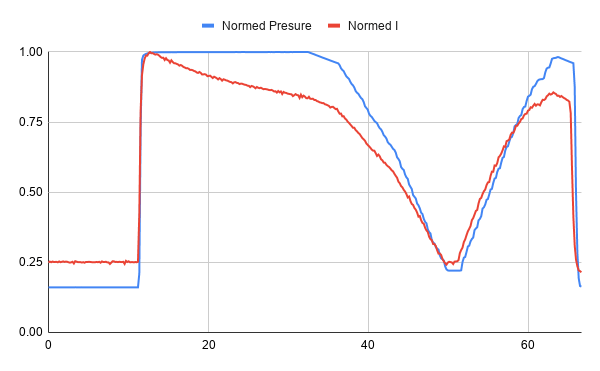
Normalized Pressure and Current for the same test

Looking at the normalized time series of the test, we can see that the sensor seems initially very linear, but then the current drops off after being exposed to pressure.

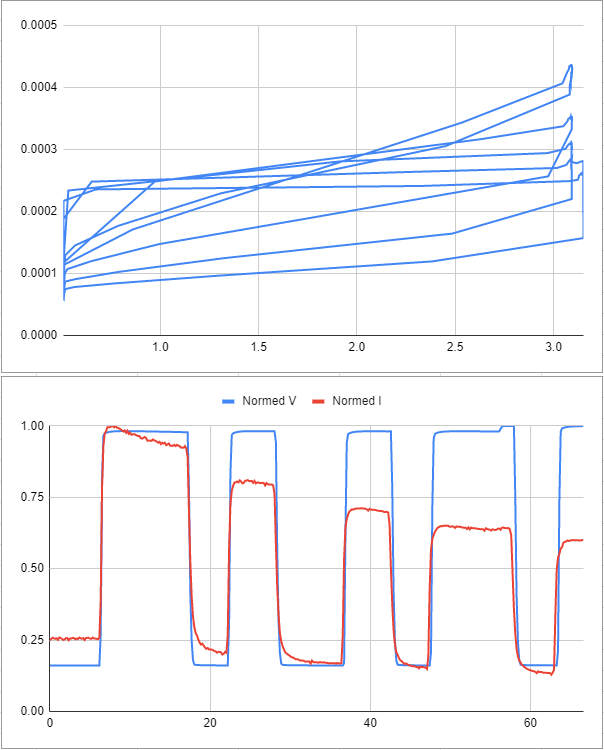
Here is some data from another test- the same strange trend occurs.

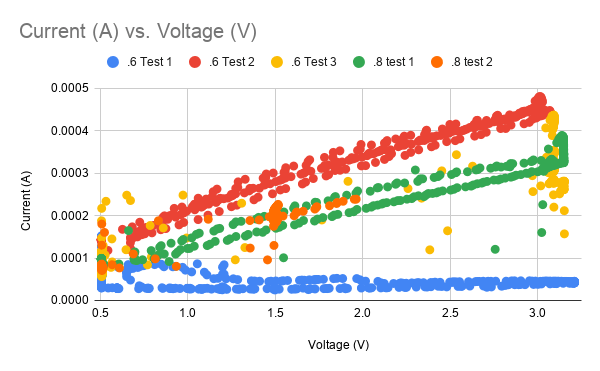
Looking at several sets of data we can see some that are complete garbage (blue data, yellow data, orange data) while some seem highly linear (green, red). Not exactly a good look for a mission-critical sensor that is helping you make life support decisions. Imagine trying to drive the speed limit if your speedo didn’t work!

Troubleshooting

I strongly suspect that pressure is playing a role here. First, sometimes gas is trapped under the sensor membrane, which causes the sensor to always read high, and to actually drop in current as pressure is applied. This seems to happen as the gas contracts and the membrane basically vaccum seals to the cathode. While oxygen is now coming into contact with the cathode, there is no opportunity for it to interact with the electrolyte, and this causes the current to drop.

Another factor is that in order to get the membrane closer to the cathode, I have had to burp out some electrolyte manually. This probably causes a slight negative pressure on the sensor as the membrane tries to regain its shape- I suspect that this can pull in gas and cause the gas blocking problem.

To solve this, I tried reducing the gap between the top lip of the sensor and the cathode, and making the sensors up “underwater” in electrolyte. This did seem to help with bubble elimination, but I still had a maddening and slow loss of current over time- uA over minutes or hours. these sensors show that good linearity can be achieved, but this drift is unacceptable for rebreather applications.

Additionally, I suspect that the sensor may not be fully watertight. That’s no good, since there needs to be electrolyte in there or it wont work! Some of the slow DC drift that I see could be due to this, or to evaporation through the teflon tape. The volume is <<1ml so even a small amount of evaporation could have an effect. I may try to remedy this or I may try to make a galvanic sensor…it turns out all I need is a little zinc or lead.

To be continued I guess!

DIY Polarographic Oxygen Sensor: Fabrication

I originally started by writing this post, but then decided to write a little more about the theory of polarigraphic O2 sensors first. This will skip most of the theory and just talk about how I built the thing.

Materials

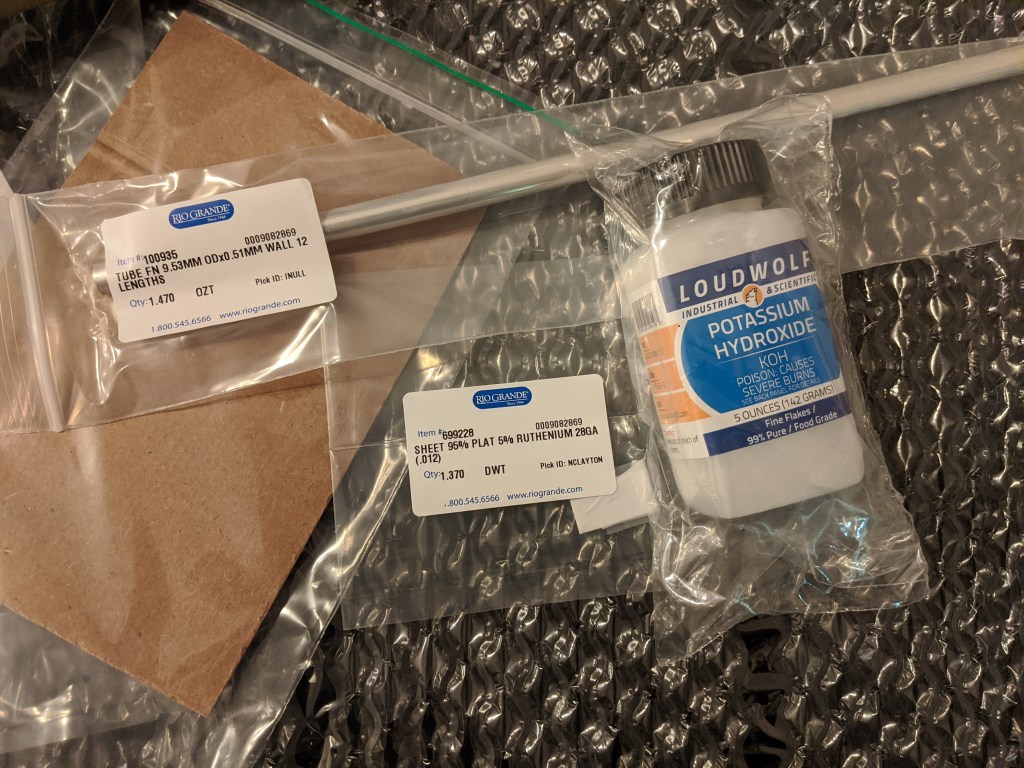
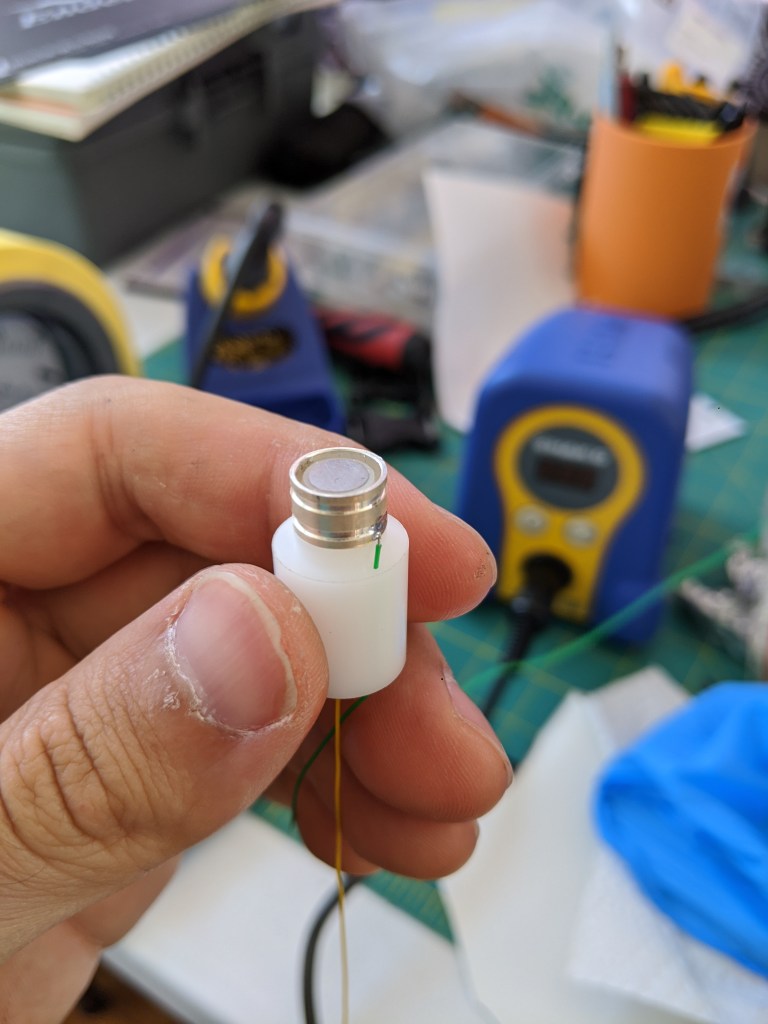
Aside from a few small wires and a small knob of delrin, this is what is needed for an oxygen sensor. A teeny chunk of platinum, a silver tube and Potassium Hydroxide (sold for making soap).

KOH Electrolyte

Based on some unscientific googling, I made up a ~4M solution of KOH because it seems to be a relatively common concentration. The electrolung used a .5 N (normal) solution and other papers quote 1 N solutions. For KOH, normality is the same a molarity, so I will need a much less concentrated solution in the future.

The three big takeaways here are that:

1) KOH seems to be kinda nasty stuff, and it should stay far away from your skin.

2) KOH is hygroscopic (picks up water), so it should probably be baked at 100C to remove water before weighing. I didn’t do this so who knows what molarity my solution really is- its “4M or below”

3) Mixing KOH into water is exothermic and also takes a while to fully dissolve. If you don’t know what you are doing, it seems best to let the angry little salts do their own thing.

KCl Electrolyte

After writing this and doing some testing, I found that KCl was also a fine electrolyte. 1-3M solutions can be purchased for a reasonable sum on amazon as dissolved oxygen (DO) cell storage solution. It would also be quite easy to make a solution of KCl, but I didn’t want to deal with dehydrating the salts.

KCl is my preferred electrolyte since it is more like salty water than draino. It feels a lot safer to be pipetting salty water at my desk vs super draino, and were I to re-do this I would skip the KOH for this sensor.

Fabrication Notes

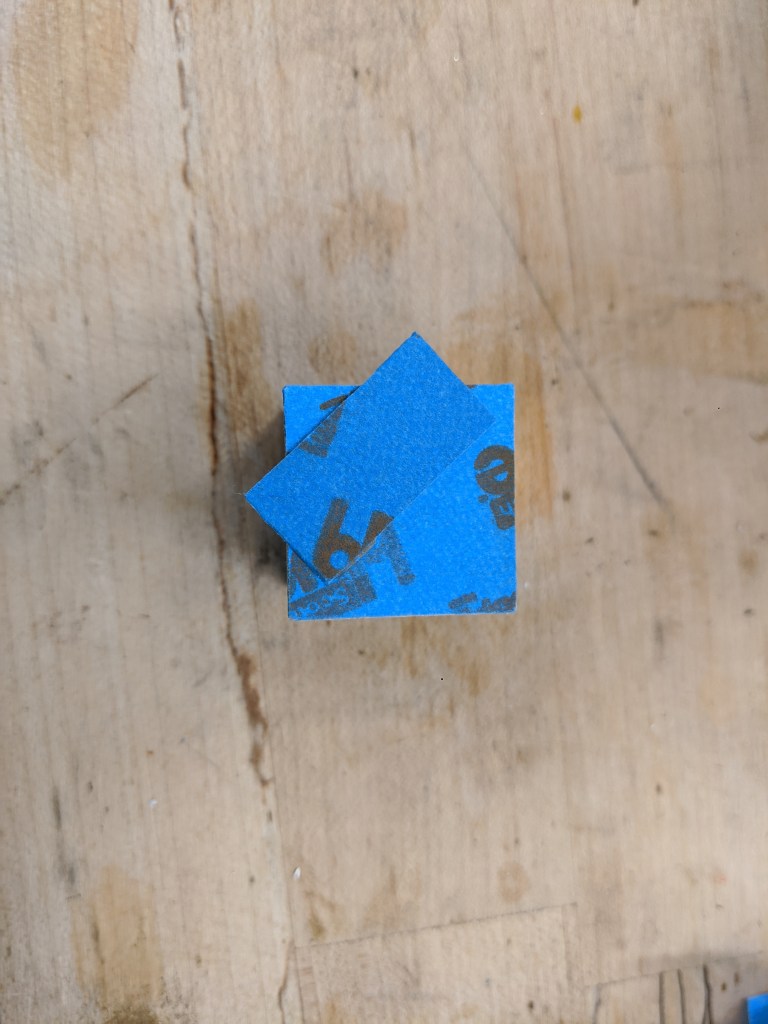
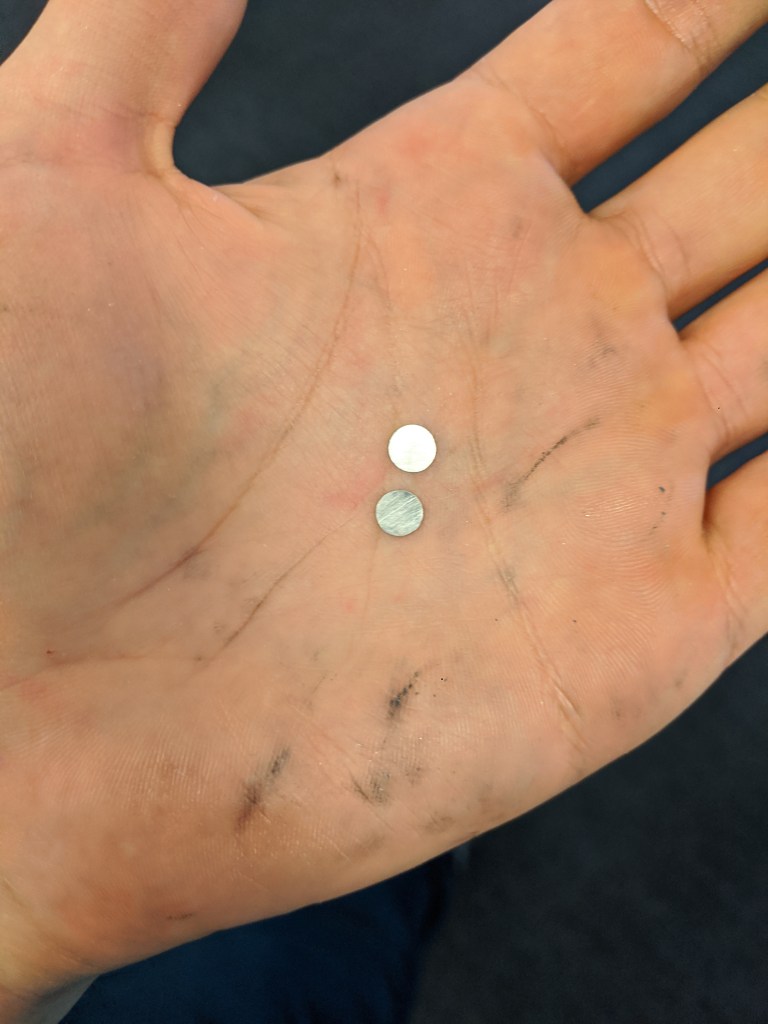
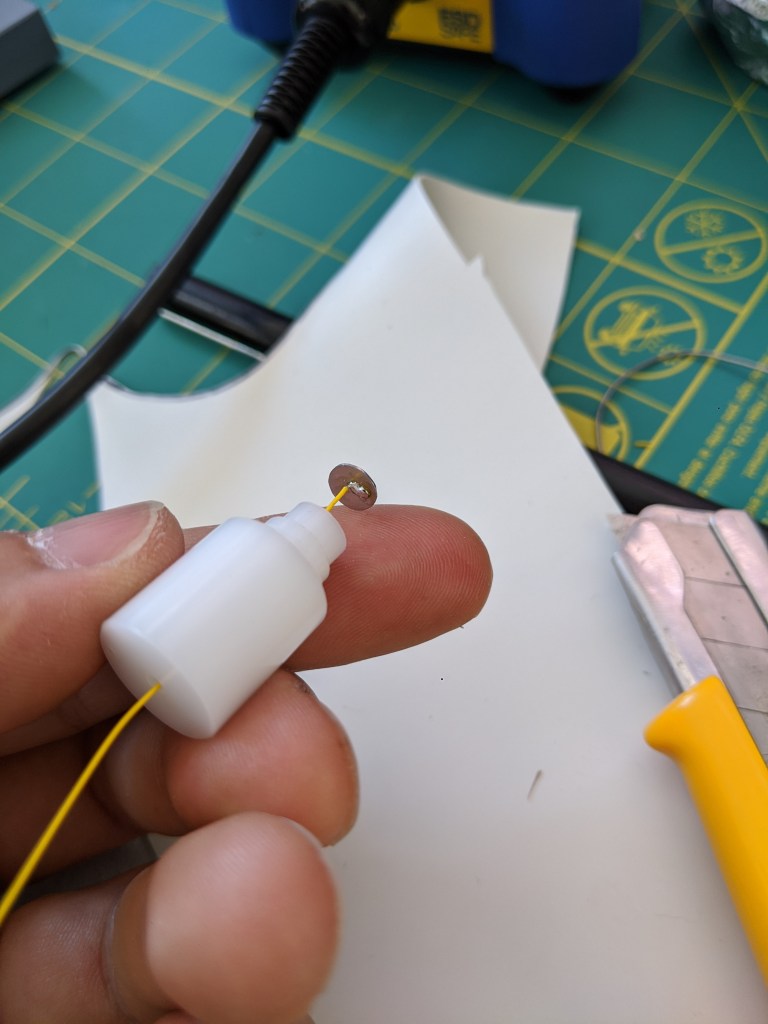
The 6mm diameter platinum electrodes were cut from a small sheet of 95% Pt 5% Rh from Rio Grande. Pt is surprisingly dense, and actually very annoying to machine for many reasons- it is tough, and compared to other materials, expensive. So to get as many parts as possible, I went with a “boring” operation using a .5mm 4fl carbide endmill with ~.00025″ chip thickness and .0015″ feed per revolution. I think that sawing electrodes out with a jewelers saw is probably a little easier, since my fixturing method (2 side blue tape + superglue) did not hold up to machining for one of the electrodes. Fortunately, I recovered that electrode with some filing (which worked very well). The short version of this is that there is absolutely no reason to CNC machine this stuff.

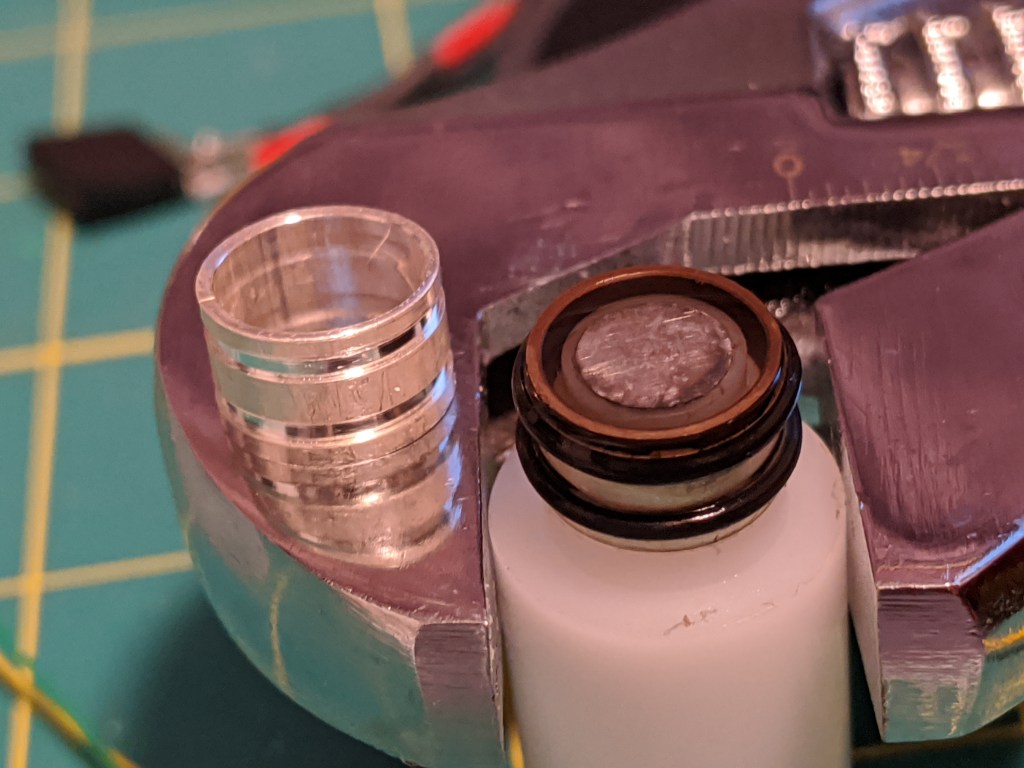
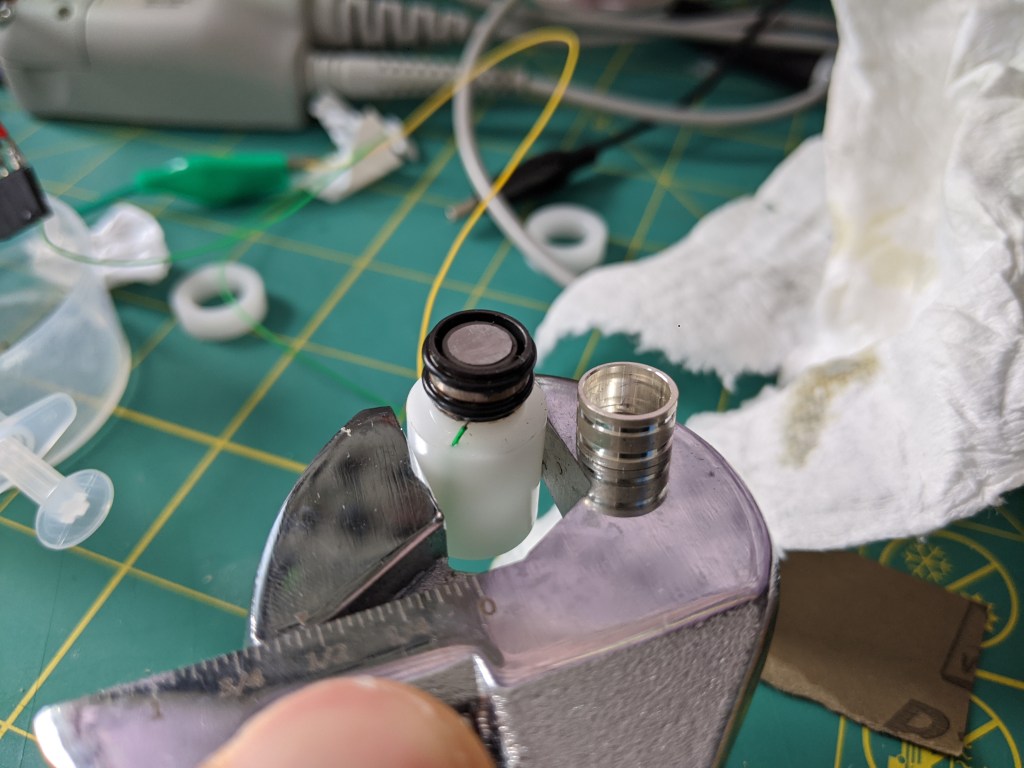
The silver anodes (999 Ag tube) were machined on a lathe. Aside from the fancy oring gooves, there’s no reason this could not be done with a hacksaw (gently, so as to not mess up the tube). Originally I wanted to use a rubber boot instead of orings, but that would have taken longer with what I had on hand. The electrodes are 6mm long with an OD of .375″ and an ID of .335″.

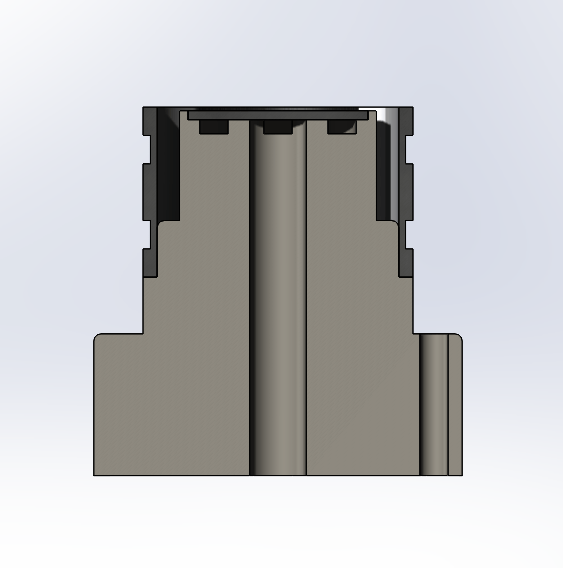
Cross section view of sensor

The body of the sensor was made of delrin. As you can see in the cross section above, there are some grooves here and there for things like wiring the Pt electrode as well as a pocket for the electrode. There is even a hole for wiring the silver electrode, which is not necessary (but it is nice).

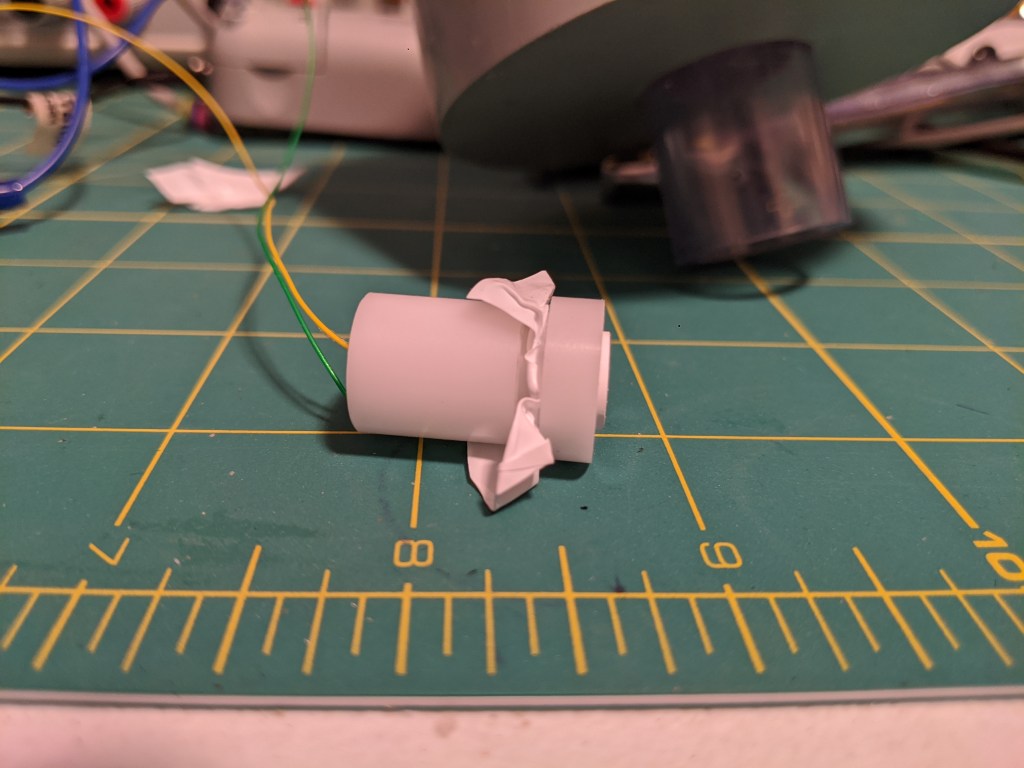
Since the o-rings were a last minute addition to avoid finding and drilling a hole in rubber, I also made a delrin sleeve to fit over the orings and hold on the membrane.

Assembly

First a wire was soldered onto the Pt disc. This was done with normal SnPb electronics solder. This wire was run through the sensor body, and a dab of silicone was used to seal it to the body housing. NB these electrodes are pricey and a pain to make, but are also extremely reusable. Using silicone makes them more recoverable. For a “real” sensor, there is also room in the wiring hole to fit a thermocouple for temperature compensation.

Next, the silver electrode was added, and a wire was soldered on. This extra hole gives me some pretty slick wire routing. NB this was done by sanding down the silver a little to get the solder to wet. I don’t think silver oxides are easy to solder to so this needs to happen before the sensor is used.

With the orings assembled, a few drops of electrolyte are added to the surface and a teflon membrane was stretched overtop, before placing on a retaining ring to hold the teflon in place (pinched between the orings and the ring). The “teflon membrane” is plumbers pipe tape.

Testing

With the sensor wired up, of course I was curious if I had just completed an expensive art project or if I had actually made an oxygen sensor. Fortunately I had enough spare rebreather parts around to shoot some O2 at the sensor.

Initially I was disappointed because the sensor seemed to not do anything aside from operate like a galvanic cell that reacted to oxygen (see previous post). However, after switching to a very sensitive DMM (keysight 34465a) I was able to read uA changes based on O2 concentration with .6-.8 V of bias voltage. Typical current of the cell in air was very low- maybe less than 10uA. Blasting it with oxygen bumped it up to ~100uA. The response time was extremely low (immediate, as far as I was concerned).

I intend to do a little more work on this sensor, including improving the membrane, making up a proper electrolyte solution, and (of course) testing and temperature compensation. This kind of sensor is cool- unlike gold-lead galvanic cells, it seems like they can be revived with a little electrode cleaning and adding fresh electrolyte (kind of like sea monkeys). In the electrolung, they were actually hard-wired into the rebreather*.

According to the electrolung designers, they are also less sensitive to water covering the membrane. Another nice feature is that in theory, because they constantly consume all the O2 in the electrolyte, a polarographic sensor should fail low if it looses contact with the gas to be measured. This is more obvious than a galvanic cell that may have an O2 concentration “locked in” by water, which could make the PPO2 appear good when it is not good. A cell failing low will be an obvious indication that it has gone off the rails because if the cell reads 0 and you are still breathing, there must be oxygen somewhere.

To Be Continued…

*

This does not mean that is necessarily a good idea. The electrolung was not a huge success, in part because sometimes people drowned while using it. Additionally, to my knowledge, nobody has decided to use polarigraphic sensors in breathing equipment since then, although they are used for some really cool stuff like measuring cellular respiration rates and dissolved blood gasses.