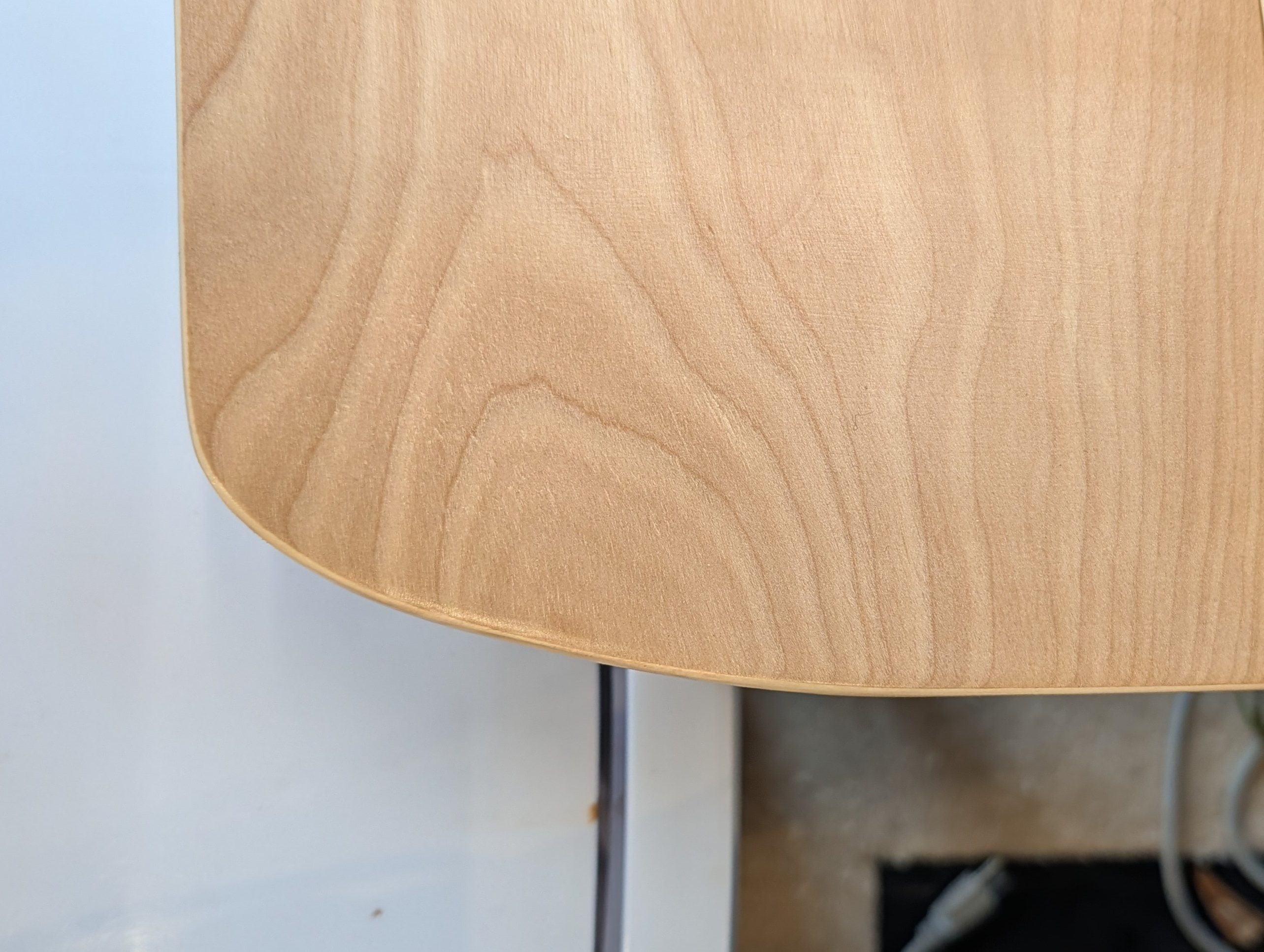
The future is weird. This morning, I used my timeshare supercomputer subscription to (somehow) guess how write a plugin for a piece of modeling software I don’t own (you are welcome, autodesk). This little piece of code solves a problem that people have been aware of since the beginning of design, but that is hard to put your finger on. To put it less literally, I vibe coded a g3 curvature-continuous sketch fillet tool for fusion. You can get it here. If you care to know more about the problem, or if this table edge bothers you and you don’t know why, read on:
Curve Continuity
The edge of the table above is (supposed to be) made of two lines coming into an ellipse. Even though the lines are tangent to the ellipse (at east to the best of my ability), they look kind of strange. That is because an ellipse (or more commonly a circular arc) has curvature, and a line does not. So even for a tangent line going into a circular radius, there is a discontinuity.
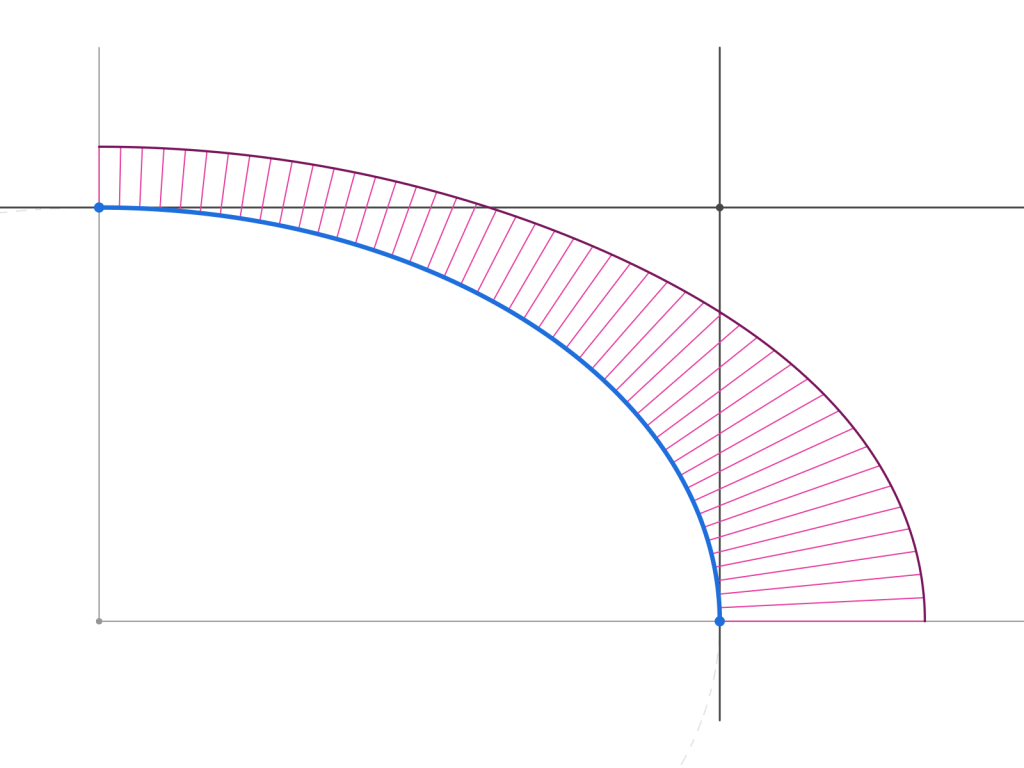
Here is an image of what’s going on – the transition is from the line (no curvature) to the ellipse, which does have curvature. That jump is something that you can see and feel. The little lines are called a curvature comb, and the length is related to the curvature where it touches down, and they comb lives on the “outside” of the curve.
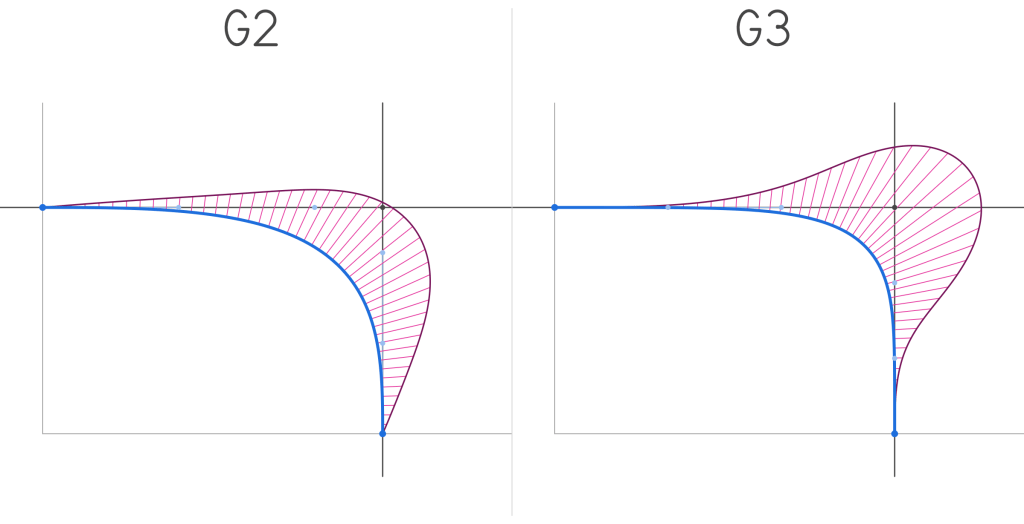
The fix is to use a G2 or G3 continuous curve. Note that both combs now start at zero curvature and ramp up. The difference is that a G2 will have a constant initial “velocity” (first derivative) of the curvature, while a G3 curve accelerates that change over time. So a G3 is smoother.
How this helps my 3D prints, and other things
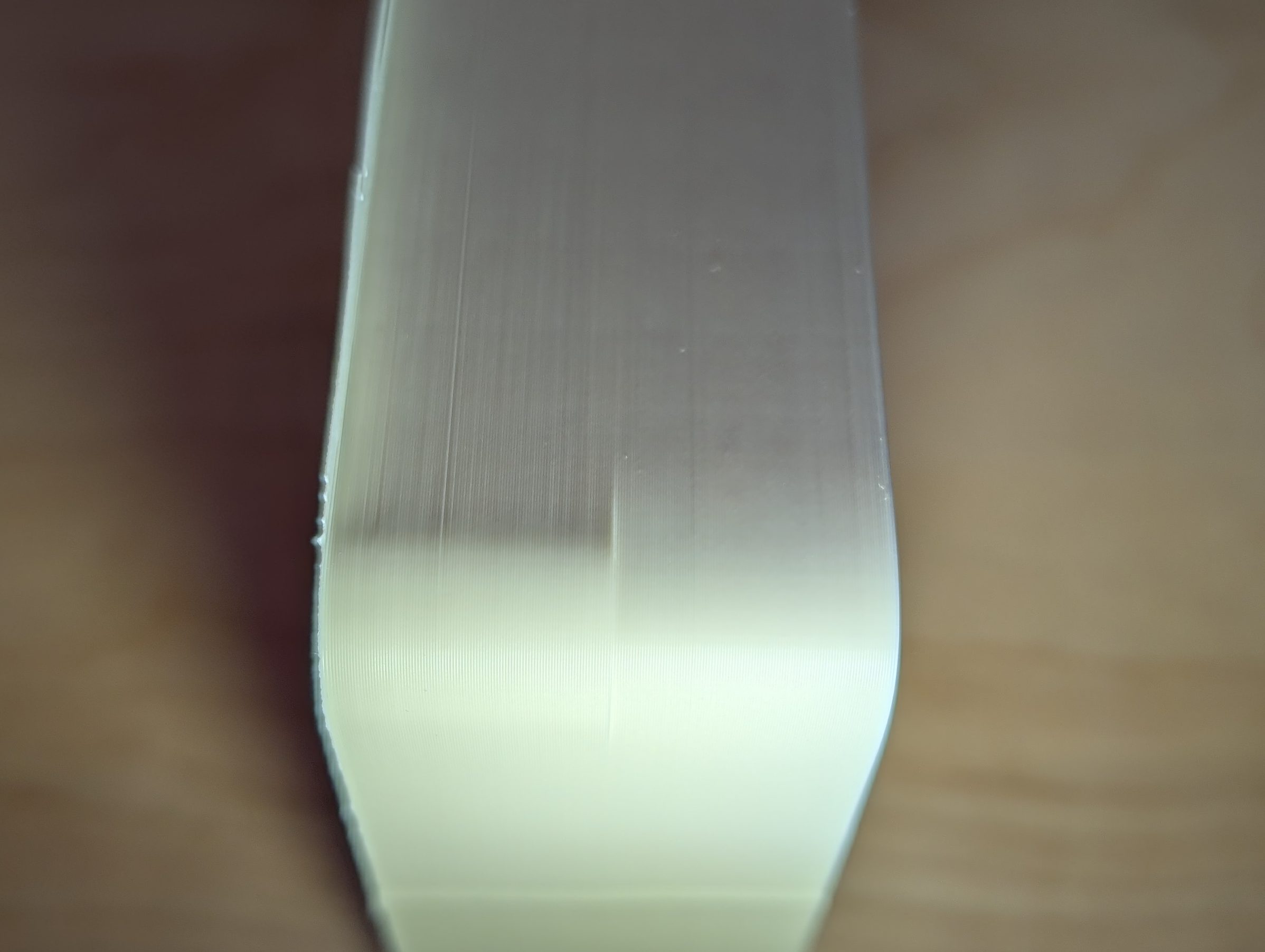
The curve on the left is a radius, and on the right is a G3 curve. You can see the very tiny shadow on the radiused side, while the G3 curve is smooth. I think this is both a print artifact from deceleration and a result of my careful lighting, but based on the geometry I also expect a little discontinuity there. I can also feel a slight “hitch” in the smoothness as I slide my finger around the curve.
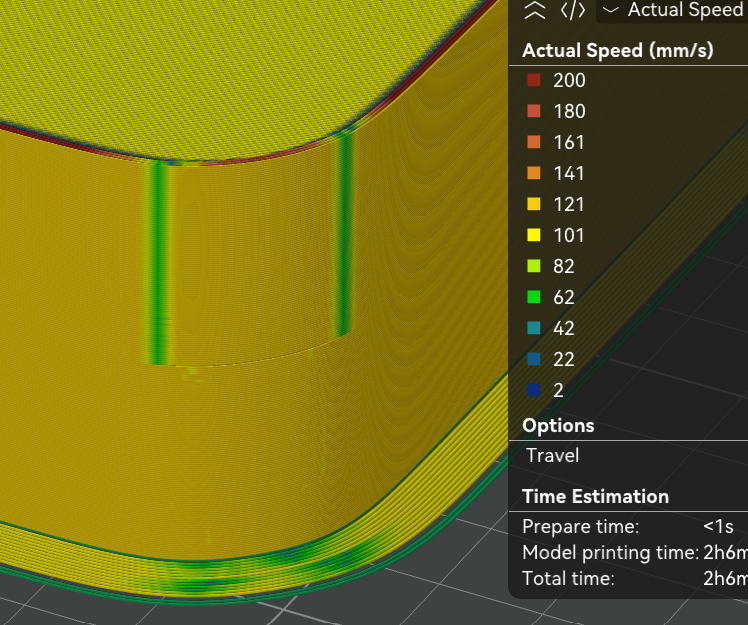
This is a different corner, where the radius is on top and the G3 curve is on the bottom. You can see where the deceleration happens in green, as the print head cannot move smoothly around the corner at high speed.
Unsurprisingly, these smooth curves have tons of more important uses in the real world, particularly in transportation, where smooth curve transitions are used to prevent trains from derailing, cars from flying off of roads, and (least importantly) they are famous for being the non-radius shape for corners that apple uses. They are also used by industrial designers to terrorize mechanical engineers everywhere. There is nothing quite like getting a model with no flat surfaces and no radii that explodes when you sneeze at it, and these curves seem to be amazing for building that kind of geometry.
In my own life, I might start using them to replace radii in my 3d prints, at least when they are in the xy plane of the printer, so they come out extra nice, and ever so slightly faster. I also intend to use them on future woodworking projects to avoid the odd looking corner that I shared above, which is the real reason I made this plugin.

