Secret Knowledge: REVObots

Recently, the leadershio of the REVO (Research on Electric Vehicles at Olin) club approached me and asked me to drop some secret knowledge on them.  While they have had some experience with EVs, they have no real EE background, and a very limited embedded/microcontroler background, and they wanted me to fix it.

Over the next few days I developed a 6-class course that would get their feet wet in the direction of building and understanding useful devices on an EV, or really any platform using a microcontroller, and even some that don’t (motor drivers and such).  I will be using the arduino platform for what it was intended; as a simple teaching platform.  The six classes are based around these learning goals:

  1. Explain what a mcu is, what it is good for, and what kind of hardware capabilities they have as far as PWM, ADC, timers and counters.  Explain what an arduino is, and build the secret knowledge arduino.
  2. Explain basic sensors that depend on resistance (thermistor, photoresistor) and current (photodiode) work.  Explain digital sensors, show an example with the 1-wire protocol.
  3. Explain various control schemes: on/off, proportional, differential, and integral.  Explain how to actually use them in hardware, using examples like the laser poejector.  Focus on quadrature encoding.
  4. Explain how to control big things like motors or AC current, with little things, like microcontrolers.  This will be all about BJT transistors, H-bridges, and relays.
  5. Explain how to talk to other devices via serial and USB.  This will be pretty theory-heavy, but we will have a USB example.
  6. Putting this all together, we will finish building a small robot and have it do some kind of task.

These six classes will be spread out over six weeks, and each will have both a lecture and a lab portion with a deliverable.  This is similar in structure to the other Secret Knowledge projects, but it differers in a few ways that will hopefully help deal with the problems of students not coming to classes, and students not retaining knowledge.

The difference here is that class is predictable.  Each week of TSK before was planned on the fly, materials were sourced from a withering stockroom, and everything had to be dirt cheap.  This made it hard to say what we would be doing from week to week.  The predictability makes it easy to know when to be where.  There is also a big carrot dangling at the end of six weeks when the students actually finish the robot; this will hopefully help eliminate the week-to-week variation of interest.

To help with the knowledge retrieval after the class is through, I will be putting together a guide ahead of time, with stuff people will learn each week.  Ideally, each deliverable will also be structured as a working example of the concepts covered in the class, and seeing everything work together will help cement the knowledge.  Most of the material will just be me throwing mud on a wall and hoping some sticks; the idea is that people will at least know where to start projects with mcus once this is all said and done.

I will be blogging more about this here as the class begins and things are done.  Classes will be recorded and posted on youtube.  In the Secret Knowledge tradition of flying-by-the-seat-of-ones-pants, and living on the gritty edge of barely being on time, right now I have a two week lead time before the class starts.  Better get going!
Making a Knife From a File: The Blade

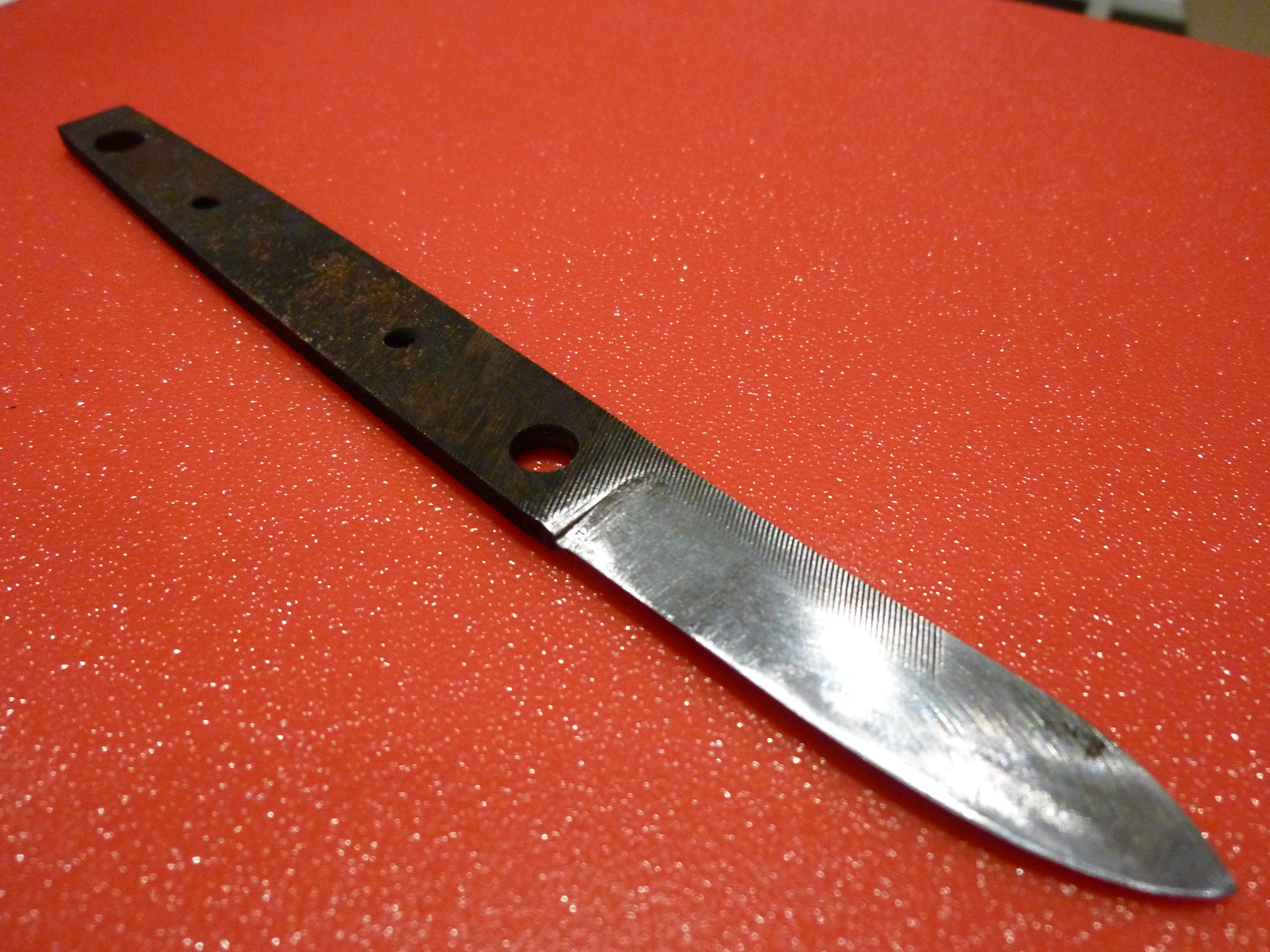
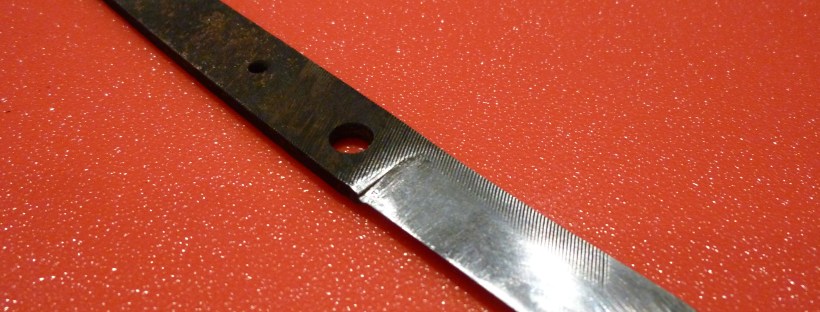
The nearly-done blade

I decided that I was going to make myself a knife from a file.  There are many guides on the Internet that tell you how to do this, but this one will be mine.  This part of the guide is going to explain the process that I used to design and make the blade from start to finish in great detail, unlike the other guides that are out there that say something vague like “quench” and “heat treat at 425”.

The first thing you should do is decide what you are going to do with your knife, and exactly how it is going to look.  I only did the first bit, and sorely regretted it later.  Since you are going to make the knife from a file, I would suggest going out and buying one.  I used a 6″ Nicholson bastard file, which was about $5 at OSH.  I based on what I have read on the web and knife making forums, Nicholson files are W1 (W-1?) steel, which is water or brine hardening.  Beware the dollar store file!  Some of them are not high carbon steel, but low carbon steel that has been case hardened.  You wouldn’t want to waste days of work just to have a soft knife, would you?

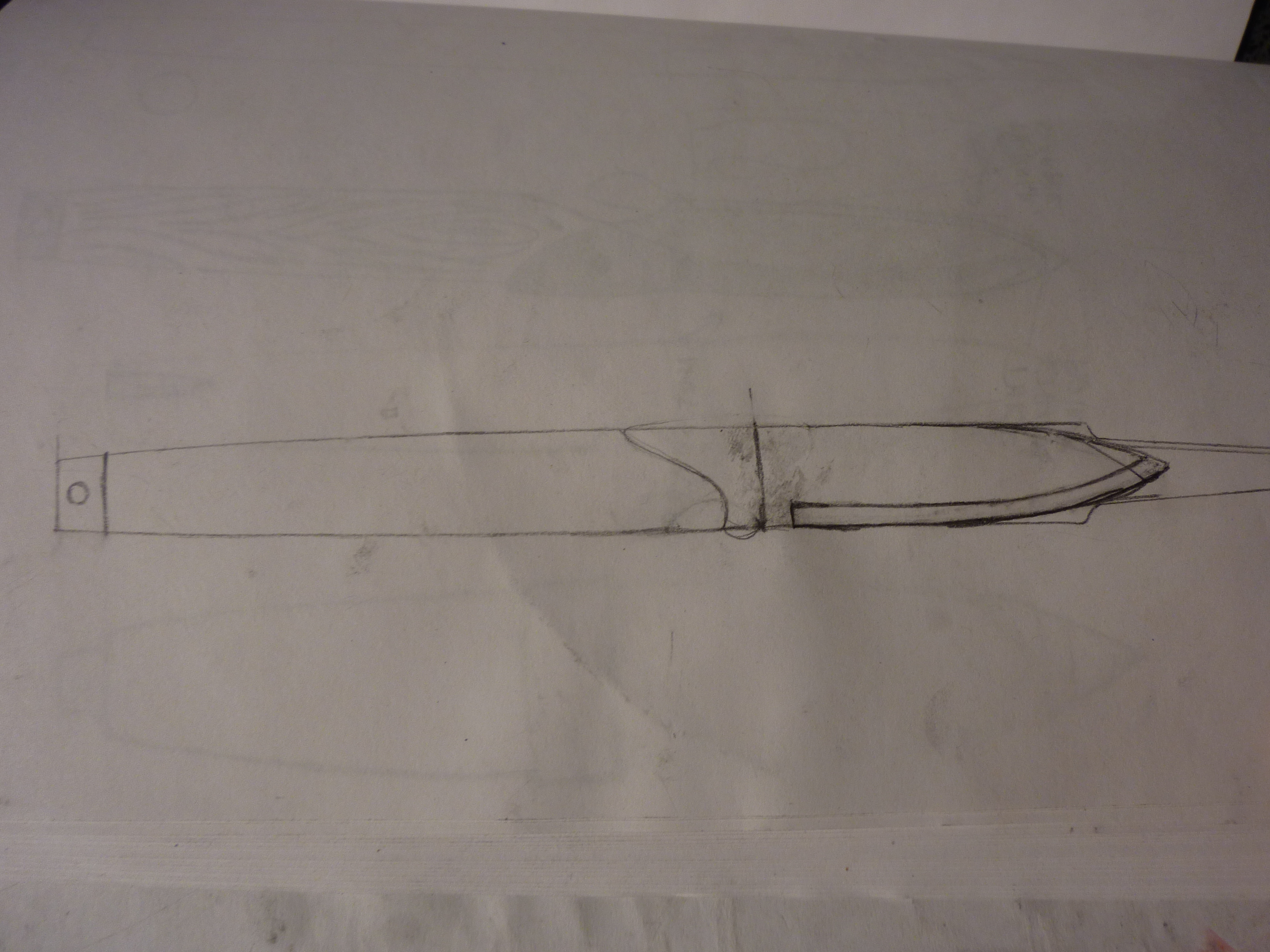
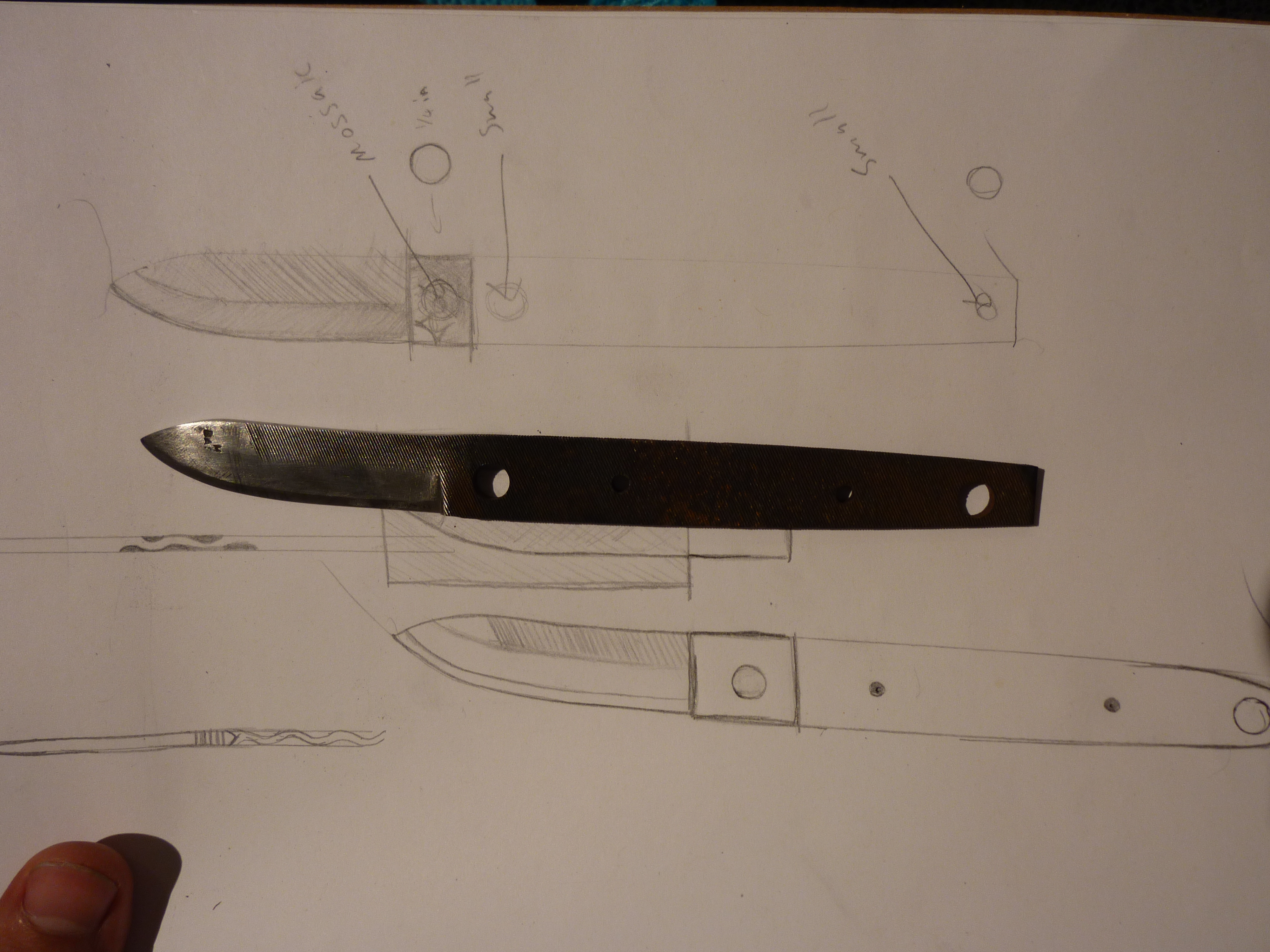
I liked this design I liked the best.  You can see the outline of the tang of the file on the right.

Trace the file out on a piece of paper.  Hold the file in your hand and figure out how big of a handle you want.  Decide if you want a depression for your index finger or thumb.  Think about the work the blade will be doing, and how long you have to finish the blade, and what your skill level is with the medium.  I have a lot of experience filing things, but none with forging or heat treating, so I went with a thick, durable blade, with a slightly finer edge for slicing, scalpel-style.  It should be good for cutting up fruit and opening boxes, which is what I normally use my (current) knife for.  I also wanted to try to use some mosaic pins, and this got me in trouble because I did not take them into account in my design.

Straight air-coolin’

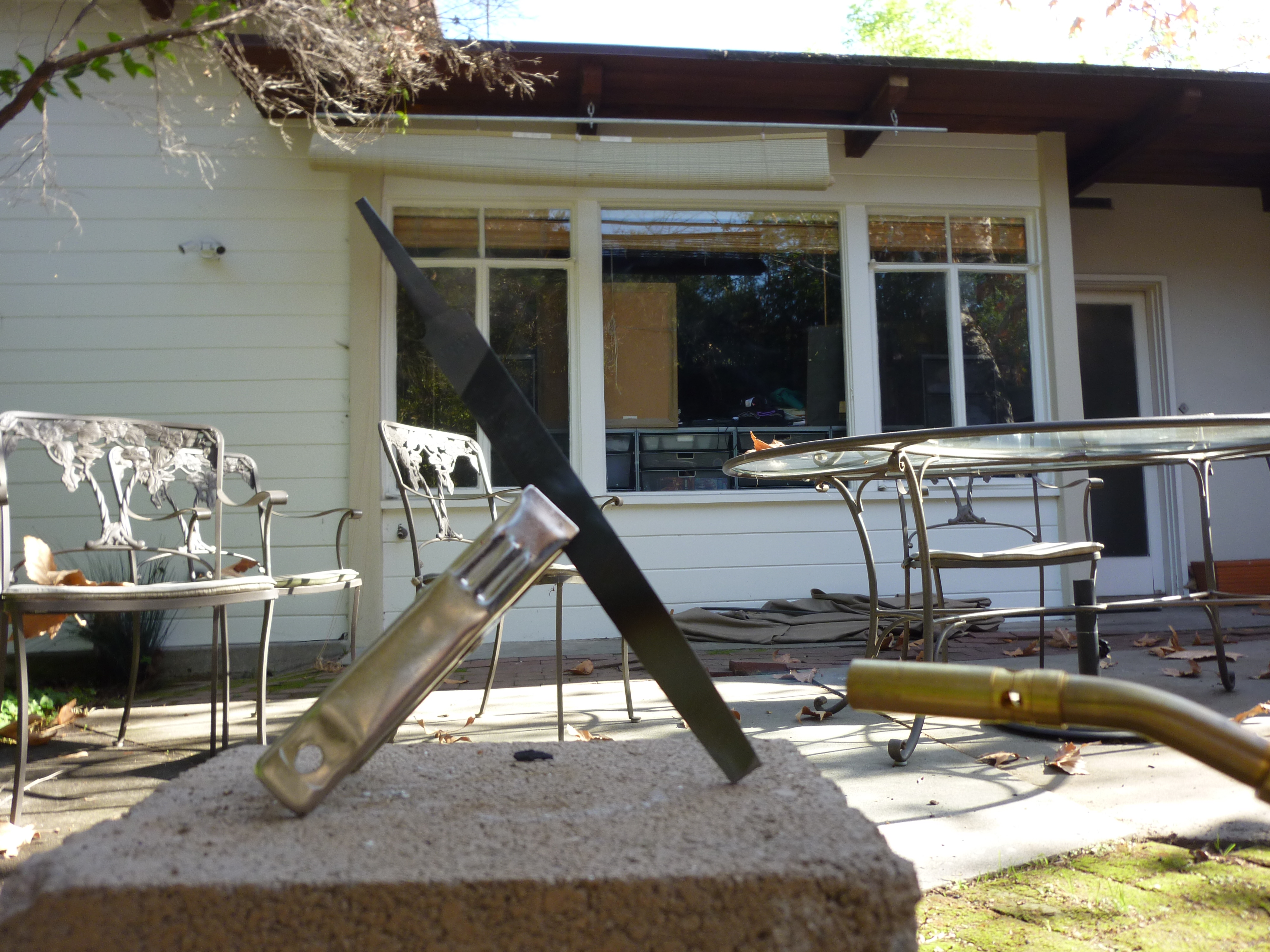
Once you settle on a design, you will need to anneal the file before you can start to remove the material.  Remember, you never want to rub your files on each other because they will get dull.  This is because the metal is incredibly hard.  Annealing softens the metal so that you can grind/file it off more easily.  The way to anneal steel is to heat it up and let it cool VERY SLOWLY.  How hot it gets and how long you it cool play into how soft it gets.  I heated mine up to a dull red hot and let it cool in air, and it was soft enough for me to work with.  You can also just leave it in your forge and let it forge-cool, but you will have to wait until long after all your charcoal goes out before you can touch it.

The knife after some rough grinding

Here I have used the grinder to do some stock removal.  It is best to keep the steel cool during this process by dipping it in water.  As you can see, the blade got very hot during this grinding process, causing some tempering colors to begin to appear on the blade.  It got so hot that some parts hardened when I dipped it in water to cool it off!  I used a butane torch to heat it up and anneal it again once I started to file.  You can tell the bevel is very uneven right now, because there are several facets that have light reflecting off of them.  This can be a good way to file straight; just file until the whole blade is reflecting light at the same time, or not.  While filing, you should be able to see the color of light and the finish of that particular facet spread across the blade.

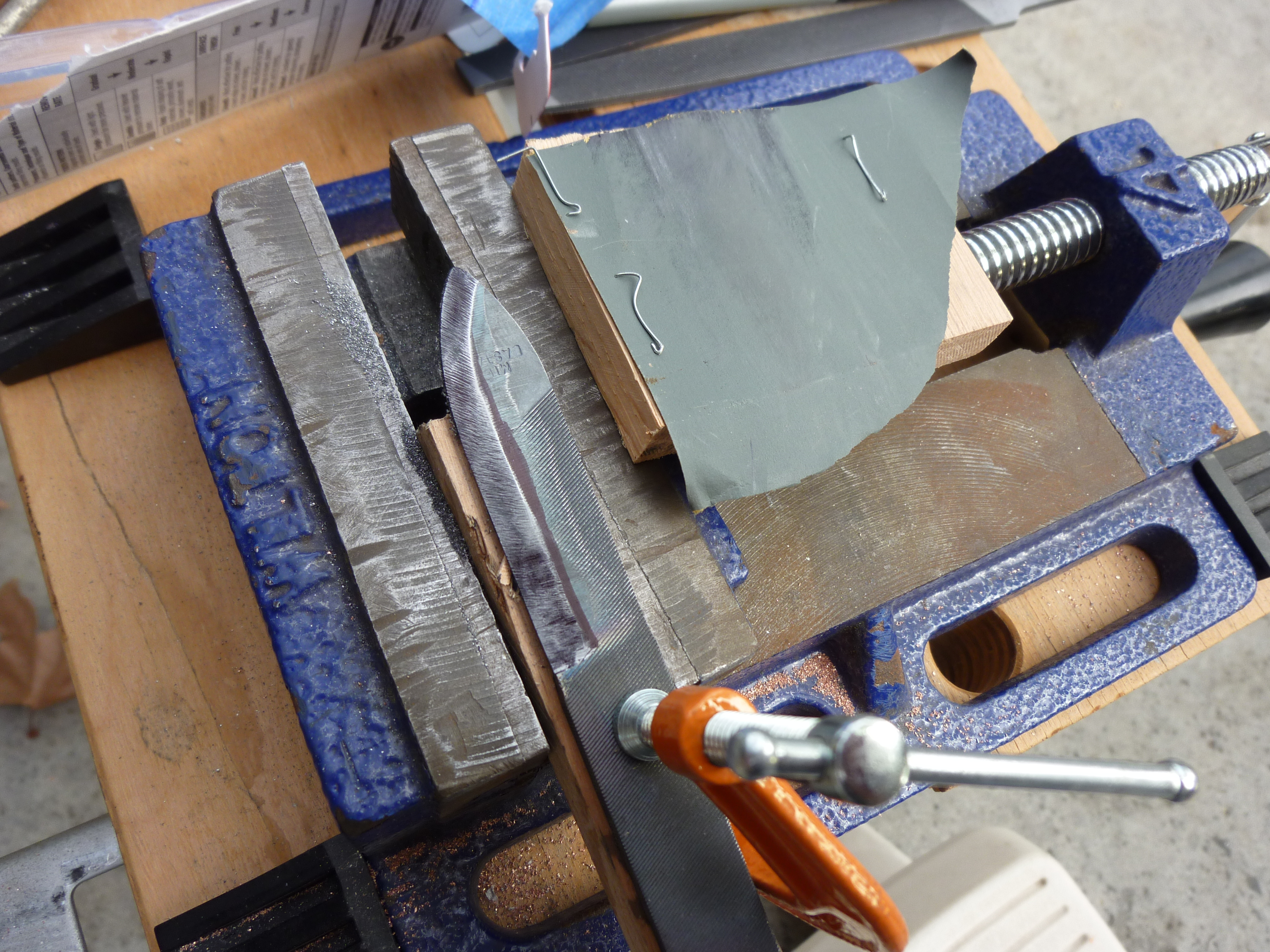
Ink test

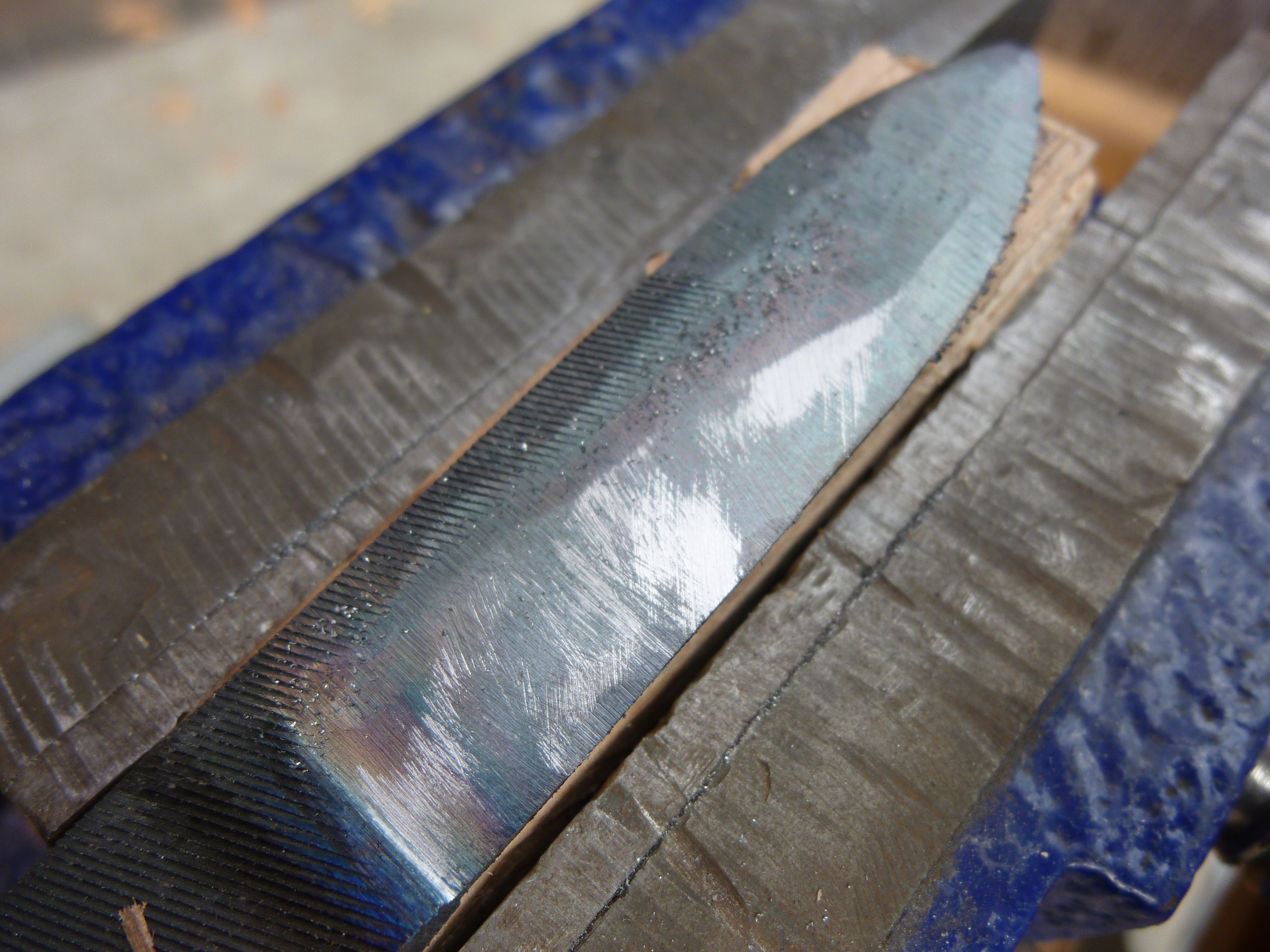
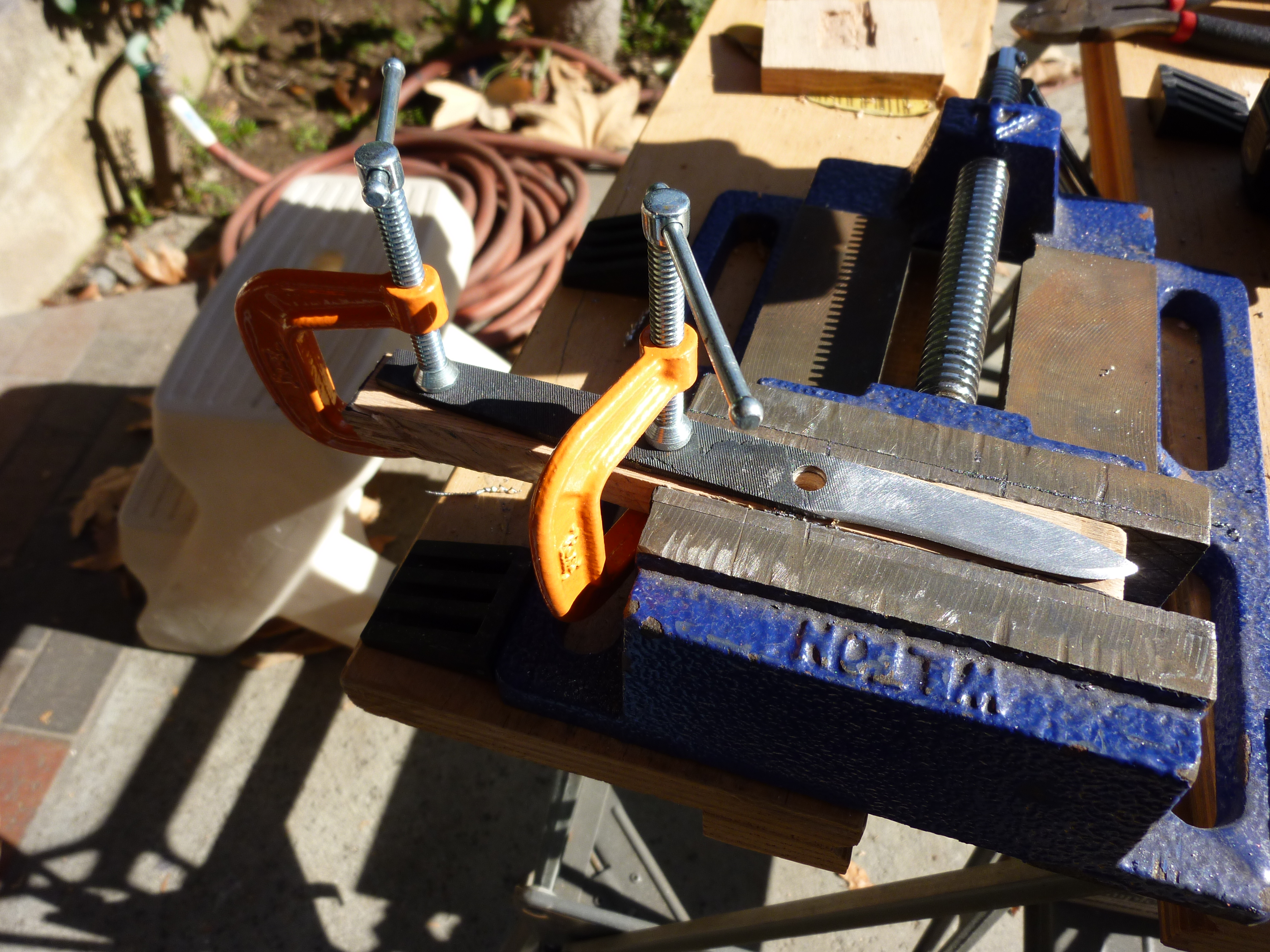
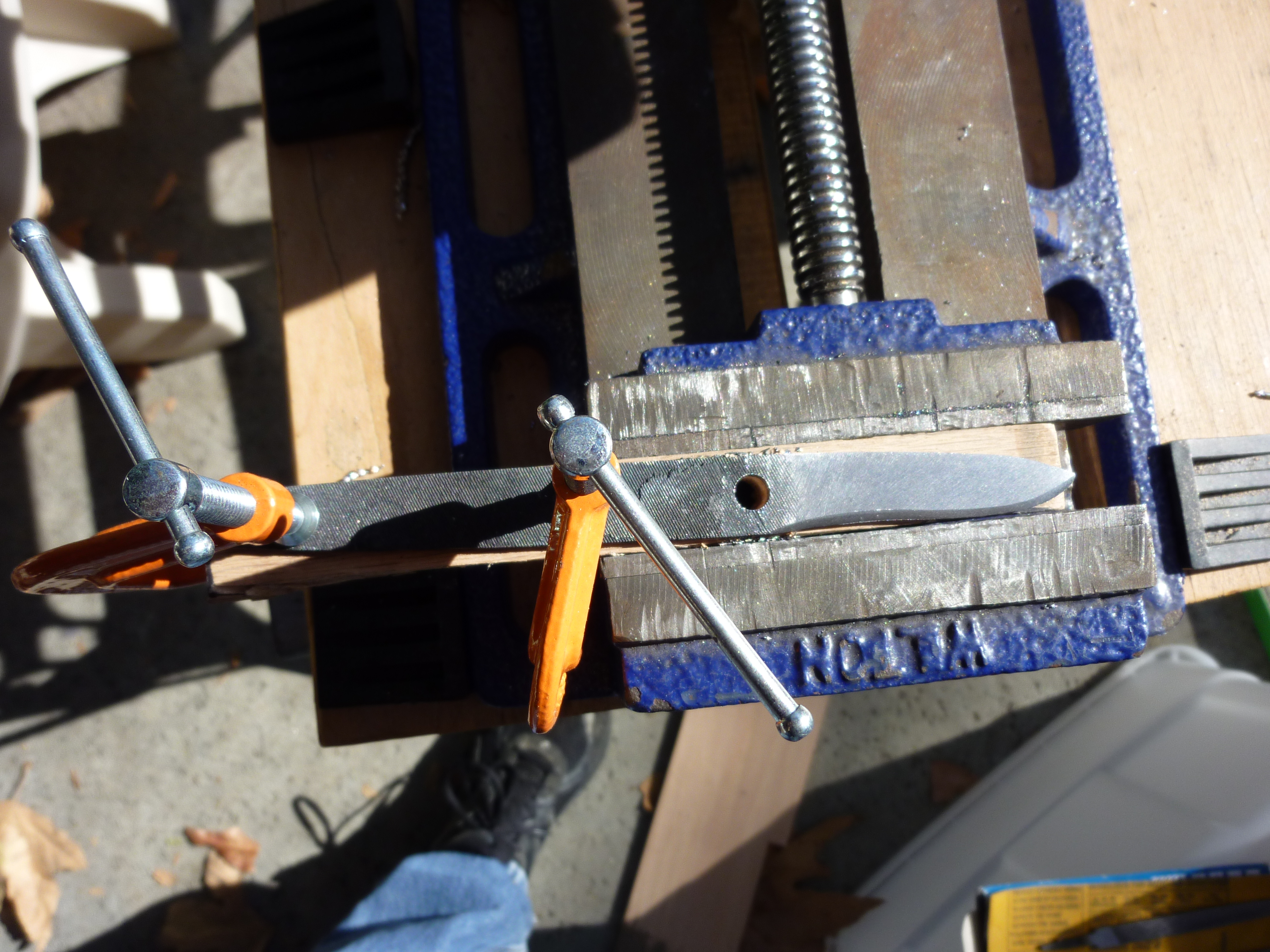
Here is another shot of the filing process.  It is best to keep your knife locked down so you can file the bevels flat.  Here I have C-clamped the knife to a piece of wood, and put the wood in the vice, making it very easy to file the knife without it moving.  You can also see a sharpie line I drew on the annealed blank- this is so I do not remove material past the line, in order to create the correct shape of bevel.  The sharpie that is on the blade is to check for high spots.  I color the whole thing in, and then take a piece of sandpaper stapled to a piece of flat wood, and push it over the blade.  High spots (relative to their surroundings) end up polished, and low spots end up still covered in ink.  You can see this effect in the scratches on the blade, and the edge where the bevel begins, which is relatively higher than the neighboring portions of the blade.  I wanted a thick blade, because I want this knife to be tough.  I was going to have only one bevel on one side, and two on the other so that it would be easy to sharpen for me, as a righty.  This was a mistake, as it turns out, because the single-bevel side always gets scratched by the sharpening stone.  Oh well, you live and you learn.

Setup for drilling holes in the knife mentioned in the over-melted post.

This is also a great time to drill holes for your bolster and handle pins!  I drilled 1/4″ holes  with a hand-held drill.  Hopefully I did them straight-ish.  A drill press is really handy here, but I don’t have one at home.

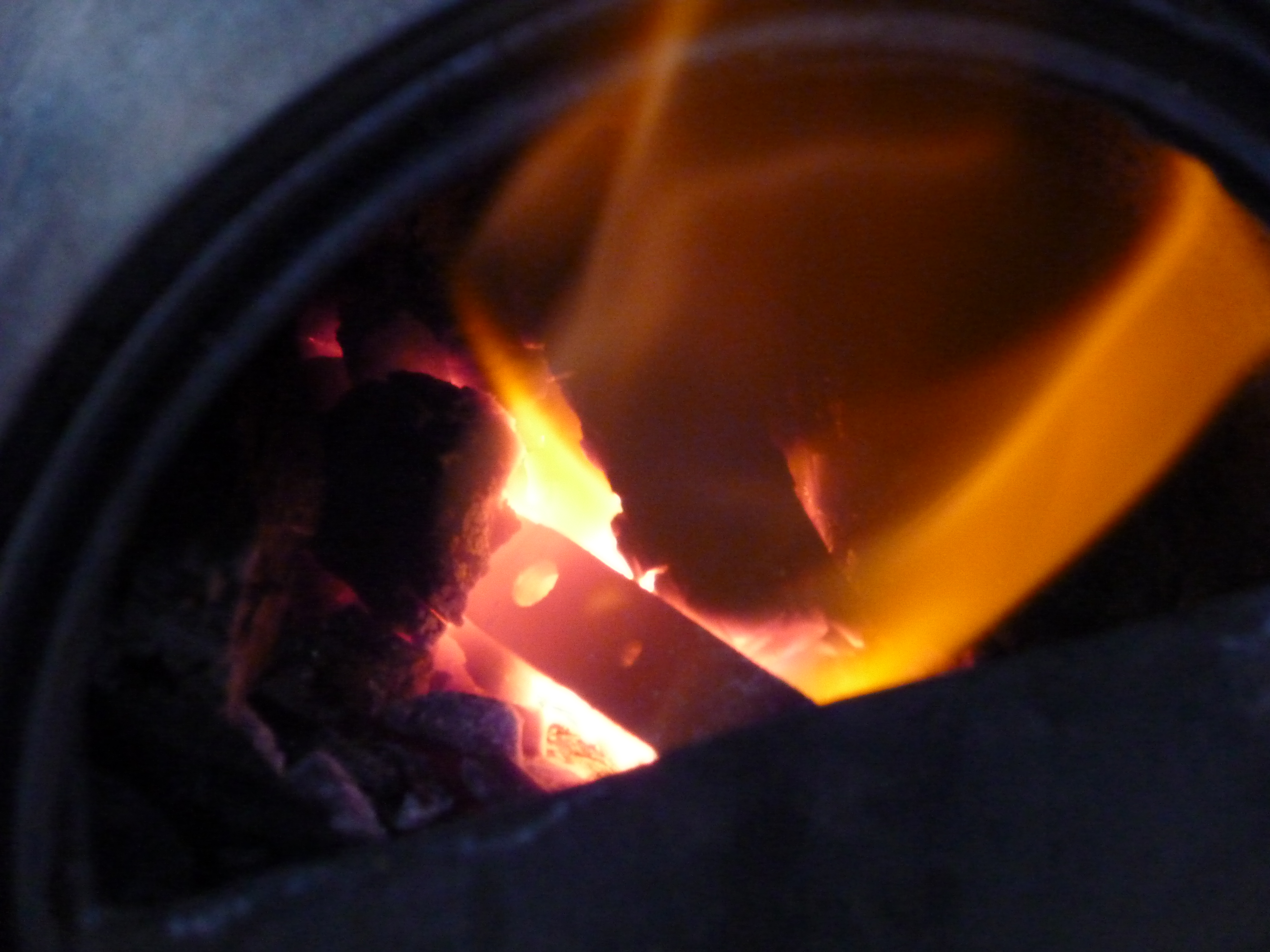
Heating up to critical

The next step is to normalize the steel.  You do this by heating the blade to non-magnetic and then letting it air cool.  If we had been beating on it with a hammer, this would help reduce the stress in the blade.  Since I didn’t actually beat on it to form the blade, I am hoping this takes care of any stress caused by heating during grinding or drilling.  It does not take too long, and it seems like a good precaution.  Some people normalize up to three times, but I thought two cycles would be just fine given that I did not pound on the blade.

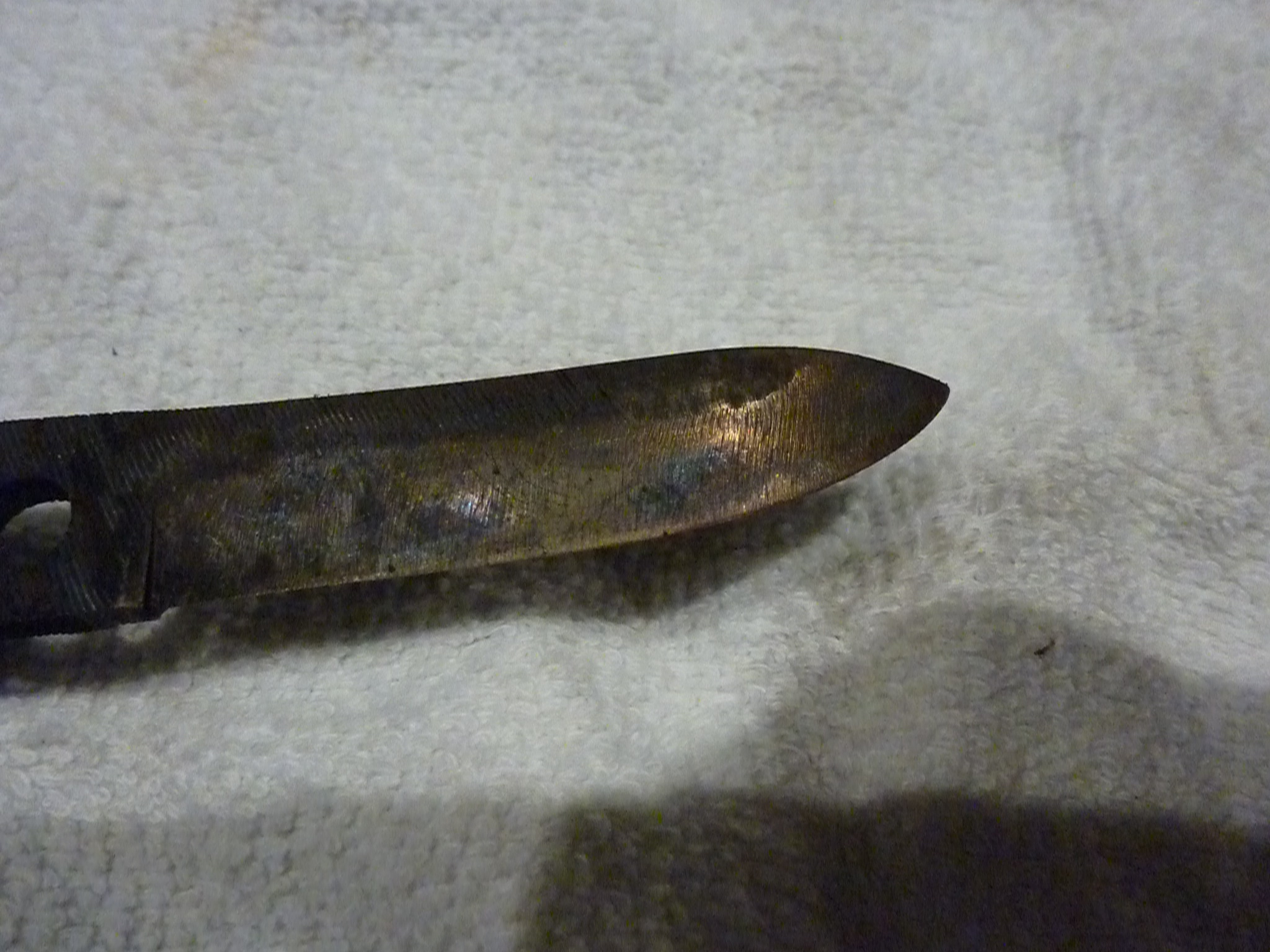
The next step is to harden, and then temper the blade.  This process is collectively called heat treating.  There is a lot of conflicting information about how to do it properly.  The most consistent message I found was to quench in brine, water, or oil, and then stick it in the oven at somewhere between 425-475 F for about an hour, depending on how hard you want your blade to be in the end.

This leaves a lot to be desired.  I found a lot of believable information about the process here, but their process is very specific and it was hard for me to estimate what temperature my blade was.  The process I used was to heat to non-magnetic, quench in brine (recipe: add salt to water until it will not dissolve anymore) using a slicing motion and then polish a small portion of the now forge-scaled and tempered blade.  This was done to make the temper colors visible when I stuck it in the oven at 450 F.  I waited until the edge of the blade to turn a “light straw” color, and pulled it out and let it air cool.  Mine might have been a little dark, but better over-baked than over-melted!

It is starting to look like the knife I designed!

After a little sanding, The blade was looking much better.  It is super effective against fruits, vegetables, and paper, and it even looked a little bit like the knife I planned on making.  After some more polishing, It will receive an nice handle and a bolster of undetermined material, and a couple mosaic pins.

How to Build a Paint Can Forge

Forge 2.0, WAY better than the porta-pit design

Building a paint can forge is a cheap and fast way to test the waters of forging, which is why I find it attractive.  Even with CA sales tax, my parts list for the much-improved Forge 2.0 was well under $20, including fuel but not including a blower.  This guide will walk you through the construction and operation of Forge 2.0, but does not mean that I am responsible for whatever you do with it.

CONSTRUCTION

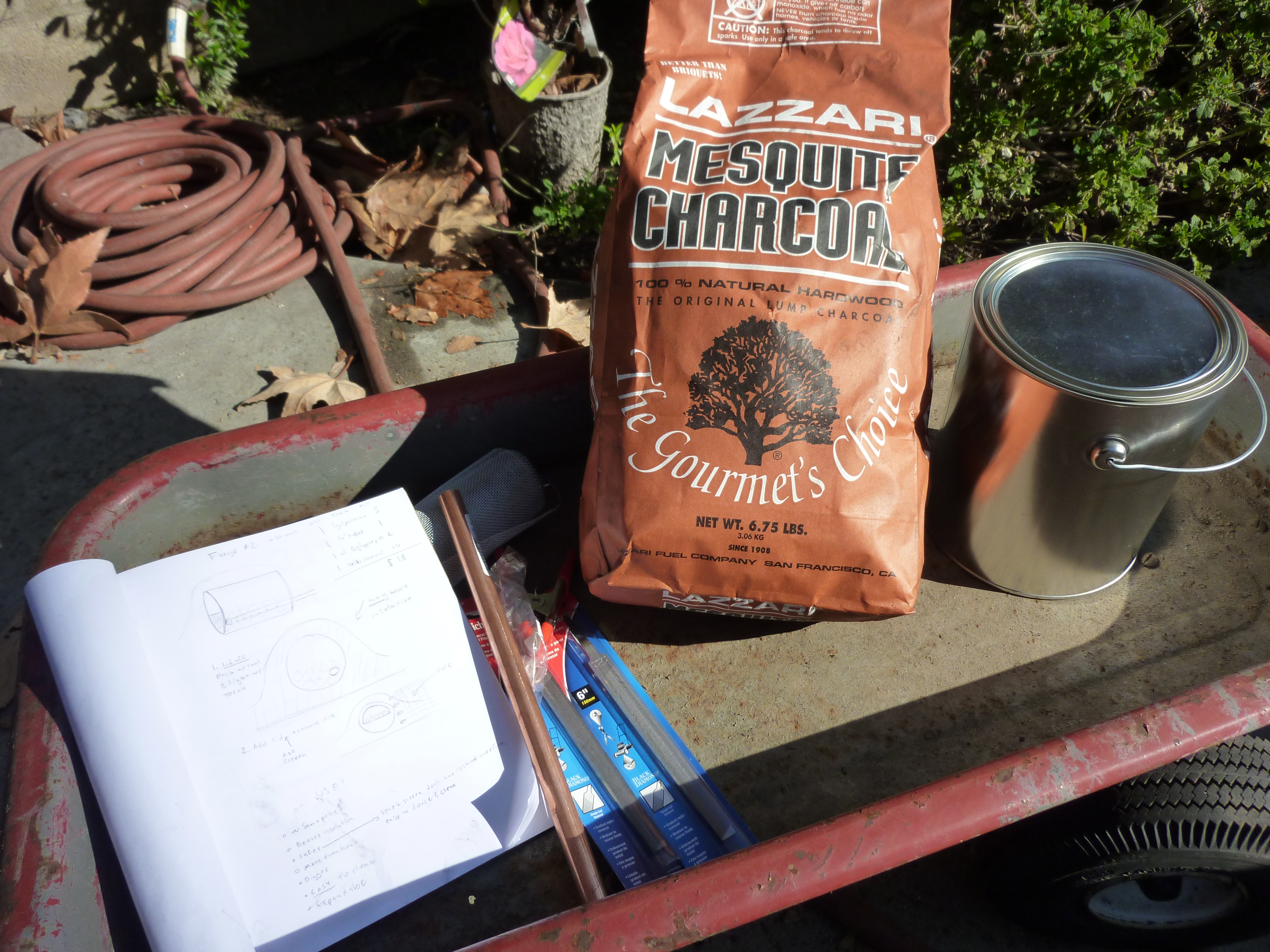
Ingredients for a Forge 2.0

The first thing you will want to do is go to your local hardware store and pick up a few things.  Here is the shopping list, and the approximate price at my local OSH.

  • 1 gal paint can, empty with a lid  $5
  • 1/4″ copper pipe endcap              $2
  • roughly 1 ft 1/4″ copper pipe        $2
  • 7 lbs lump charcoal                     $5

The total here is whopping $14.  Optional items that would really improve the quality and usability of the forge are a source of air input, which can be an electric hair dryer, a shopvac, or in my case, an air compressor.  If you do not want to buy these, then you can also just blow into the forge, but you are going to have to get awful breathy.  You might also want to get a butane torch to light your charcoal, but you can also probably use your kitchen stove.

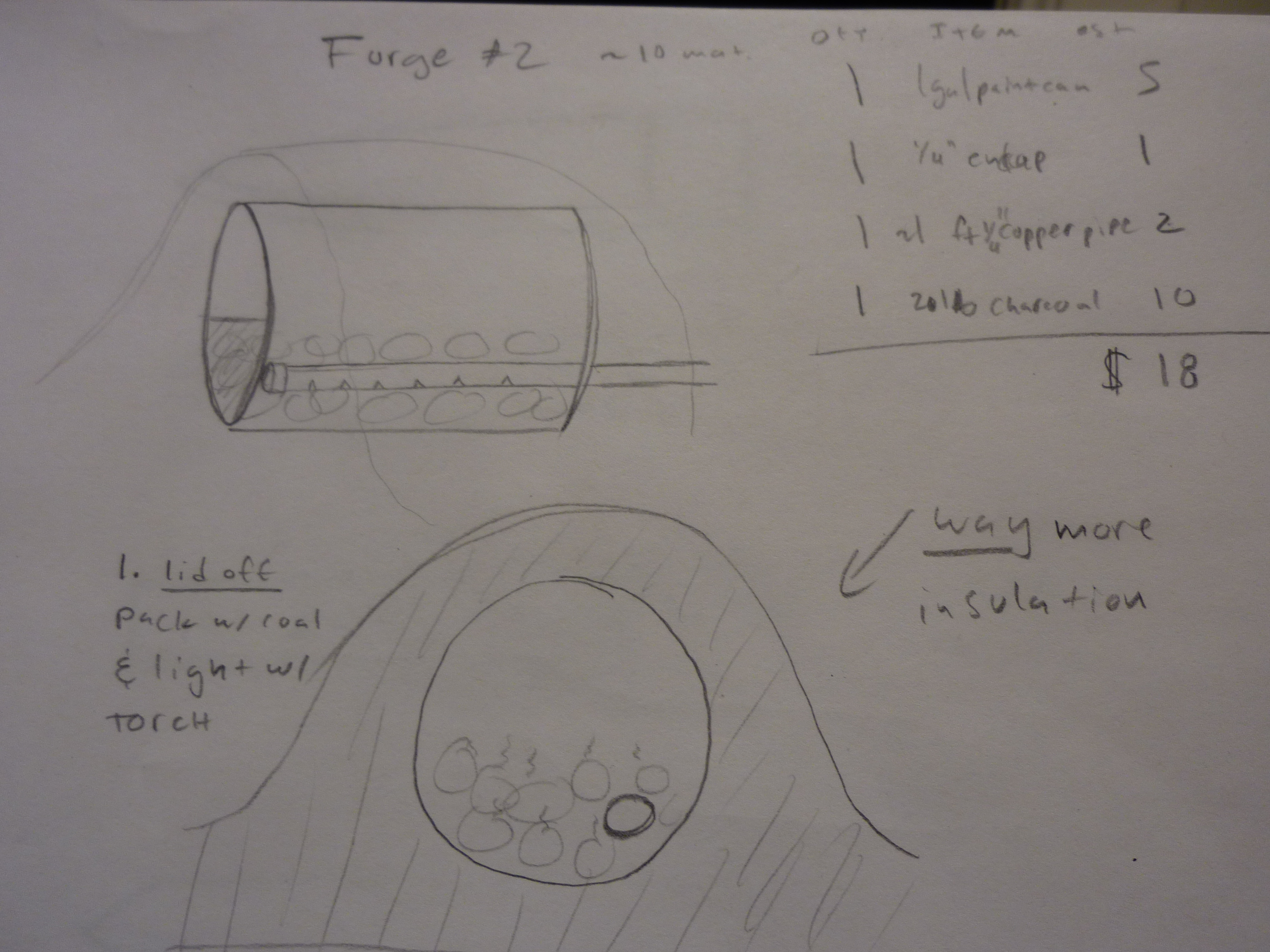
Diagram of the Forge 2.0

Here are some Schematic drawings of Forge 2.0.  It is a good overview of what it should look, inside and out.  Check these out in case you get lost below.  Time to start the build!

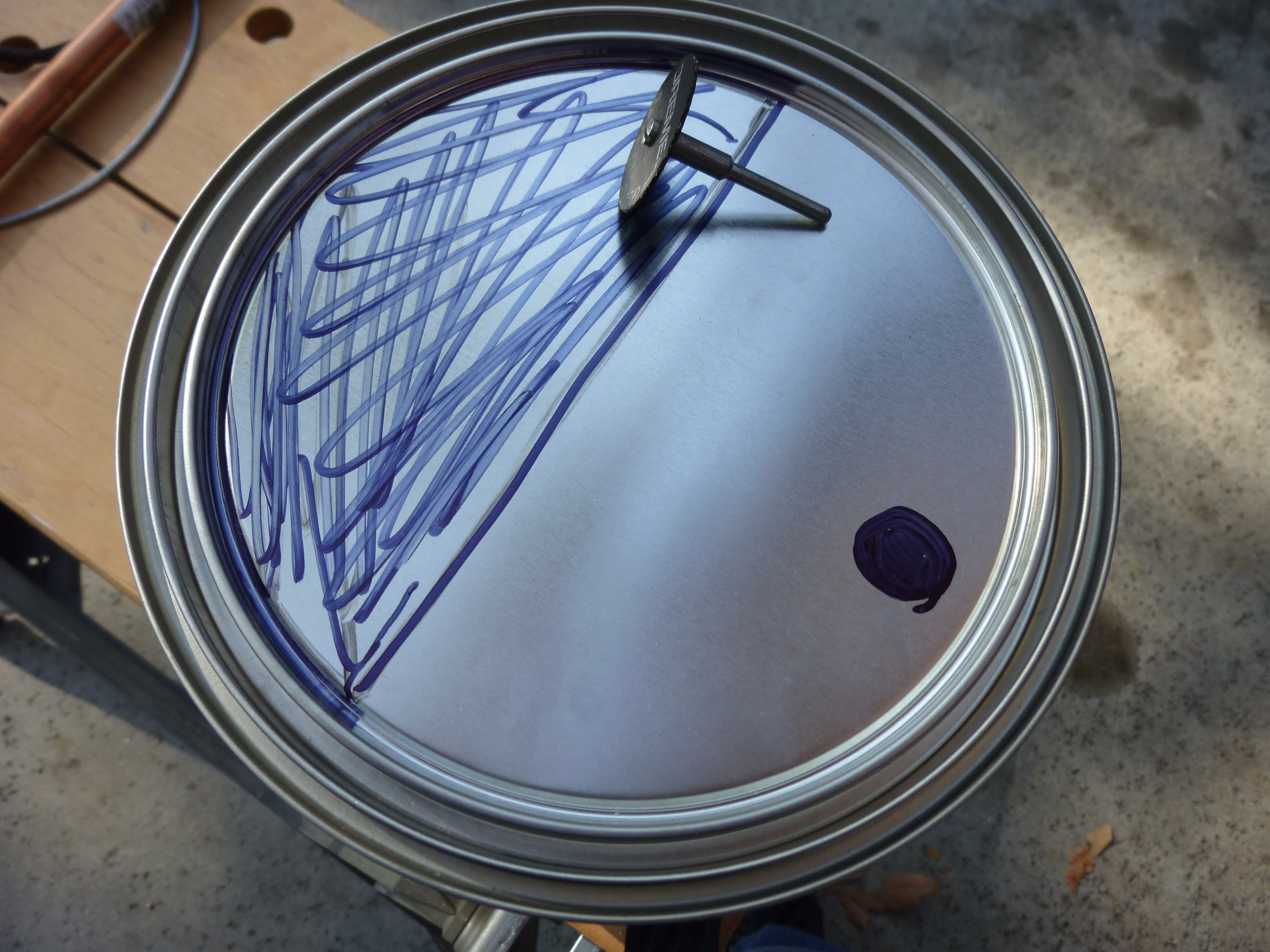
Cut out the black parts to make a face. Or a forge, you decide!

Cut out the shaded areas in the image above on your paint can.  I used a dremel and a reinforced cutting disk, however the lid is thin enough that it can be cut with a knife or scissors.  Be sure to leave the lid intact.  Leaving the lid intact makes it easy to remove and re-attach, for easy loading and emptying of the forge.  You want this in case you decide to douse your fire, or if you need to remove ash.

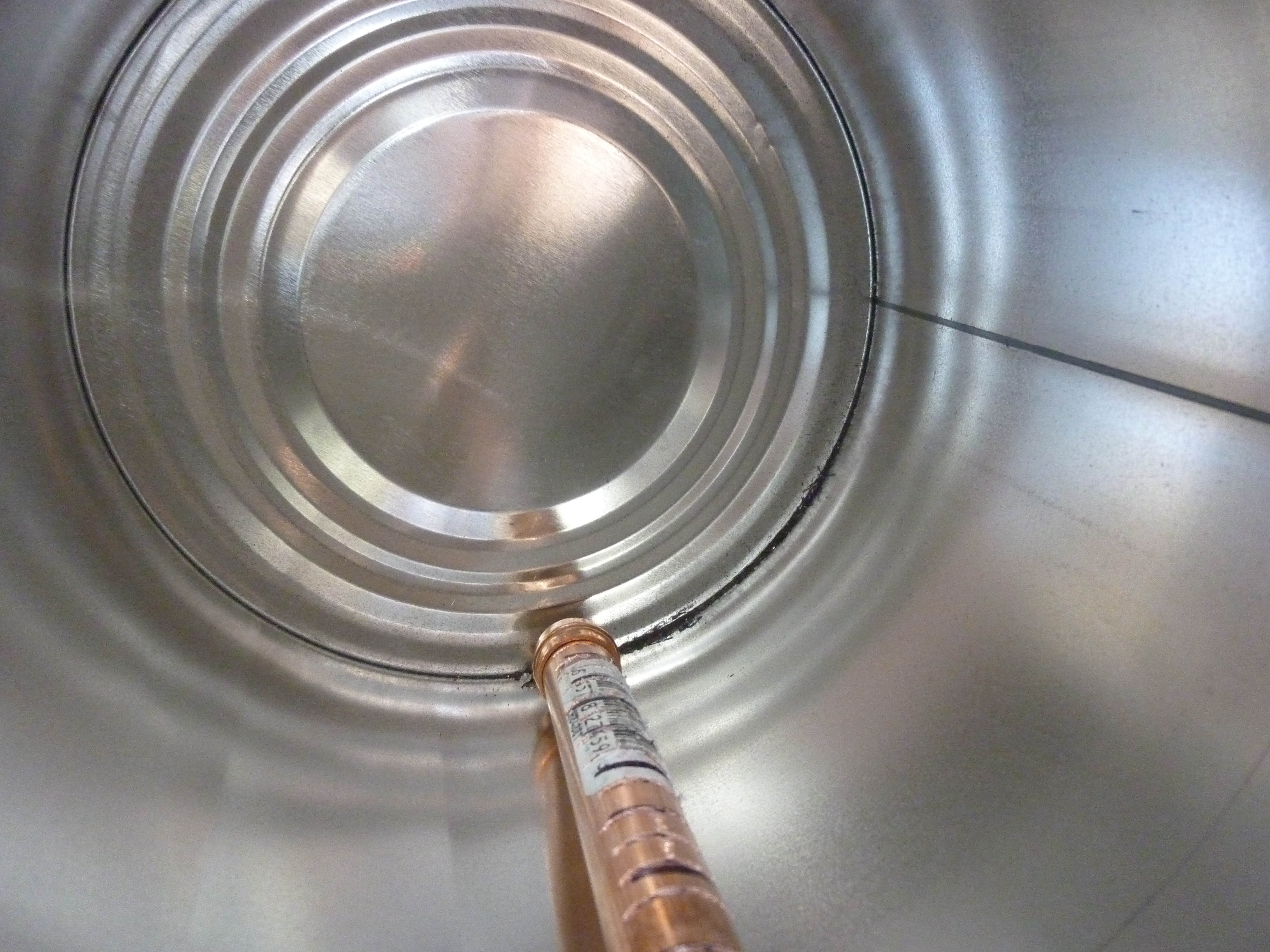
The inside, showing the notched copper pipe

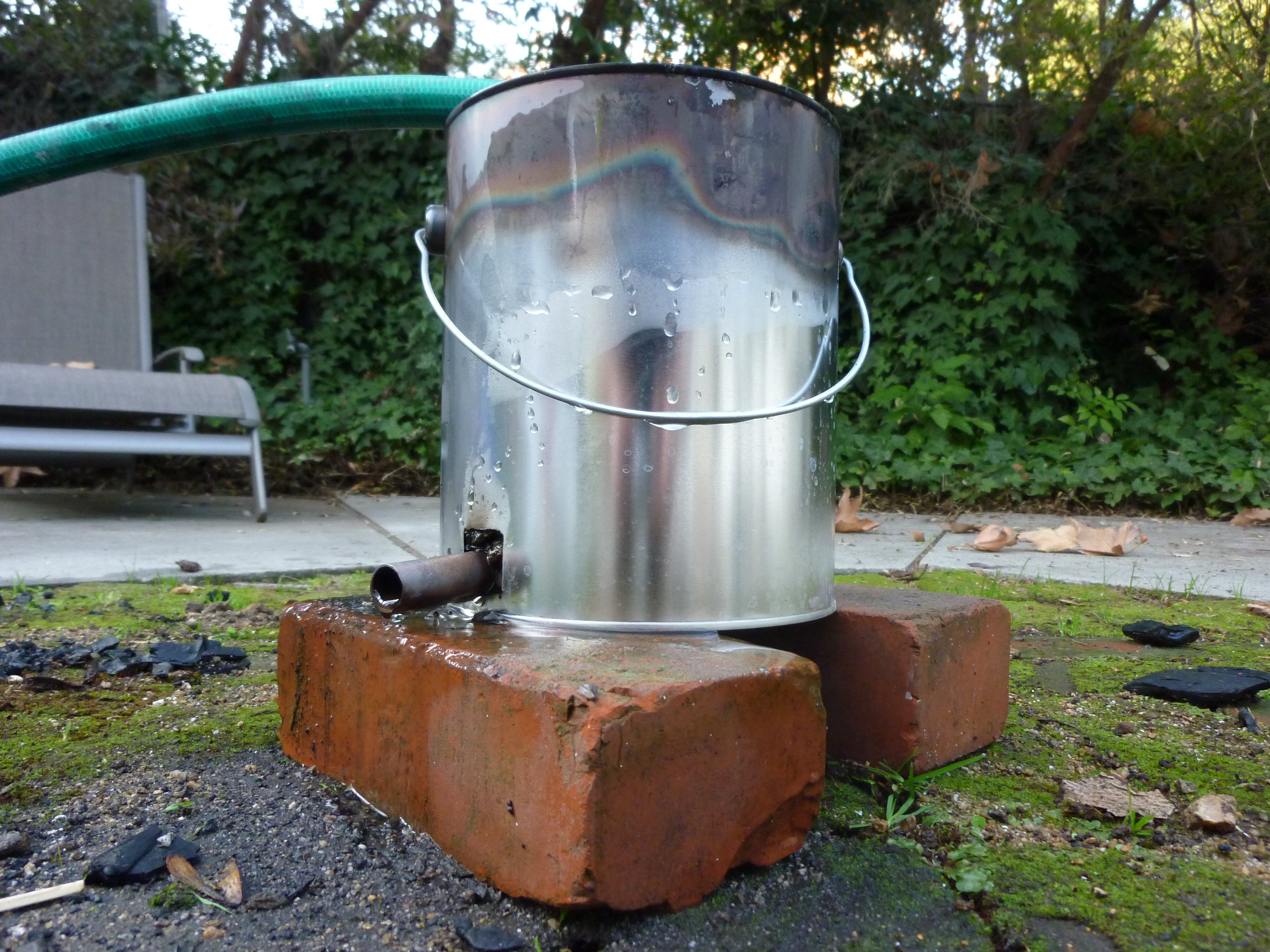
Next, grab that copper pipe and cut some notches in it.  I used a hacksaw for this, but a dremel would also work.  The idea here was that the gas would be distributed along the openings, leading to a more even heat.  It didn’t 100% work, but it seems better than having a single opening.  Then add the end cap, and insert it into the small hole that is cut in the paint can.

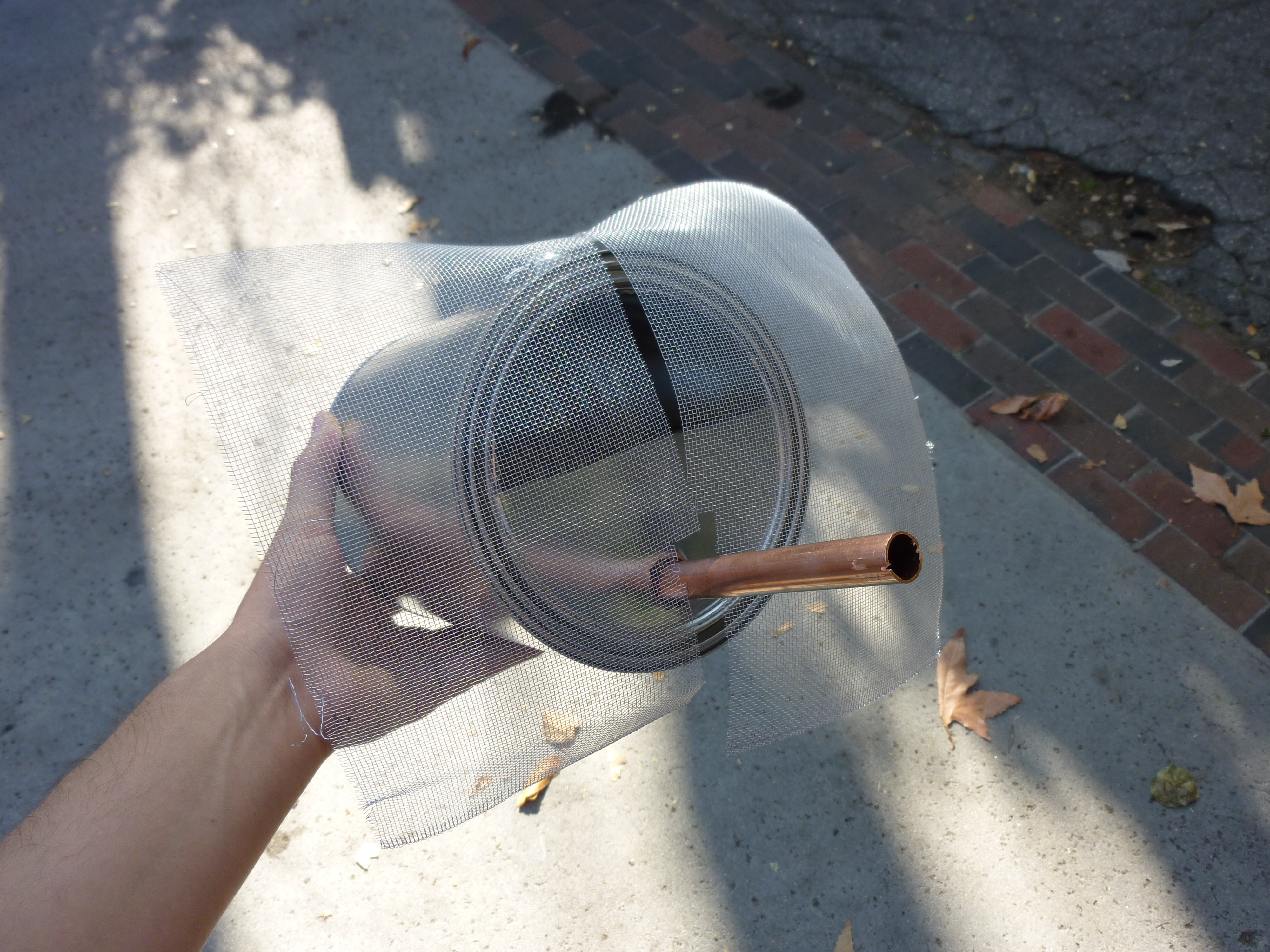
Forge 2.0 almost all put together

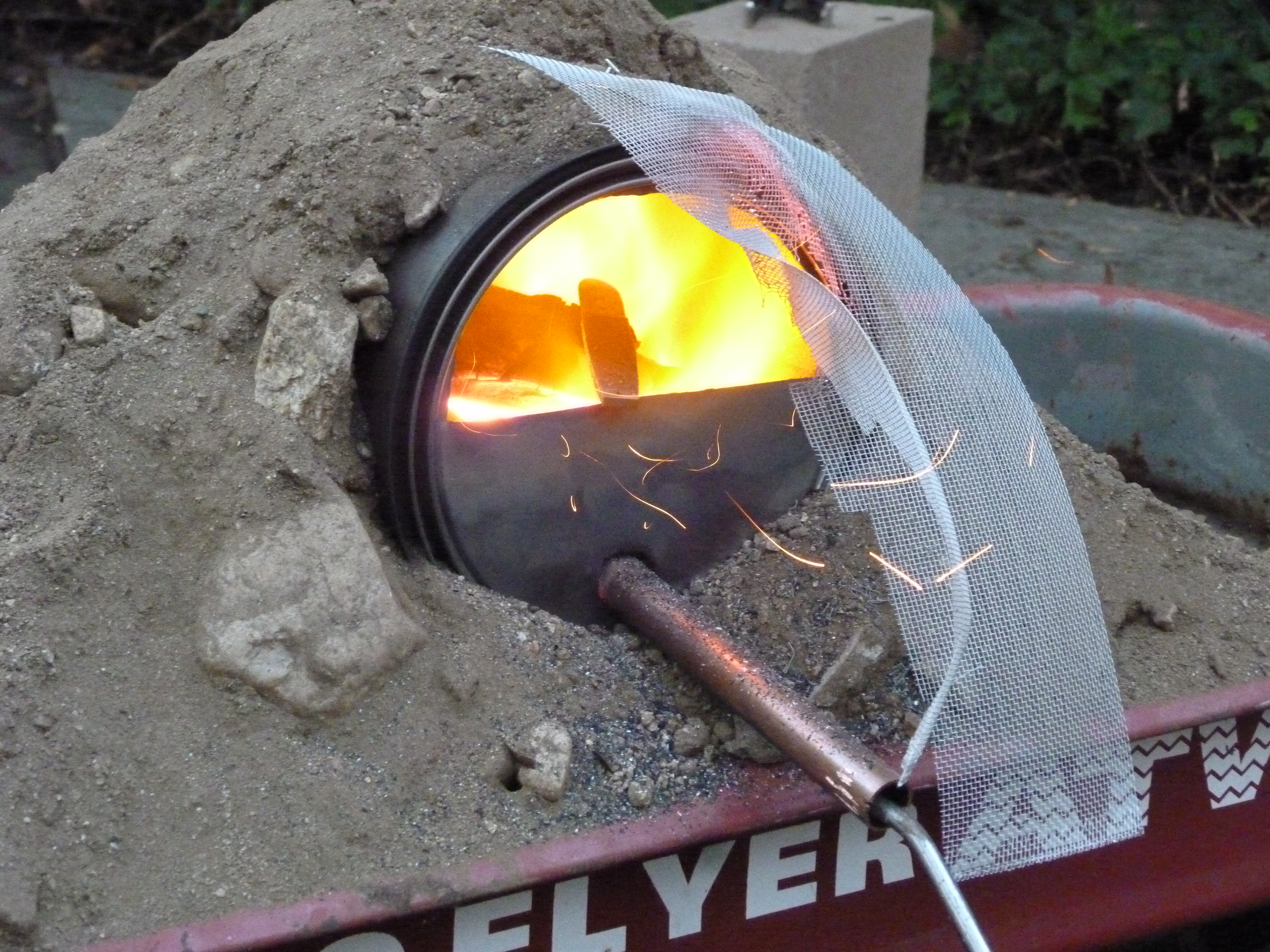
You should now have something that looks like the above picture, minus the screen.  The screen was based on my experiences with Forge 1.0 and the sparks/exploding charcoal.  I thought a little aluminum screen would keep the sparks and exploders in.  I was wrong!  After firing the forge up, sparks kept flying out, and the screen somehow disappeared, either by being burnt or sheared off.  If you try to make something that prevents the sparks from escaping, it needs to be much finer than 1 mm by 1 mm, and more heat resistant.  Think bug mesh fine.

The next step is to bed your forge in dirt.  This will prevent it from burning whatever you put it on, and it will help insulate the forge, making it hotter inside.  I had some gravely, sandy dirt from my backyard.  It was convenient to put it in the wagon, for transportation, but the wagon is not necessary.

OPERATION

Keepy your eyebrows safe, yo.

To start your forge, put on safety glasses (or a face shield), long sleeves, long pants, and closed toe shoes.  Preferably, you these clothes should be non-synthetic, as they resist catching on fire better.  Then you want to pack the bottom half evenly with charcoal.  This is a good opportunity to use the smaller bits of charcoal to pack the bottom.  You might even want to separate out the small (smaller than a small potato, or about 1″x2″x2″), medium (about fist size), and large (bigger than fist size).  The large pieces will need to be broken down to about medium size, or they will be too hard to manipulate when in the forge, and will block access to the part of the forge that they are in.

Once packed, you can light the charcoal with a butane torch, a stove top, a charcoal lighter, or probably even lighter fluid.  You want to wait until one of the coals is orange-hot, and sparking/smoking.  If a flame appears, that is even better.  Once the coals are started, you are almost done.

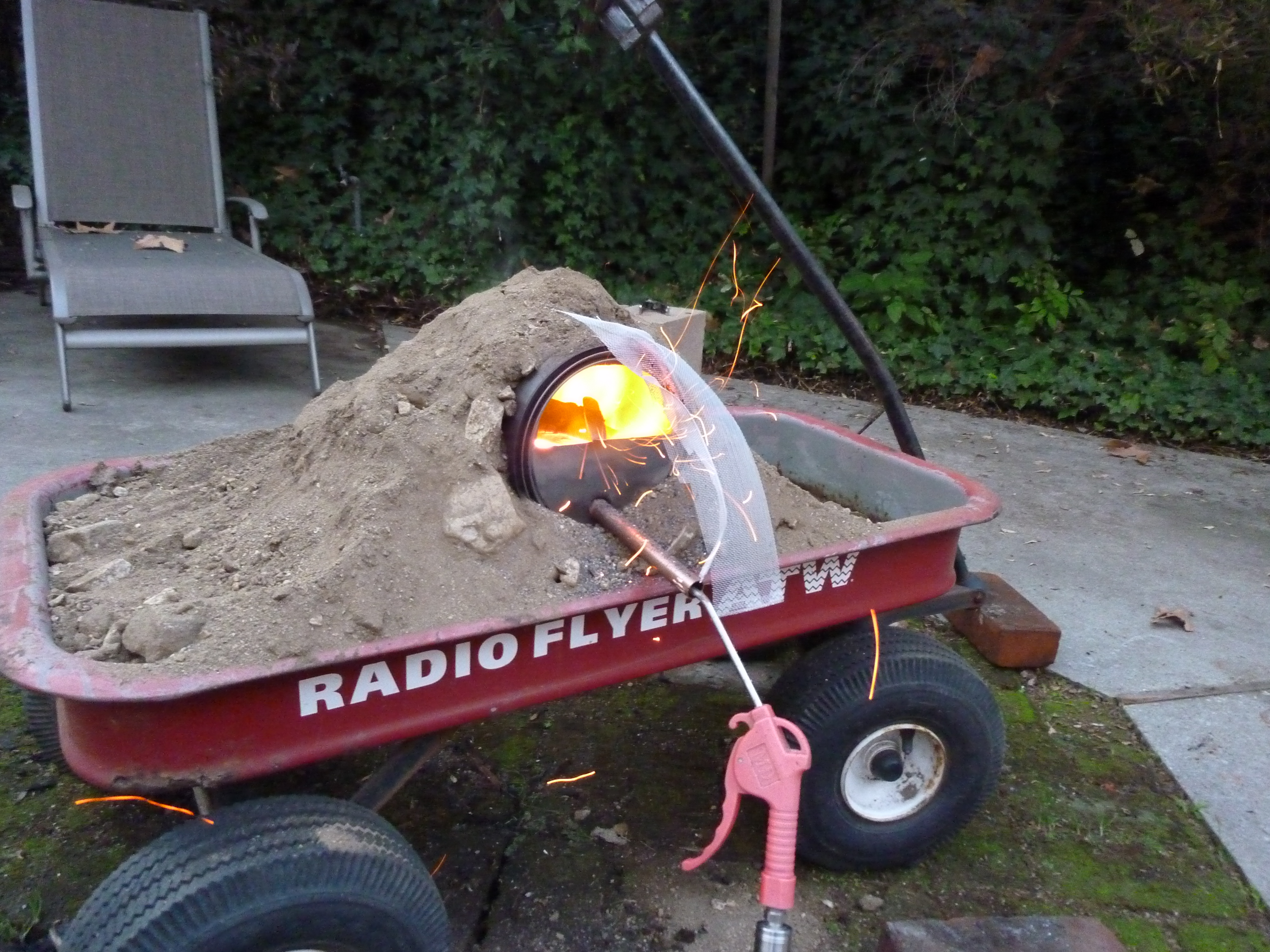
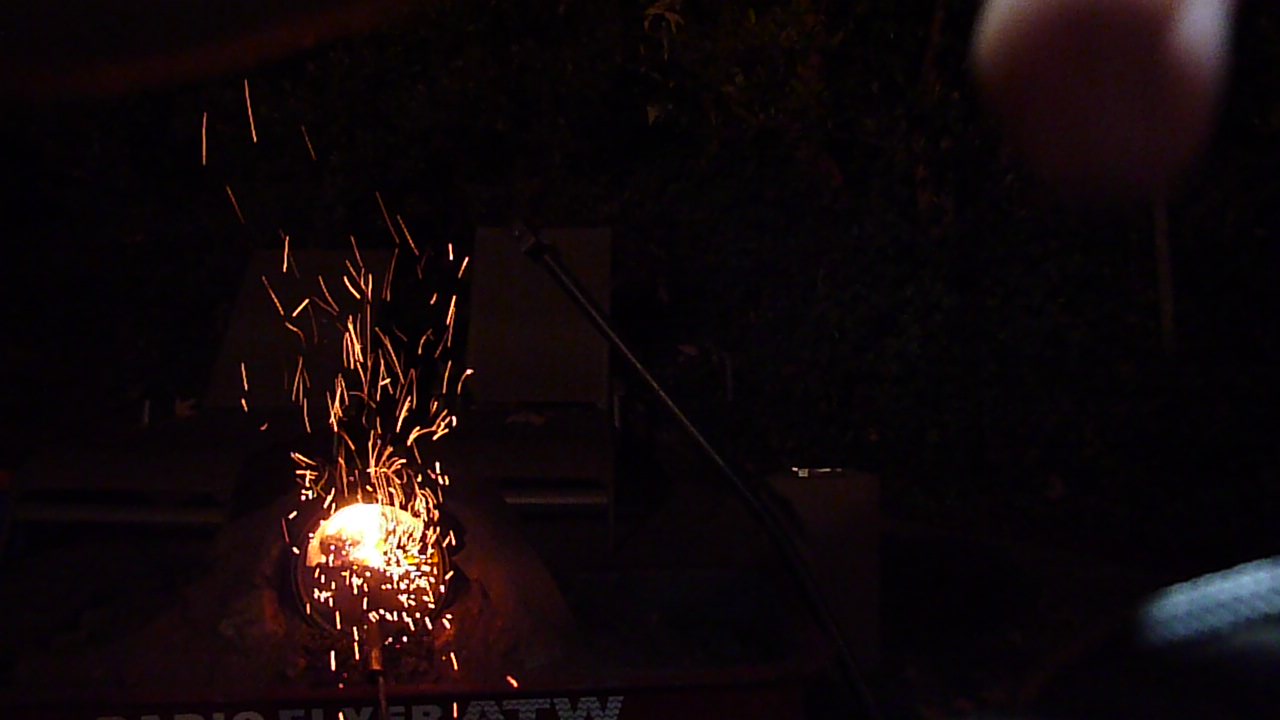
Watch out for sparks! And exploders!

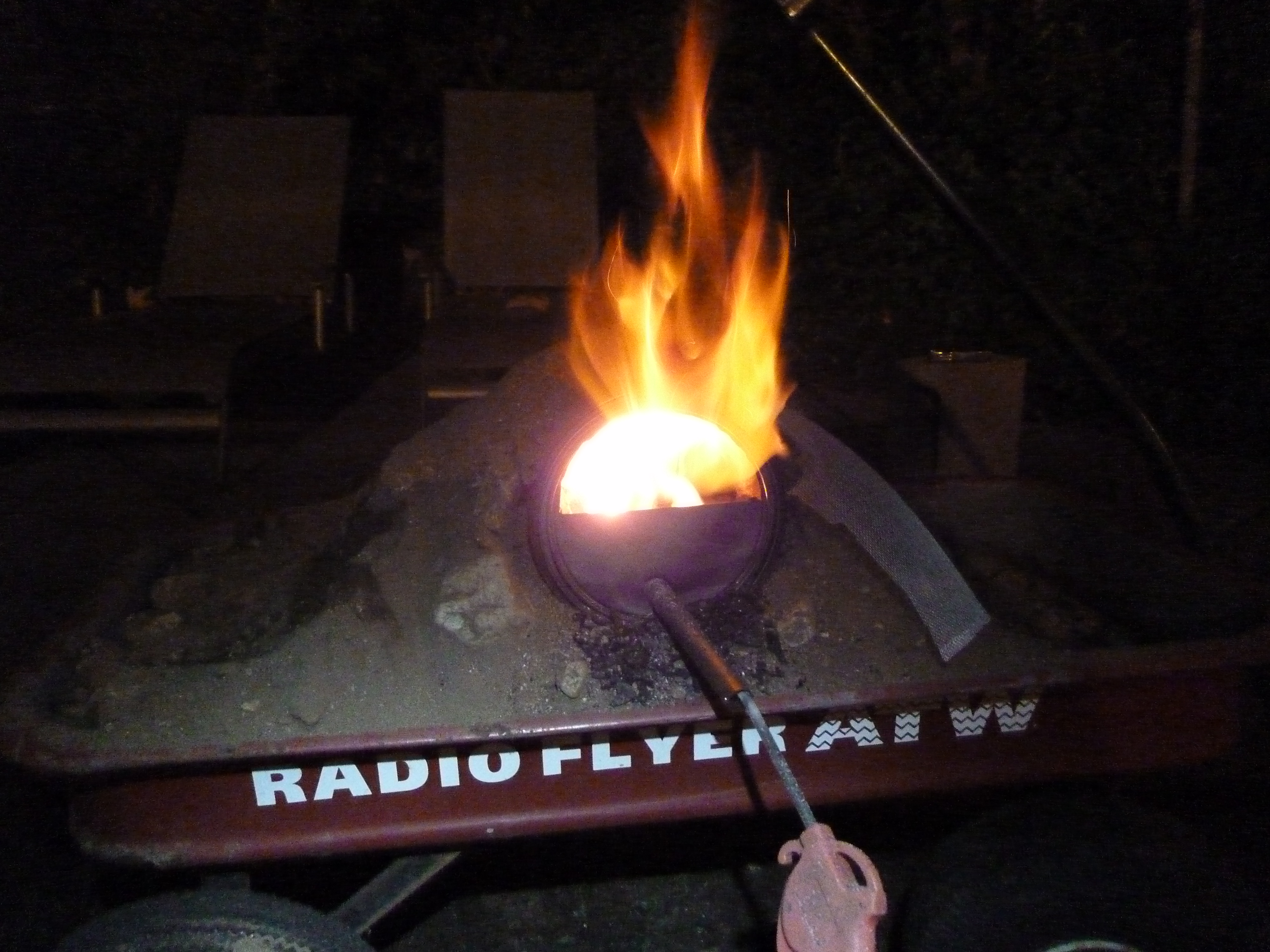
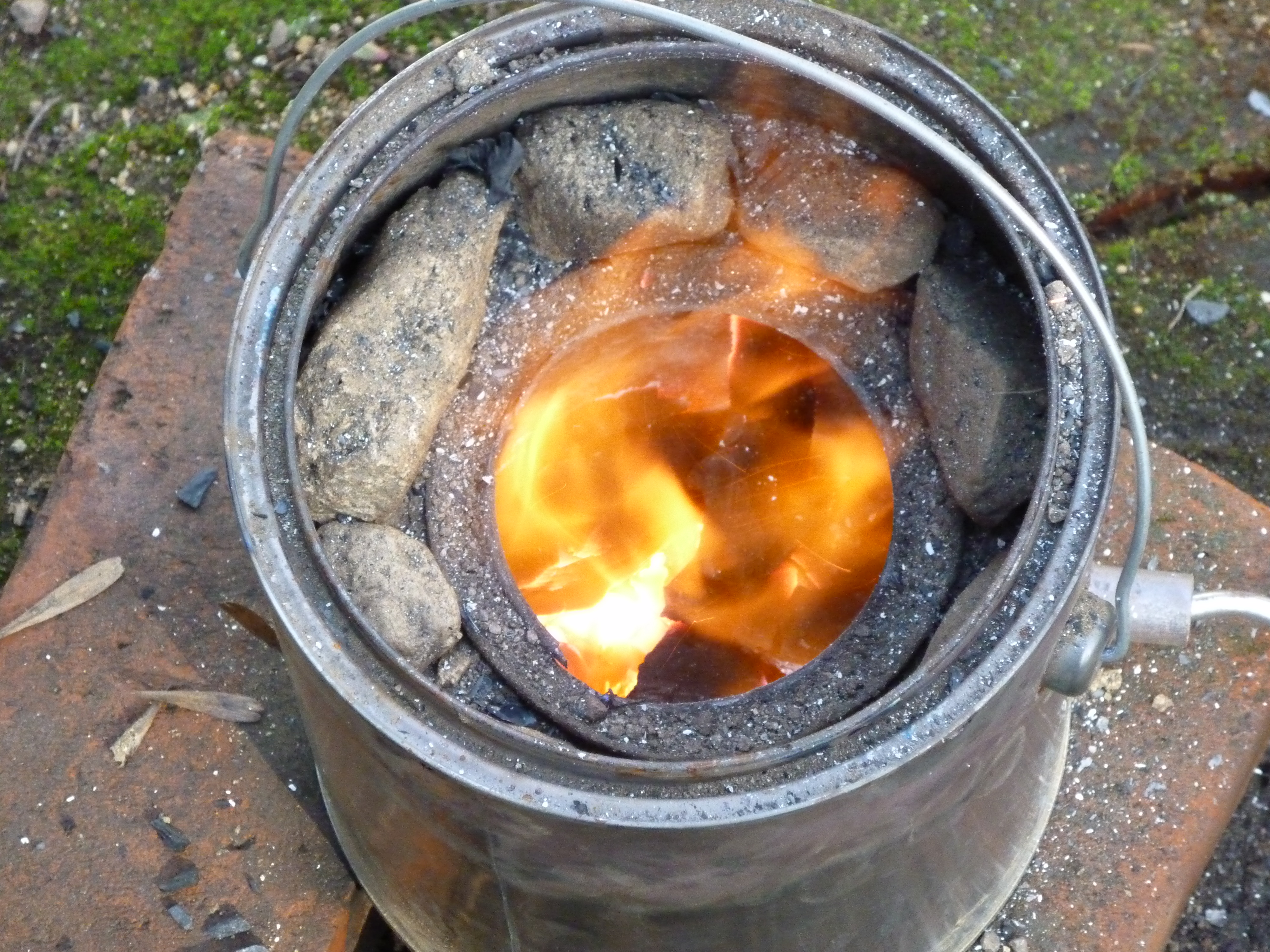
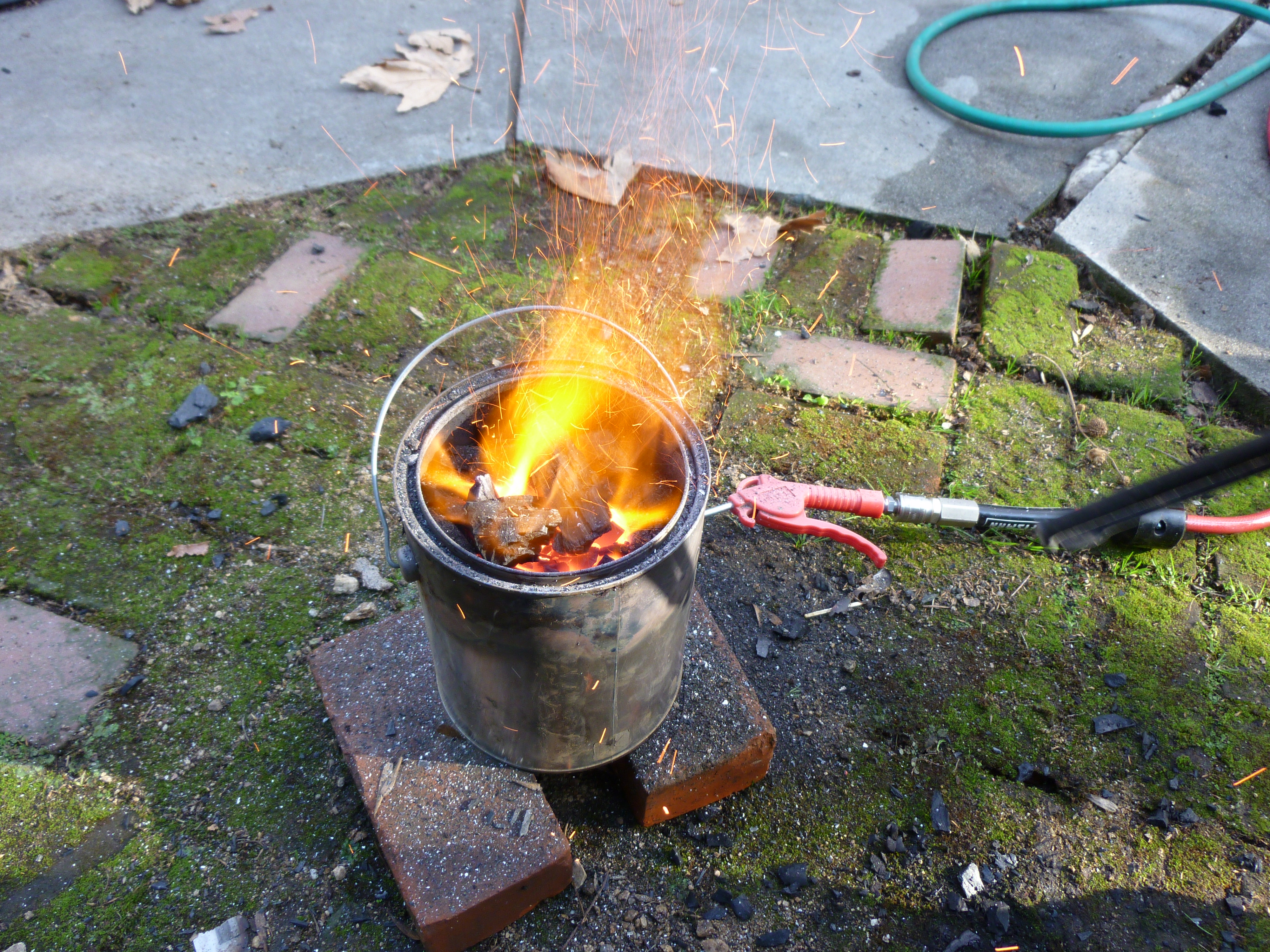
At this point you should turn off your torch, if you have one, and start the air.  It is best to have some kind or choke on the air, so that you can control the heat.  Watch out here, because in the forge 2.0 design vents all the gas out of the large hole at the top.  WATCH OUT.  Occasionally small pieces of flaming charcoal will come flying out and EXPLODE, not to mention the regular sparks that will come out.  Be safe y’all.

Now that the air is on, you want to get it up to orange hot, and then you are ready to go!

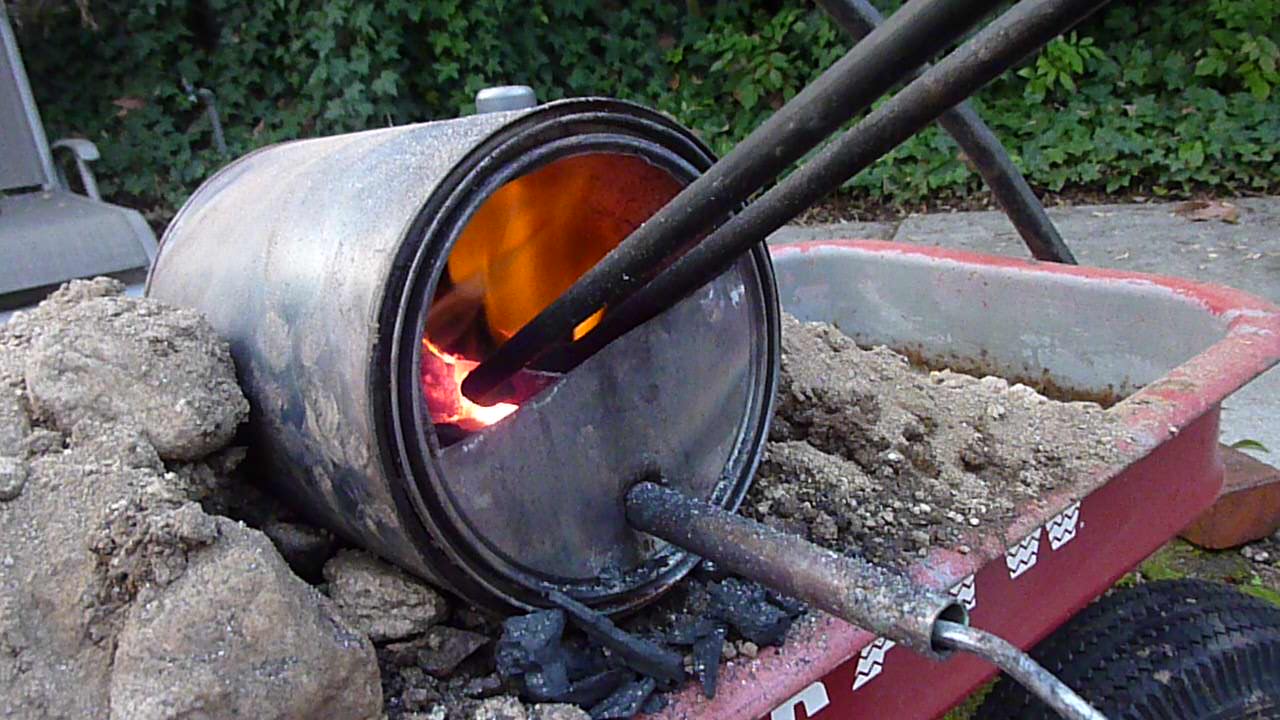
Orange HOT!

Well, that is it on building Forge 2.0!  Good luck using it.  I am going to post up some notes on Forge 1.0 (porta-pit) vs Forge 2.0 and some ways that Forge 2.0 can be improved to be safer and better.

Paint Can Forge Day Three: Hell and Back

My brother decided to go all B&W during the heat-treat.

Forge 2.0 was a huge success, and the new knife is semi-born, and semi-decent Awesome, because i can shave with it.  Gonna have mad razor burn though.

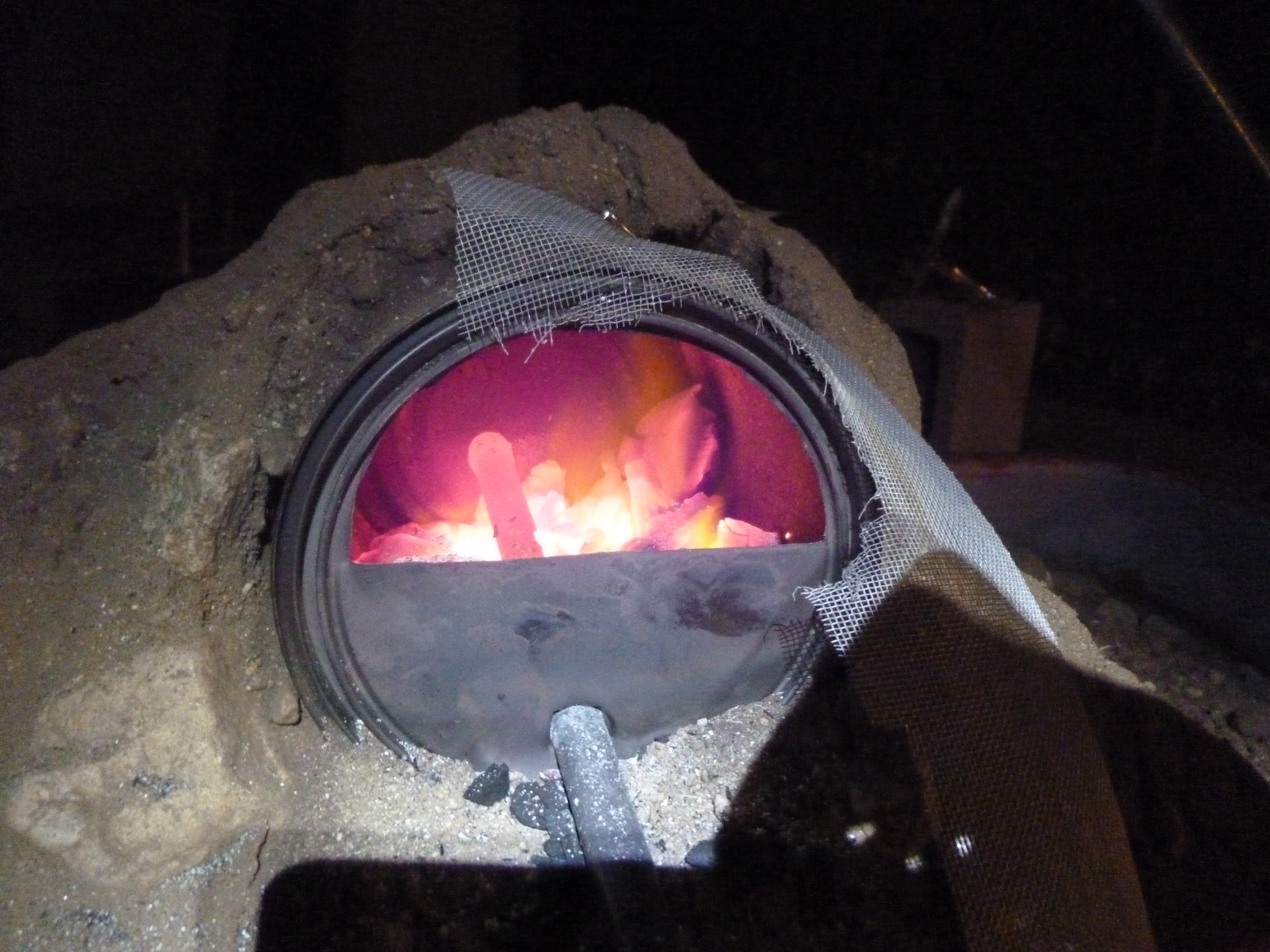
That copper pipe is orange hot. Steel was a similar color, indicating the metal was at about 930 C or 1705 F.

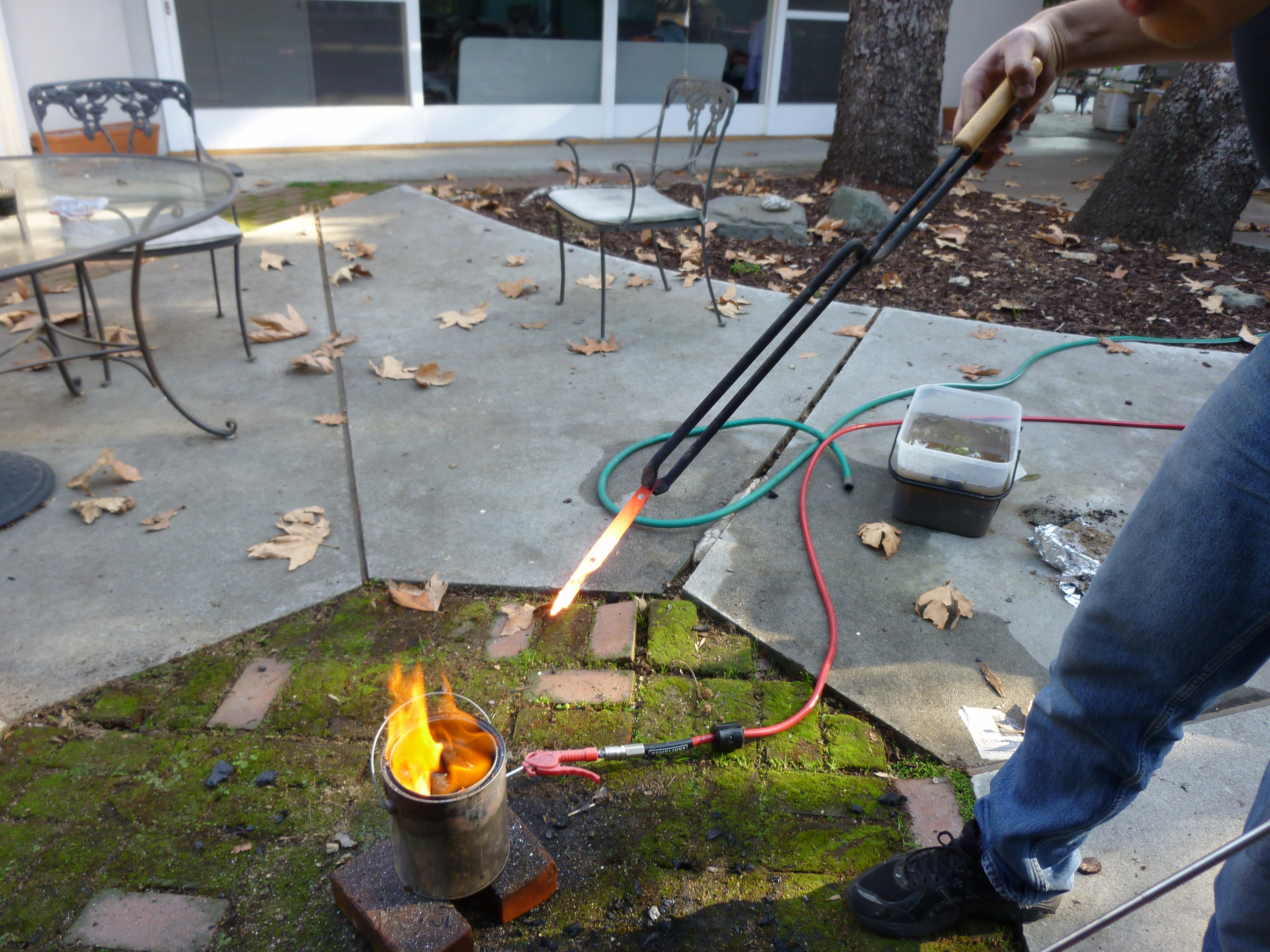
As you can see here, the forge is still freaking hot.  Hot enough to melt or burn off the aluminum screen on forge 2.0.   More importantly, it is hot enough to heat steel to/past the critical point, so that it can be hardened.  I know the blade is harder now…but I am not sure how much harder.  If it proves to be unsatisfactory, I will re- soften the steel, re-file the bevels, and then harden it again.  This will (hopefully) be possible, due to the new Forge 2.0.  More on Forge 2.0 soon, but after a long day of crouching next to this exploder, it is definitely bedtime now.

Paint Can Forge Day Two: Overmelted

TOO HOT! But the whole thing finally did get past the critical point

So today was slightly tragic.  I started the day with my nice, annealed file that I made yesterday.  Grinding (on a rotating bench grinder) went swimmingly, and after touching up the grinds with my not-annealed file, it was looking pretty sweet.

Mr. Knife, clamped down for some drilling

Look at that handsome devil!  Certainly it could be put to use cutting up small fruits, or peeling carrots, or maybe batoning though some balsa wood.  I was satisfied with the shape, reasonably happy with where I was going to mount the handles, and so I fired up the forge to normalize it.  Things went south from here.

The porta-pit in action!

The problem with the porta-pit is that the bottom is too hot, and the top is too cold.  To give you an idea of the gradient, the bottom is hot enough to slag about 3 inches of steel, but after that there is almost no color in the metal.  It is only by strategically building the charcoal up and giving it a lot of air that I can get the whole 6″ hot.  If I do that, I can get a large jet of VERY HOT gas to come blasting out of the forge, heating the whole thing very slowly.  This is still bad, because I want to evenly heat the whole thing, and not destroy my work.

A super hot jet of gas is coming out of the charcoal. The forge has a loud roar at this point, and sparks and exploding charcoal come our regularly

The short of the long here is that my blade got ruined, and this forge needs a redesign.  I am thinking that If I turn it sideways, the charcoal will be spread out evenly along the bottom.  Even if there is a “hot spot”, there will at least be more area than is accessible in this configuration, because right now only the ends of the metal can get hot.

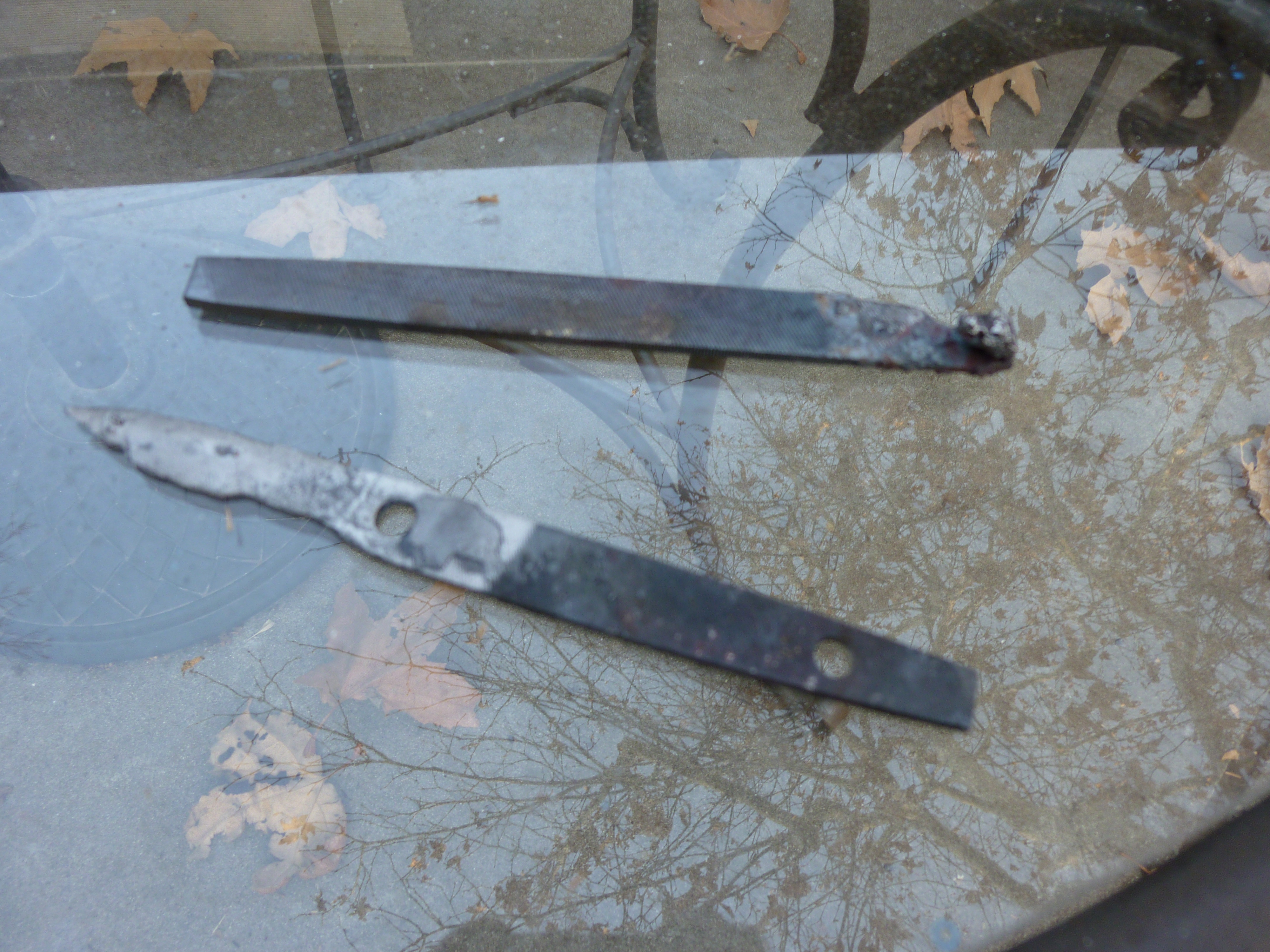
Ruined blades-to-be

Well, that was sad.  time for more testing!

Paint Can Forge Day One: Porta-Pit

The porta-pit of Hell.

I was going to save this post until I had nice scans of my design, cost, instructions and notes on making a knife for a file, and some classy pictures.  However, the cost/awesome ratio of the paint-can forge caught me off guard.

While my total cost for the forge itself was about $50, it could be brought down to maybe $30 by being slightly smarter than I was, and not buying a giant, expensive torch to light the charcoal.

Here is another post-inferno picture:

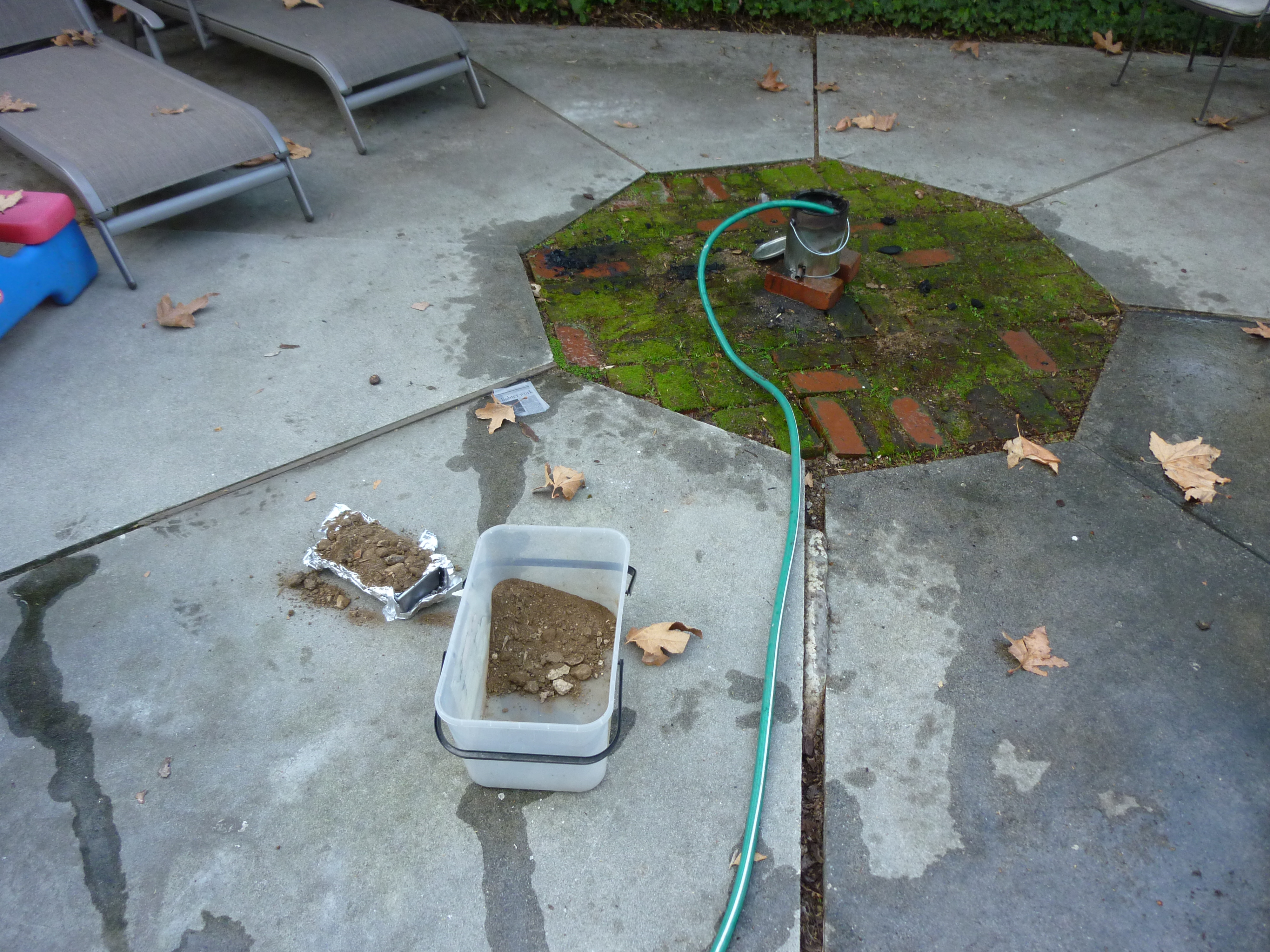
My setup for annealing

Here is a wider-view of the porta-pit.  The box of dirt is for insulating a file I am annealing, and the hose is cooling off the forge.  The small box of dirt is full of wood ash, dirt, and the file that I heated up to orange.

This thing is pretty awesome.  Details on building will come soon.

Laser Projector!

My team just finished our laser projector for Priciples Of Engineering, or POE at Olin.  Its pretty sweet-mostly its good at drawing circles, because it decided to shake itself apart.  We will probably fix it up before EXPO on Monday (Olin’s open house), but if you want to take a look at what we did, check out our website (here)!

I might add some more details later, if folks are interested.  However, right now I am going to bed.  As always, if there are questions, ask away.

DIY Bio Postcards, Bioluminescent Dinoflagellates, oh my!

A few weekends ago, I met up with Rachel to try to split some dinoflagellate cultures.  These particular dinoflagellates were p. lunula, and p. noctiluca, which both bioluminesce when mechanically stressed (shaken, tapped, dropped) or when the pH of their media is lowered (by adding acid).  They are absolutely fascinating creatures, and beautiful to boot.  Also, they don’t smell bad, like vibrio fischeri, and they are WAY brighter, although the illumination is not constant.  Another difference between the bioluminescence of the two is that you can actually see the individual algae light up.  With the bacteria, its a large smear that glows.

The little speck in the middle is P. lunula

Unfortunately, we left the f2 media in the -20 freezer (which I leaned is normal freezer temp) while we autoclaved the synthetic seawater (SSW) that we made with “instant ocean” mix from a pet store.  This ended the project for the week, because everyone was pretty tired, and nobody wanted to wait 3-4 hours for the media to thaw.  We got a “good effort” sticker in the notebook that day…

The next week we successfully made the transfer.  The 50x f2 was diluted to 1X in SSW, and two ~500ml cultures were made by mixing the old into the new, and then aliquoting some into smaller containers, some of which stayed at sprout, some of which I think went home with Rachel, and some of which are at BOSSLAB.

ALSO:

If you haven’t heard about the DIYBIO postcard, go here and sign up.  Check out those sweet transformants on the example card (I wonder where those came from)!  It’s free, you will get a sweet postcard, and get some short blurbs about what is going on in DIYBIO.

Transformation 2.0- RISD

A few months ago, I was invited by Sara Wylie to talk to some students at RISD about DIY-Bio, specifically, I was invited to show them how I did my DIY transformation a few months ago.  It was an AWESOME experience, and a lot of interesting topics came up in the area of ethics, and most importantly who should be allowed to practice or regulate biology and biotechnology, which are controversial and important.  And too big for this post, which will be about another exciting transformation!

We used the same procedure, as described before in my transformation post.  I wasn’t around in RI for the next week to check on the plates, but Sara sent me some pictures.  It is interesting that this transformation has the same problems as the previous transformation.

Transformants?

Again, there are what look like contaminants/giant satellite colonies.  Again, the GFP expression is very subtle.  I am curious about what the non-green colonies could be.  Maybe the incubation to express the ampicillin resistance is too long, and the b-galactosidase is breaking down the ampicillin when the cells are plated.  I used the same MM294 strain of e. coli and the same pGREEN plasmid as I did last time, but both were ordered fresh from Carolina Biological.  If I don’t see anything that would explain this in my research on the MM294 and satellite colonies, I will probably try this with a different strain.  Maybe that will be a BOSSLAB project for next year (if you are near Boston, and want in, send me a message!).  Anyways, here is a picture of the same plate under a blue LED.

Transformants expressing GFP, which is fluorescing under a blue LED

Another protip I have from this, and from yesterdays experiment (TSS transformation) is that you should pour your plates way before you intend to spread on them.  This lets them dry out a little bit before you add a bunch of liquid do them.  You can even put them in an incubator to dry them out a little!  We had some difficulty getting the plates at RISD to absorb 100ul of transformants in broth.  Yesterday a plate I had easily absorbed 300ul of transformants and broth, which was poured the day before, and then pre dried in an incubator for 10-15 minutes.  Just keep an eye on them and don’t let them dry out!  By drying them you can also avoid the ring of growth around the outside as seen below.  This seems to be because bacteria get in condensation/broth/wetness on the plate, and then roll around on the plate.  Surface tension keeps it stuck between the plastic wall and the agar, creating the ring.

The ring of BAD. Note growth around the edges of the plate.

Eeew!  So keep your plates dry.  But not too dry.

These bacteria were eventually used in one of the final class projects, here.  There is a pretty swanky picture of a bacto-QR code on that page, definitely check it out.

Coming soon: Dinoflagellates and MORE transformations.

Downloads fixed…Empty blog post fixed…

The past couple weeks have been intense, school wise and I have been ignoring cool projects/fixing the downloads section.  I thought I had a pretty solid post on setting up your own streaming webcam site too…until I discovered it had all been mysteriously deleted.  oops!  I took that down, but in the process I found out the wordpress has a sense of humor.  When I compared an older revision of the post against itself, I got these gems:

Oh no!

Am I trapped in The Matrix? 1999?  you decide!

Anyways, I will get that post fixed up soonish, and I will get my recent bio exploits posted soonish, and something about a laser projector.

All coming soon.  ish.