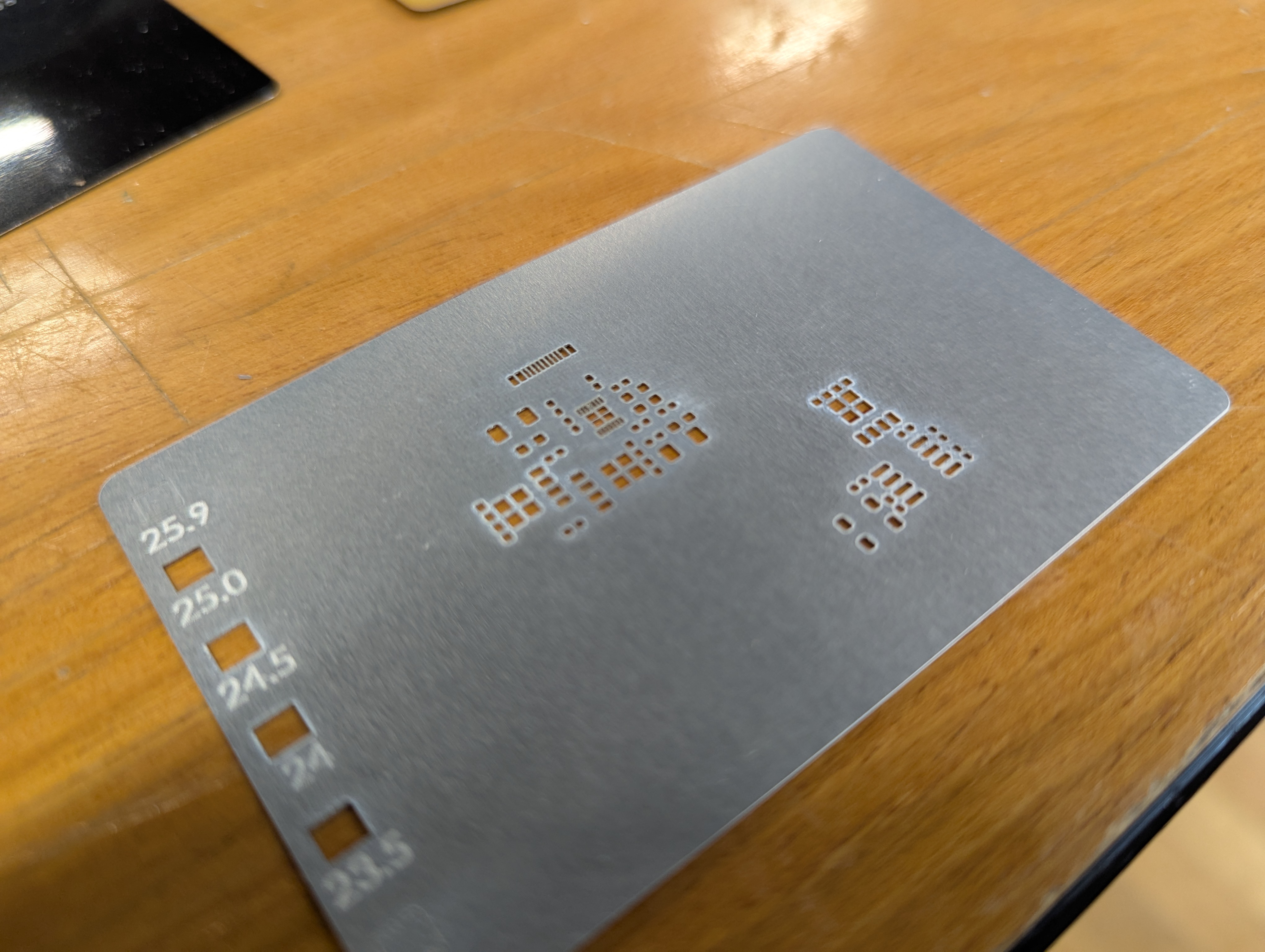
PCB Stencils (or tiny metal parts) on the Xtool

Lately I have gotten access to an xtool F1 Ultra. One of the advantages of this laser is its ability to ablate (I wont say cut) metal. I’ve seen videos of people making pcb solder paster stencils, or cutting really thin metal on similar fiber lasers, and I wanted to try too. All of this is applicable to making small “positive” parts with the xtool as well. Here are my notes.

Settings and Cut Ordering
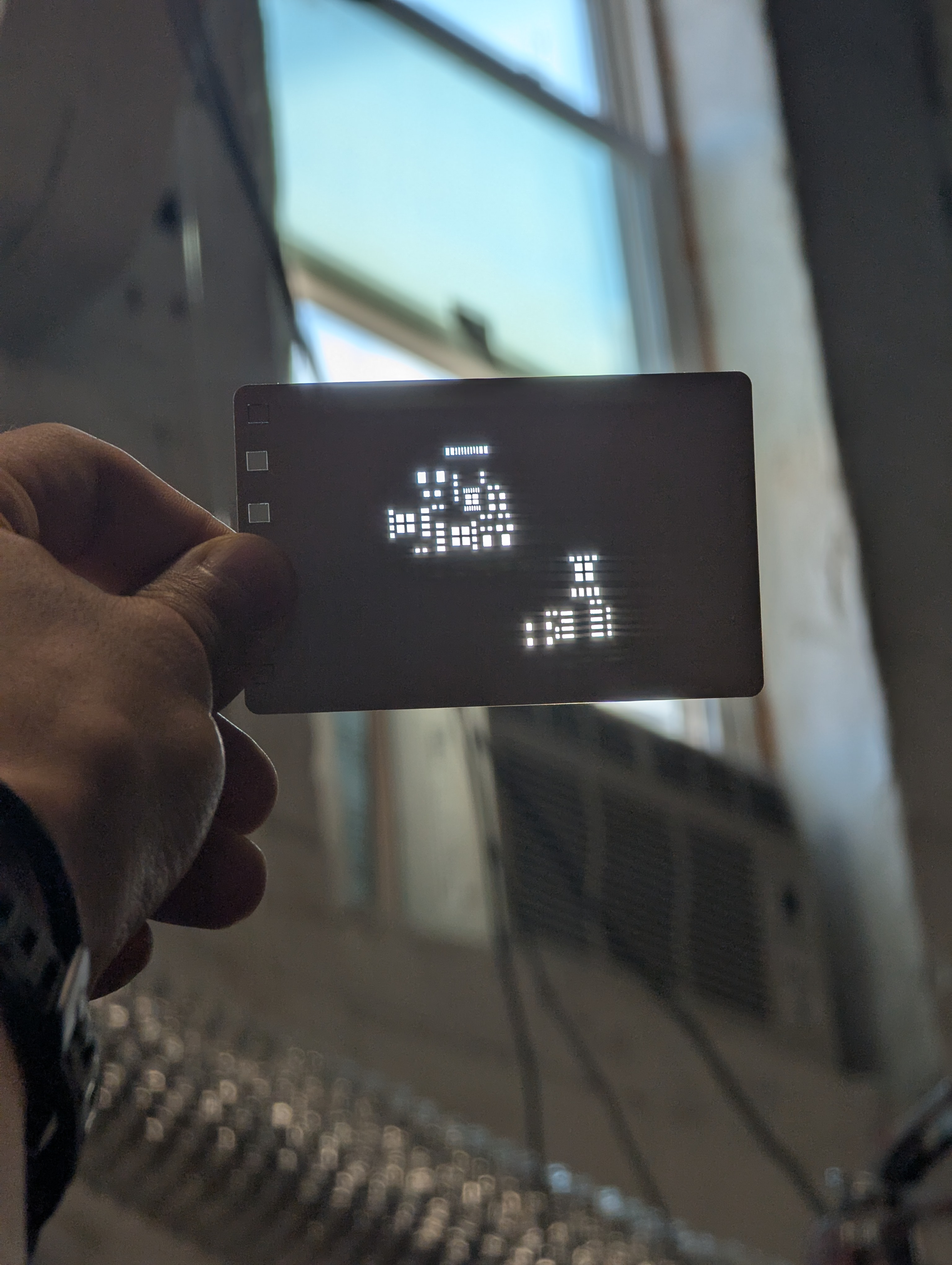
Note extremely thin webs between holes!

When working with thin material, its important not to heat the metal up too much in one spot. This means making many light passes is better than a single, really aggressive pass. This is especially true for cutting out tiny windows, or cutting out a thin “web” between two windows. Too much heat too fast will distort the final geometry.

The settings I used were 100% power, 8000 mm/s speed, and a variable number of passes. For a single large cut/window (like a ~3mm square or above) you can just go ahead and set it to 500 passes and let it rip. The cut is long enough that by the time the laser comes around again, the heat has had time to conduct away.

Below about that size of window, I had better results from repeated cuts – e.g. cut 50x times, wait 10 seconds, then repeat 10x for a total of 500 cuts.
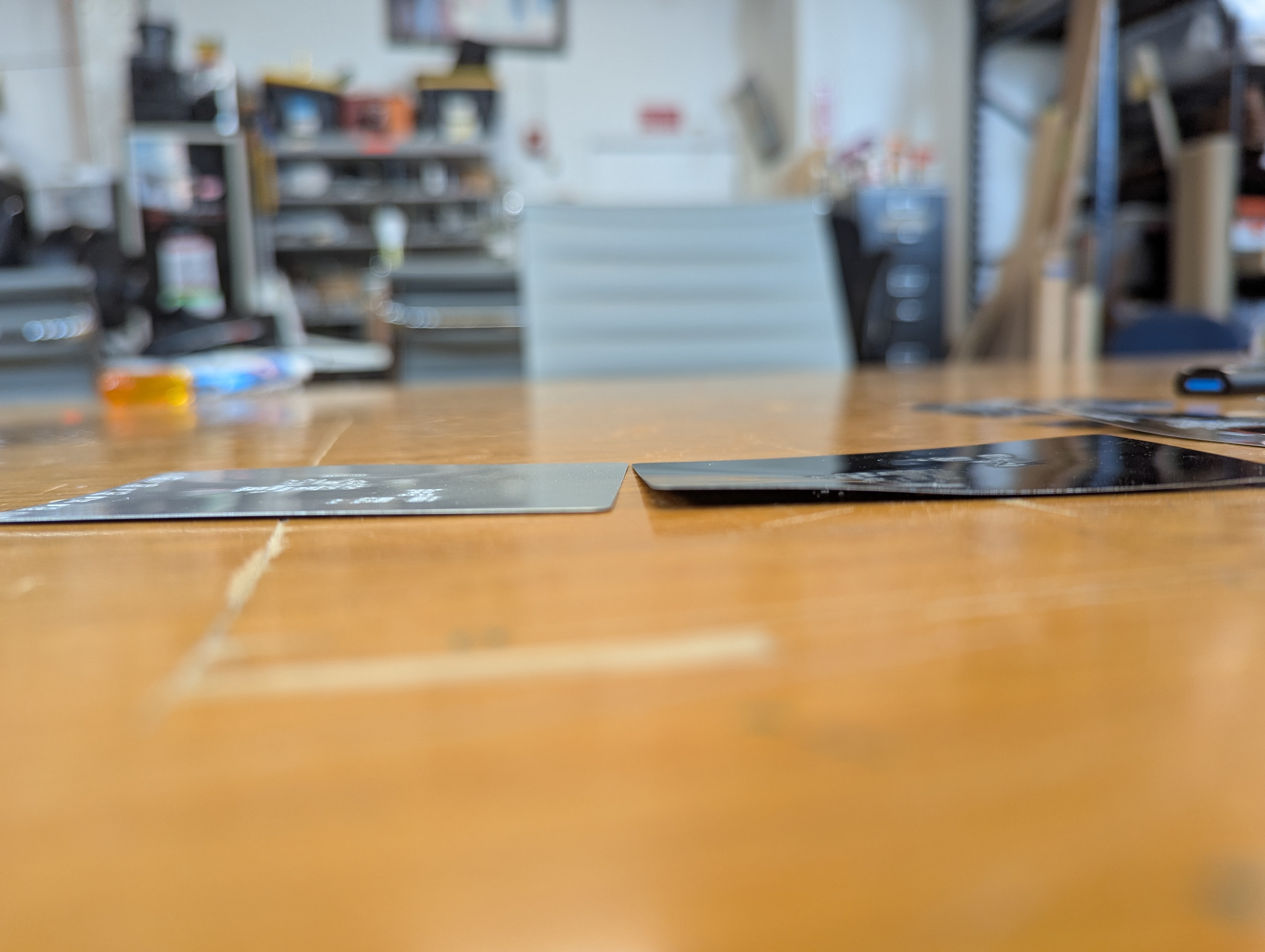
In addition to taking many passes, I needed to semi-randomize the ordering of the cuts. The Xtool sofware optimizes for time, by cutting from the top left to bottom right. This means that cut profiles that are next to each other together are done at the same time. This leads to overheating local overheating, and warping. The left stencil was randomized, the right one was not.

Sadly, there is not feature to do this in the xtool studio. The best you can do is select->ungroup your stencil, then go through and assign each cut in your stencil to a different layer. Then, using the “…” menu near the process button, choose processing path-> user defining and choose “by layer”. There are about 10 default layers, so the laser will go “somwhere else” for about 9 cuts before returning to where it was cutting before. This greatly reduces local heating.

Workholding to Prevent Warping
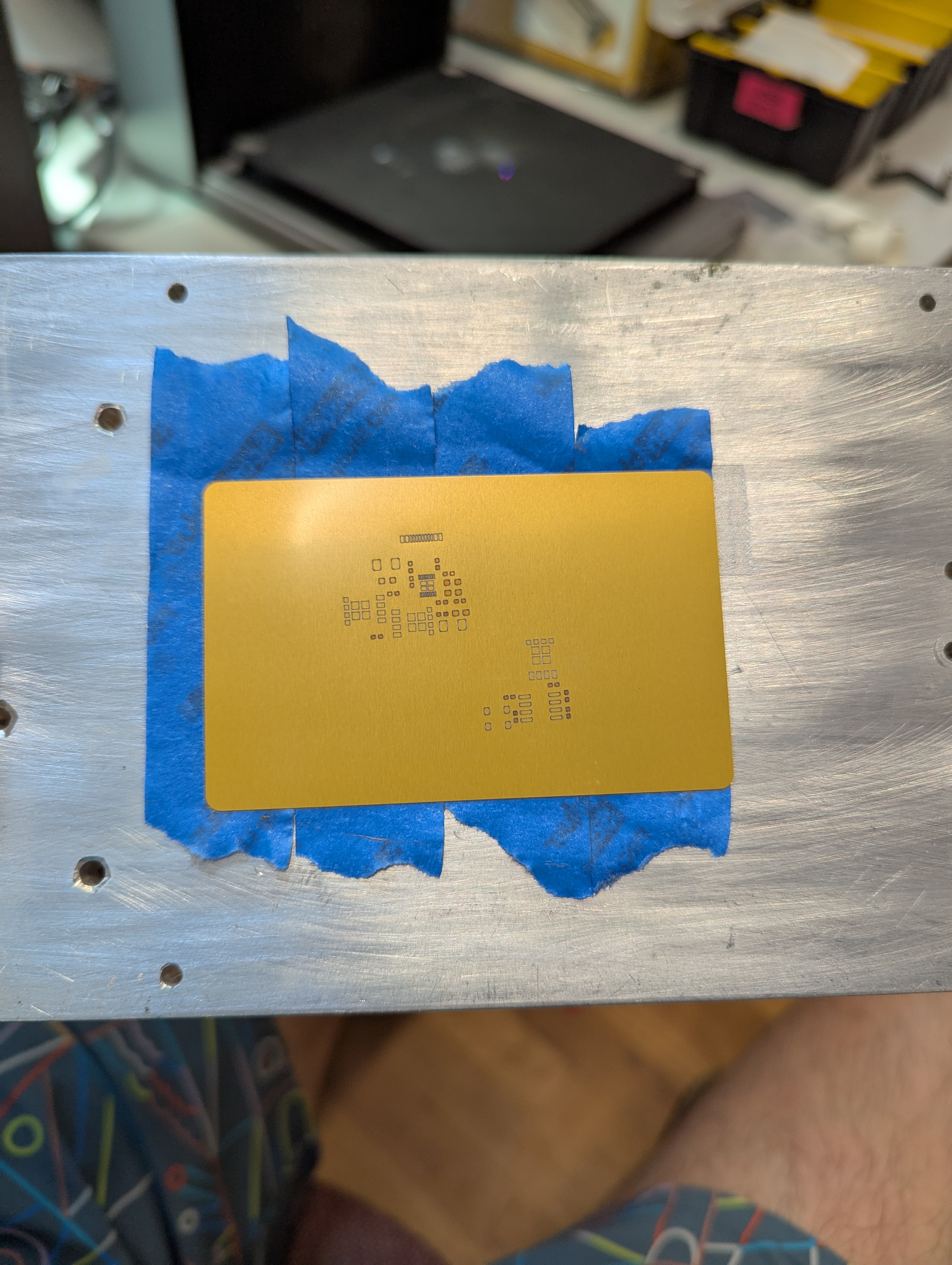
Warping happens when some part of the aluminum gets so hot that it expands, and causes plastic (permeant) deformation in the rest of the sheet of aluminum. To avoid this, I constrained the sheet with tape. This prevents deformation in exchange for stress in the aluminum. By minimizing heating, we minimize this stress.

This fixturing also holds the aluminum material so it doesn’t move due to the exhaust fan.

The best way to achieve this fixturing seems to be an aluminum block (safe to laser), then a layer of removable double sided tape, then another layer of painters tape, then the aluminum stock. Without the layer of painters tape, the aluminum card is hard to remove without bending. The painters tape releases from the doublestick pretty cleanly, so a single doublestick tape bed can last many laserings.

Focus Focus Focus
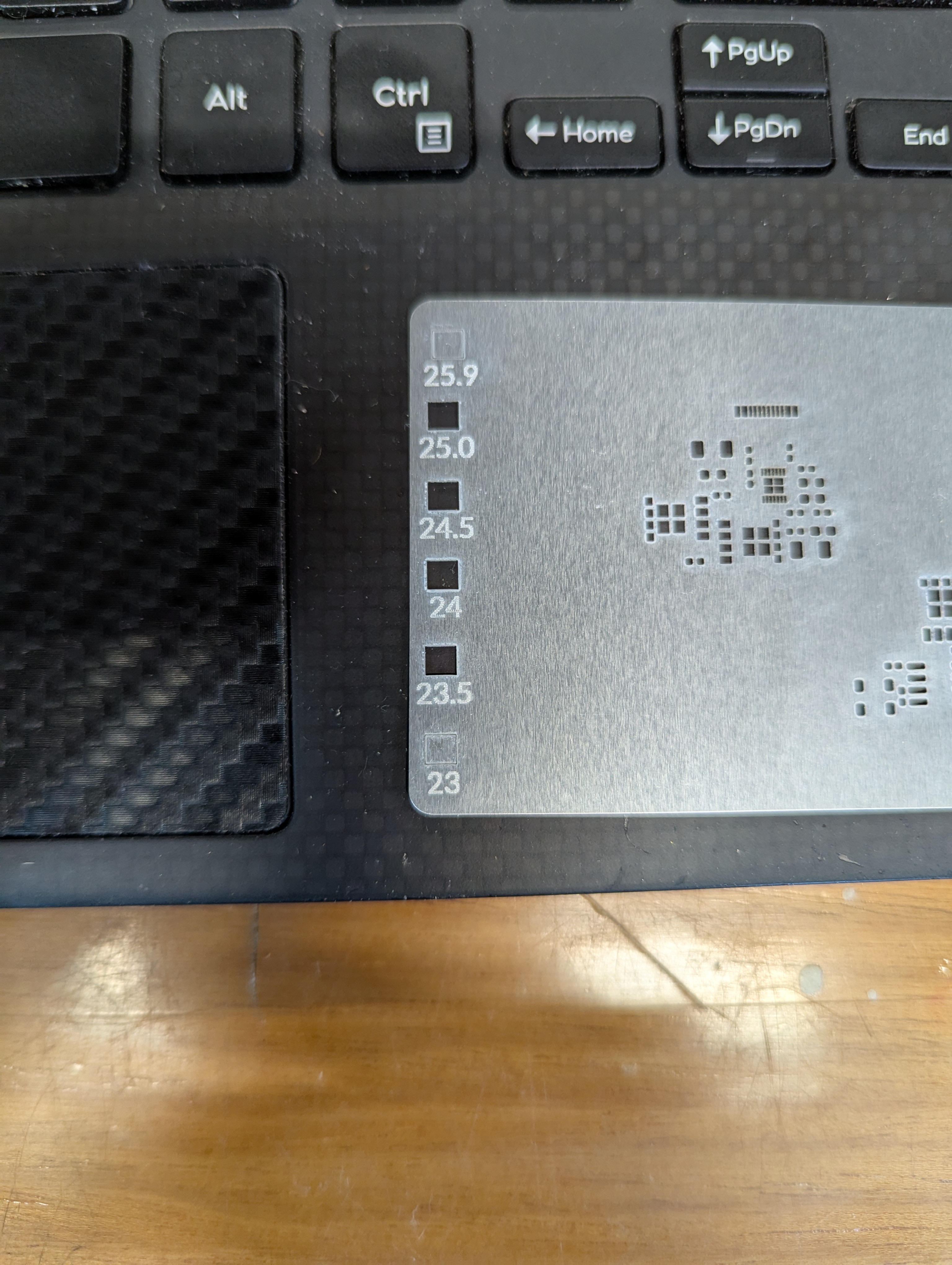
One issue I have run into repeatedly with this laser is that the autofocus does not work, at all. I guess its better than nothing, but I find that its off by about -3mm-4mm. So every time I create a new fixture, turn the machine on, or jog anything, it needs refocusing. I just start by taking the autofocus distance, subtracting 3, then I focus by .5mm increments until I go through a “sweet spot”. It seems like for metal ablation, the beam is tight enough to be focused over about 1.5mm

Surprisingly, the laser cutting makes a distinct snapping/humming sound when its cutting well. I assume this has to do with the metal rapidly expanding/contracting as the laser heats it up and deforms it.

Stencil Performance

My hope is that this can make stencils for everyday use, and for emergency use, like pcb rework. PCB stencils usually cost a couple bucks and cause a few cost related problems for ordering PCBS – specifically in the US, the stencils are relatively expensive (if coming from somewhere like sunstone), or you have to get them at a separate website with separate shipping (osh park/osh stencils), or if you are ordering small boards from overseas, stencils make shipping really expensive as dimensional weight goes up (the box is bigger).
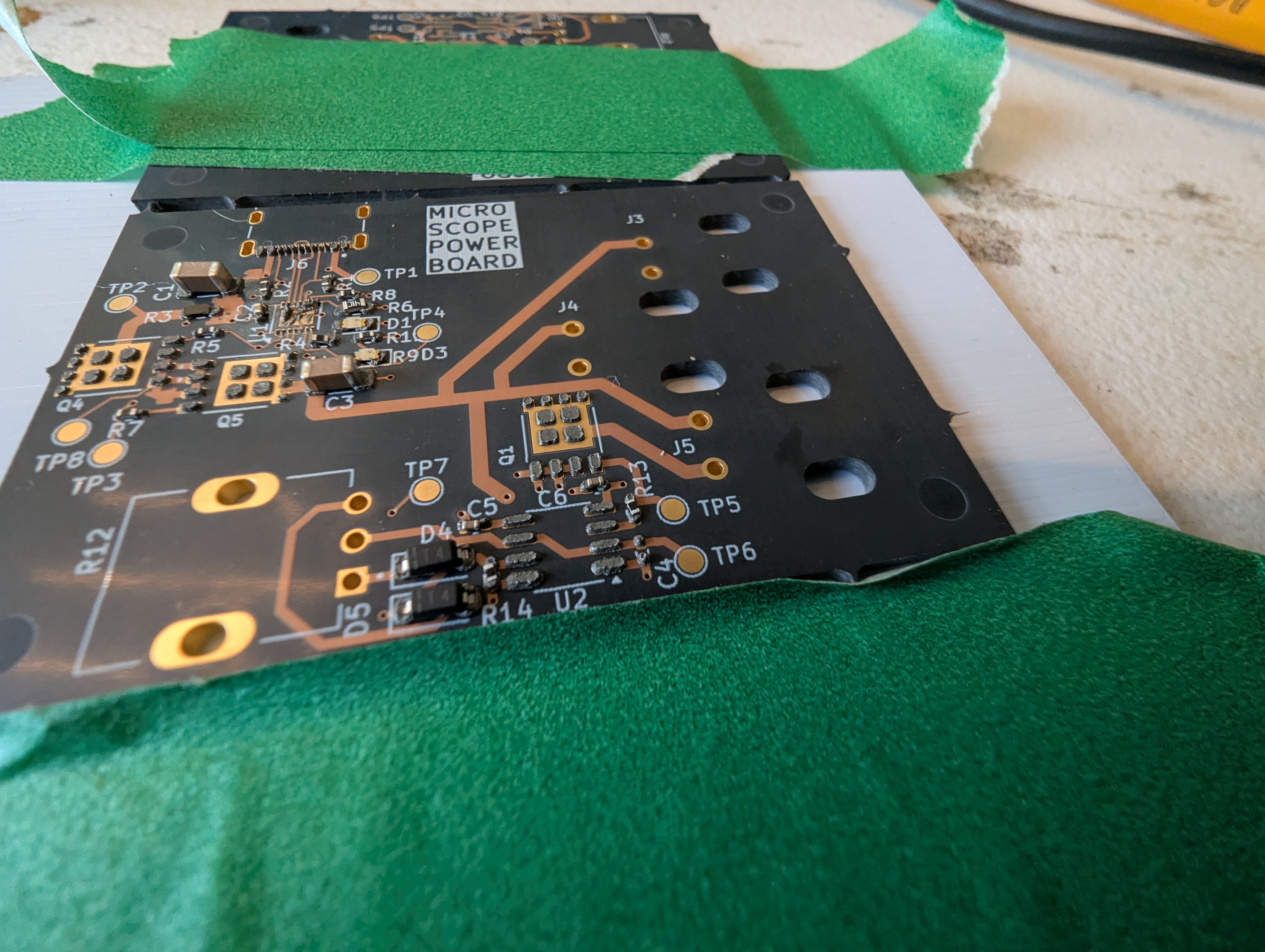
This stencil was quite usable, but it seemed thick (around .18). In the future, I’ll try a slightly thinner material to reduce paste application, especially for “middle”/large pads. The good thing is that its easy to delete or reshape the windows for components if they cause trouble!
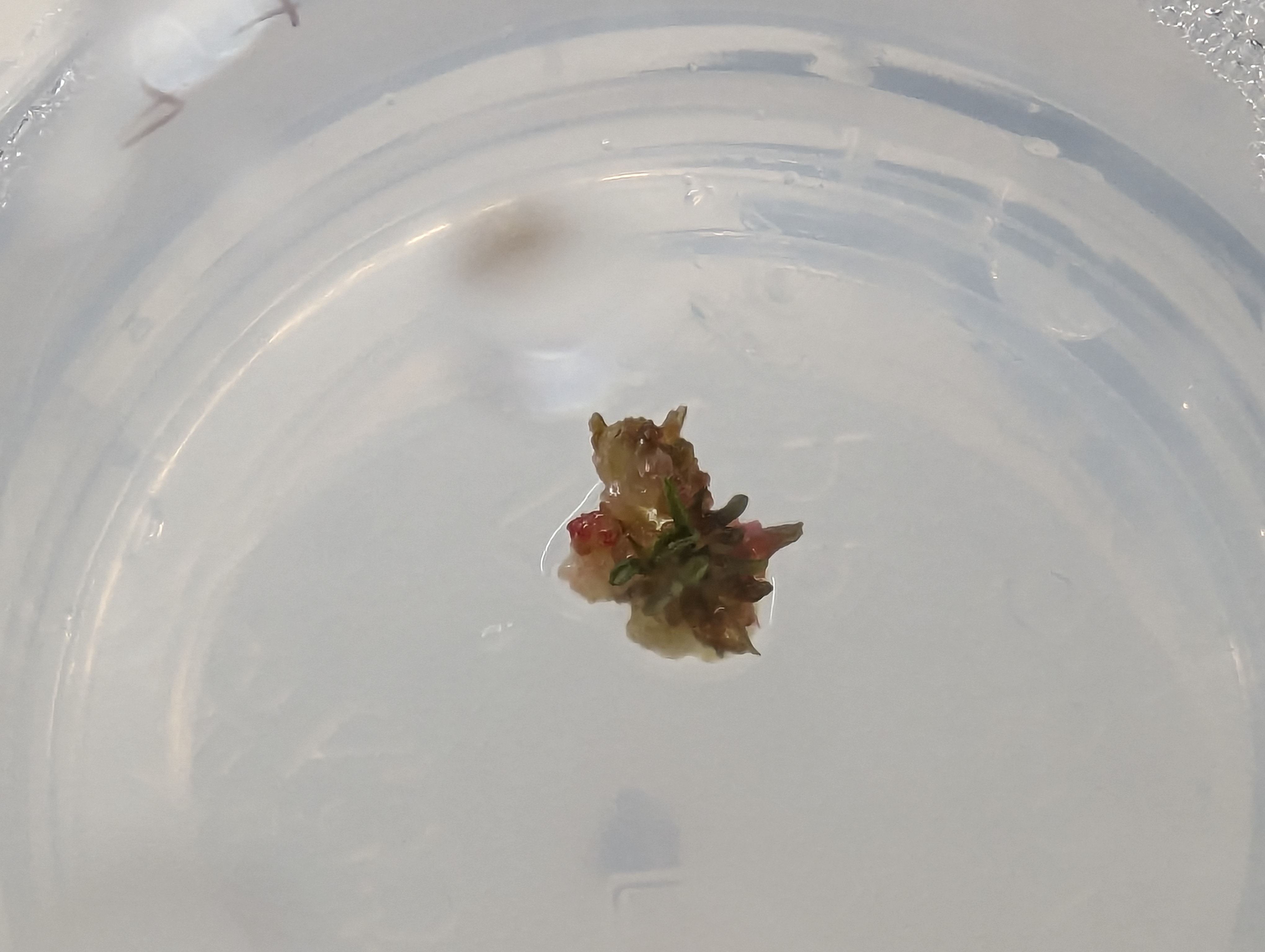
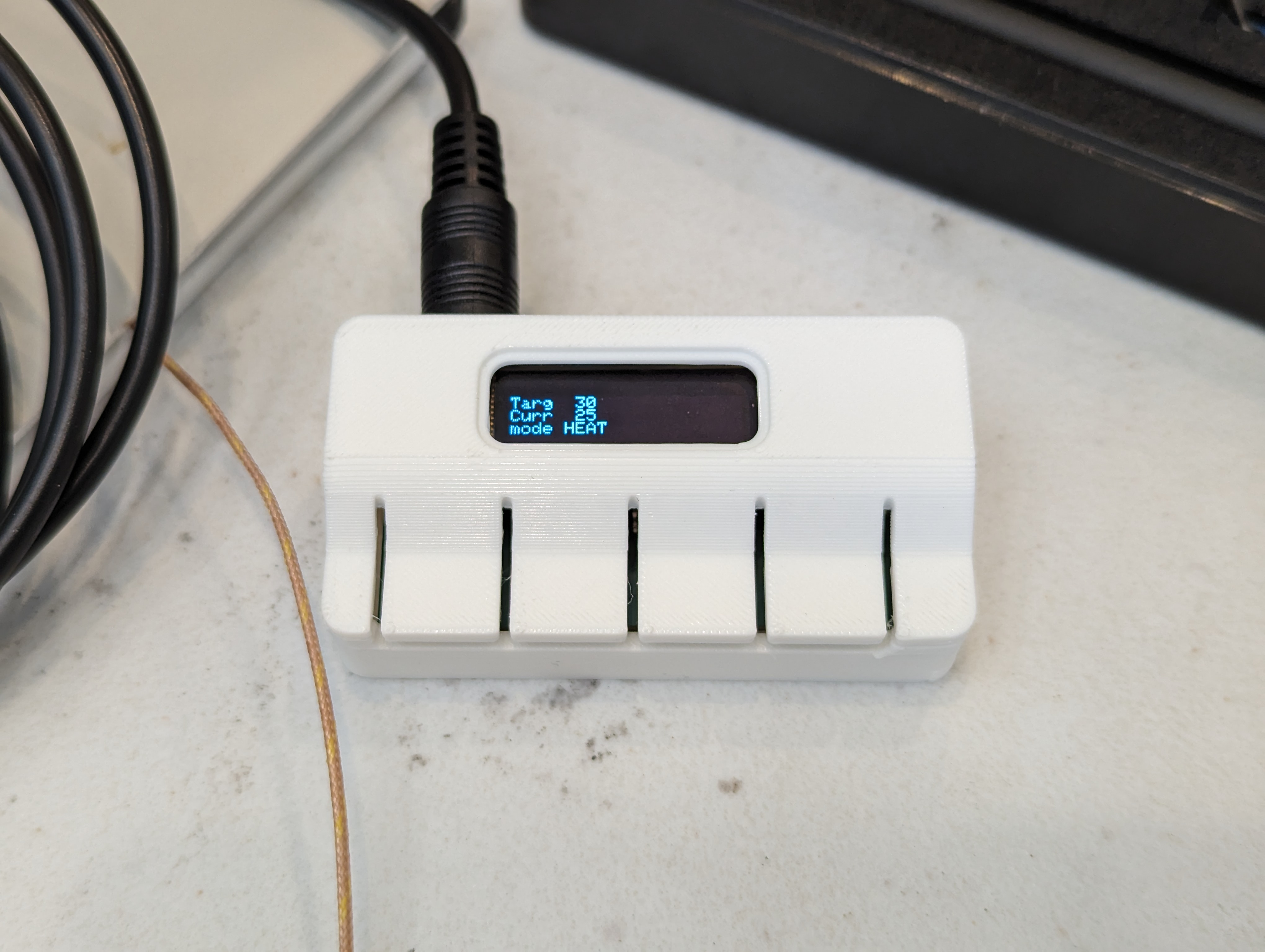
Lingonberry – First Leaf!

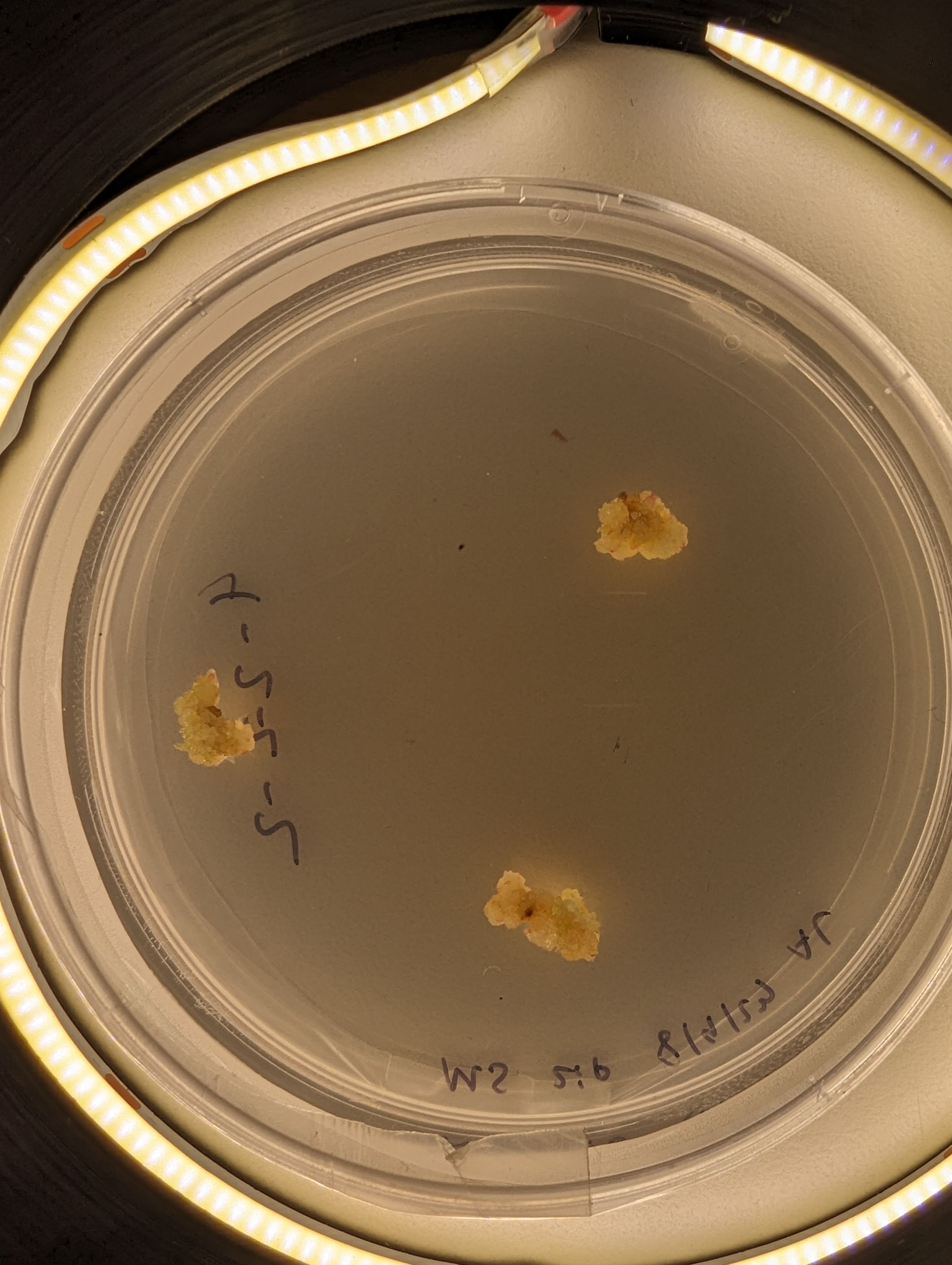
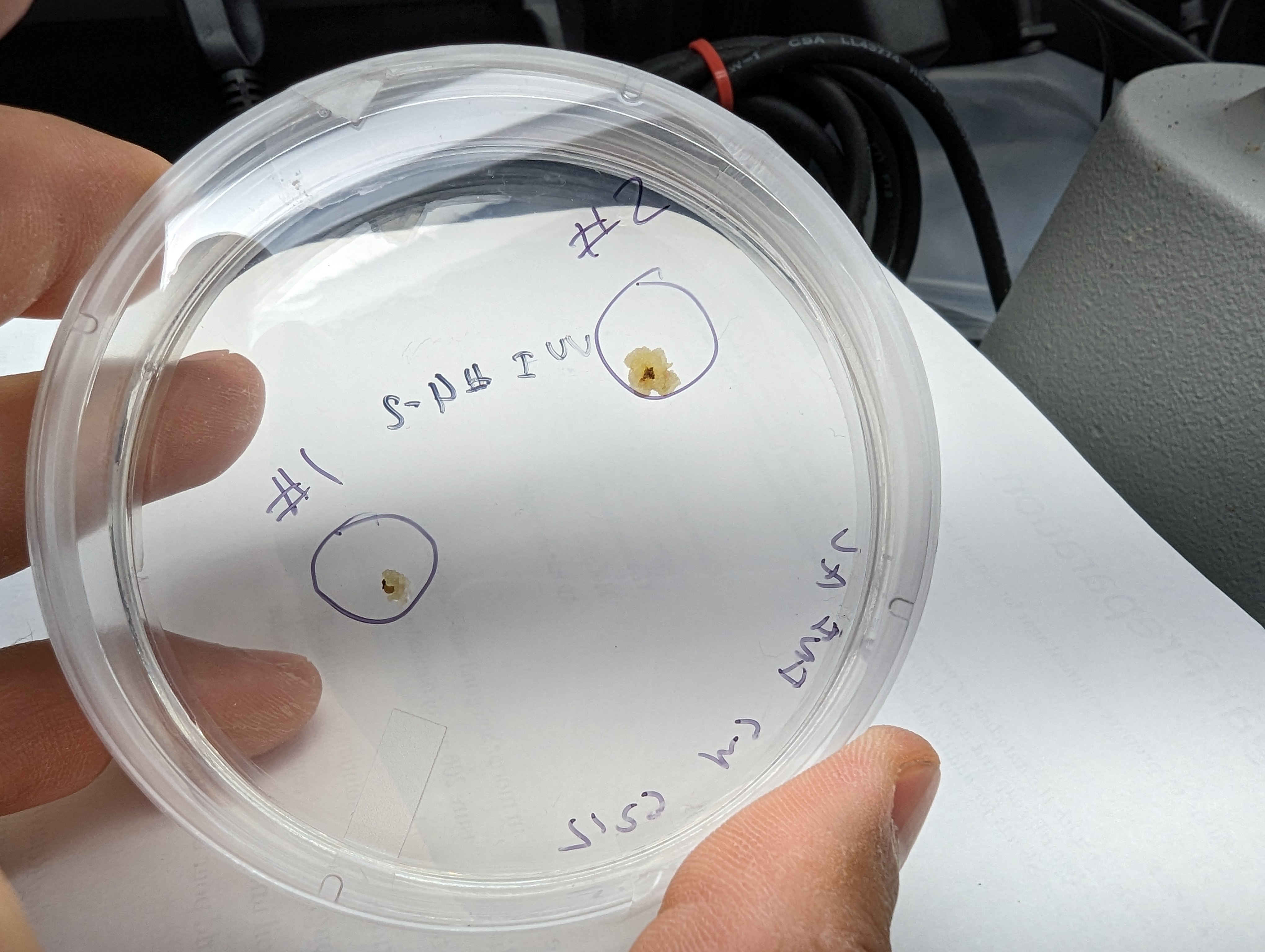
UnbeLEAFable! This is a tiny leaf growing from a callus culture, produced from a tiny cutting harvested from the wild. This is exactly what I expected (and hoped) would happen with this project. In a few more months, I hope to have rooted plantlets that I can transfer to normal soil media for hardening! Once the plants are rooted in soil, I will write up a detailed procedure on the whole process.
Wide Temperature Range Thermistor Use

Reading a thermistor seems like a pretty straightforward task, and there are a lot of guides on how to do it, either using just the beta value, or using the full set of coefficients for the Steinhart-Hart equation. I wanted and needed to do something a little different, because I wanted to measure temperatures somewhat accurately over a wide range (25-200C) with a single thermistor, for an upgraded version of the PCB hotplate.

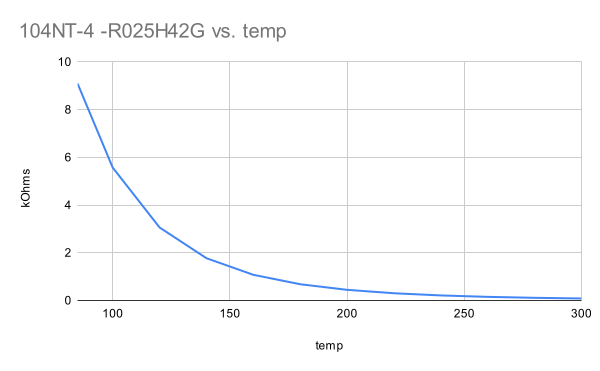
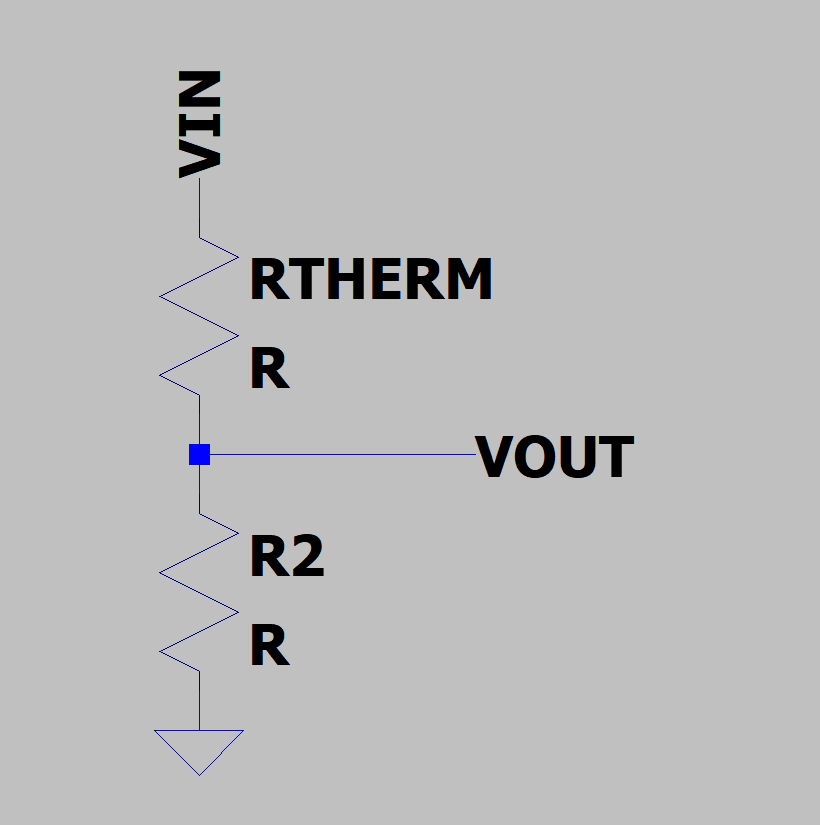
Measuring this range is difficult because the resistance of the thermistor changes a lot over the range I care about. at 25C, this particular model is 100k ohms, and at 200C it is about 1k ohms. It is very not linear, changing very rapidly at first. Thermistors are often used in a voltage divider, where the output voltage is related to the temperature of the thermistor:

This causes a problems for my implementation because choosing other resistor in the divider causes the most sensitivity near the value where Rt=R2. That is, the temperature sensing will be easiest near where the thermistor and the other divider resistor have the same value.

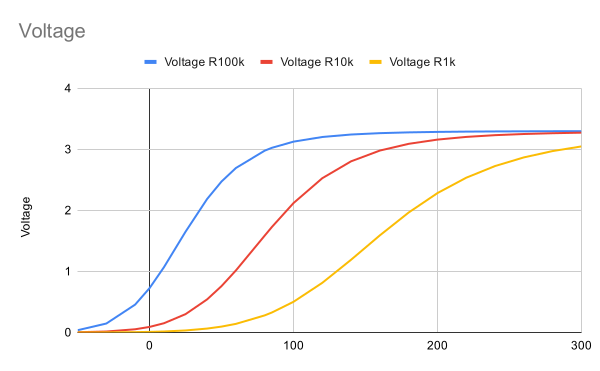
This is a chart showing the expected output of a voltage divider with three different resistor values, computed from the temperature-resistance chart plotted above. The steeper the curve, the better, since a small change in temperature will create an easily measurable output. But none of these curves are linear across the whole range that I care about, from 25-200C. Instead, the 100k looks good from 0-50C the 10k looks good from 50-120 and the 1k looks good from 120-200. At the center of each of these ranges is where Rt=R2, and the output of the voltage divider is about half the input voltage.

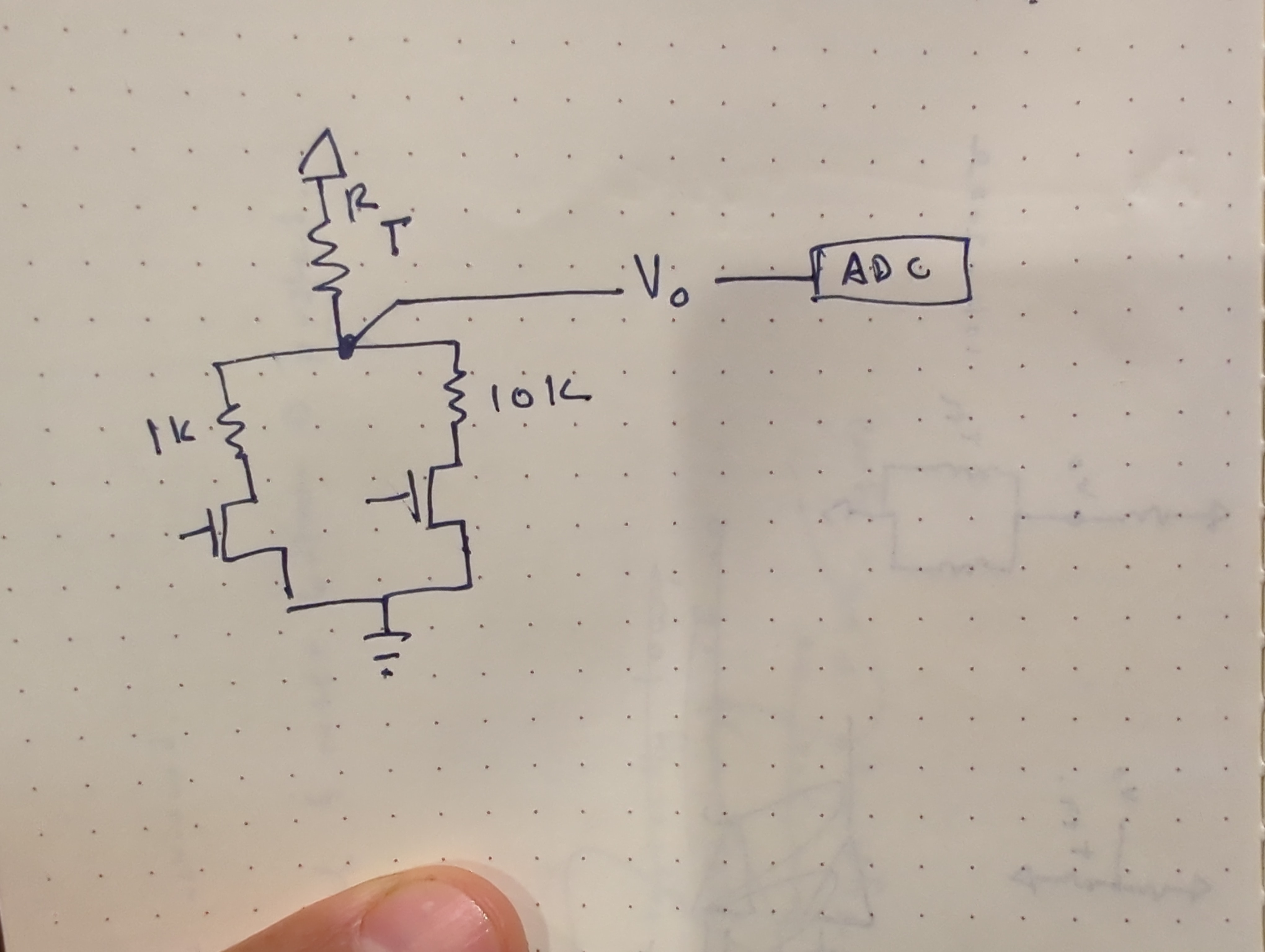
My solution was to use several different resistor dividers instead of a single resistor divider. The final implementation uses an analog mux instead of discrete FETS, and included a 100k resistor divider as well.

Calibration

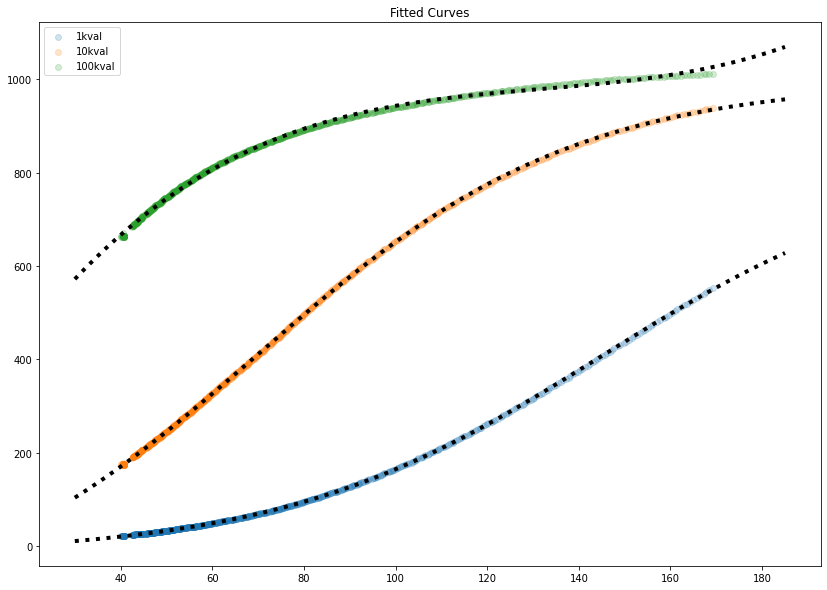
While it would be possible, through first principles and careful measurement, to figure out some mega-equation for all these components, I decided it would be a lot easier to write a script to calibrate each “channel” of the measurement. These thermistors are calibrated against a thermocouple, which was the original sensing element on the hotplate. To collect calibration data, I just measured the hotplate with the thermistor and thermocouple taped together. This produced the curves above, as expected from the simple simulation. Shown in black dots are fitted curves- the bottom two fit a sigmoid/logistic curve, and the top one (which didn’t have enough data to fit to a logistic curve easily) is fit to a 4th order polynomial. The 100k resistor values (green, top line) were pretty useless above 40C, quickly flattening out.

These curves give us a value that predicts ADC ticks for an input of temperature. The inverse is really what we are after, but that is easy to do mathematically.

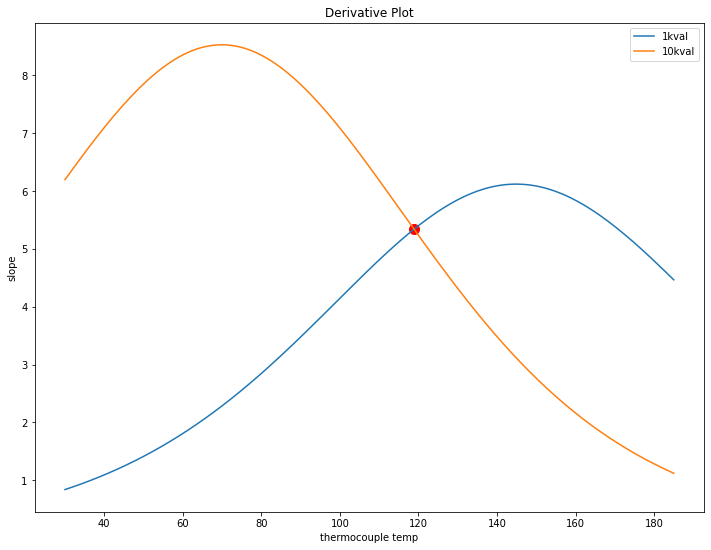
Looking at the two remaining 10k and 1k curves, the question is where to swap from one to the other. The goal is to keep the amount of ADC counts per degree C as high as possible over the whole range. This can be found by inspecting the derivatives of the fitted curves and finding where they meet (in this case, just around 120C).

This chart also shows why exactly a single value for R2 in the resistor divider would be bad. For example, below 40C, the 1k resistor shows less than 1 tick per degree C, so a 1 degree change would be hard to measure there.

Limitations

This was done with a single set of data, so it may not be accurate for all time. Taking more data in the future would be neat, especially because the python script for analyzing the data will just spit out numbers. It would be interesting to compare the calibration coefficients for various data sets to figure out how much they change, run to run. Hopefully it would be a small amount.

Solution Cost

The reason I didn’t go with a thermocouple is that the reader and the thermocouple alone would cost about $10 in parts. I usually buy multiple ICs per prototype (in case of an accident) which would cost something like $15-20 in parts. The parts for the equivalent thermistor solution cost about $2.50 per unit, which is cheaper than just the thermocouple reader IC.

Lingonberry Cell Culture – Rooting

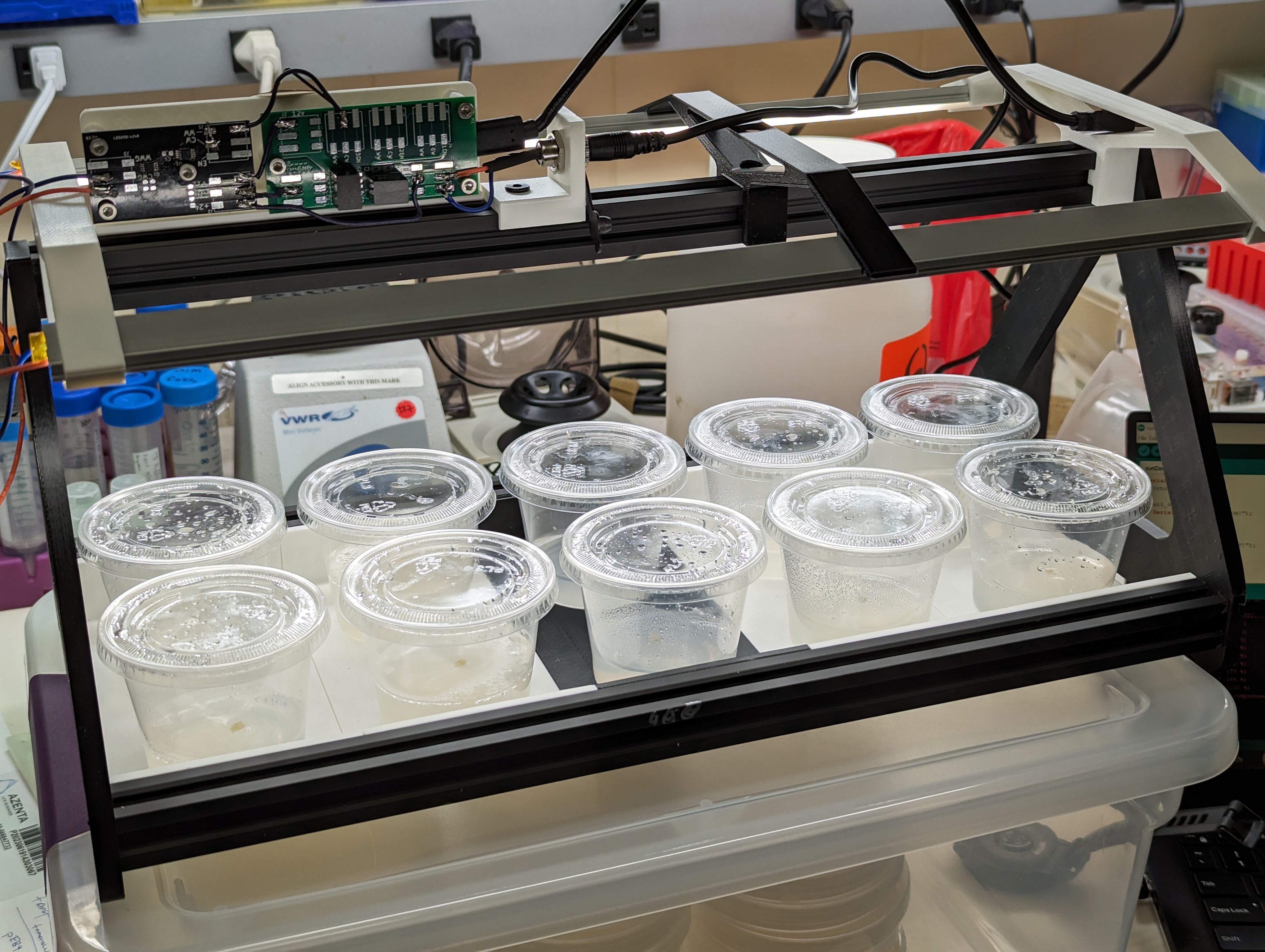
I have reached the point where I have enough lingonberry cell mass to try rooting a few of them. This is done on different media, and since I want to have these develop into plants with leaves and roots, I can’t do it in a petri dish!

Instead of using a purpose-made plant growing container, or even a polypropylene takeout container, I am using some condiment containers I have left over from the original cell culture experiments I did a few years ago. These are half polypropylene, which is autoclavable, and half polystyrene, which is not. To use these, I autoclave the bottom half and soak the other half in bleach while the autoclave is running- when the parts come out, I pour media and fish a lid out of the bleach. it seems to work well enough against contamination.

The media is woody plant media with MS vitamins and zeatin, per the recipe in Plants from Test Tubes. I poured a few CM into each cup (these are large condiment cups, not the tiny ones).

The basement chair of rooting

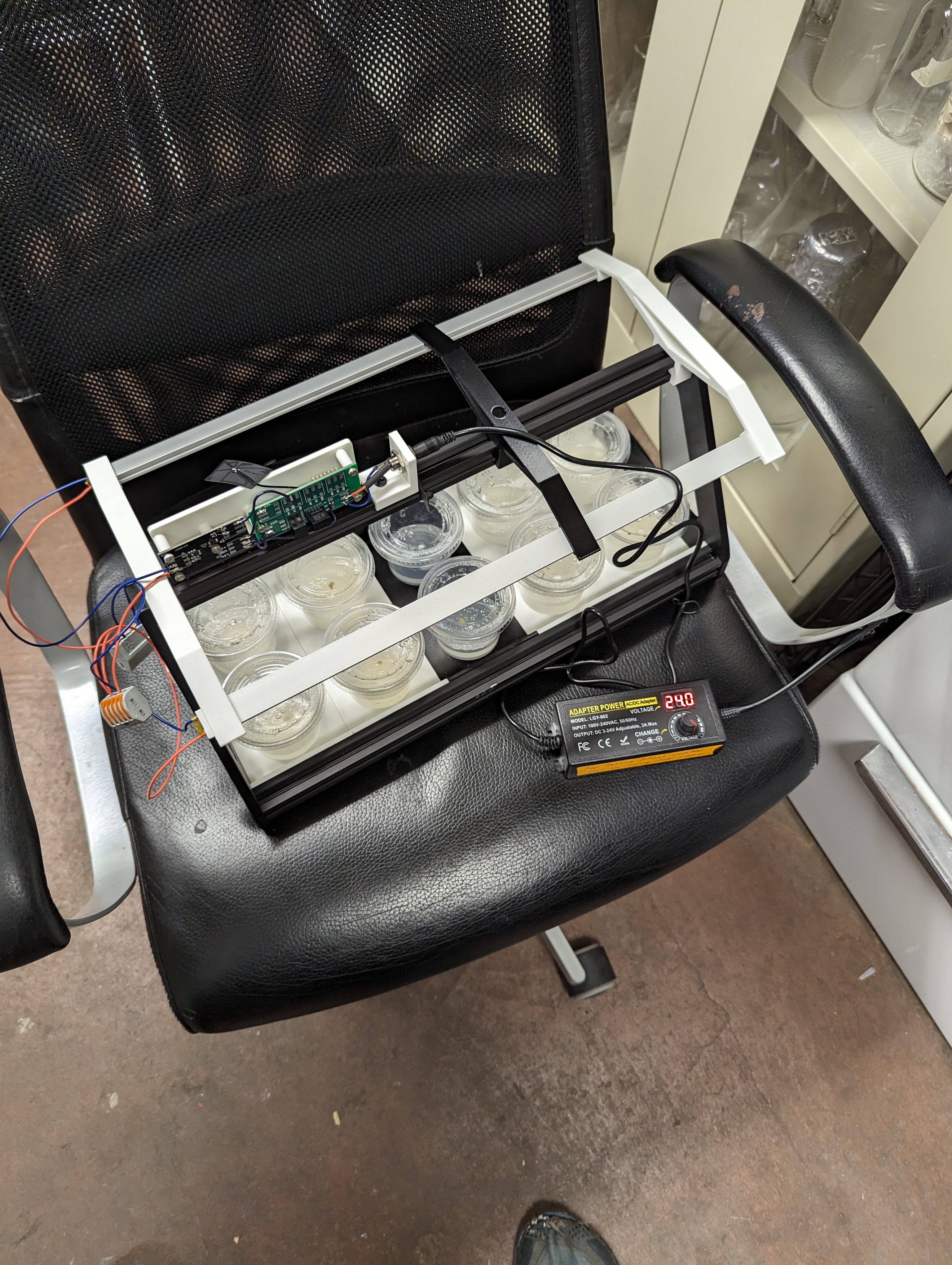
During rooting, it seems important to have a source of light so that the plants can start making their own sugars. These are growing in a basement, which is roughly “room temperature”, but there is not much light down there. I built a rooting tray with overhead lighting for the plants. It is mostly built off of the hardware for the “SunDown” lamp that I built. The hardware is a little overkill, but modular enough to be recycled into future lighting projects.

Lingonberry Callus Cell Culture

I’m back at trying to propagate a lingonberry plant from a cell culture gathered from the wild! This time, I seem to be having a lot more success in terms of growing something that at least resembles a callus culture. Encouragingly, I have had similar growths from various parts of plants that I plated. I tried to excise buds from the meristem, without magnification, so its hard to say exactly what tissue the cells came from, because they were very small (generally, they are from in the buds).

In the future it might be worth looking at callus induction from leaves, a technique I did not know about.

These cultures are growing relatively slowly (months between re-plating), possibly due to the totally uncontrolled and unoptimized conditions they are in, aka an funky basement. Surprisingly, contamination has not been a huge issue (transfers have been done in a pcr hood).

The next step will be to take some larger cell masses and try to get them to grow a bud, shoot, root or leaf- to start turning back into a plant. My plan is to grow them on a deeper media in a different container, undera lighting, without 2ip on something like WPM with zeatin (although zeatin is expensive, so maybe just WPM!).

Further Foraging Finds

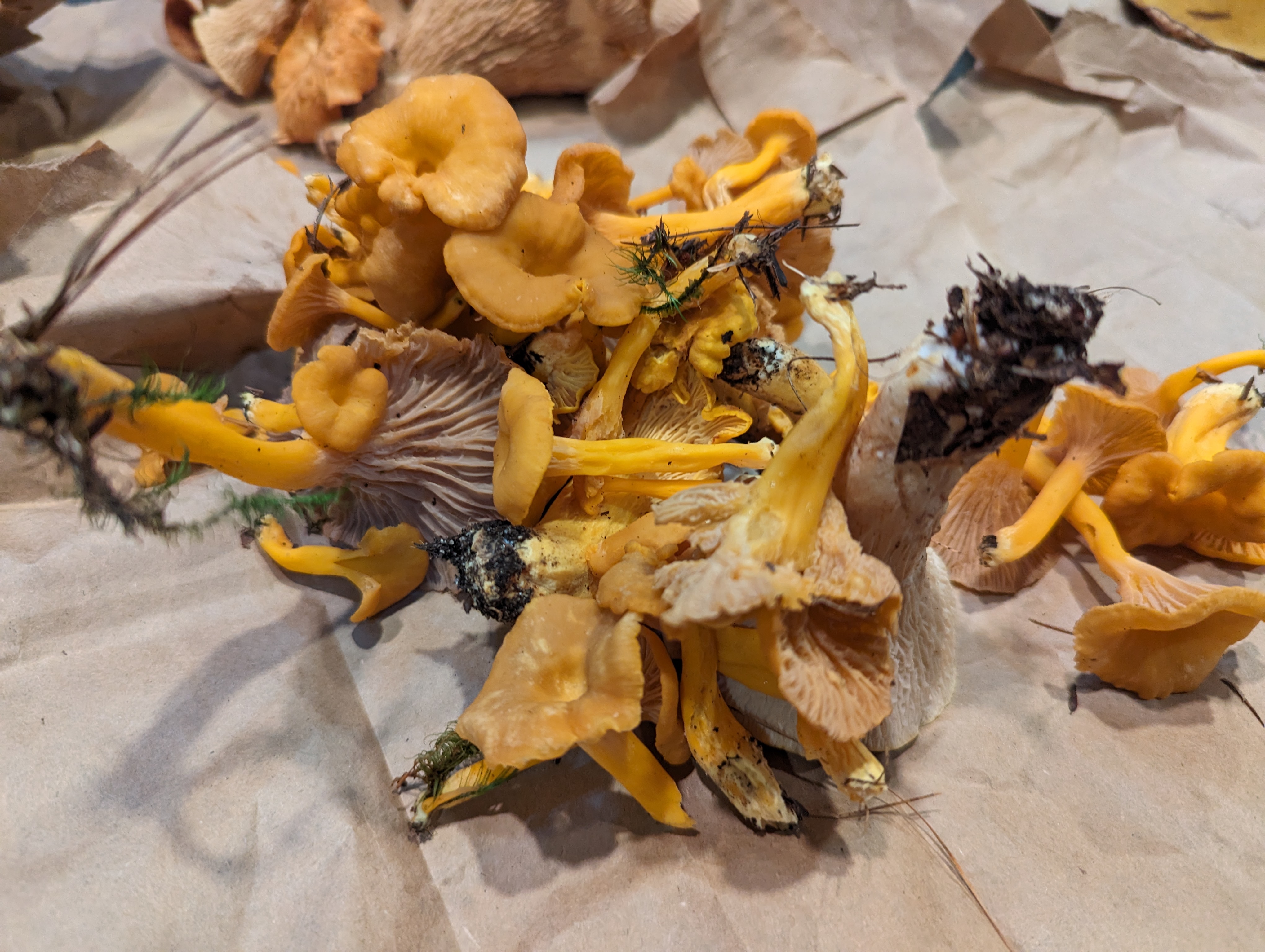
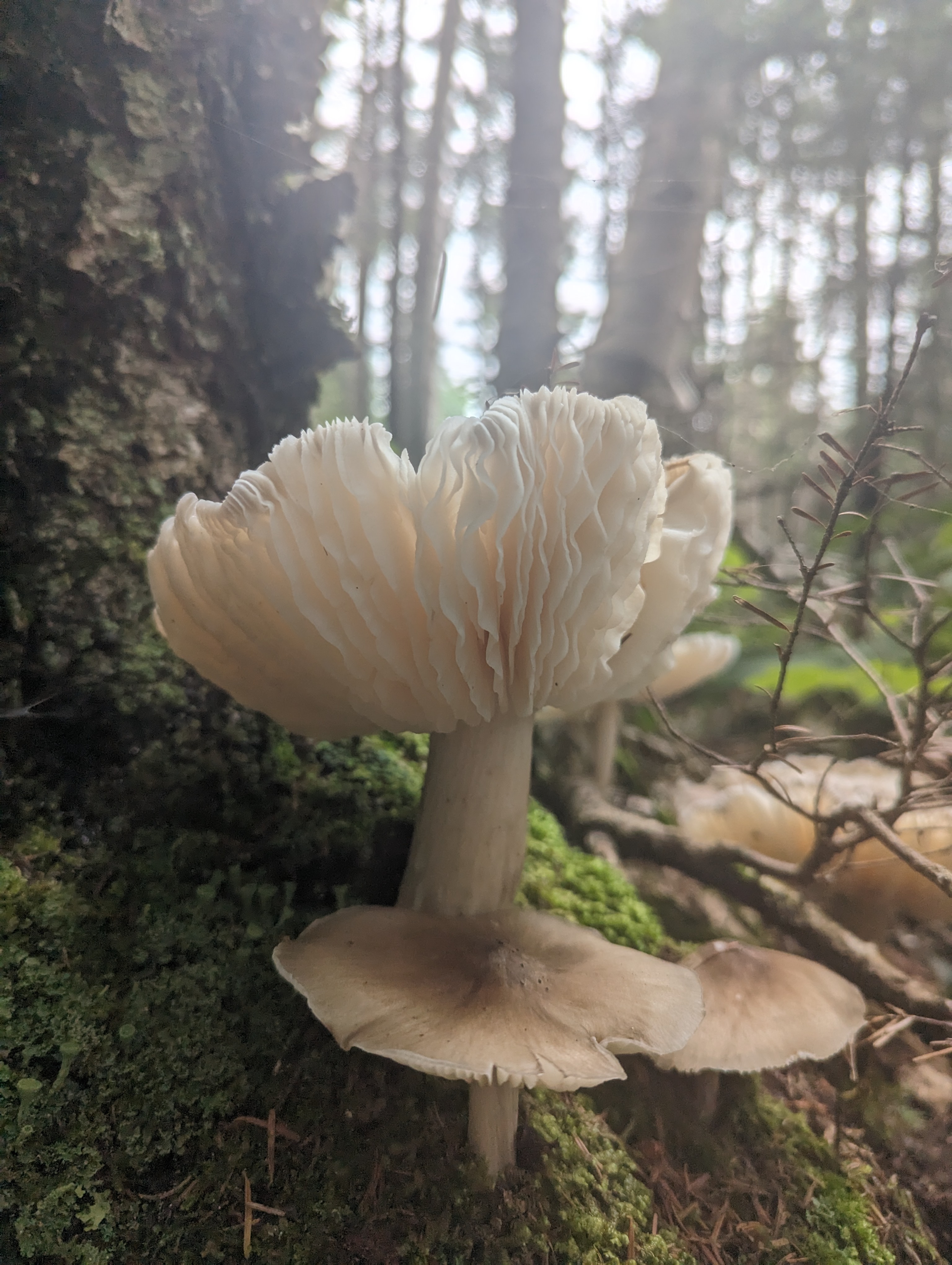
While rainfall has been blocking climbing, it has been causing a lot of mushroom fruiting in the white mountains. This latest trip was theoretically to go climbing at cathedral ledge (which did happen), but it came with a heaping side of foraging.

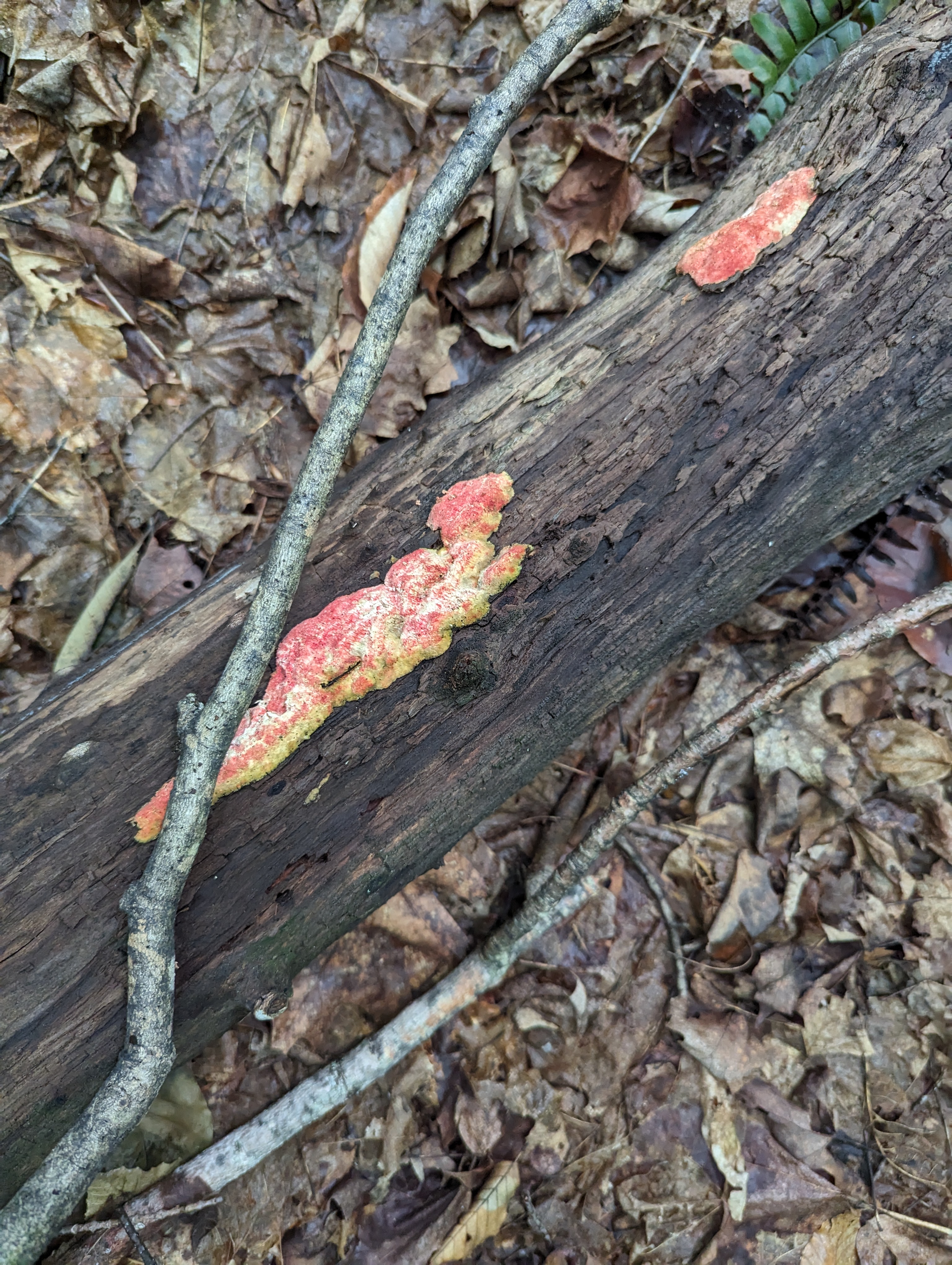
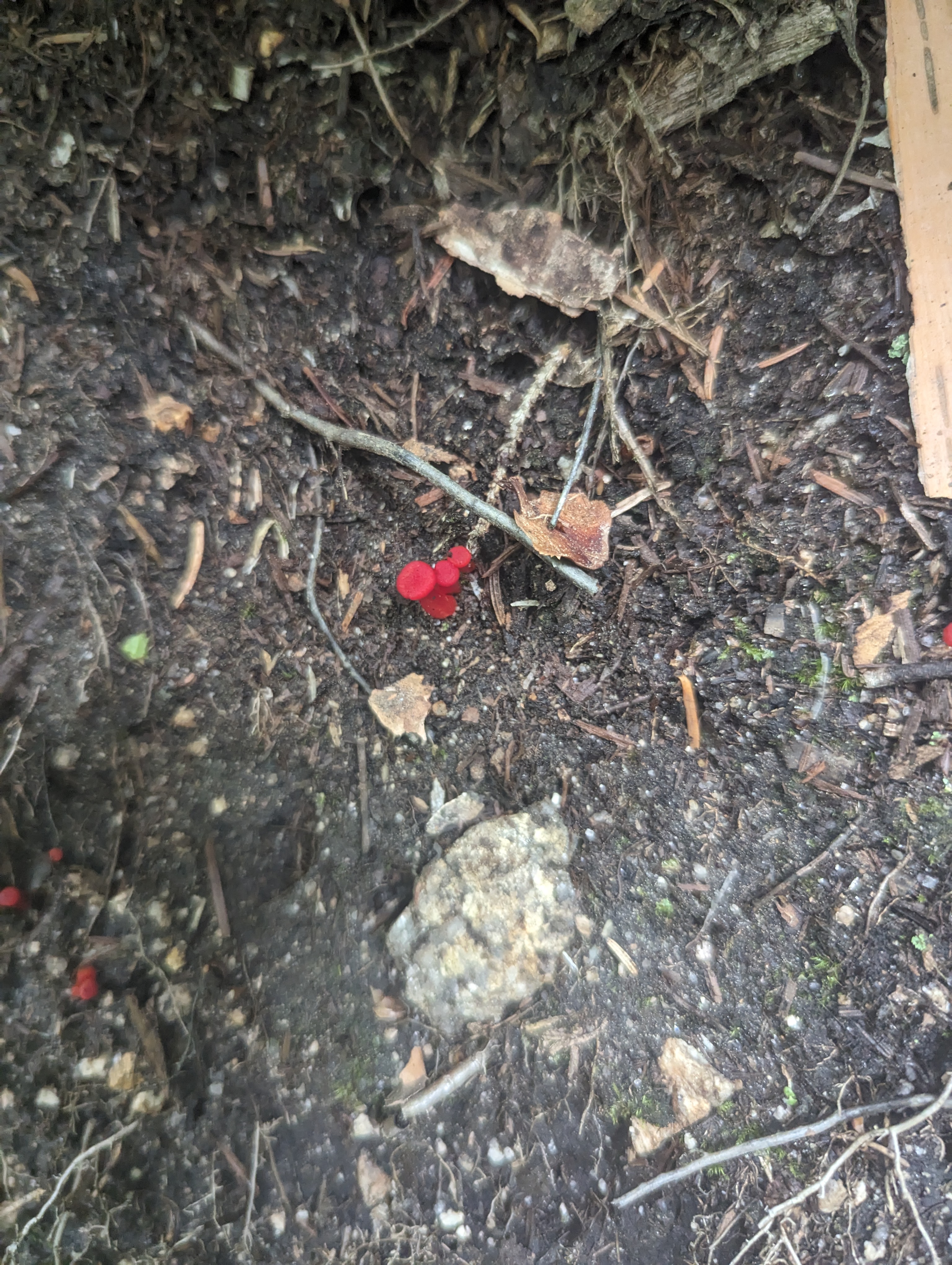
Among the fungi I found were: red cracked boletes, trumpet chanterelles, and regular chanterelles. I also found a number of boletes that I found difficult to ID, and a vase-shaped fungus that people call a scaly vase- these are rumored to be inedible, so I did not eat them.

People seem to be on the fence about the red cracked bolete- in my opinion they are certainly food.

Novelty-sized Bolete

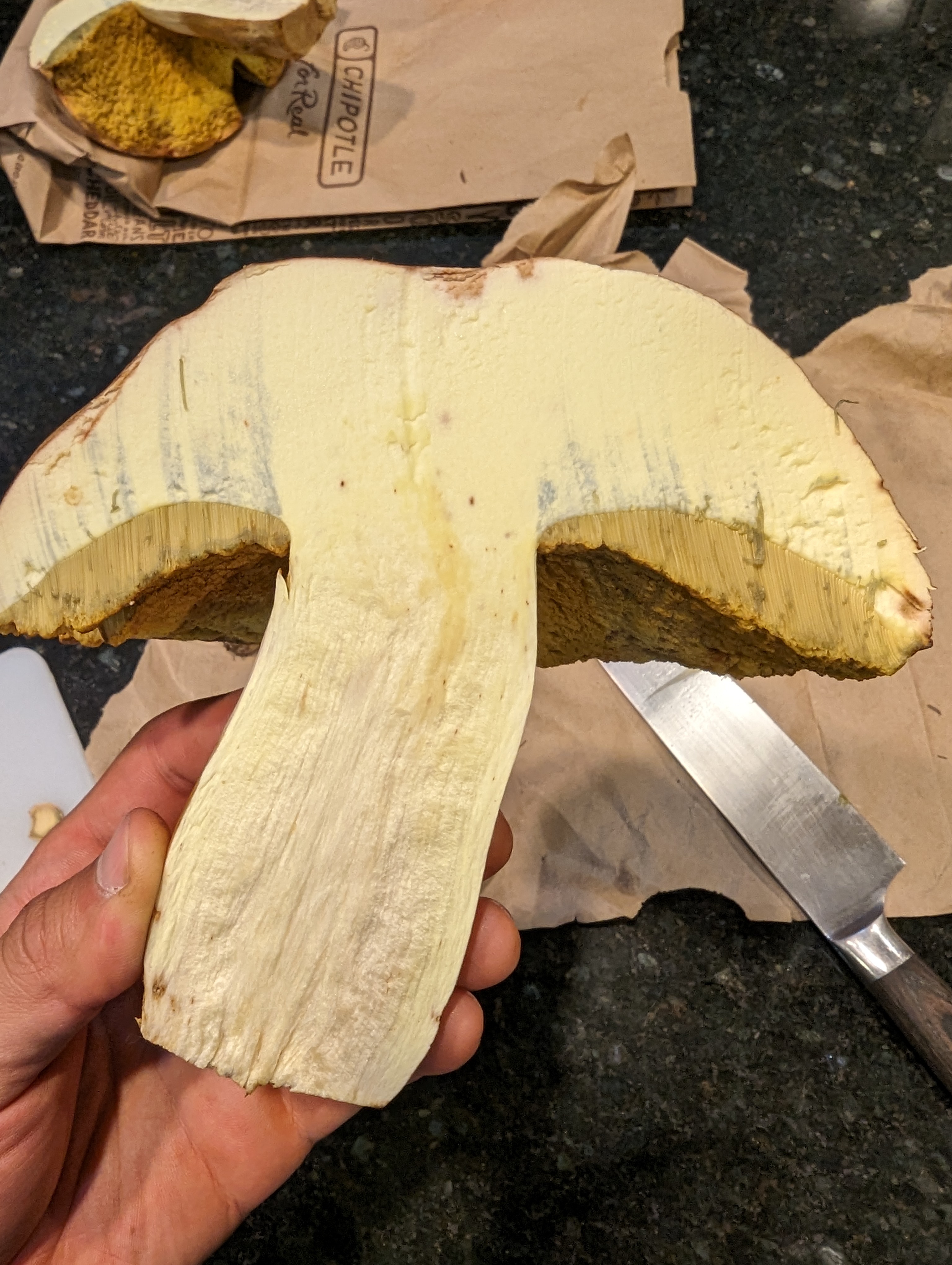
This thing was huge-easily 7″ across, with the dark bluish staining on the cap where it was cut and green staining on the yellow tubes/pores on the bottom. the cap was cream colored with brown. It looked tasty but without a positive ID, I decided not to eat it.

Mystery Bolete

At first I assumed this was a cep due to the “netting” pattern, but the flesh seemed to bruise. I have not figured out what it was, but maybe once I am more familiar I will figure it out!

Eating the Rumney Parking Lot

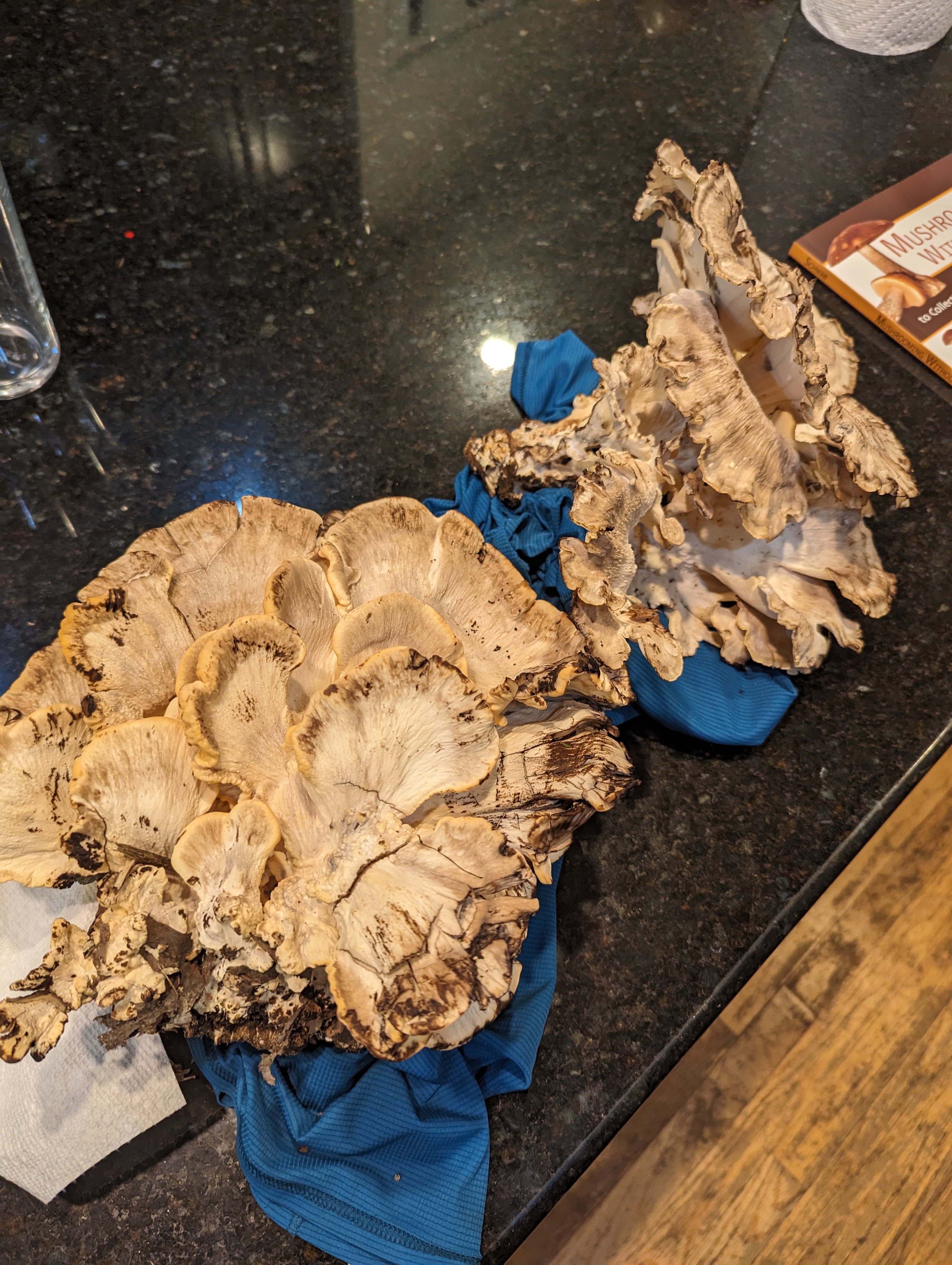
With all the rain that has been happening this summer, mushroom foraging seems to be going quite well. I have already casually encountered Chanterelles, and horn of plenty in pretty high traffic areas- but this was my first time finding a giant polypore – the creatively named black-staining polypore.

A few steps from the edge of the rumney parking lot I found a few large clumps of grey and white mushrooms. I know that most large polypores are ok to eat, and after misidentifying them as hen-of-the-woods I realized I had a different mushroom on my hands.

The giveaway was the “black staining” nature of the mushroom- breaking off a little piece, or bruising the mushroom causes it to blacken. The fronds (?) are also a lot wider and meatier than hen of the woods, closer to 4-5″ across and not very symmetrical. These are edible, and I second the general opinion of many posts online suggesting that it is preferable to eat them when young. These became a very mushroomy broth, and a few choice fronds were baked/stewed (confirming chewiness).

High Speed Nature Walk: Franconia Ridge

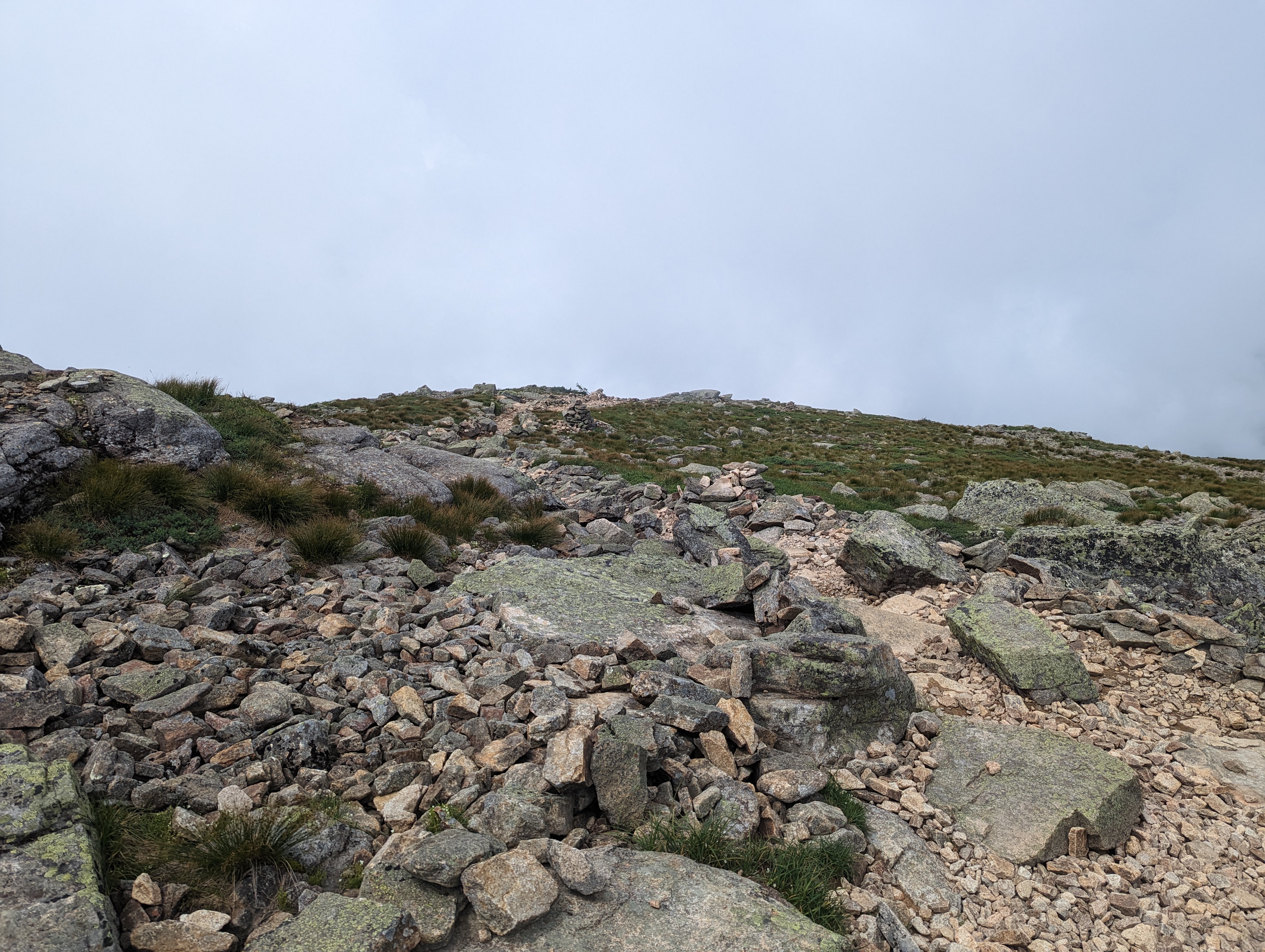
I was curious to see what the lingonberry plants looked like up on Franconia ridge. To this end, I took a high speed nature walk up the falling waters trail to middle haystack, over to Lafayette, and then back down to the parking lot.

This trail is an interesting slice of biomes in the notch, and it is (rightfully) one of the most popular trails, coming in at about 8+ miles and around 4k of gain, with good parking, it’s also very accessible.

The falling water trail zig zags up to middle haystack, crossing a stream/waterfall several times. This area is always wet, and due to the recent high rainfall, some of the crossings were a little harder to navigate.

Once gaining the ridge proper, the forest drops away and you are in the alpine of the northeast! The soil is sparse and rocky, well drained and likely acidic. This supports two plants that I am interested in: Lingonberries and Blueberries.

Nature Notes from the ridge

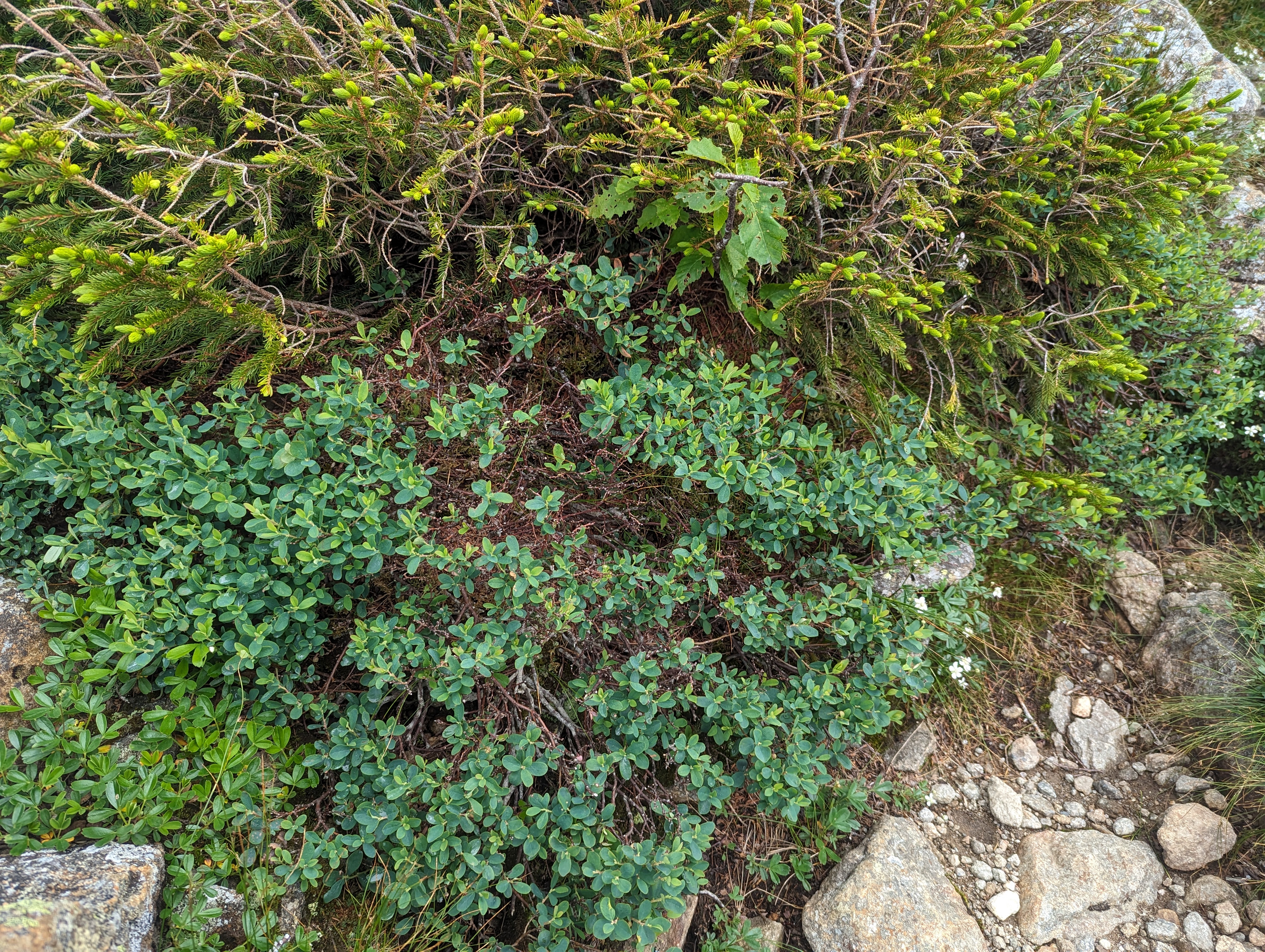
beefy blueberry bush

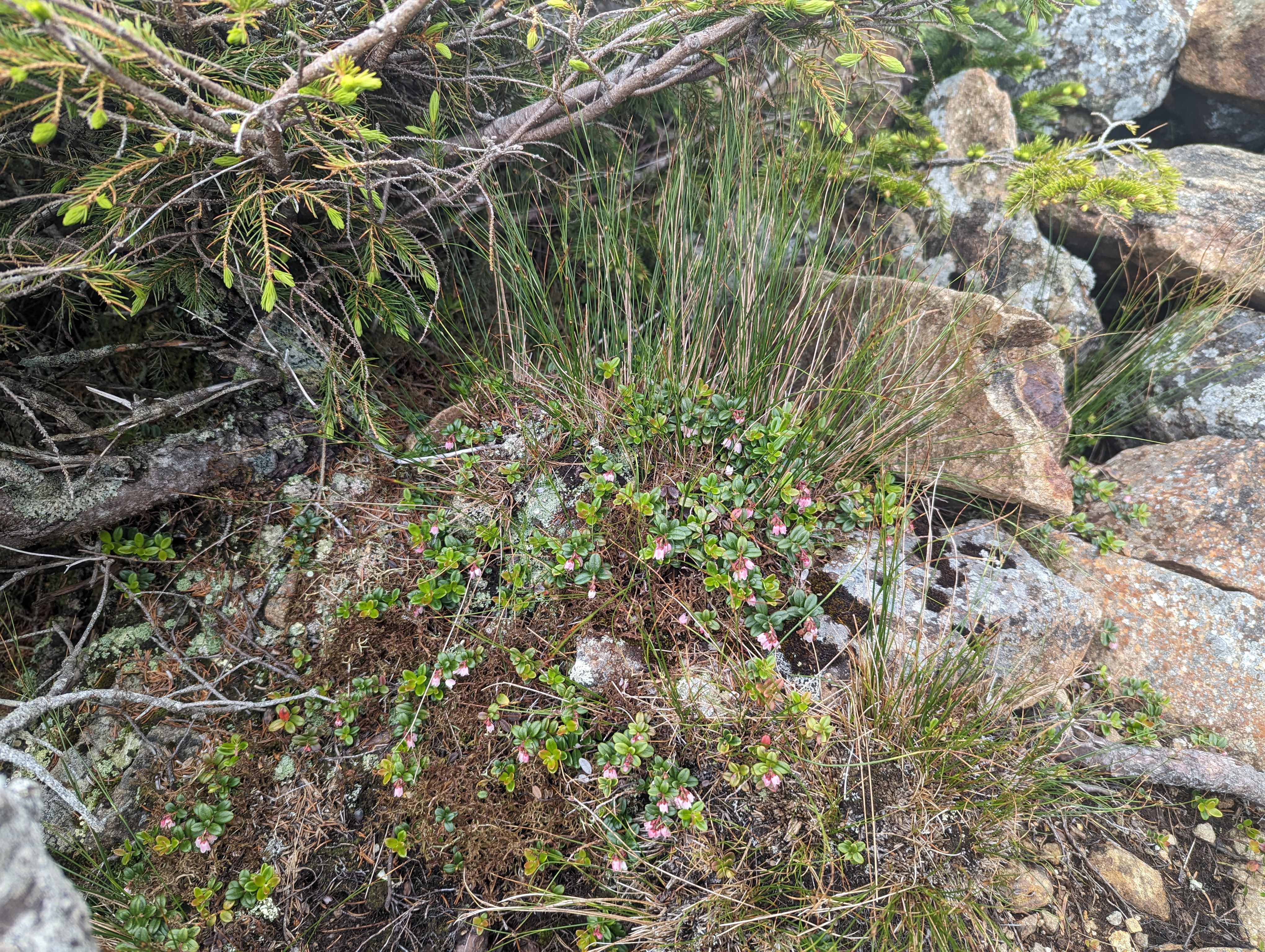
In contrast to the alpine garden trail/general mount Washington environ, the lingonberries/blueberries here seem to be a lot smaller. I suspect that is because there is a lot less soil due to the ridge being pretty exposed to the elements. Most lingonberry bushes were much smaller, with the plants being more individual instead of large mats. The blueberry bushes were low to the ground, but still large. Both the lingonberry and blueberry bushes are just starting to flower, although there were a few unripe adventitious blueberries hiding in the brush.

small lingonberry bush

Interestingly, the blueberries seem to dominate here. The bushes are large and healthy looking, and there seem to be many more blueberries than lingonberries. I wonder why that is. I stayed on the trail since its a high traffic area- maybe blueberries have some advantage in taking over disturbed territory? who knows.

Nature Notes from the Bridle Path

Due to the absolutely torrential rainfall that the northeast has been experiencing, the forest is DAMP!

That means there are a ton of mushrooms fruiting. I don’t really know anything about these, but it was interesting to see. Some of these are from a small forest down the road from the ridge.

Trail/Nutrition Notes:

This hike took about 2 packets of gu and 2 packs of gummies, and just under 3L of water. It was hot hot hot! Falling water trail is fairly steep and rocky/slippery, but once on the ridge its smooth sailing to lafayette. There is a steep/wet/rocky section on the way down from greenleaf hut, but once that is passed it is easy to jog back to the car.

DIY Canister Dive Light – Bringup

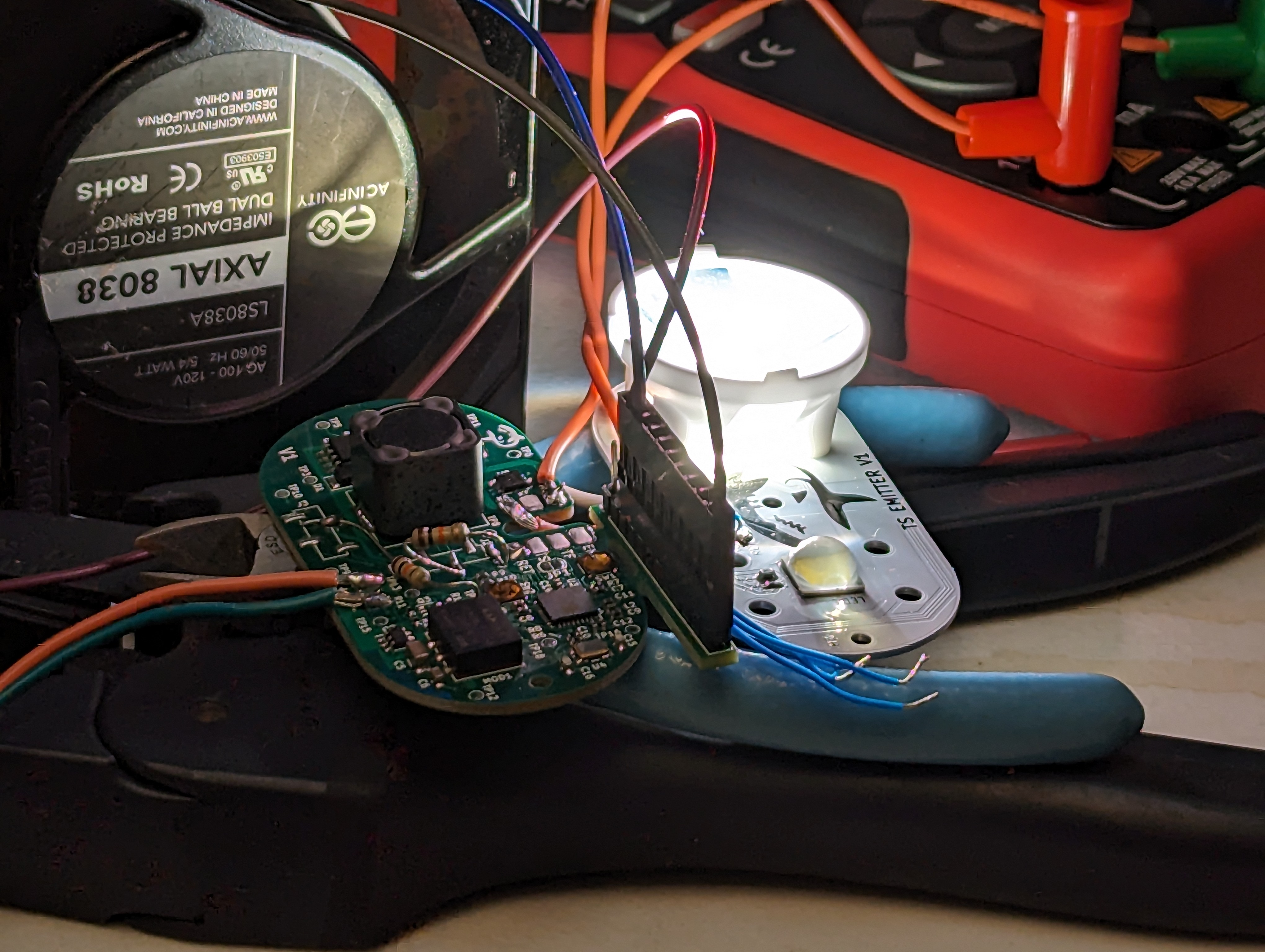
With the dive light parts in hand and assembled, it was time to test it out and fix all the inevitable mistakes. I expected this to go pretty well, and bringup for most low power functions was a breeze- however, at higher currents, this thing is a pretty good heater. This led to buying a fun tool – a thermal camera!

ESP32 bringup:

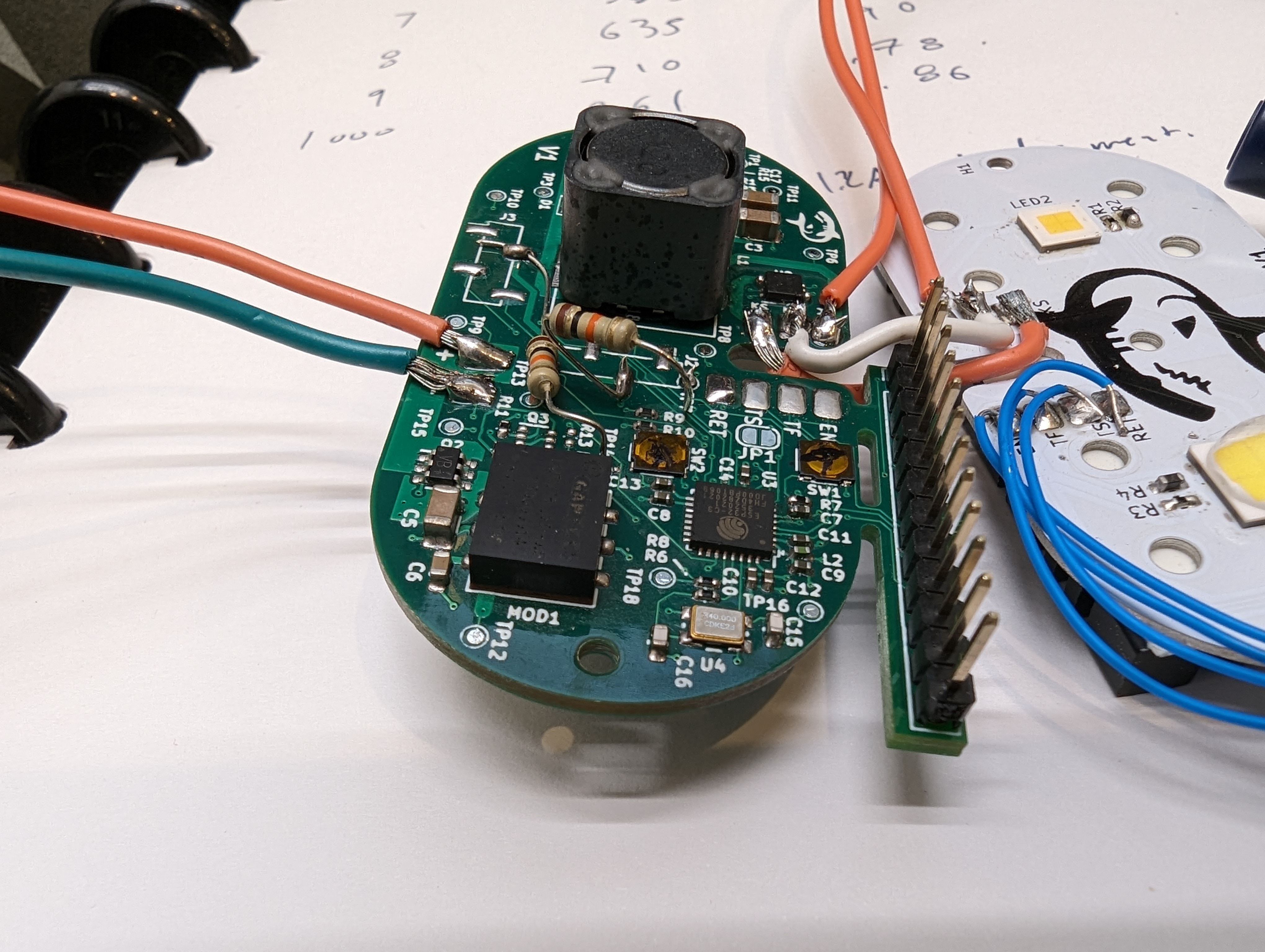
This was my first bare-chip-down ESP32 design, and it was actually pretty easy to do. I used the variant with internal flash to save room, so the only external components were a crystal + caps, some passives (R’s and C’s), and a switch for the RESET line, and a switch on the BOOT (gpio 9). However, there are two additional strapping pins (GPIO 0 and 2) that needed pulldowns. This was annoying since these pins were not pulled down on the pcb – some of them were pulled up, so the parts that did that needed to be removed, and the functionality of those circuits needs to be checked some other way.

I think in the future, it would make sense to avoid using the actual boot and reset buttons and use something like the ESP-PROG to toggle all the lines. Needing to push buttons to upload code is a drag!

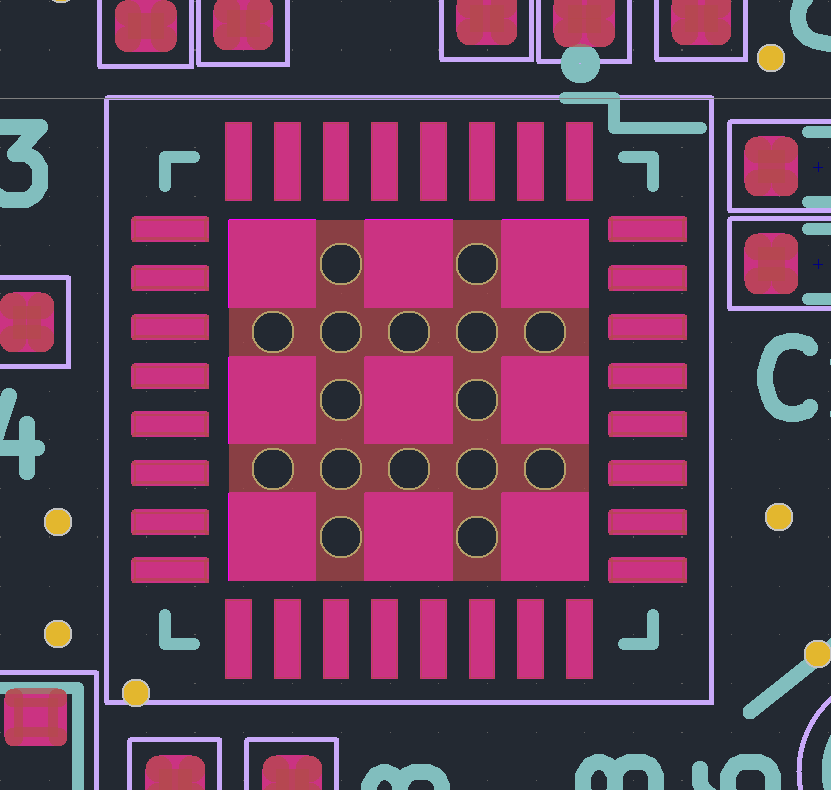
pink=paste. This footprint has too much

I also consistently had issues soldering the QFN package the ESP comes in- I think this was due to too much paste on the center thermal pad. This causes the chip to float, and sometimes this causes one side of the chip (or a few pins) to lift. Next time I will reduce the amount of paste on the center pad to fix this, but I resolved it here by removing the chip, solder-wicking the thermal pad, and then re-soldering the part. Using low temp solder paste made this really easy.

LM3409 Driver bringup:

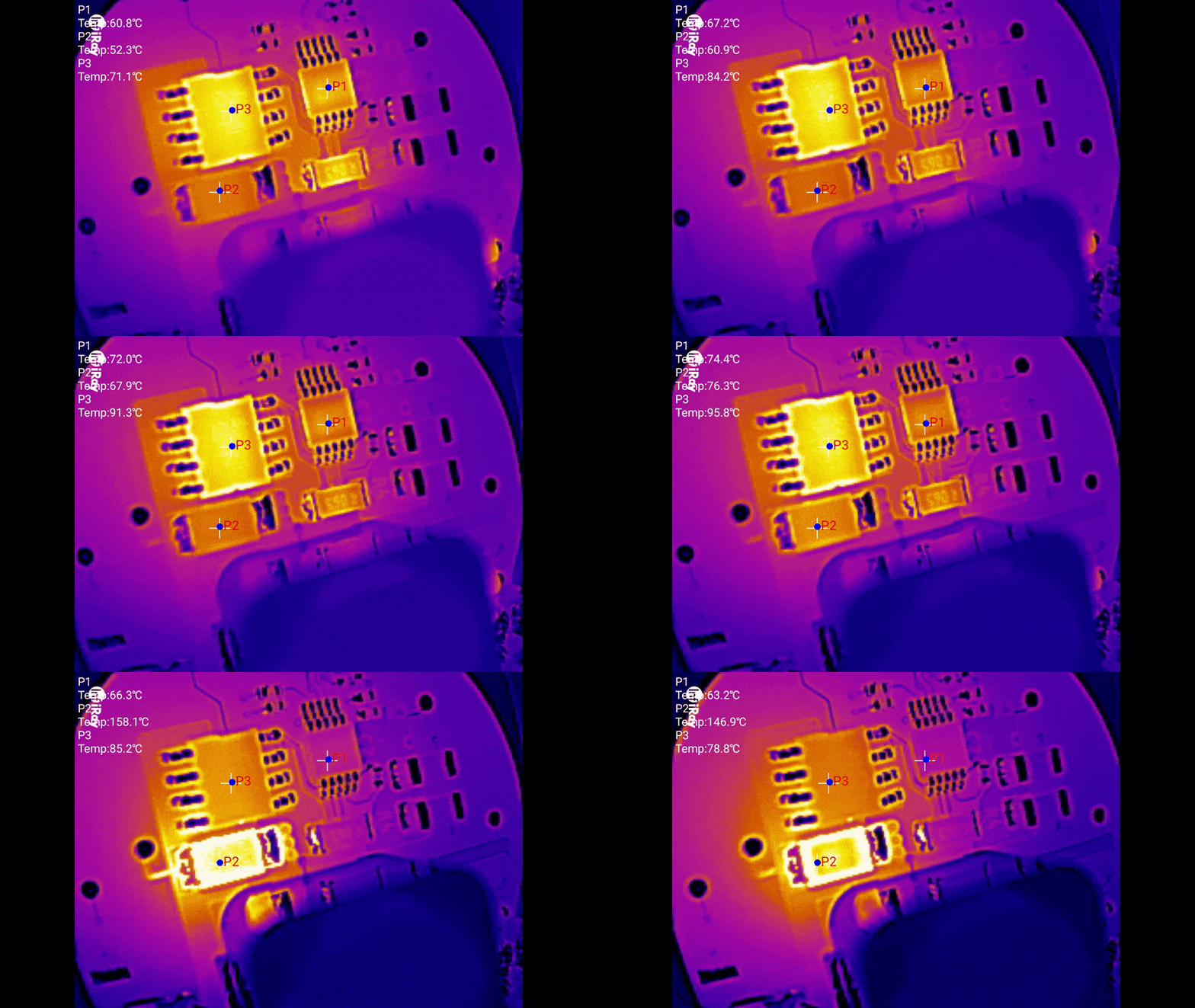
The LM3409 bringup went relatively well, but thermal issues started to crop up pretty much immediately. There are some surprising deficiencies in the layout and parts that I will be modifying for future revisions. The thermal camera really helped to visualize the issues quickly, and given the number of thermal/power projects I have worked on recently I am sure I will get to use it quite a bit.

PFET Gate Charge

One hair raising issue was that during bringup, the board started to smoke. This is almost always a bad sign. In my original estimation, this was caused by the buck PFET getting hot due to having a high gate charge. The odd thing is that the freewheel diode also got really hot, and stayed hot even if the led was very dim.

A very basic thermal investigation with two thermocouples showed that the FET was getting hotter than the diode, at least initially. However, I did smoke several diodes in the process.

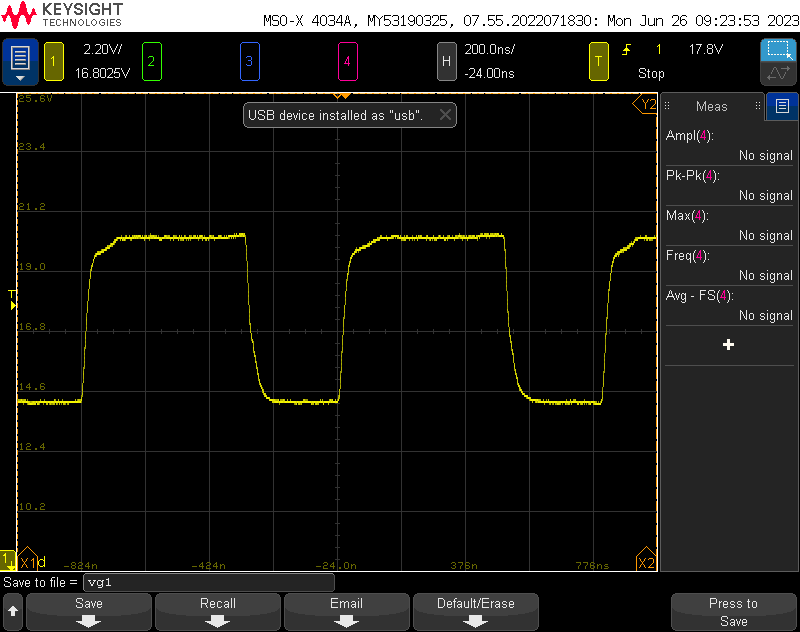
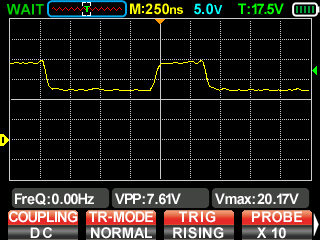
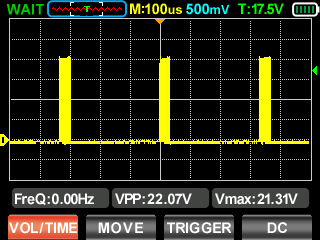
original fet gate voltage. roughly 200 ns of switching time.

Reducing the gate charge did appear to solve the problem, and there was even a note in the datasheet (that I glossed over) about keeping the gate charge below ~30nC. Having a high gate charge is problematic for two reasons- it keeps the FET in a high RDS region for longer during switching, and it requires more power from the gate driver on the LED controller, which also heats up. However, this was not the real problem.

Overheating and Limp Mode:

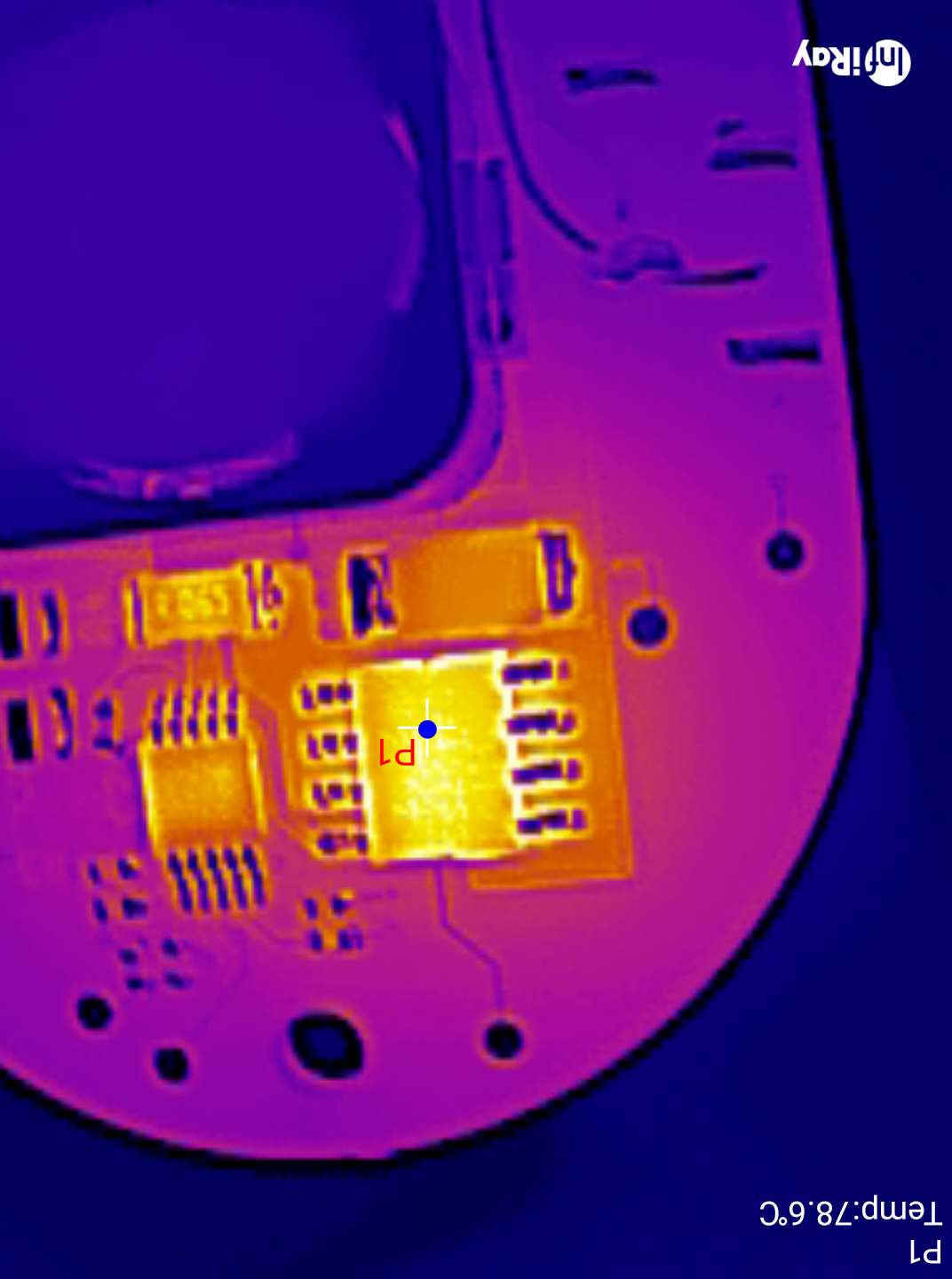
Note that initially P1, the driver heats up to ~70C. Once the driver gets hot, P2, the diode, gets VERY hot (150C!)

Gate charge was not the entire story. With the FET replaced with a lower gate charge/higher RDSon model, there was still an issue! With the LED aggressively cooled (to allow it to live), the device would still go into some kind of limp mode after a few minutes of operation at high currents (3.6A avg, 12V, about 42W).
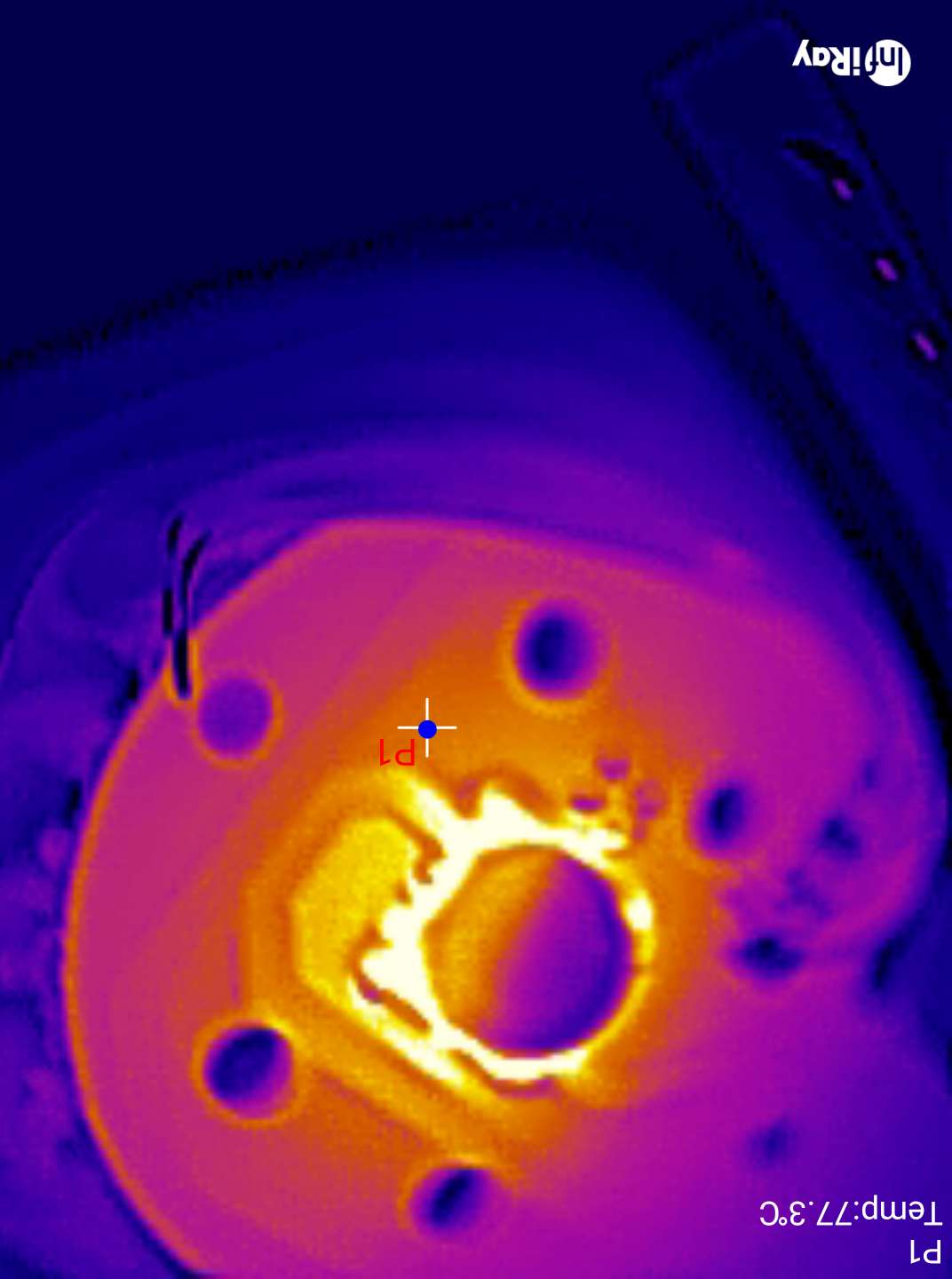
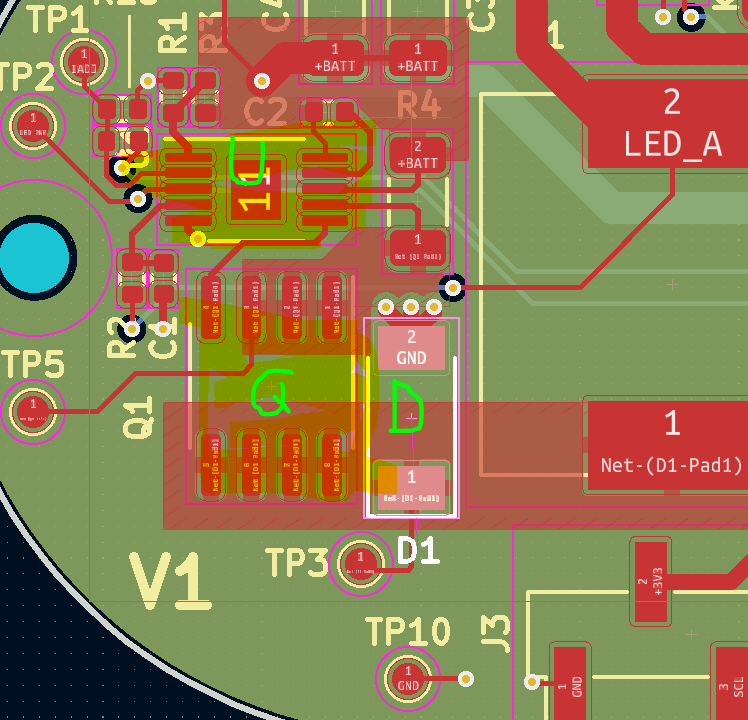
This seems to be due to the driver itself overheating, which is due to my poor thermal design. The driver is marked U in the layout above- this is supposed to have a thermal pad connected with vias to ground. I omitted the vias, essentially insulating the chip- no good.

Gate Voltage

Second, at high currents, the regulator needs to switch frequently to keep in regulation. Estimating from the gate voltage above (in terms of time), and assuming maximum 1A gate drive currents, I estimate that the total switching time is at least 100nS with a period of about 1375nS. The average voltage is about 16.5V, so 16.5V*1A*D = ~1.2W. This would probably be easy do dissipate if I hadn’t insulated the chip. Reducing gate charge helped reduce the power this chip was dissipating, but it was not the root cause.

To make things worse, I didn’t add much copper to dissipate heat on the FET, and at least half the copper is on the side of the driver, which actually makes things worse (its easier to for the FET to heat the driver). Adding some vias to a large plane on the back, and increasing the area on the front will increase the area the heat can easily dissipate from.

The reason the diode gets hot is because usually, the diode only free wheels for a short amount of time- when the FET is off. When the driver goes into limp mode, it has to dissipate all the energy stored in the inductor, many times a second.

So the full story is- this driver will self destruct if the driver overheats and goes into hiccup mode. Better thermal design (and eventually cooling it in the ocean) will probably improve the situation, by preventing driver overheating.

A wiser choice of package for the FET might also help dump heat to the PCB, which will be important when this is running in an enclosure. Convection won’t be an option then, and all the heat will need to go into the case.

Efficiency + Thermals:

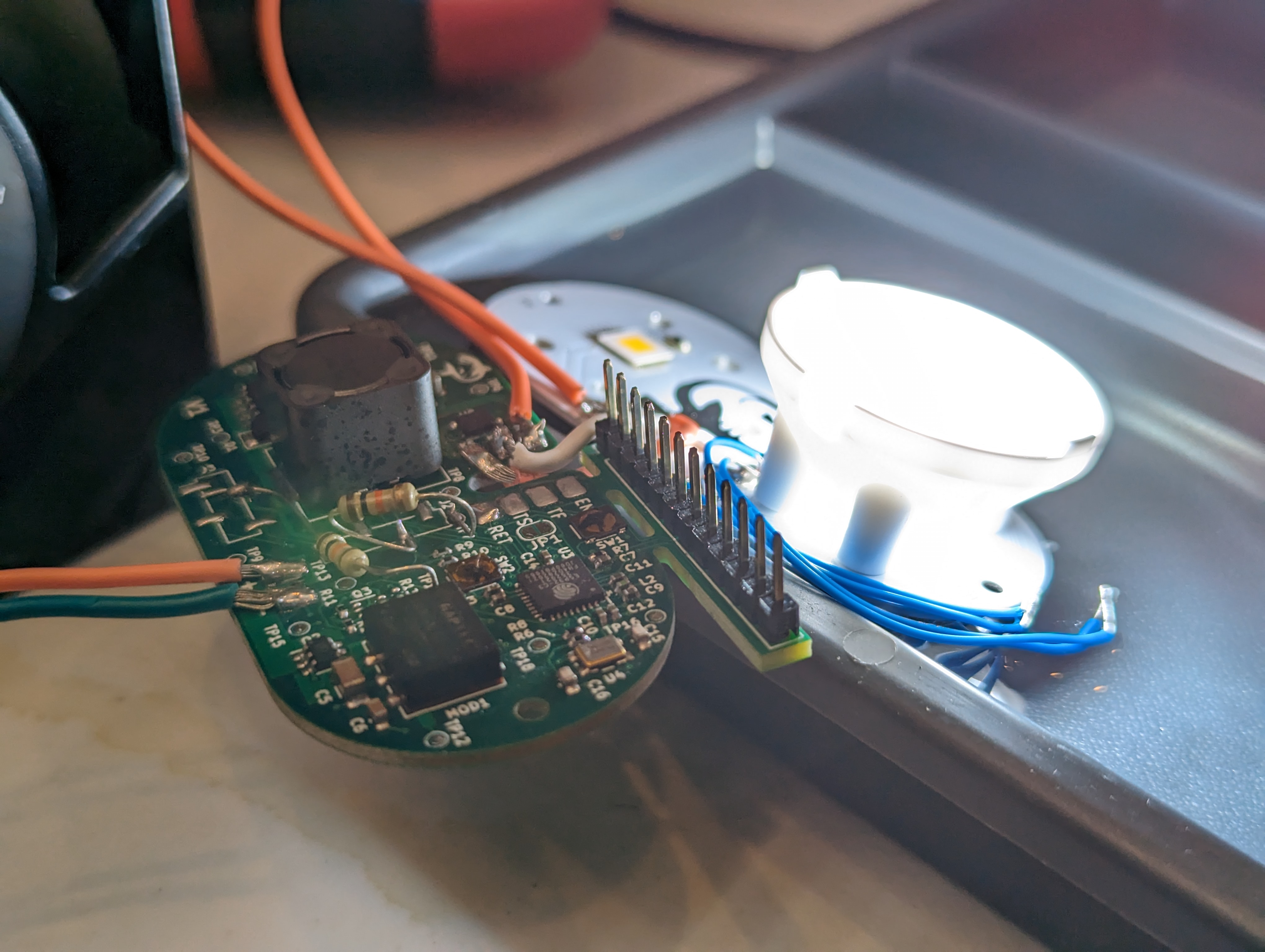
With the driver sorted, the next thing to do was to smoke test the lamps at high currents. This went reasonably well, with only one LED burning out. As you can see above, the XHP70.3 required a heat sink and passive water cooling in order to prevent burnout. Given that its running at about 42W and only ~25% of the energy is turning into light, this is a 32W heater in a 70x70mm footprint.

This is at about 70C

This is going to be very hard to keep cool, even with the die almost being in contact with the seawater. The good news is at lower settings (around 2A) I should still get a very respectable 3000 lm out of the LED- more than the sola light!
Overall efficiency from power supply to LED was acceptable- in the mid 90’s for lower currents up to about 1400mA, and in the high 80’s above that. while that might seem like poor efficiency, this takes into account relatively long lead wires to and from the pcb, the multimeter, etc, so I actually expect it to improve in the final product, especially once the thermal design is improved.

Conclusion:

This PCB needs to be re-routed with thermal concerns and strapping pins in mind, but overall, it works! This iteration has given me a lot of confidence that the final design will do what I want it to do. I’m also really excited to keep playing with the thermal camera. It gives me a lot more information than the sizzling finger test, and it lets me dig into the context and sequence of the heating.

Sola 2000 Teardown

My beloved sola 2000 has finally, after many years of service (and after buying it secondhand) flooded. High power LED drivers and seawater do not mix well, and this light is at its EOL.

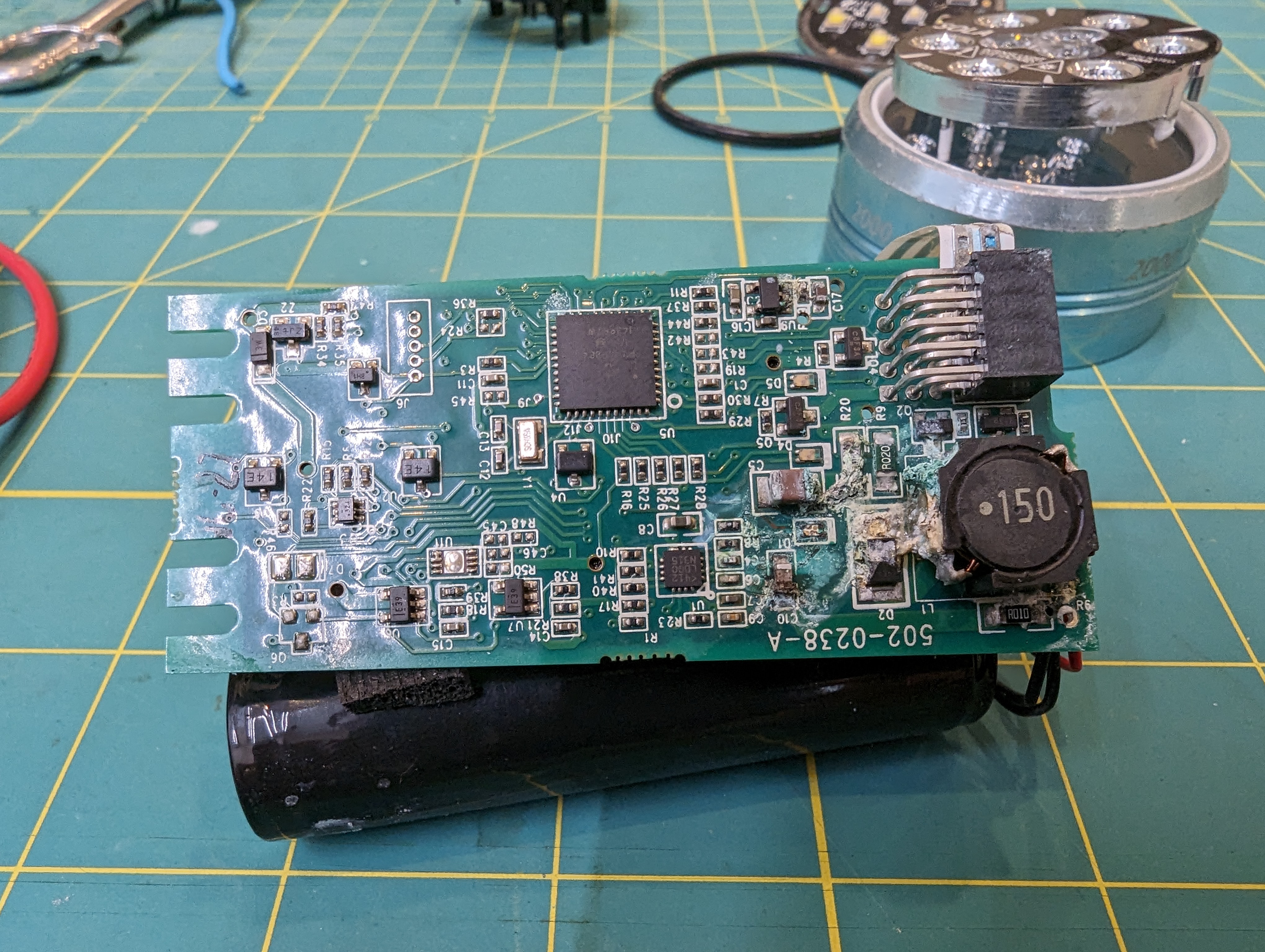
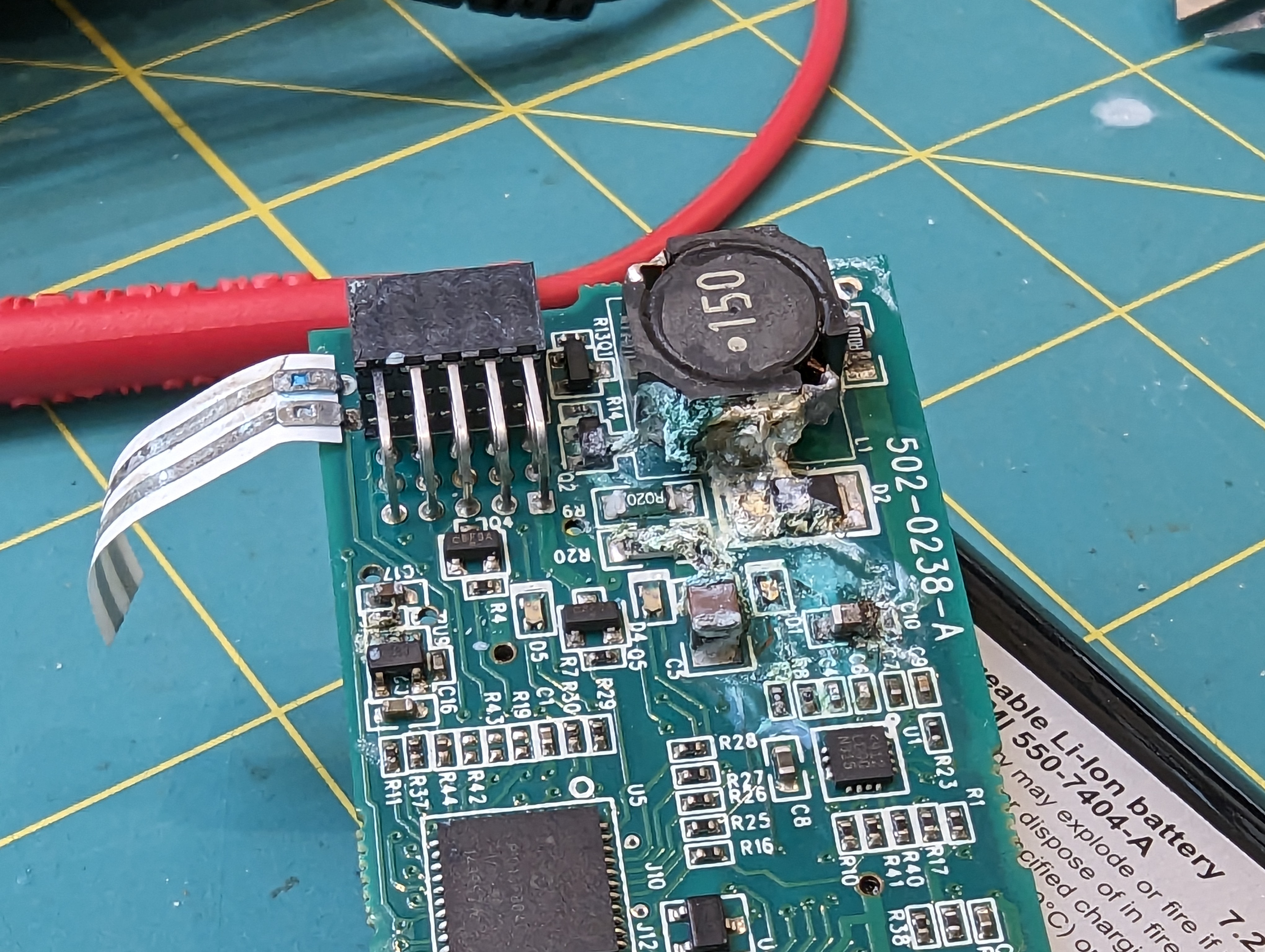
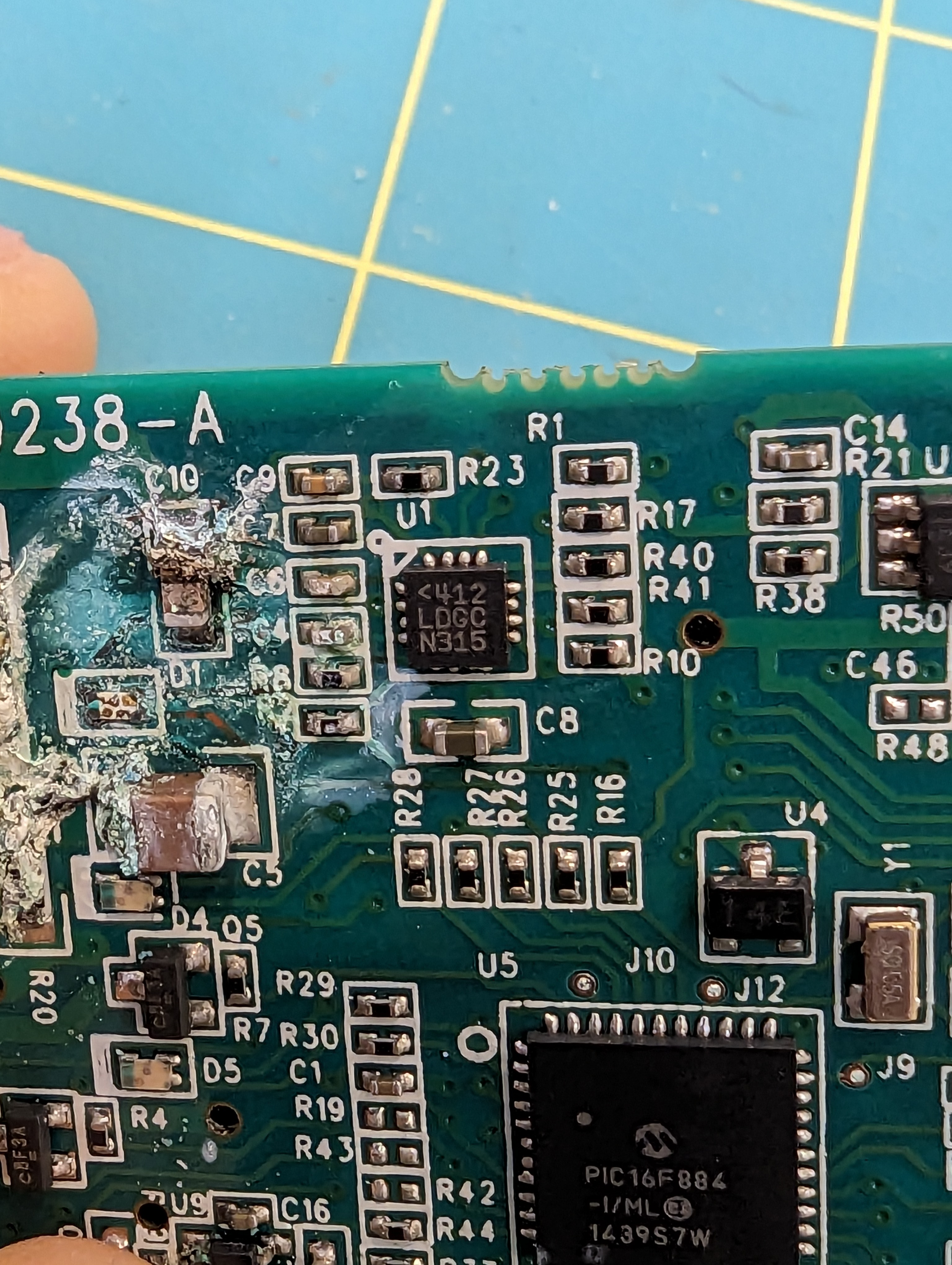
visible corrosion damage to the PCB

I have always wondered what was in this wonderful light, and now that its toast I don’t have any issues tearing it down to find out! There are a lot of very clever design decisions in this light, and a lot to learn.

Light head

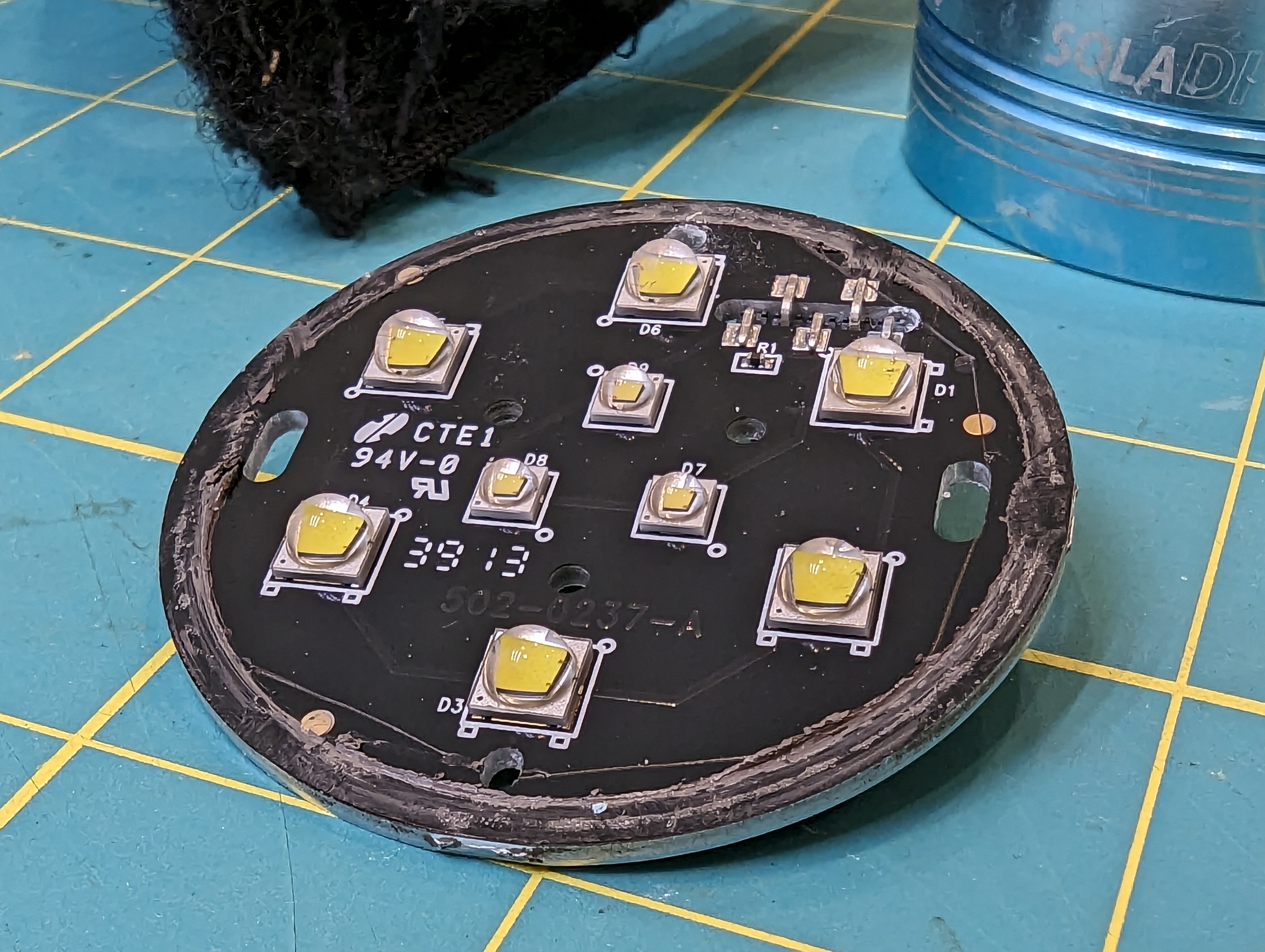
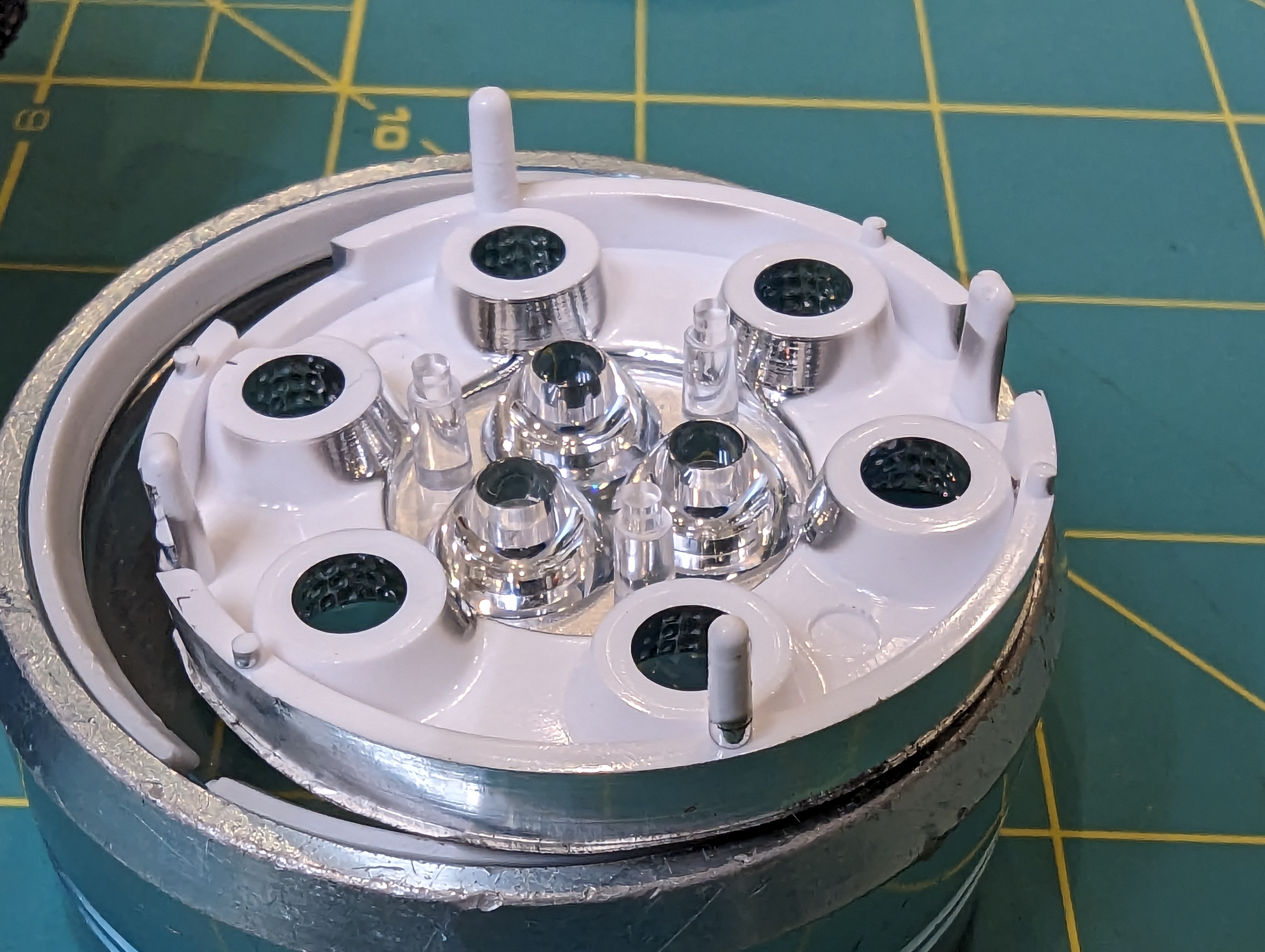
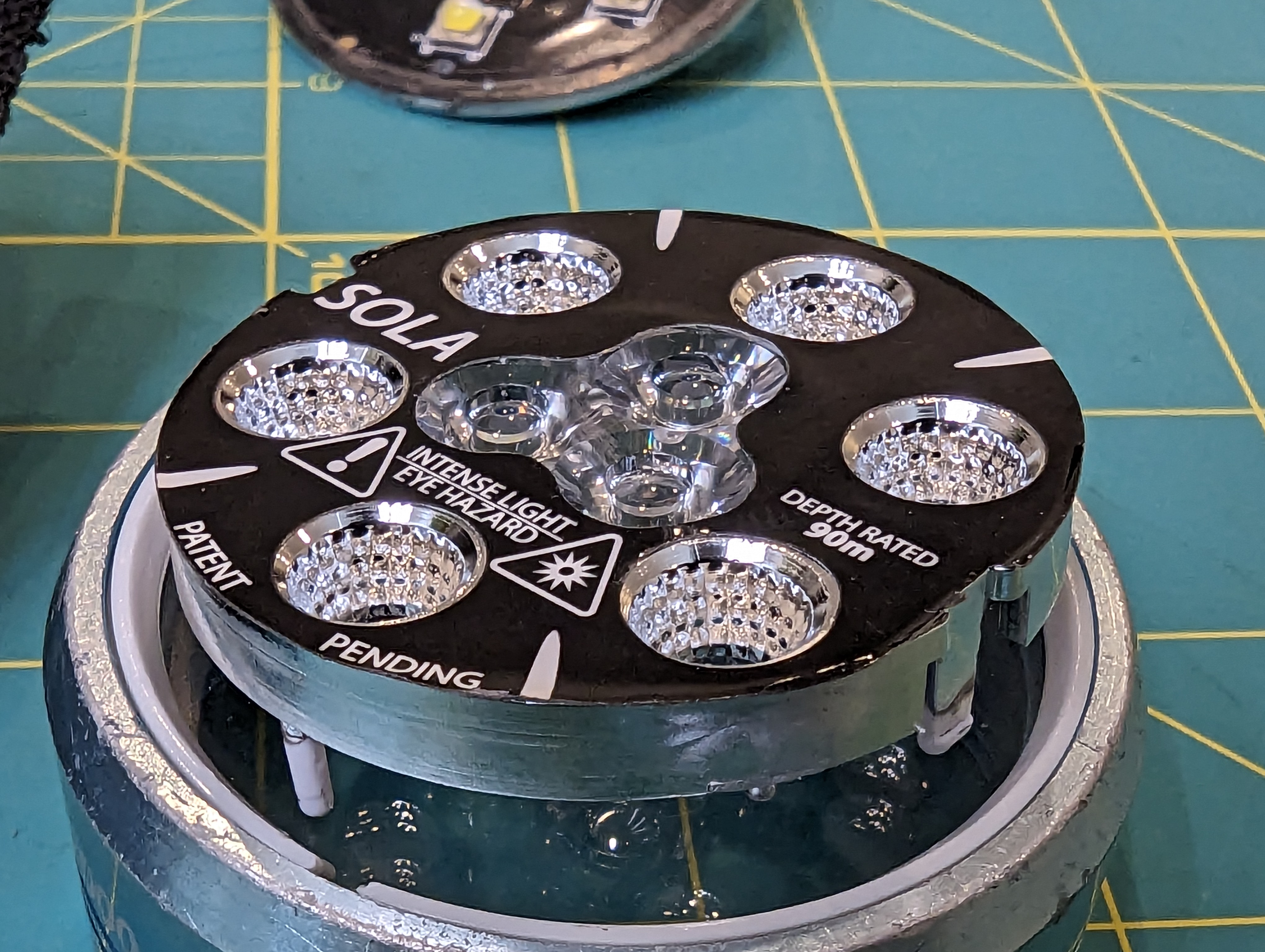
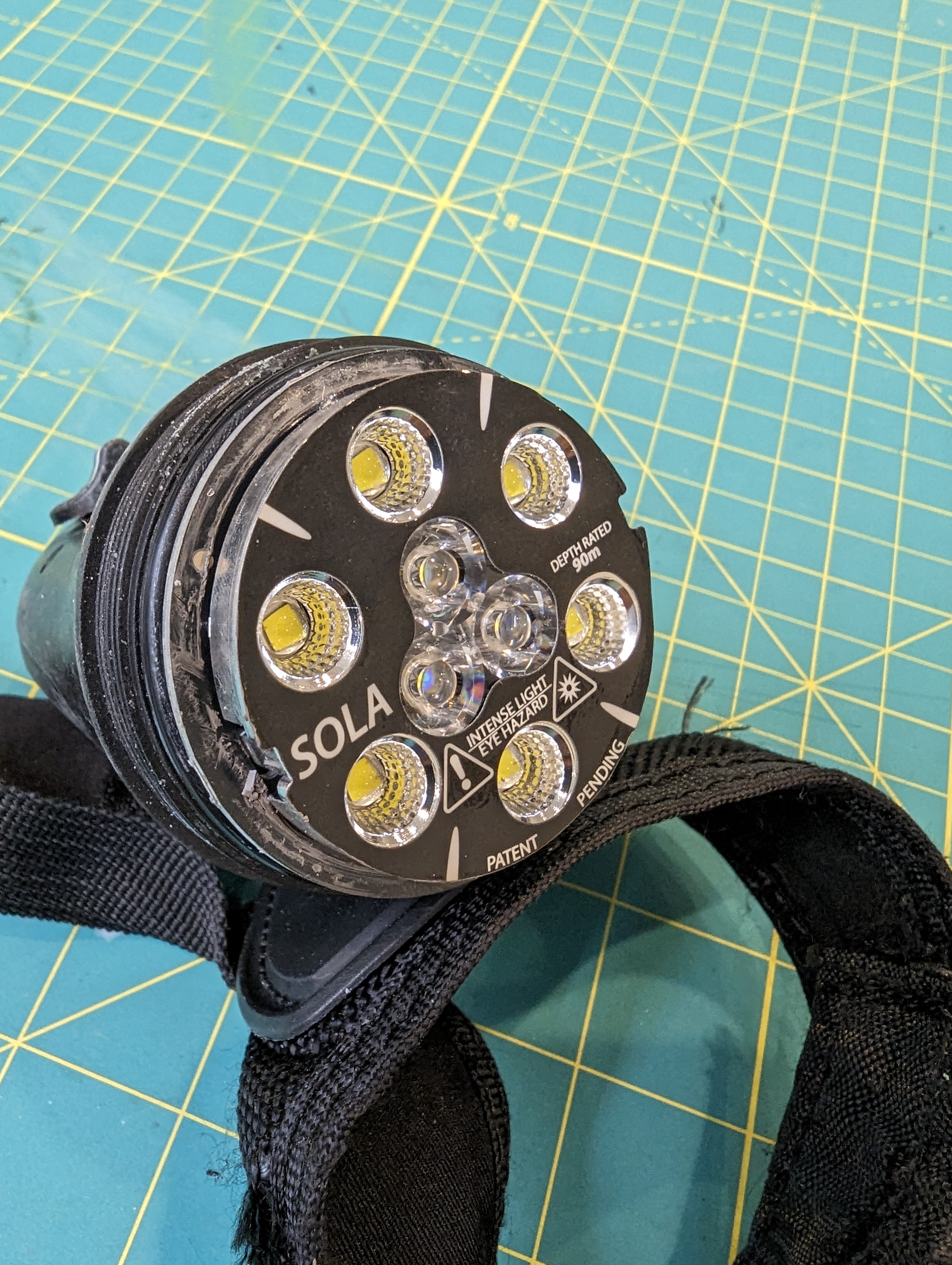
The light head has two rings of LEDS- one for spot lighting and one for flood lighting. the small inner ring of three LEDs is the spot light, and the outer LEDS are the flood light. Given the package size and general shape the LEDS, I assume the inner ones are CREE XP-E2 LEDS, and the outer ones look like CREE XM-L2 LEDs.

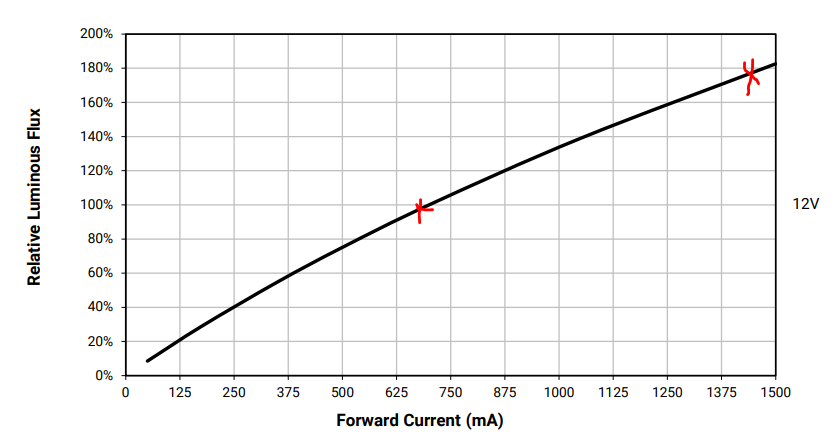
from XHP50.3 datasheet- note that 2x current does not reach 2x luminous flux. additionally, 2x current increases Vf, which makes it even less efficient than expected from this plot

Having multiple LEDs is very smart, because LEDs run more efficiently (in terms of light per heat) at lower currents. It also spreads out the heat loading of the PFB- CREE says to estimate 75% of LED power to turn into heat instead of light- that means that a 4W LED needs to dissipate 3W of heat.

Given the stated lumen output of the light, I would guess the flood lighting runs around 9-10W, or 1A at about 9V. The ring of 6 flood LEDs probably run at about the same current (1A) but at about 18V, for an output of 18W. This means that about 7-14W needs to be dissipated. This seems to be done through good contact of the aluminum PCB with the metal ring that goes on the front of the light. If you look at the PCB photo above, you will see a smear of thermal grease along the edge.

Running multiple LEDS efficiently means spreading the heat around, especially for the radial LEDs, which are closer to the heat-sinking bezel. Its also important because the light is powered by a relatively small battery pack.

To prevent overheating, it seems like there is a single thermistor on the PCB as well. This will let the controller throttle the output when the emitters get hot.

Optics

The optics look a lot like they are made by carclo (wild conjecture). There are two styles- reflectors for the spot lights, and a total-internal reflection style optic for the spot light. I do wonder if there is any attempt to collimate the spot beam to make it extra tight, by biasing the three spot beams inwards.

LED driver

The LEDs are driven by an LT3755 wide-input rage LED driver. This driver is probably operating in boost mode all the time, since the battery voltage is too low to drive any of the LEDs. Interestingly, there is only one driver (just like in my design) but there appear to be two current sense resistors. I suspect these resistors are switched in for the spot and flood modes (on the high side, with a PFET), and then the overall brightness is controlled by PWM. This makes sense because these LEDS are probably operating at reasonable efficiency, so there is no advantage to turning down the average operating current.

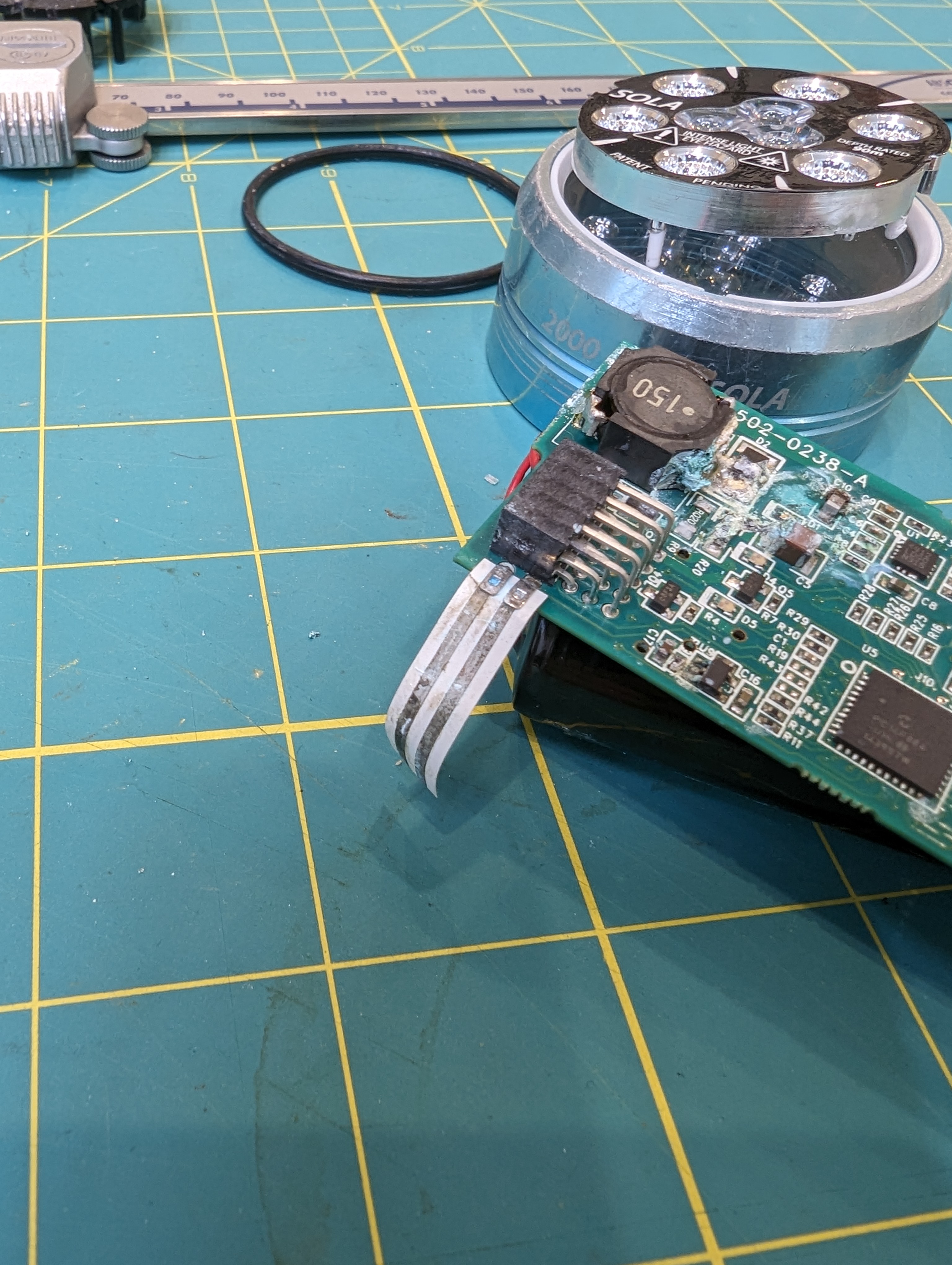
As you can see, most of the corrosion/damage happened near the boost converter. It is close to where water can come in, and it is also where the highest voltages exist on the board. Seawater can cause a short between the current driver outputs, which would then tend to increase the output voltage until the current set point was reached, or until the driver maxes out or reaches some thermal limit- in other words, its a vulnerable circuit.

Flood sensor?

This board has something pretty unusual on it- a big floppy ribbon with conductors on one side. At first, I thought it might be some kind of temperature sensor, but I think it is a flood detection circuit- if it gets wet, it will alert the micro to shut down the led driver. This makes a lot of sense, both to protect the battery and the PCB. If the lamp is dried out after being protected from a flood, I imagine it would be just fine.

Magnetics + Micro

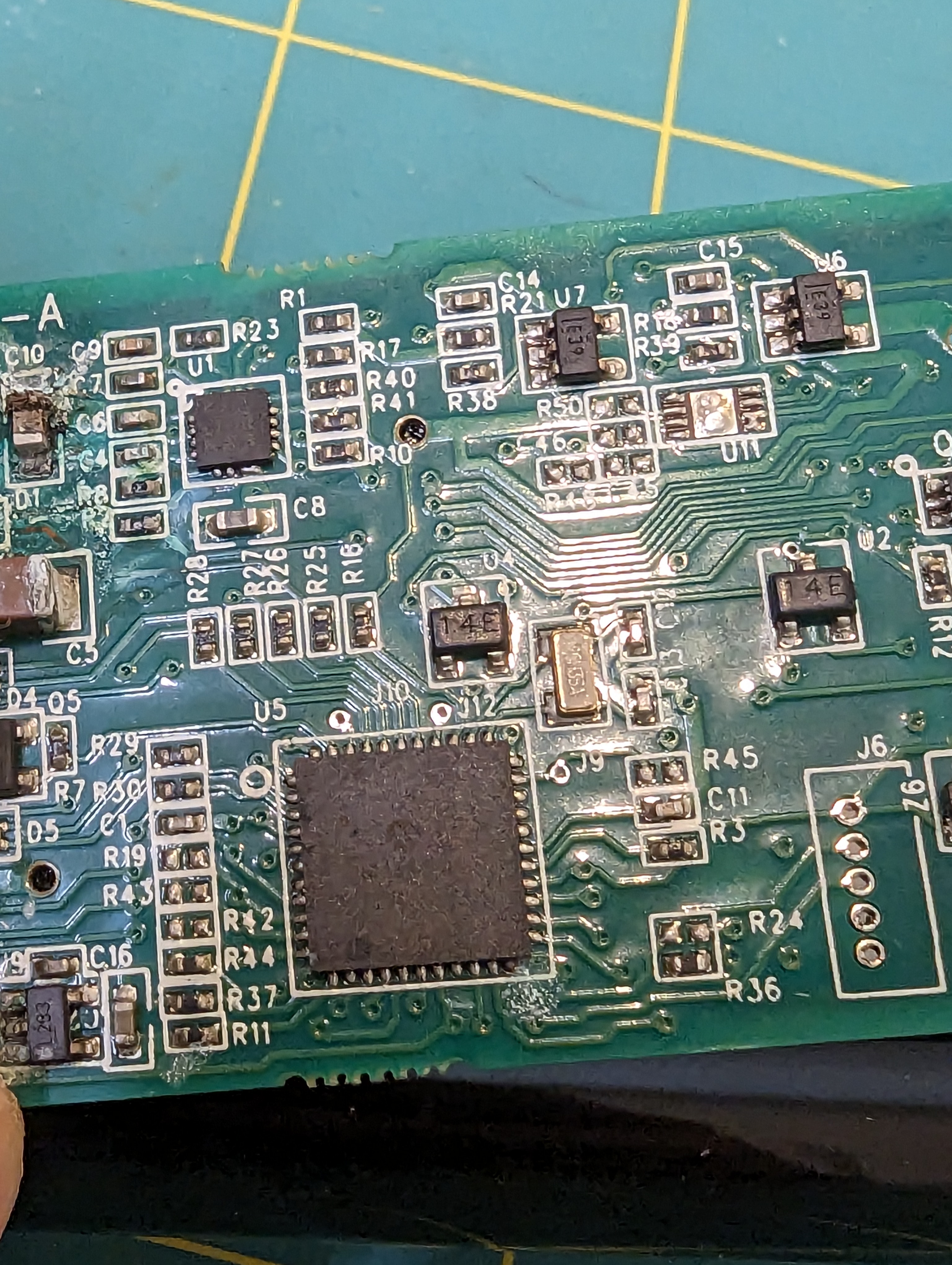
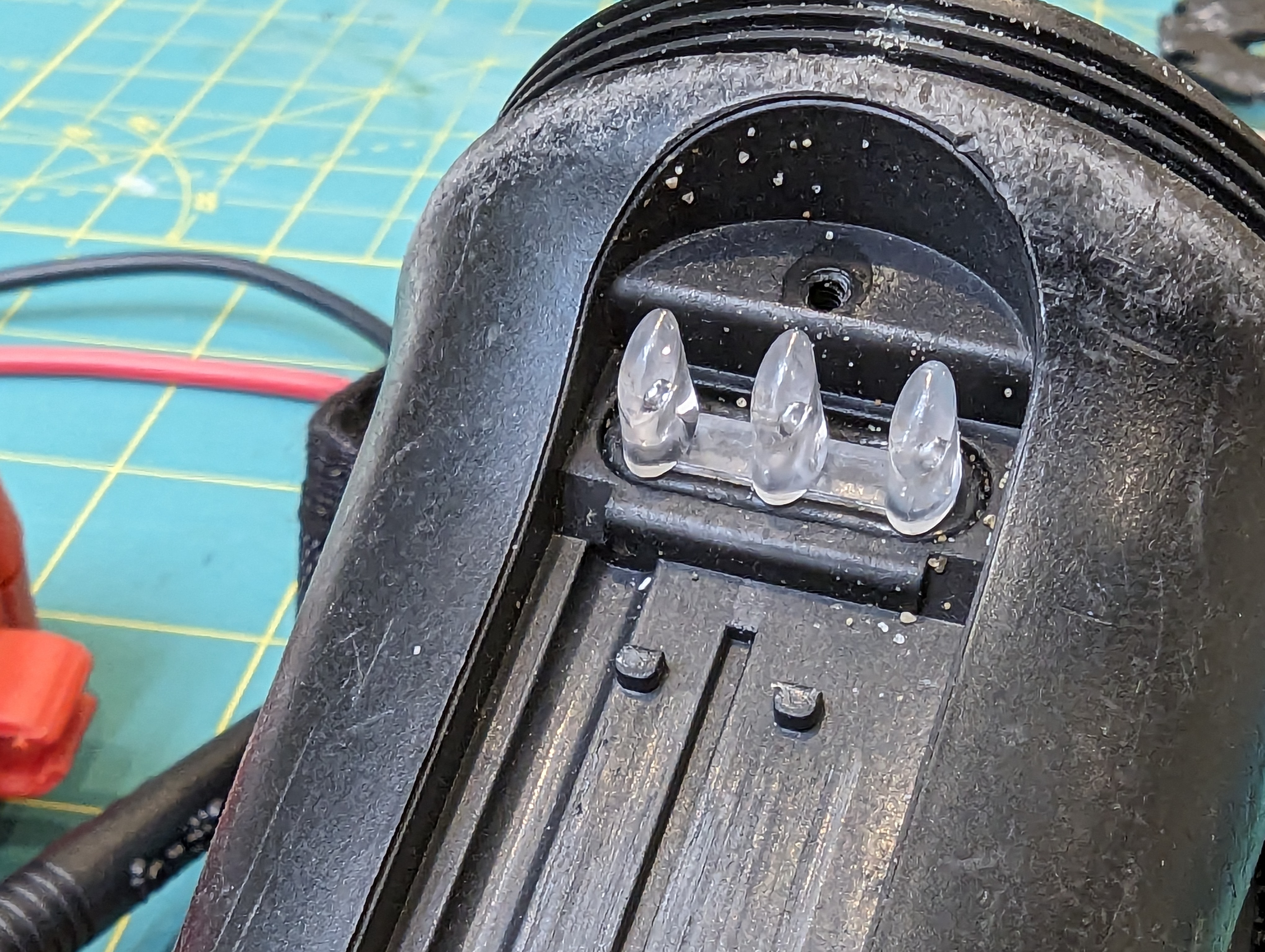
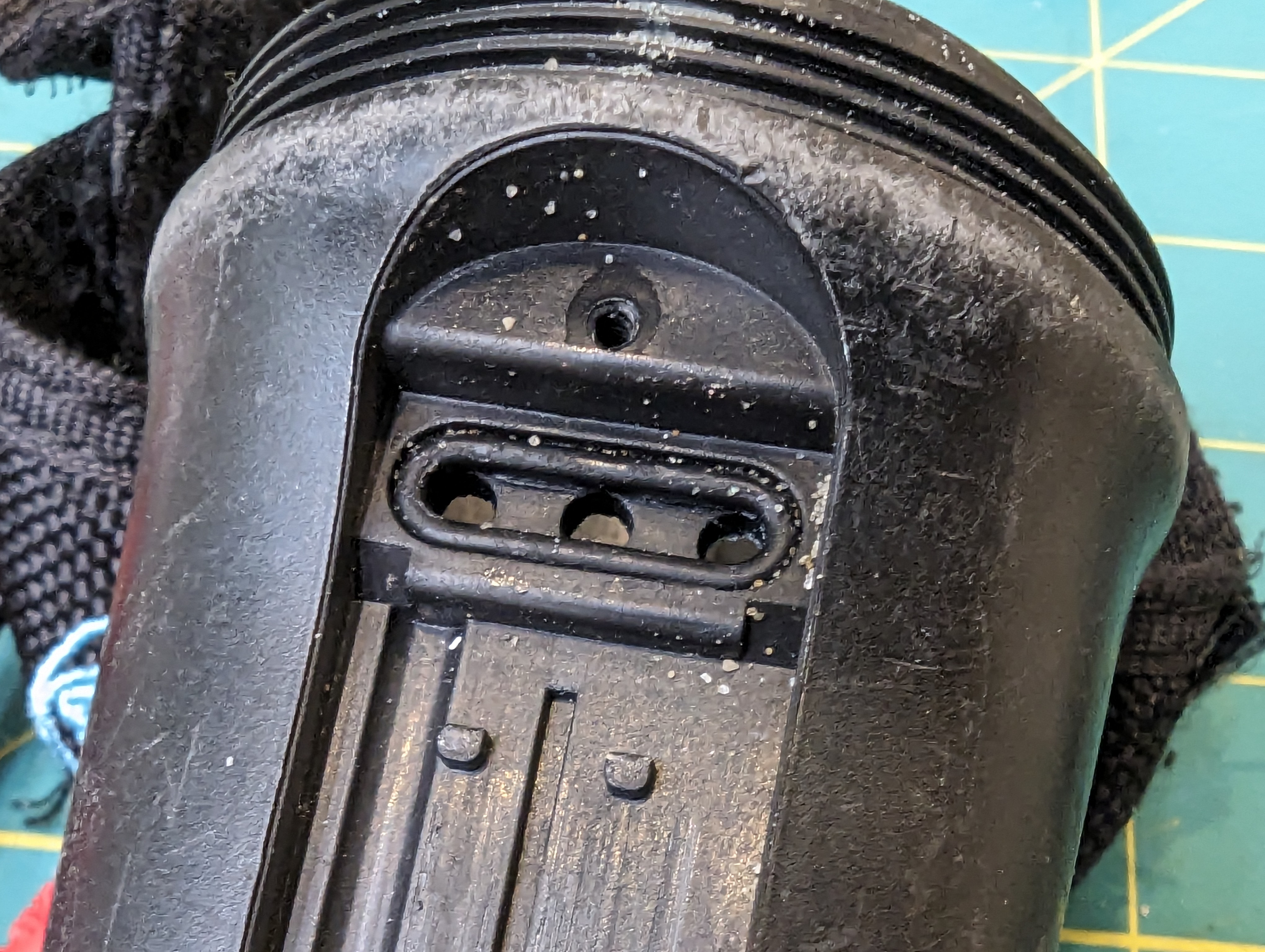
The micro is a pretty basic PIC16F884. The interface is much cooler. There are three evenly spaced IC’s marked “14E” on the PCB. I am guessing these are made (or were made) by NVE, since a lot of their ultra-low-power magnetic switches have that as a portion of the part number. This allows for control of the light without having an extra hole (leak point) in the case.

Power connections

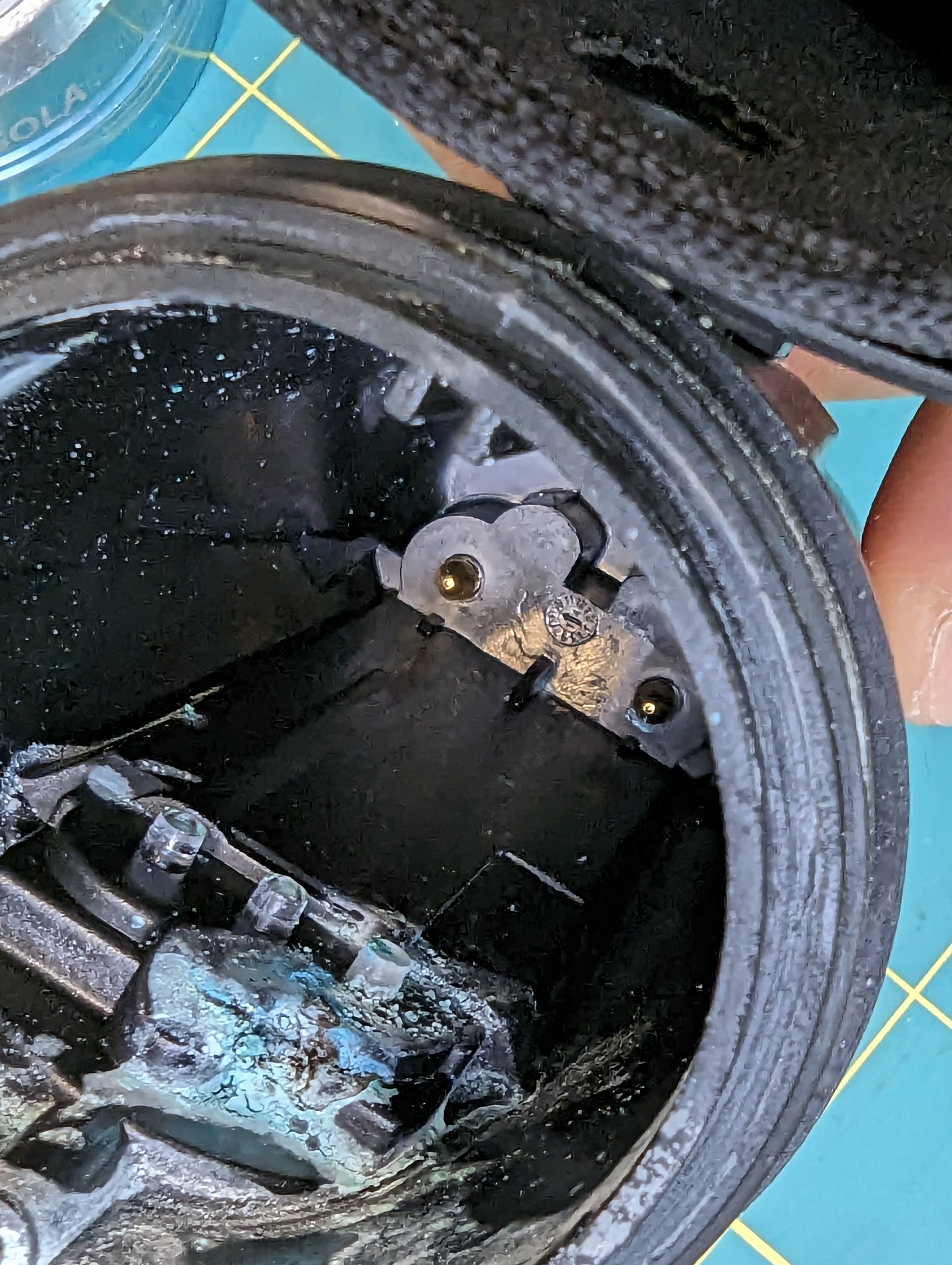
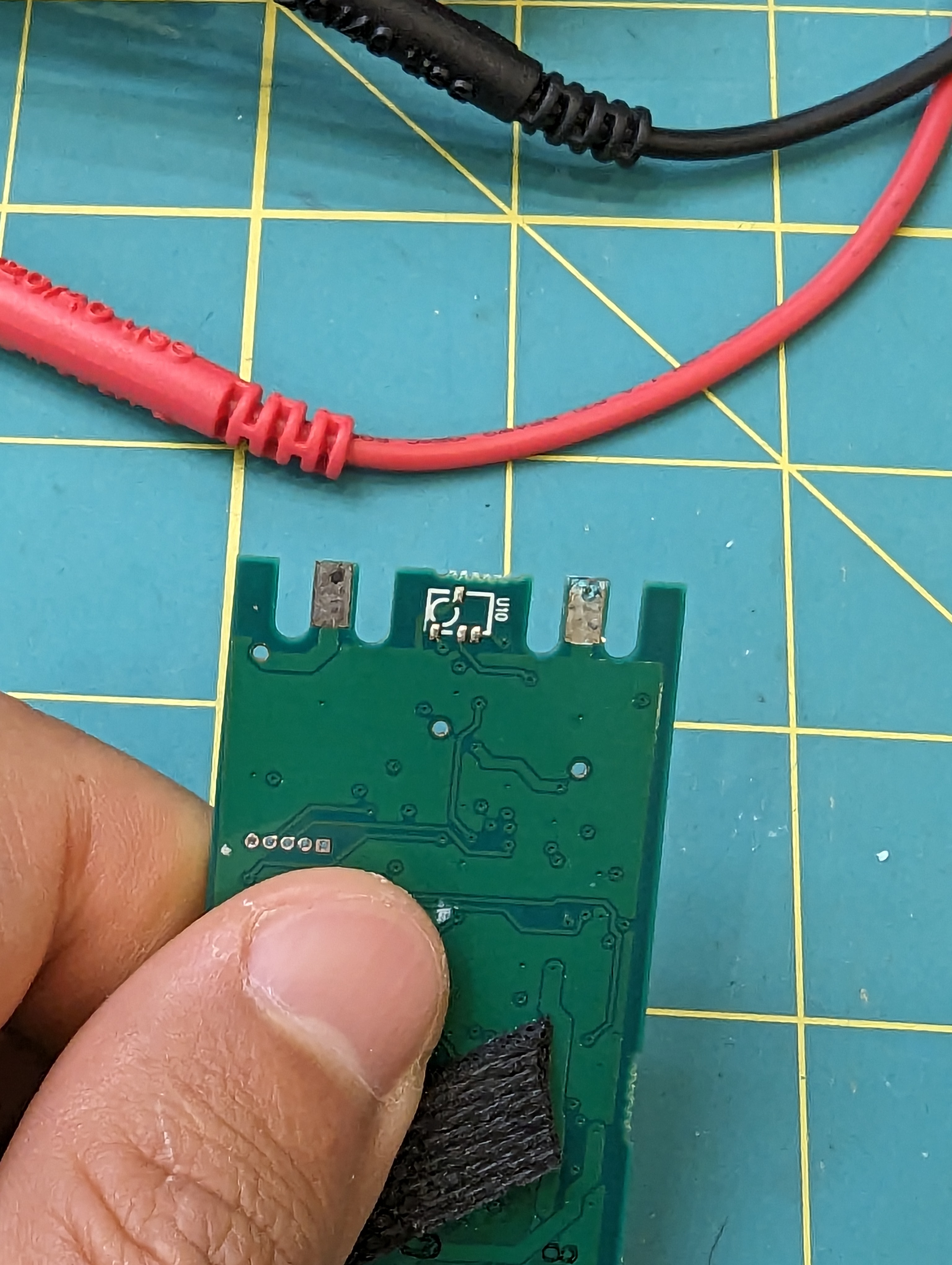
Surprisingly, the power connections are made by wedging the pcb onto the gold contacts in the back of the case. Never in a million years would I have though that this would work so well, but some clever ribs in the back of the housing push the skinny pcb cutouts/contacts onto the gold plated pins.

Autopsy

I’ve always liked the sola lights because they are “factory sealed” and there are no waterproofing components that need changing regularly. Inspection of the front oring didn’t yield any interesting results, but looking at the light pipe seal, I have some suspicions that this might be where the light failed.

The corrosion is right under this seal, although that is also the most likely place for corrosion to happen, so its not a slam dunk. However, this is a circumferential static seal, and there are things I dont like about it.

Specifically, the surface finish of the light pipe is not very smooth on the contact area of the oring (difficult to photograph), and the whole light pipe can rock gently (although this is somewhat prevented by the bezel). The bend radius of the oring is also pretty tight compared to the diameter. The radius is about 2x the diameter, where the best practice would be about 6x the diameter.

Obviously this is a fine design, given that this light has lasted many many years. That said, I am suspicious of this seal.

Closing thoughts:

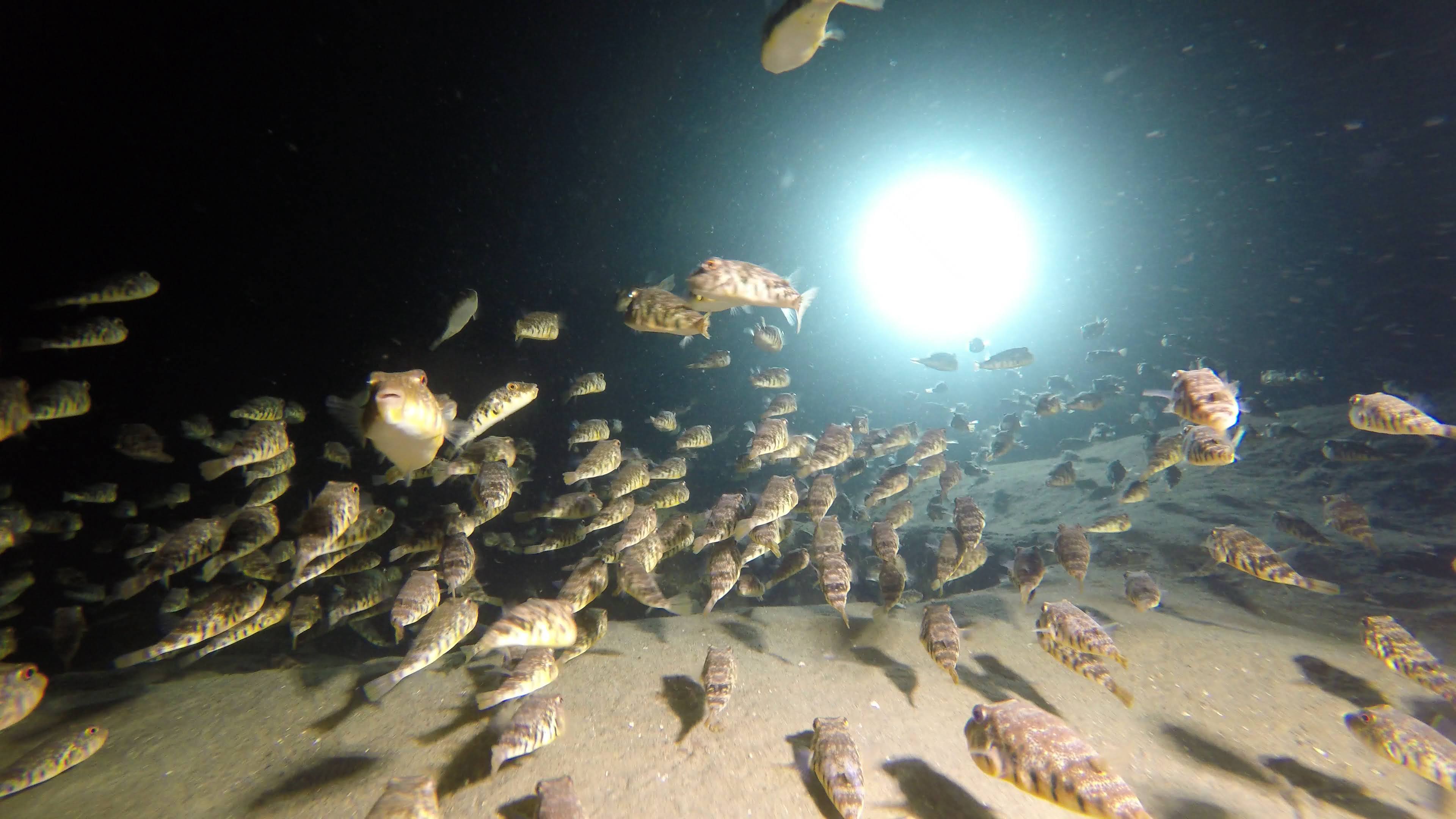
puffer-palooza at folly cove, illuminated by this light…

This light is pretty tidy from an engineering prospective, and it was a great dive light. I am still curious about what is shared between different models- how is it different than the sola 1500? from the spot lights (the driver here could easily drive a COB)? How did they reuse parts between the designs? And what on earth is that funny three-tier connector for (different models?).

I won’t be getting the answers to these questions but its fun to see what made this thing tick for so long.